1. Введение
This manual provides detailed instructions for the safe and efficient operation of your Optoma EH416 Full HD 3D DLP Projector. Please read this manual thoroughly before using the projector and retain it for future reference. Proper use and maintenance will ensure optimal performance and longevity of your device.
Информация по безопасности
- Не смотрите прямо в объектив проектора, когда он включен.amp Яркий свет может повредить глаза.
- Обеспечьте надлежащую вентиляцию вокруг проектора. Не закрывайте вентиляционные отверстия.
- Используйте только сетевой шнур, входящий в комплект проектора. Подключайте к надежно заземленной розетке.
- Do not expose the projector to rain, moisture, or excessive humidity.
- Все работы по техническому обслуживанию должны выполняться квалифицированным сервисным персоналом. Не пытайтесь самостоятельно вскрывать или ремонтировать проектор.
2. Что в коробке
Please verify that all items listed below are present in your package. If any items are missing or damaged, contact your dealer immediately.
- Optoma EH416 Projector
- Шнур питания
- Кабель VGA-VGA
- Дистанционное управление
- Сумка для переноски
- Батарейки для пульта дистанционного управления
- Multilingual CD-ROM User’s Manual
- Карта быстрого старта
- Гарантийный талон
3. Продукт закончилсяview
Основные характеристики
- Высокая яркость: 4200 lumens for clear images in various lighting conditions.
- Высокая контрастность: 20,000:1 contrast ratio for sharp, luminous images with deep blacks.
- Разрешение Full HD: Native 1080p (1920x1080) resolution, supporting up to WUXGA (1920x1200).
- Advanced Optical Lens: Features a 1.6x zoom and vertical lens shift for flexible installation.
- Широкие возможности подключения: Dual HDMI (one with MHL support), dual audio-in, VGA, and more.
- sRGB Color Profile: Enables vibrant and highly accurate colors based on Rec. 709 HDTV specification.
- Регулировка цвета стены: Compensates for brightness loss when projecting on non-white surfaces.
- Edge Mask: Eliminates soft edges and jaggedness on the projection border for a smooth image.
- Интегрированное аудио: Встроенный динамик мощностью 10 Вт.
Компоненты проектора
The image below illustrates the main components of the Optoma EH416 projector, including the lens, control panel, and various ports.
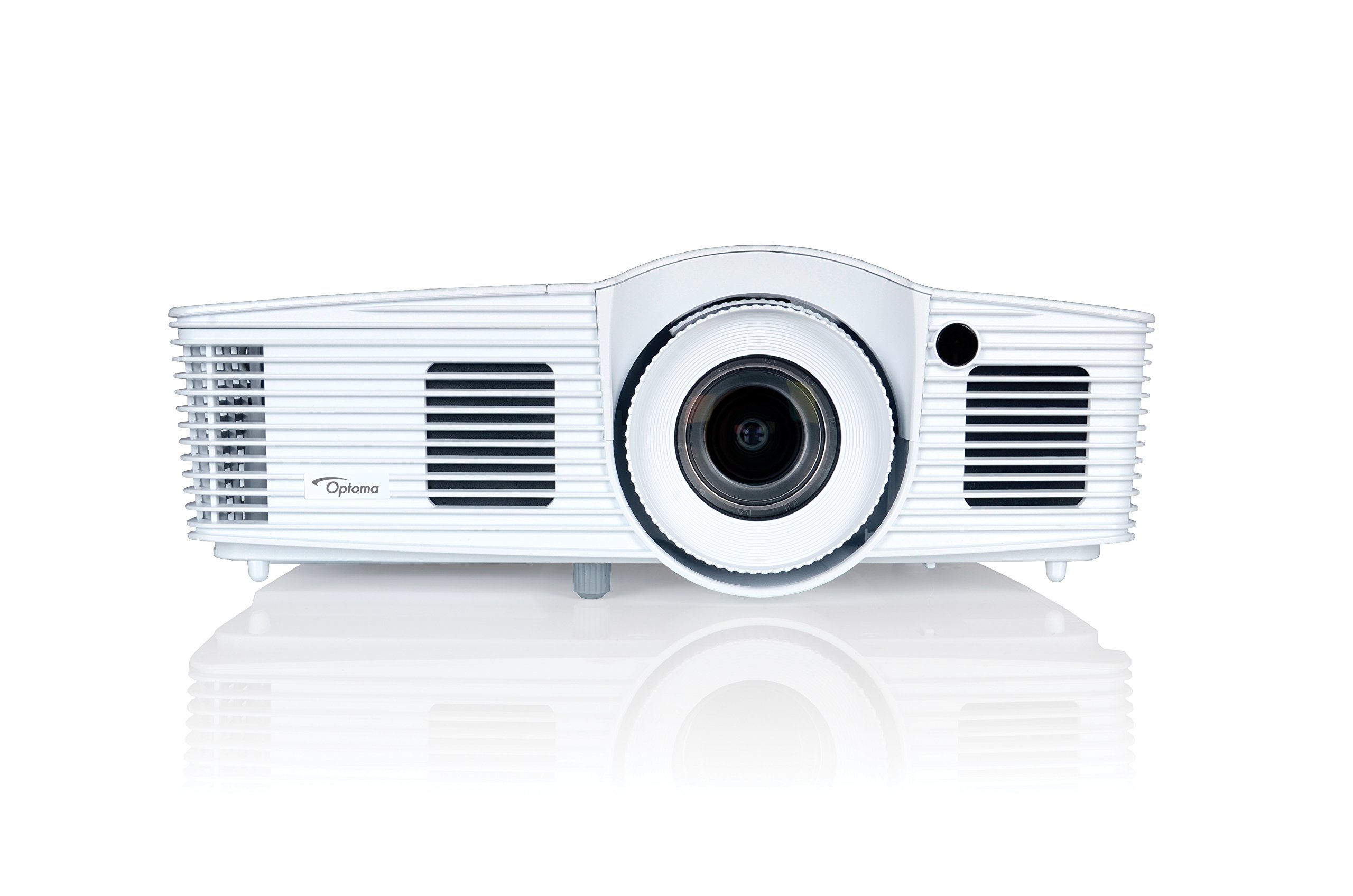
Рисунок 1: Передняя часть view of the Optoma EH416 Projector, showing the lens and primary controls.
Порты подключения
The Optoma EH416 projector offers a wide range of connectivity options located on the rear panel for versatile integration with various devices.
- HDMI (x2): Digital input for high-definition video and audio. One port supports MHL for mobile devices.
- VGA (x2): Analog input for computer connections.
- Audio In (x2): 3.5mm stereo jack for analog audio input.
- Аудио выход: 3.5mm stereo jack for connecting external speakers.
- USB-A: For power output or service.
- РС232: Для управления проектором через компьютер или систему управления.
- RJ45 (Ethernet): Для управления и контроля сети.
4. Настройка
Размещение проектора
The Optoma EH416 offers flexibility in placement due to its 1.6x zoom and vertical lens shift capabilities. Position the projector on a stable surface or mount it securely. Adjust the distance from the screen to achieve the desired image size. The 1.6x zoom allows for a larger image from a shorter distance or a smaller image from a longer distance without moving the projector.
Подключение устройств
- Подключение питания: Connect the power cord to the projector's power inlet and then to a grounded electrical outlet.
- Источник видео:
- For HDMI devices (e.g., Blu-ray player, laptop): Connect an HDMI cable from your device to one of the HDMI ports on the projector.
- For VGA devices (e.g., older laptops): Connect a VGA cable from your device to a VGA port on the projector. If audio is also required, connect a separate 3.5mm audio cable from your device to an Audio In port on the projector.
- For MHL compatible mobile devices: Connect an MHL cable to the designated HDMI/MHL port.
- Аудиовыход (опционально): If using external speakers, connect an audio cable from the projector's Audio Out port to your sound system.
Включение/выключение питания
- Для включения: Press the power button on the projector's control panel or the remote control. The power indicator light will turn blue.
- Чтобы выключить: Press the power button twice. The projector will enter a cooling down cycle before completely shutting off. Do not unplug the projector during the cooling cycle.
5. Эксплуатация проектора
Основная операция
- Выбор источника: Use the 'Source' button on the remote or control panel to cycle through available input sources (HDMI1, HDMI2/MHL, VGA1, VGA2).
- Навигация по меню: Press the 'Menu' button to access the On-Screen Display (OSD). Use the arrow keys to navigate and 'Enter' to select options.
- Регулятор громкости: Use the volume buttons on the remote control to adjust the audio output from the built-in speaker or Audio Out port.
Корректировка изображения
- Фокусировка и масштабирование: Rotate the focus and zoom rings on the projector lens to achieve a sharp and appropriately sized image.
- Коррекция трапецеидальных искажений: If the image appears trapezoidal, use the 'Keystone' function in the OSD menu or the dedicated button on the remote to correct the image shape. The EH416 supports ±40° vertical keystone correction.
- Вертикальный сдвиг объектива: This feature allows you to physically move the image up or down without tilting the projector, minimizing keystone distortion. Adjust the lens shift dial located near the lens.
- Регулировка цвета стены: Access this feature in the OSD menu to compensate for the color of your projection surface (e.g., blackboard, light yellow wall). This helps maintain accurate color reproduction even on non-white walls.
- sRGB Color Profile: For the most accurate and vibrant colors, especially when connecting to a PC, Mac, or sRGB compatible source, select the sRGB picture mode in the OSD. This profile adheres to the Rec. 709 HDTV specification.
- Edge Mask: This function, found in the OSD, helps to refine the edges of the projected image, eliminating any soft or jagged appearance on the border.
6. Техническое обслуживание
Чистка проектора
- Объектив: Используйте мягкую безворсовую ткань, специально предназначенную для оптических линз. Не используйте абразивные чистящие средства.
- Casing: Протрите проекторasinПротрите мягкой сухой тканью. Для удаления стойких загрязнений используйте слегка сухую ткань.amp тканью с мягким моющим средством, затем вытрите насухо.
- Вентиляционные отверстия: Regularly check and clean the air vents to prevent dust buildup, which can lead to overheating. Use a soft brush or compressed air.
Lamp Уход
Проектор lamp имеет конечный срок службы. Когдаamp life is nearing its end, a warning message may appear on the screen. Refer to the full user manual on the included CD-ROM for detailed instructions on lamp replacement. Always use genuine Optoma replacement lampдля обеспечения оптимальной производительности и безопасности.
7. Поиск Неисправностей
This section addresses common issues you might encounter. For more detailed troubleshooting, refer to the comprehensive user manual on the included CD-ROM.
- Нет изображения на экране:
- Check if the projector is powered on and the lamp горит.
- Verify that the video source device is powered on and functioning correctly.
- Ensure the video cable (HDMI, VGA) is securely connected to both the projector and the source device.
- Select the correct input source using the 'Source' button on the remote or projector.
- Размытое или искаженное изображение:
- Отрегулируйте кольцо фокусировки на объективе проектора.
- If the image is trapezoidal, use the keystone correction function.
- Ensure the projector is perpendicular to the screen or use vertical lens shift.
- Нет звука:
- Проверьте уровень громкости проектора и источника сигнала.
- If using an analog VGA connection, ensure a separate audio cable is connected.
- Убедитесь, что вывод звука не отключен.
- Пульт дистанционного управления не работает:
- Проверьте и замените батареи.
- Убедитесь, что между пультом ДУ и ИК-приемником проектора нет препятствий.
8. Технические характеристики
| Особенность | Деталь |
|---|---|
| Номер модели | ЭХ416 |
| Разрешение дисплея | 1920 x 1080 (Full HD) |
| Яркость | 4200 люмен |
| Коэффициент контрастности | 20,000:1 |
| Технология связи | Wireless, HDMI, MHL, VGA |
| Размеры продукта | 8.81 x 12.36 x 4.48 дюйма |
| Вес товара | 6.6 фунта |
| Рекомендуемое использование | Бизнес, образование |
| Производитель | OPTOMA TECHNOLOGY |
| Дата первой доступности | 5 апреля 2016 г. |
9. Гарантия и поддержка
Your Optoma EH416 projector comes with a manufacturer's warranty. Please refer to the included warranty card for specific terms, conditions, and registration information. For technical support, product registration, or to download the latest drivers and firmware, please visit the official Optoma website or contact Optoma customer service.