1. Введение
The YI 2pc Smart Home Camera system provides 1080p Full HD indoor security surveillance. Designed for ease of use, these cameras offer features such as enhanced night vision, two-way audio, and advanced AI detection capabilities for monitoring your home, pets, or children. This manual will guide you through the installation, operation, and maintenance of your cameras.
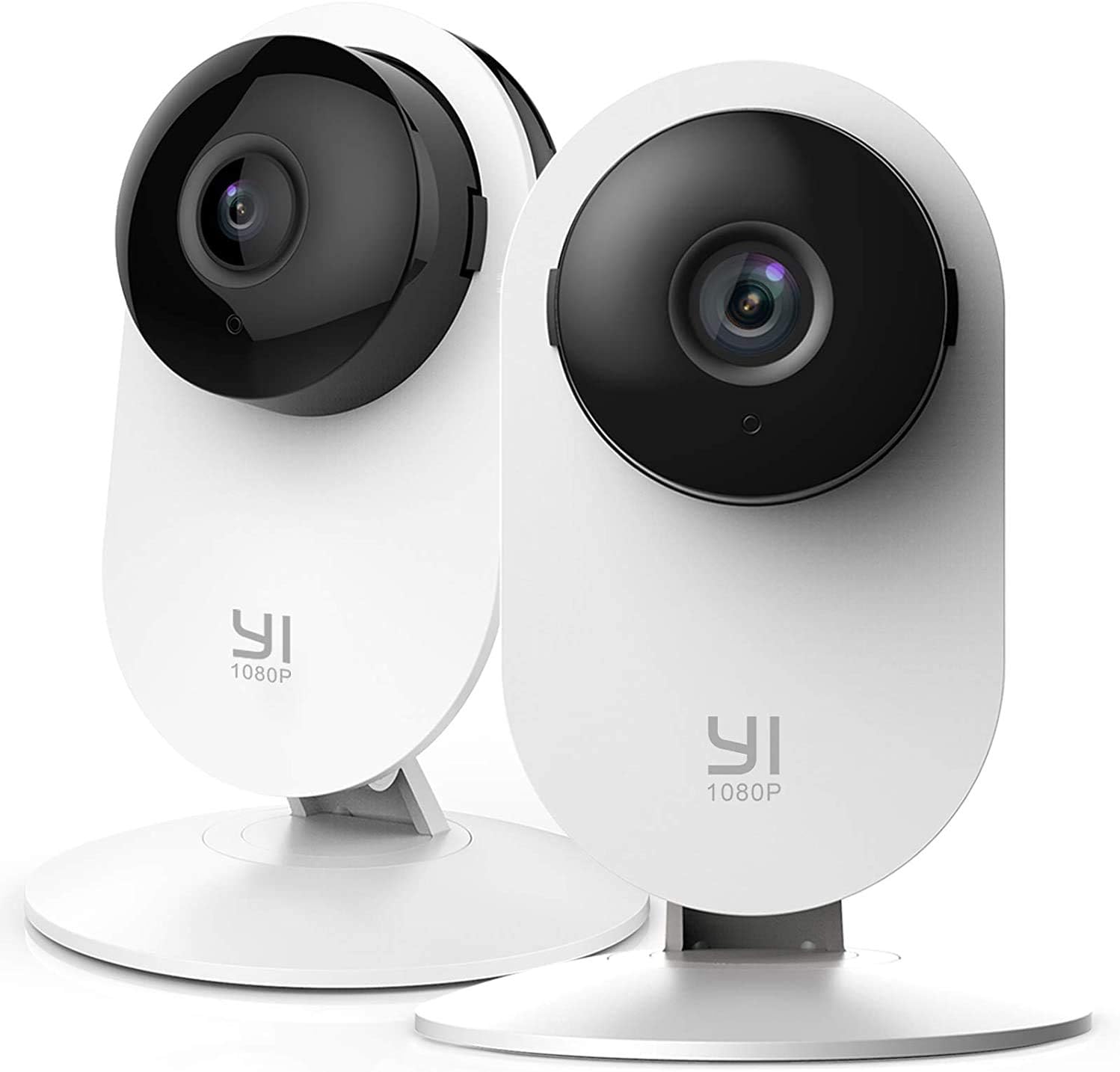
Image 1.1: YI 2pc Smart Home Camera units.
2. Содержимое упаковки
Пожалуйста, проверьте наличие всех предметов в вашей посылке:
- 2 x YI Smart Home Camera (Model YYS.2016)
- 2 х Адаптер питания
- 2 х USB-кабель
- 2 x Настенное крепление
- Крепежные винты
- Руководство пользователя (этот документ)
3. Руководство по установке
3.1. Включение камеры.
- Подключите USB-кабель к порту питания камеры.
- Подключите другой конец USB-кабеля к адаптеру питания.
- Insert the power adapter into a standard electrical outlet. The camera will power on and begin its startup sequence.
3.2. Downloading the YI Home App
The YI Home App is required for camera setup and operation. Download it from your device's app store (iOS or Android).
- Искать "YI Home" in the App Store or Google Play Store.
- Установите приложение и создайте учетную запись или войдите в систему, если она у вас уже есть.
3.3. Сопряжение камеры с приложением
- Open the YI Home App and tap the '+' icon to add a new device.
- Выберите модель вашей камеры из списка.
- Следуйте инструкциям на экране, чтобы подключить камеру к вашей сети Wi-Fi 2.4 ГГц. Примечание: Сети Wi-Fi 5 ГГц не поддерживаются.
- The app will generate a QR code. Hold your camera approximately 4-8 inches (10-20 cm) in front of your phone screen so the camera can scan the QR code.
- Once the camera successfully scans the code, it will confirm the connection.
3.4. Установка камеры
The camera can be placed on a flat surface or mounted to a wall or ceiling using the provided base and screws.
- Размещение на столе: Просто поместите камеру на устойчивую ровную поверхность.
- Настенный монтаж: Secure the wall mount base to your desired location using the screws. Attach the camera to the base. Ensure the camera is positioned to cover the desired area.
4. Управление камерой
4.1. Жить View и запись
Access live video streams from your camera anytime, anywhere through the YI Home App. The camera records in 1080p Full HD at 15 frames per second with a 112° wide-angle lens and F/2.0 aperture.
4.2. Двусторонняя аудиосвязь
The integrated microphone and speaker allow for two-way communication. Use this feature to speak to family members, pets, or deter intruders directly through the app.
4.3. Улучшенное ночное видение
The camera features 8 individual 940nm infrared LEDs for clear night vision up to 9 meters (approximately 30 feet) in low-light conditions. The infrared (IR) function activates automatically when ambient light is insufficient.

Image 4.1: Enhanced Night Vision capability for clear viewв темноте.
4.4. Smart AI Detections
The YI Smart Home Camera utilizes advanced AI to distinguish between different types of motion, reducing false alarms.
- Обнаружение человека: Identifies human figures, sending alerts only when a person is detected.
- Обнаружение автомобиля: Recognizes vehicles in the camera's field of view.
- Обнаружение животных: Различает домашних и других животных.
- Обнаружение детского плача: Specifically alerts you when a baby's cry is detected, ideal for nursery monitoring.
- Обнаружение лая: Notifies you of dog barking sounds.

Image 4.2: Person, Vehicle, and Animal Detection features.
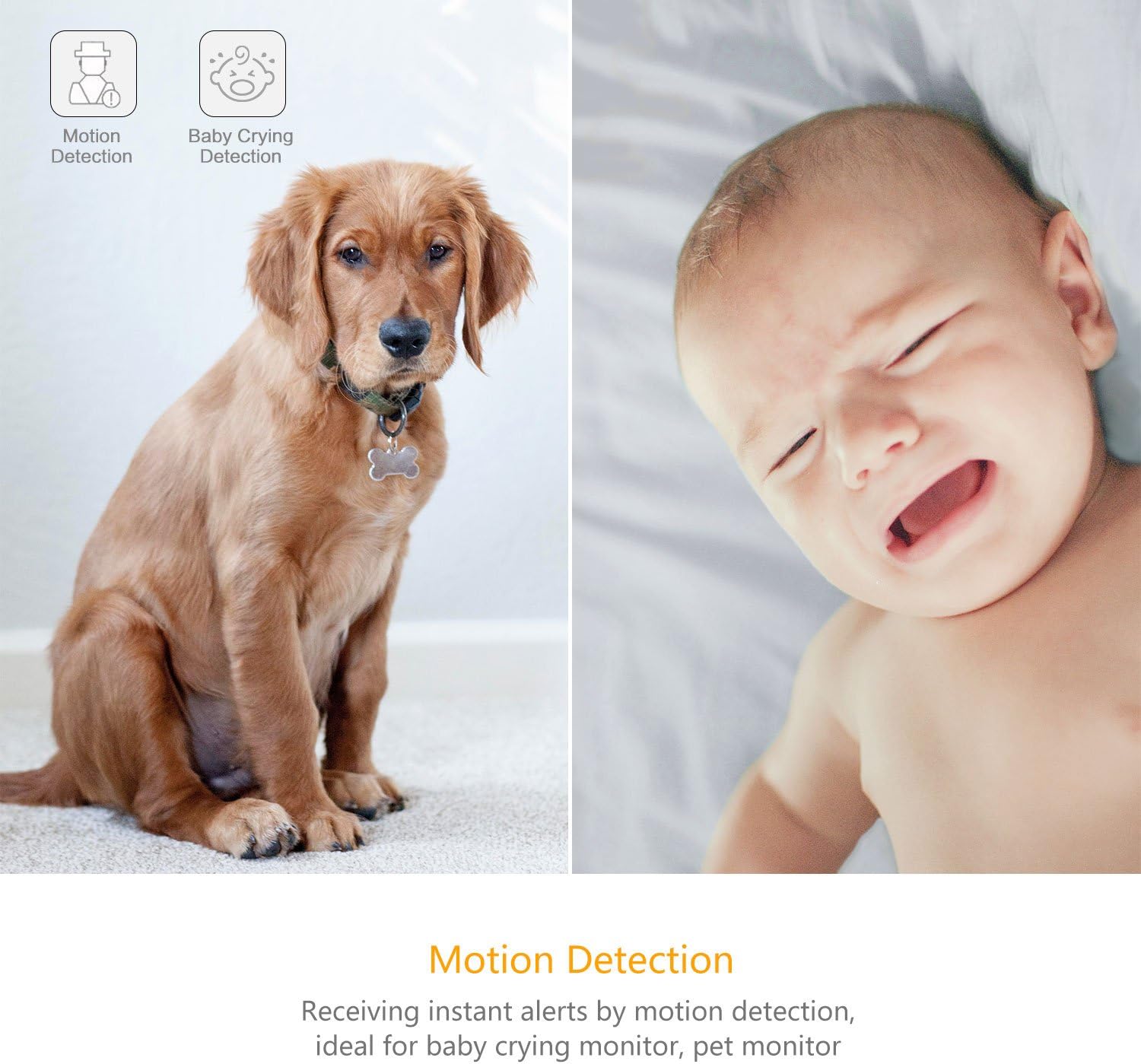
Image 4.3: Motion Detection and Baby Crying Detection.
4.5. Варианты хранения
- Облачный сервис YI: Securely store your recorded footage in the cloud. This prevents data loss from physical damage to an SD card and offers advanced compression and data protection. (Subscription may be required for full features).
- Локальное хранилище (карта MicroSD): The camera supports MicroSD cards from 4GB up to 64GB for local video storage. Insert the card into the designated slot on the camera.

Image 4.4: YI Cloud service for secure storage.
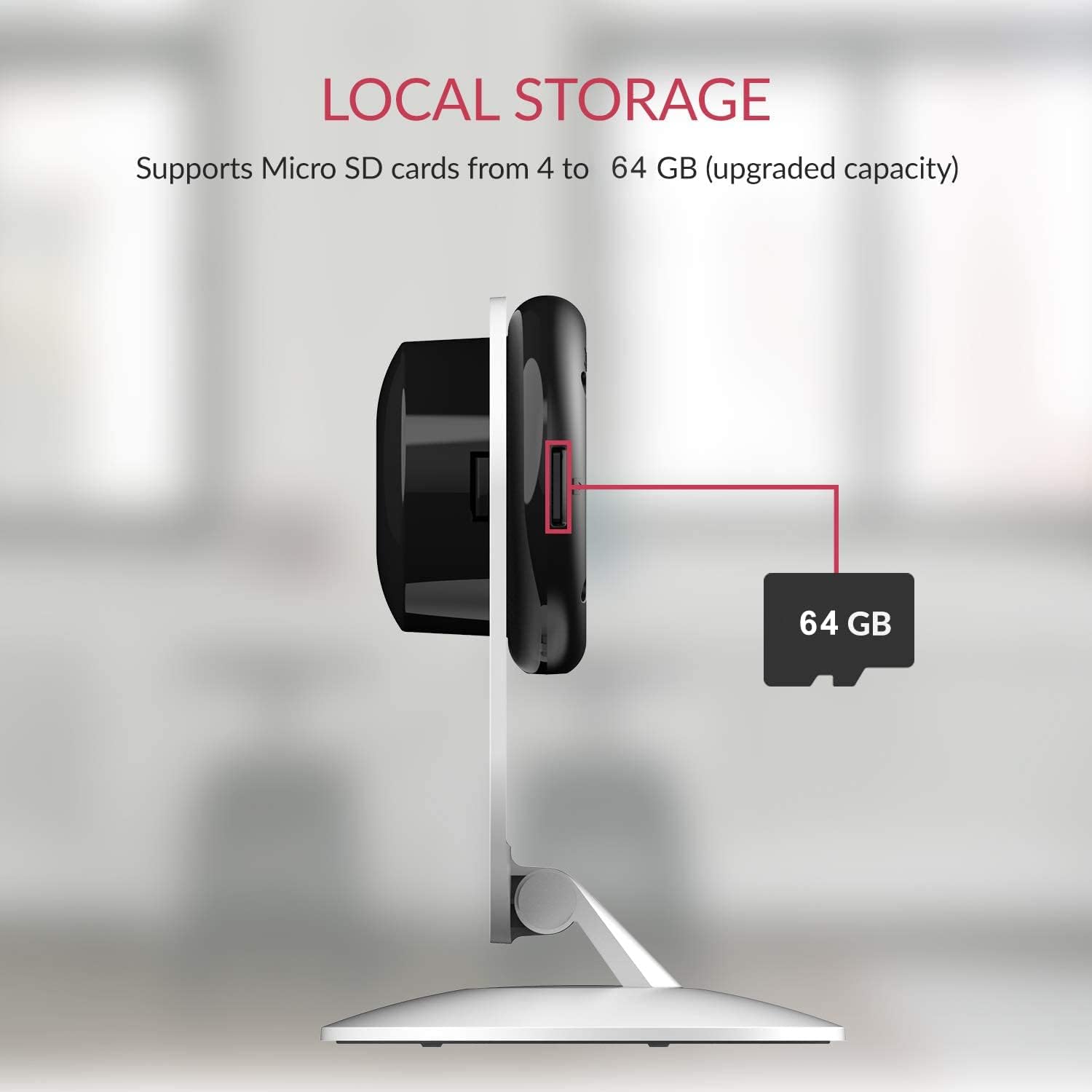
Image 4.5: Local storage via MicroSD card.
4.6. Activity Zones
Настройте отдельные области внутри камеры. view to monitor for activity. This allows you to focus on critical zones and receive alerts only when motion is detected in those areas.
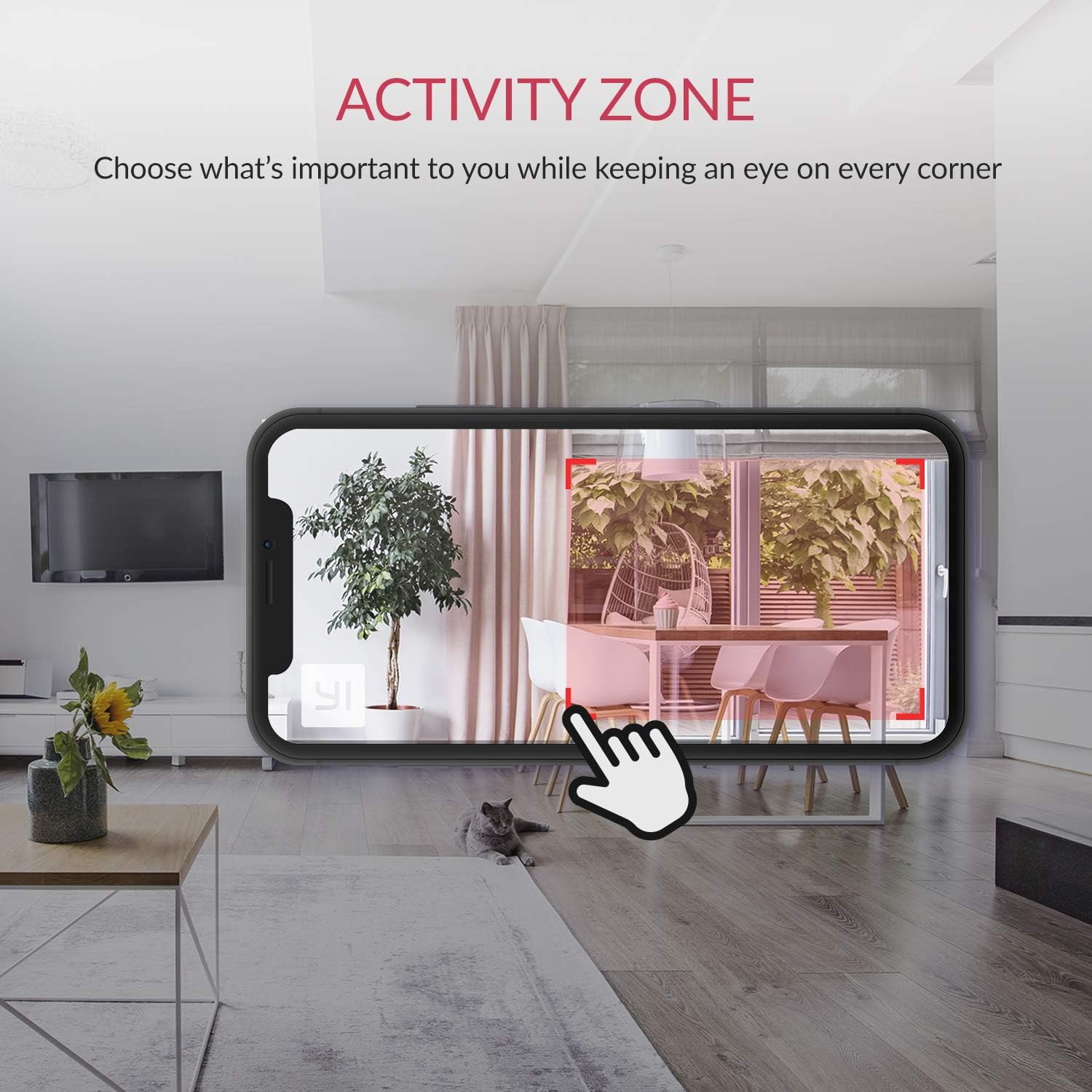
Image 4.6: Setting up Activity Zones in the YI Home App.
4.7. Home/Away Modes
Configure your camera's behavior based on whether you are home or away. This feature allows you to customize alert settings and recording preferences for different scenarios.

Image 4.7: Home and Away Modes in the YI Home App.
4.8. Интеграция с умным домом
The YI Smart Home Camera is compatible with Amazon Alexa and Google Assistant. You can use voice commands to view Прямая трансляция на совместимых смарт-дисплеях.
- ExampКоманда (Алекса): "Alexa, show me the baby room."

Image 4.8: Integration with Amazon Alexa.
5. Техническое обслуживание
5.1. Уборка
To maintain optimal performance, periodically clean the camera lens and body. Use a soft, dry cloth. Avoid abrasive cleaners or solvents that could damage the camera's surface or lens.
5.2. Обновления прошивки
Ensure your camera's firmware is always up to date. The YI Home App will notify you of available updates. Firmware updates often include performance improvements, new features, and security enhancements.
5.3. Условия окружающей среды
The YI Smart Home Camera is designed for indoor use. Avoid exposing it to extreme temperatures, high humidity, or direct water contact. The camera's operating temperature range is typically 0°C to 40°C (32°F to 104°F).
6. Поиск Неисправностей
| Проблема | Возможное решение |
|---|---|
| Камера не подключается к Wi-Fi |
|
| Плохое качество видео |
|
| Ночное видение не работает |
|
| Оповещения о ложном движении |
|
| Отсутствие звука или плохое качество звука |
|
7. Технические характеристики
| Особенность | Деталь |
|---|---|
| Номер модели | ГГ.2016 |
| Разрешение видеозахвата | 1080p Full HD |
| Частота кадров | 15 кадров в секунду |
| Апертура объектива | Ф/2.0 |
| Viewугол наклона | 112 ° Широкоугольный |
| Ночное Видение | 8 x 940nm Infrared LEDs (up to 9m) |
| Технология связи | Wi-Fi (только 2.4 ГГц) |
| Варианты хранения | YI Cloud, MicroSD Card (4GB-64GB) |
| Аудио | Двусторонняя аудиосвязь |
| Обнаружение AI | Human, Vehicle, Animal, Baby Crying, Barking Detection |
| Совместимость с умным домом | Amazon Alexa, Google Ассистент |
| Источник питания | Электрический с проводом (2.5 Вт) |
| Тип крепления | Настенное крепление, Настольный |
| Размеры продукта | 4.3 x 5.9 x 4.3 дюйма |
| Вес товара | 9.6 унции |
| Использование внутри и снаружи помещений | В помещении |
8. Гарантия и поддержка
For detailed warranty information, please refer to the warranty card included with your product or visit the official YI Technology website. For technical support, frequently asked questions, or to contact customer service, please visit the YI Technology support page online.
No relevant product videos were found for embedding based on the provided data.