1. Введение
This manual provides detailed instructions for the installation, operation, and maintenance of your Zmodo Outdoor Security Camera System, Model ZM-W0002-4. This system offers 1080p Full HD surveillance for your property, featuring night vision, motion detection, and weatherproof construction.
2. Содержимое упаковки
Проверьте наличие всех предметов в посылке:
- 4 x Zmodo Outdoor Security Cameras
- 4 источника питания
- Краткое руководство 1 x
3. Настройка и установка
Follow these steps to set up your Zmodo security cameras:
3.1. Размещение камеры
Select optimal locations for your cameras. Consider areas that provide a clear view of entry points or critical zones. Ensure the chosen location is within range of your Wi-Fi network and has access to a power outlet.

Image: Zmodo outdoor security camera mounted on a wall, illustrating its weatherproof design and typical installation scenario.
3.2. Подключение питания
Connect each camera to its respective power supply and plug it into a standard electrical outlet. The camera will power on automatically.
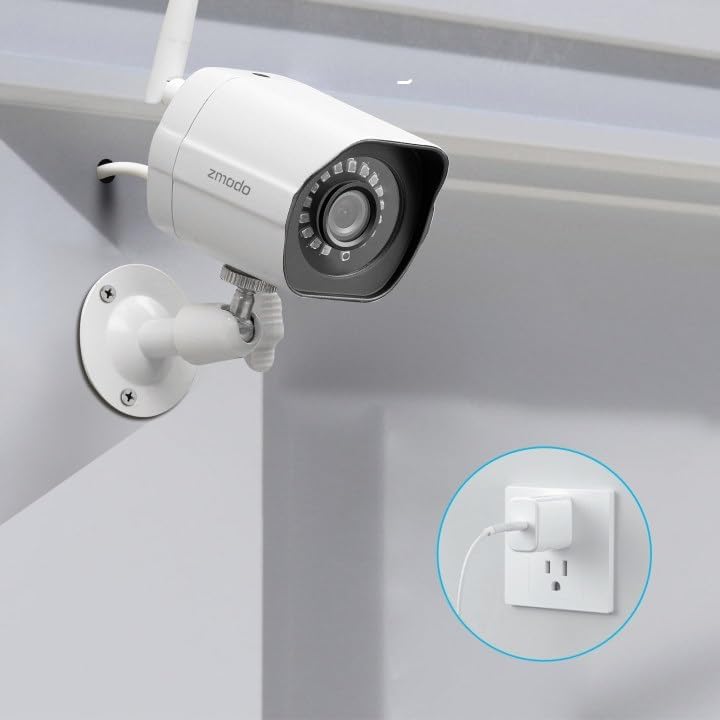
Image: A Zmodo outdoor security camera with its power cable plugged into a wall outlet, demonstrating the power connection process.
3.3. Загрузка приложения и создание учетной записи
Download the Zmodo app from your smartphone's app store (iOS or Android). Create a new account or log in if you already have one.
3.4. Сопряжение камеры
Follow the in-app instructions to add your cameras. Zmodo cameras typically use QR code pairing technology for straightforward setup. Ensure your smartphone is connected to the 2.4GHz Wi-Fi network that the cameras will use.

Image: A set of four Zmodo outdoor security cameras, illustrating the product's appearance and external antenna design for enhanced Wi-Fi signal.
4. Операция
Once your cameras are set up, you can access and manage them through the Zmodo app.
4.1. Жить View
Open the Zmodo app to view live 1080p Full HD video streams from your cameras. You can monitor up to four camera feeds simultaneously on one screen.

Image: A smartphone screen showing a four-panel live video feed from multiple Zmodo cameras, demonstrating the multi-camera viewособенность.
4.2. Обнаружение движения и оповещения
The cameras are equipped with motion detection. When motion is detected, you will receive instant alerts on your smartphone. Review recorded clips via the app.

Image: A smartphone displaying a push notification for motion detected by a Zmodo camera, indicating the alert system.

Image: A Zmodo camera with an illustration of AI-powered motion detection, highlighting its ability to accurately detect and identify humans, pets, and vehicles.
4.3. Ночное видение
The cameras feature adjustable night vision with built-in IR lights, providing clear images up to 65 feet in low-light conditions.
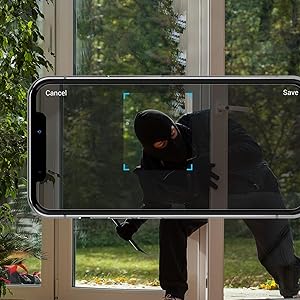
Image: A Zmodo camera mounted outdoors at night, with its red IR lights active, demonstrating its night vision capability.
4.4. Облачное хранилище
Zmodo offers a cloud service for secure storage of your video footage. A subscription plan is required for this feature. This ensures continuous recording and access to past events.
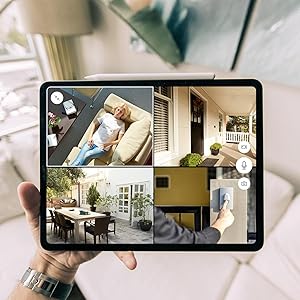
Image: An abstract graphic depicting a secure cloud with a padlock icon, symbolizing the bank-level encryption used for Zmodo's cloud storage service.
4.5 Интеграция с Alexa
The cameras are compatible with Amazon Alexa. Use voice commands like "Alexa, show me the front door" to view live streams on compatible Alexa-enabled devices.

Image: An Amazon Echo Show device displaying a live feed from a Zmodo camera, illustrating the Alexa integration feature.
5. Техническое обслуживание
Regular maintenance helps ensure optimal performance and longevity of your cameras.
- Чистка линз: Периодически прочищайте объектив камеры мягкой тряпкой.amp Используйте салфетку для удаления пыли, грязи или пятен от воды, которые могут повлиять на четкость изображения. Избегайте абразивных чистящих средств.
- Проверка подключения питания: Ensure power cables are securely connected and free from damage.
- Стабильность монтажа: Verify that the cameras remain securely mounted to prevent accidental dislodgement.
- Обновления программного обеспечения: Keep the Zmodo app updated to the latest version for new features and security enhancements.
6. Поиск Неисправностей
If you encounter issues with your Zmodo cameras, refer to the following common solutions:
- Камера в автономном режиме:
- Проверьте подключение к источнику питания, чтобы убедиться, что камера получает питание.
- Verify your Wi-Fi network is operational and the camera is within range.
- Restart the camera by unplugging and replugging its power supply.
- Ensure your router's 2.4GHz Wi-Fi band is enabled and the camera is connected to it.
- Плохое качество изображения:
- Очистите объектив камеры.
- Убедитесь, что в поле зрения камеры нет никаких препятствий. view.
- Проверьте уровень сигнала Wi-Fi; слабый сигнал может повлиять на качество потокового видео.
- Обнаружение движения не работает:
- Verify motion detection settings are enabled in the Zmodo app.
- Adjust motion sensitivity settings if necessary.
- Убедитесь, что камера view ничто не препятствует.
- Уведомления не получены:
- Check your smartphone's notification settings for the Zmodo app.
- Убедитесь, что на вашем телефоне установлено активное подключение к Интернету.
7. Технические характеристики
Key technical specifications for the Zmodo Outdoor Security Camera System (Model ZM-W0002-4):
| Особенность | Деталь |
|---|---|
| Название модели | ZM-W0002-4 |
| Разрешение видеозахвата | 1080p Full HD |
| Использование внутри и снаружи помещений | На открытом воздухе |
| Технология связи | Wi-Fi (2.4 ГГц) |
| Диапазон ночного видения | До 65 футов |
| Устойчивость к погодным условиям | IP66 (всепогодный) |
| Обнаружение движения | Yes (Motion Only, AI-powered) |
| Совместимые устройства | Смартфон, Amazon Alexa, Google Assistant |
| Источник питания | Электрический с проводом (12 вольт, 5 ватт) |
| Размеры (Д x Ш x В) | 2.2 x 2.1 x 3.4 дюйма |
| Вес товара | 3.04 pounds (per camera) |
| Частота кадров | 25 кадров в секунду |
| Материал | Пластик |
8. Информация о гарантии
For specific warranty details regarding your Zmodo Outdoor Security Camera System, please refer to the warranty card included in your product packaging or visit the official Zmodo webСайт. Планы защиты также могут быть доступны для расширенного покрытия.
9. Поддержка клиентов
If you require further assistance or have questions not covered in this manual, please contact Zmodo customer support through their official website or the Zmodo app. Support resources, including FAQs and troubleshooting guides, are often available online.
Zmodo Official Webсайт: www.zmodo.com


