1. Введение
This manual provides detailed instructions for the installation, operation, and maintenance of your Pioneer AVH-210EX Double DIN in-dash multimedia receiver. This unit offers advanced audio and video capabilities, including Bluetooth connectivity, DVD/CD playback, USB media support, and integration with a backup camera for enhanced safety. Please read this manual thoroughly before using your new receiver to ensure proper operation and to maximize your enjoyment of its features.
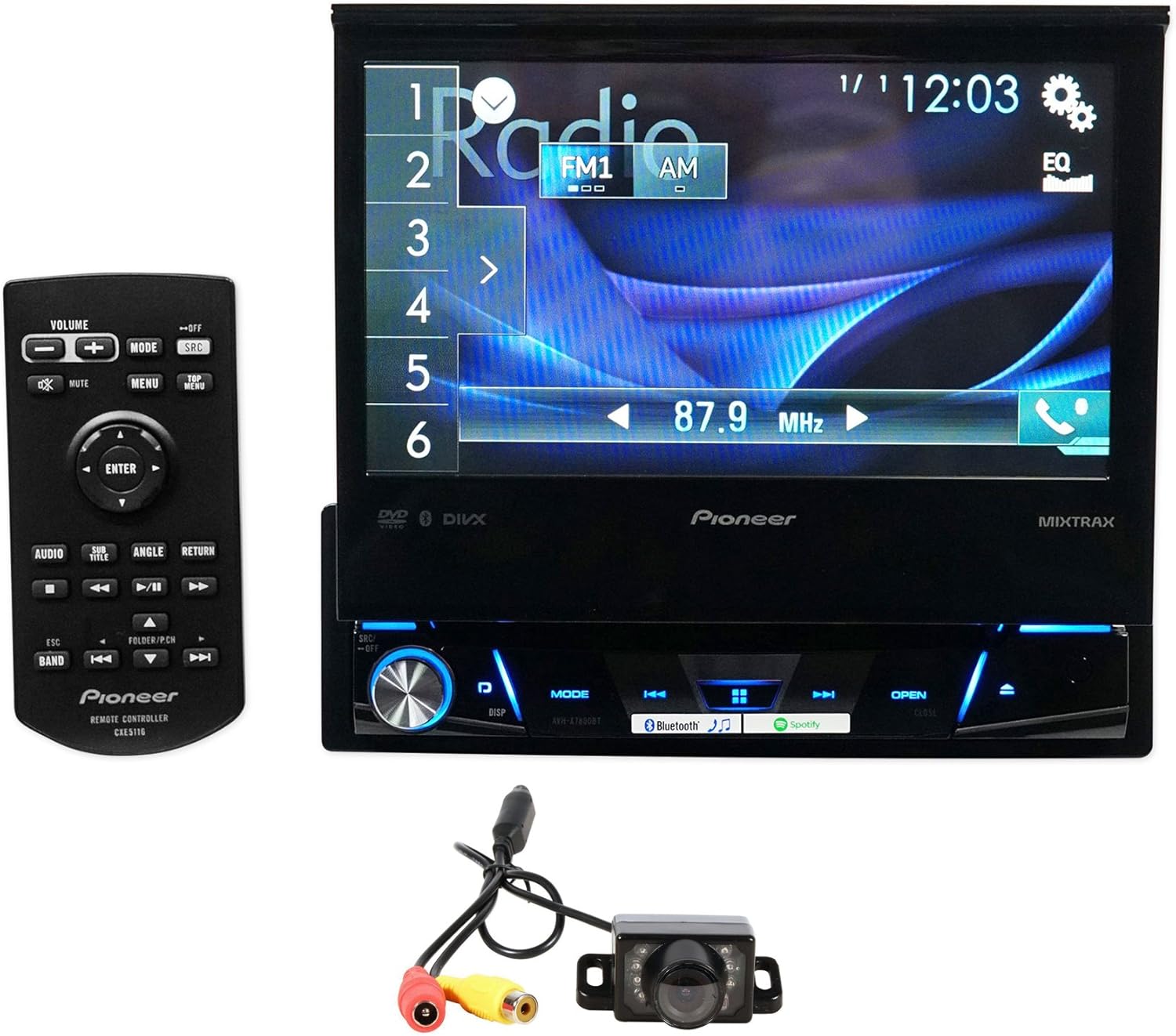
Image 1.1: Pioneer AVH-210EX receiver with included remote and backup camera.
2. Настройка и установка
Proper installation is crucial for the optimal performance of your AVH-210EX receiver. It is highly recommended that installation be performed by a qualified professional. Incorrect wiring or mounting can lead to damage to the unit, your vehicle, or personal injury.
2.1 Что в коробке
- Pioneer AVH-210EX Double DIN In-Dash Receiver
- Дистанционное управление
- Жгут проводов
- Удлинительный кабель USB
- Microphone for Hands-Free Calling
- Xtremevision HD Backup Camera with Cables
- Owner's Manual and Warranty Information

Image 2.1: Typical package contents for the Pioneer AVH-210EX.
2.2 Подключение проводки
Ensure all power, ground, speaker, and accessory wires are connected securely according to the wiring diagram provided in the separate installation manual. Key connections include:
- Мощность (желтый): Постоянное питание 12 В.
- Аксессуар (красный): Switched 12V supply.
- Земля (черная): Secure chassis ground.
- Провода динамика: Подключите к динамикам автомобиля (соблюдайте правильную полярность).
- Backup Camera Input (Yellow RCA): Connects to the video output of the backup camera.
- Дистанционное включение (сине-белый): Для внешнего ampусилители мощности или антенны с электроприводом.
- Стояночный тормоз (светло-зеленый): Connect to the vehicle's parking brake circuit for video playback safety.
- Сигнал задней передачи (фиолетовый/белый): Activates the backup camera display when the vehicle is in reverse.
- USB-вход: Для воспроизведения мультимедиа и подключения к смартфону.
- Вход AUX: Для внешних аудиоустройств.

Image 2.2: Rear panel connections of the AVH-210EX receiver.
2.3 Установка камеры заднего вида
The included Xtremevision HD Backup Camera connects to the dedicated camera input on the receiver. Mount the camera securely at the rear of your vehicle, typically near the license plate, ensuring a clear view. Route the video cable to the receiver and connect the camera's power wire to the vehicle's reverse light circuit so it powers on when reverse gear is engaged.

Image 2.3: The Xtremevision HD Backup Camera unit.
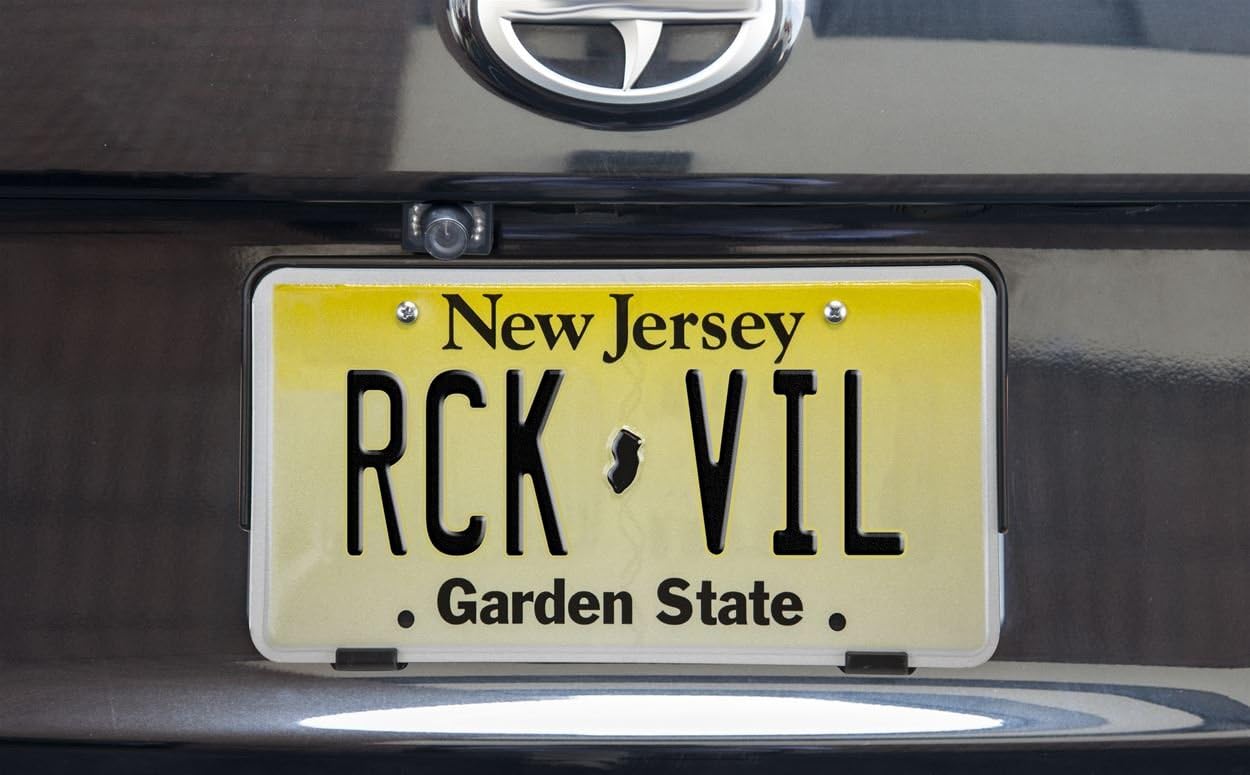
Изображение 2.4: Примерample of a backup camera installation on a vehicle.
3. Инструкция по эксплуатации
3.1 Основные элементы управления и сенсорный интерфейс
The AVH-210EX features a 6.2-inch touchscreen display for intuitive control. Physical buttons are located along the bottom edge of the unit for essential functions like volume, mode, and eject. The touchscreen allows for navigation through menus, media selection, and settings adjustments.

Изображение 3.1: Спереди view of the AVH-210EX receiver.
3.2. Bluetooth-подключение
The built-in Bluetooth allows for hands-free calling and wireless audio streaming. To pair a device:
- Убедитесь, что Bluetooth включен на вашем смартфоне.
- На AVH-210EX перейдите в меню Bluetooth.
- Select 'Search' or 'Add Device'.
- Select your Pioneer unit from your phone's Bluetooth device list.
- Подтвердите код сопряжения на обоих устройствах.
Once paired, the unit will automatically connect to your phone when in range. You can make and receive calls, and stream music directly from your phone.
3.3 Воспроизведение медиа
- DVD/CD: Insert a disc into the slot behind the retractable screen. The unit will automatically switch to DVD/CD mode.
- USB: Connect a USB device (flash drive, iPod/iPhone) to the USB input. The unit supports MP3, WMA, AAC, WAV audio files, and MPEG-1/MPEG-2/MPEG-4/AVI/DIVX/WMV/JPEG video files.
- ВСПОМОГАТЕЛЬНЫЙ: Connect an external audio player to the 3.5mm AUX input.
- Радио: Select the AM or FM source. Use the touchscreen controls to tune to stations, save presets, and scan.
3.4 Display and Illumination Settings
Customize the display colors and background images to match your vehicle's interior or personal preference. Access these settings through the 'System' or 'Display' menu on the touchscreen. You can choose from five display colors and 112 key illumination colors.
3.5 Работа резервной камеры
When the vehicle is shifted into reverse gear, the AVH-210EX will automatically display the feed from the connected backup camera on its screen, providing a clear view of the area behind your vehicle. This feature enhances safety during parking and maneuvering.
4. Техническое обслуживание
Чтобы обеспечить долговечность и оптимальную производительность вашего Pioneer AVH-210EX, следуйте следующим рекомендациям по обслуживанию:
- Очистка экрана: Аккуратно протрите сенсорный экран мягкой сухой тканью. Для удаления стойких пятен слегка потрите.ampСмочите ткань водой или безопасным для экранов чистящим средством. Избегайте использования агрессивных химикатов и абразивных материалов.
- Общий уход: Keep the unit free from dust and debris. Avoid exposing it to extreme temperatures or direct sunlight for extended periods.
- Обращение с дисками: Handle DVDs and CDs by their edges to prevent scratches. Keep discs clean and store them in their cases when not in use.
5. Поиск Неисправностей
If you encounter issues with your AVH-210EX, refer to the following common troubleshooting steps:
- Нет питания: Check all power and ground connections. Verify the vehicle's fuse and the unit's inline fuse.
- Нет звука: Ensure speaker wires are correctly connected and not shorted. Check the volume level and mute settings. Verify the audio source is active.
- Проблемы с подключением Bluetooth: Ensure Bluetooth is enabled on both the receiver and your phone. Try unpairing and re-pairing the device. Clear previous Bluetooth connections if necessary.
- Резервная камера не отображается: Check the camera's power and video connections. Ensure the reverse gear signal wire is correctly connected and receiving power when in reverse.
- Ошибки воспроизведения диска: Убедитесь, что диск чистый и без царапин. Попробуйте другой диск.
- Устройство не отвечает: Perform a soft reset by pressing the reset button (usually a small pinhole) with a thin object.
For persistent issues, consult a professional installer or contact Pioneer customer support.
6. Технические характеристики
| Особенность | Спецификация |
|---|---|
| Номер модели | AVH-210EX |
| Размер дисплея | 6.2 дюймов |
| Bluetooth | Built-in (HFP, A2DP, AVRCP 1.6, SSP) |
| Воспроизведение медиа | DVD, CD, USB (MP3/WMA/AAC/WAV, MPEG-1/MPEG-2/MPEG-4/AVI/DIVX/WMV/JPEG) |
| Тюнер | АМ/ФМ |
| Входы | Rear USB, Rear AUX, Backup Camera Input, Wired Remote Input |
| Выходы | Композитный видеовыход |
| Цвета дисплея | 5 (with 112 key colors) |
| Совместимые устройства | Smartphone (Android, iPhone) |
| Вес товара | 6.14 фунта |
| Размеры продукта | 13.4 x 10 x 5 дюйма |
7. Гарантия и поддержка
Your Pioneer AVH-210EX receiver is covered by a manufacturer's warranty. Please refer to the warranty card included in your product packaging for specific terms, conditions, and duration. For technical assistance, troubleshooting beyond this manual, or warranty claims, please contact Pioneer customer support directly or visit their official webсайт.
Для получения дополнительной информации и поддержки вы можете посетить Магазин Pioneer на Amazon.


