Продукт болееview
The Muse M-1280 BT is a versatile Bluetooth tower speaker designed to deliver clear audio with multiple connectivity options. It features A2DP Bluetooth for wireless streaming, a powerful 120W output, a PLL FM radio tuner, and ports for USB and SD card playback. Additionally, it includes a USB charging function and an auxiliary input for wired connections. The speaker is housed in a stylish wooden cabinet and stands approximately 100cm tall, making it a prominent addition to any room.
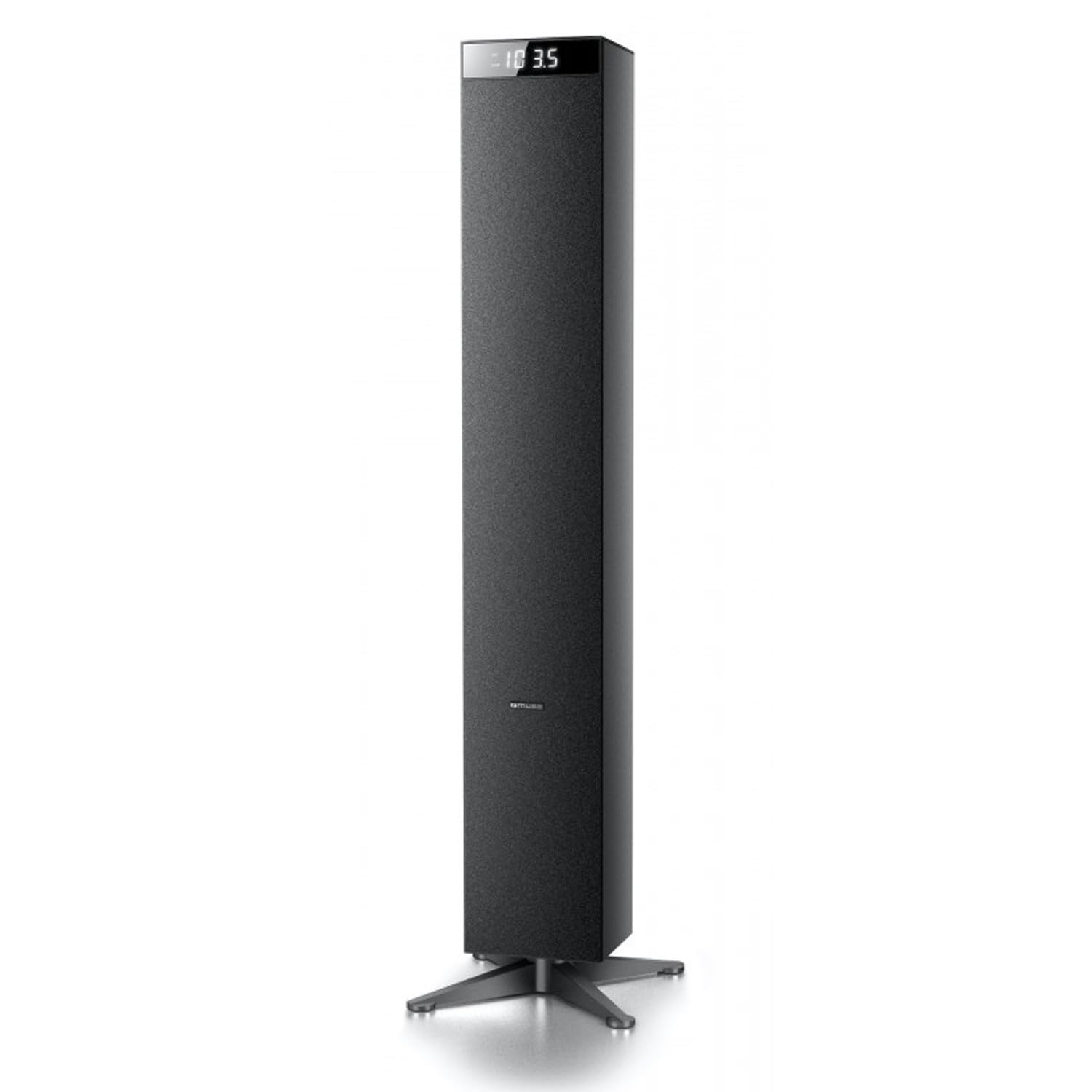
Изображение: Спереди view of the Muse M-1280 BT Bluetooth Tower Speaker, showcasing его элегантный черный дизайн и встроенный дисплей.
Содержимое упаковки
Перед началом установки убедитесь, что в комплекте есть все необходимые элементы:
- Muse M-1280 BT Bluetooth Tower Speaker
- Дистанционное управление
- Кабель Aux-In
- Краткое руководство пользователя
- Силовой кабель
Инструкции по установке
- Распаковка: Аккуратно извлеките динамик и все аксессуары из упаковки.
- Размещение: Position the M-1280 BT speaker on a stable, flat surface. Ensure it is placed in a location with good ventilation and away from direct sunlight, heat sources, or moisture. The speaker is designed for floor standing.
- Подключите питание: Insert the power cable into the AC IN port on the back of the speaker, then plug the other end into a standard wall outlet.
- Первоначальное включение: Press the Power button on the top panel or the remote control to turn on the speaker. The display will illuminate.

Image: The Muse M-1280 BT speaker positioned in a room, with a detailed view of its top control panel and phone dock.
Инструкция по эксплуатации
1. Selecting a Source
Нажмите ИСТОЧНИК button on the top panel or remote control to cycle through available input modes: Bluetooth, FM Radio, USB, SD, and AUX.
2. Режим Bluetooth
- Выбирать Bluetooth mode using the SOURCE button. The display will show "BT" and flash, indicating it's in pairing mode.
- On your smartphone, tablet, laptop, or PC, enable Bluetooth and search for available devices.
- Выбирать "М-1280 БТ" from the list of devices. Once paired, the speaker will emit a confirmation sound, and "BT" on the display will stop flashing.
- You can now play audio from your connected device. Use the playback controls on your device or the speaker's top panel/remote (Play/Pause, Next/Previous Track) to manage your music.
3. Режим FM-радио
- Выбирать FM-радио mode using the SOURCE button.
- Для автоматического сканирования и сохранения станций нажмите и удерживайте кнопку ВОСПРОИЗВЕДЕНИЕ/ПАУЗА button (often labeled as "SCAN" or "AUTO" in radio mode). The speaker will scan for available FM stations and store them.
- Используйте СЛЕДУЮЩИЙ/ПРЕДЫДУЩИЙ ТРЕК кнопки для навигации по сохраненным станциям.
- For manual tuning, briefly press the СЛЕДУЮЩИЙ/ПРЕДЫДУЩИЙ ТРЕК кнопки для пошаговой регулировки частоты.
4. Воспроизведение с USB/SD-карты
- Вставьте USB-накопитель в USB-порт или SD-карту в Слот для SD-карты.
- Выбирать USB or SD mode using the SOURCE button. The speaker will automatically begin playing compatible audio files.
- Use the playback controls (Play/Pause, Next/Previous Track) on the speaker or remote to control playback.
- Note: The speaker supports common audio file formats. Unsupported file types will not play.
5. Вход AUX
- Connect one end of the provided Aux-In cable to the AUX IN port on the speaker and the other end to the audio output (e.g., headphone jack) of your external audio device.
- Выбирать AUX mode using the SOURCE button.
- Play audio from your external device. Volume can be controlled via the speaker or the external device.
6. USB зарядка
The USB port on the speaker can also be used to charge compatible devices. Connect your device's USB charging cable to the speaker's USB port.

Image: Close-up of the Muse M-1280 BT speaker's top panel, highlighting the control buttons, digital display, and integrated dock for mobile devices.
Обслуживание
- Уборка: Use a soft, dry cloth to clean the speaker's exterior. Do not use liquid cleaners or abrasive materials, as they may damage the finish.
- Хранилище: При длительном хранении колонки отключите ее от электросети и храните в прохладном, сухом месте.
- Вентиляция: Во избежание перегрева убедитесь, что вентиляционные отверстия динамика не заблокированы.
Поиск неисправностей
| Проблема | Возможная причина | Решение |
|---|---|---|
| Нет электричества | Кабель питания не подключен; Розетка питания неактивна. | Ensure power cable is securely connected to both the speaker and a working wall outlet. |
| Нет звука | Volume too low; Incorrect source selected; Device not paired (Bluetooth) or connected (AUX) | Increase volume. Select the correct input source. For Bluetooth, ensure device is paired. For AUX, ensure cable is fully inserted. |
| Сбой сопряжения Bluetooth | Динамик не находится в режиме сопряжения; Устройство слишком далеко; Помехи | Ensure speaker is in Bluetooth pairing mode (BT flashing). Move device closer to speaker. Avoid strong electromagnetic interference. |
| Плохой прием FM-радио. | Слабый сигнал; антенна не выдвинута. | Adjust the position of the speaker. Ensure the FM antenna (if external) is fully extended. |
Технические характеристики
- Название модели: М-1280 БТ
- Бренд: МУЗА
- Тип динамика: Башня
- Технологии подключения: Bluetooth (A2DP), USB, SD, AUX
- Выходная мощность: 120 Watts (Макс.)
- Радиотюнер: PLL FM
- USB-порт: Yes (for playback and charging)
- Устройство чтения SD-карт: Да
- Источник питания: Электрический кабель
- Материал: Древесина
- Цвет: Черный
- Размеры (Д x Ш x В): 20 x 18 x 101.2 см (7.87 x 7.09 x 39.84 дюймов)
- Масса: 5.3 Килограмм (11.68 фунта)
- Включенные компоненты: Aux-In Cable, Quick Start Guide, Remote Control
- Совместимые устройства: Smartphone, Laptop, PC
Гарантия и поддержка
This Muse M-1280 BT speaker comes with a Гарантия производителя 1 года С даты покупки. Сохраните чек на случай предъявления гарантийных претензий.
For technical support, service, or warranty inquiries, please refer to the contact information provided in the Quick Start Guide or visit the official Muse website for your region. Do not attempt to repair the device yourself, as this may void the warranty.


