1. Введение
This manual provides essential information for the safe and efficient operation of your TORNADO Smart LED TV 43ES1500E. Please read these instructions thoroughly before using your television and retain them for future reference.

Image: The TORNADO Smart LED TV 43ES1500E displayed in a modern living room environment.
The TORNADO Smart LED TV 43ES1500E features a 43-inch Full HD display, integrated Wi-Fi, and multiple connectivity options including RF, USB, and HDMI. It operates on the TORNADO Smart Portal operating system, offering access to various applications and internet browsing capabilities.
Видео: Оверview of the TORNADO Smart LED TV, demonstrating its features and setup process.
2. Настройка
2.1 Распаковка и содержимое
Carefully open the television packaging. Ensure all components are present and undamaged. The box should contain:
- TORNADO Smart LED TV Unit
- Дистанционное управление
- Подставки под телевизор (2 шт.)
- Винты для установки подставки
- Силовой кабель
- Руководство пользователя и гарантийный талон
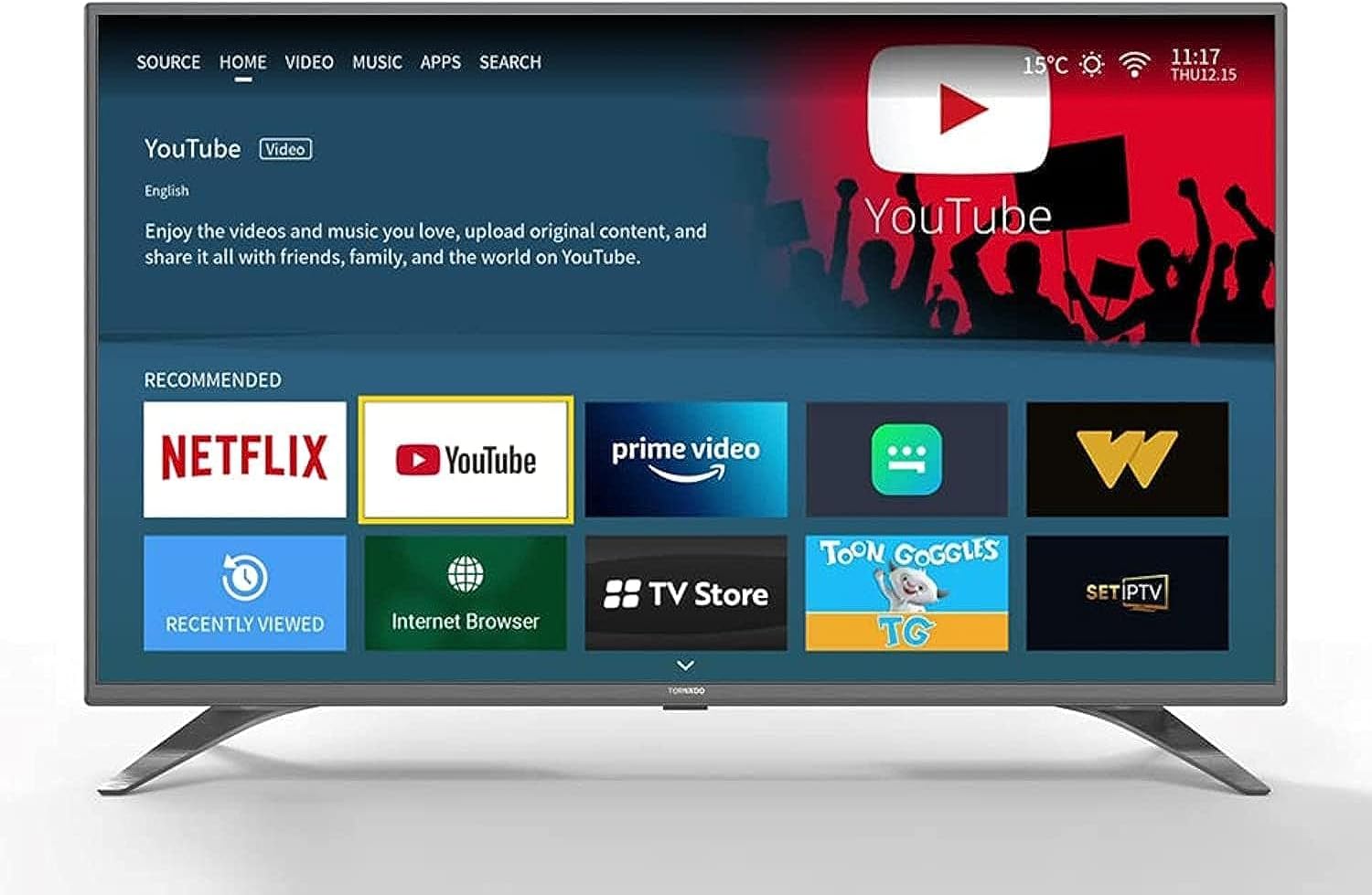
Image: The TORNADO Smart LED TV and its accompanying accessories, including the remote control, stands, and documentation.
2.2 Установка подставки
Для установки подставок под телевизор:
- Положите телевизор экраном вниз на мягкую ровную поверхность, чтобы предотвратить появление царапин.
- Совместите каждую подставку с соответствующими пазами в нижней части телевизора.
- Закрепите каждую стойку прилагаемыми винтами. Убедитесь, что они надёжно затянуты.

Изображение: Спереди view of the TORNADO Smart LED TV 43ES1500E with its two stands securely attached.
2.3 Настенный монтаж (опционально)
If you choose to wall-mount your TV, ensure you use a compatible wall mount bracket for the TV's size and weight. It is recommended to have a qualified technician perform the installation to ensure safety and proper mounting.
- Удалите все предварительно установленные винты с задней панели телевизора, если они мешают настенному креплению.
- Attach the wall mount brackets to the TV using the appropriate screws, ensuring they are securely fastened to the VESA mounting points.
- Mount the TV to the wall bracket according to the wall mount manufacturer's instructions.
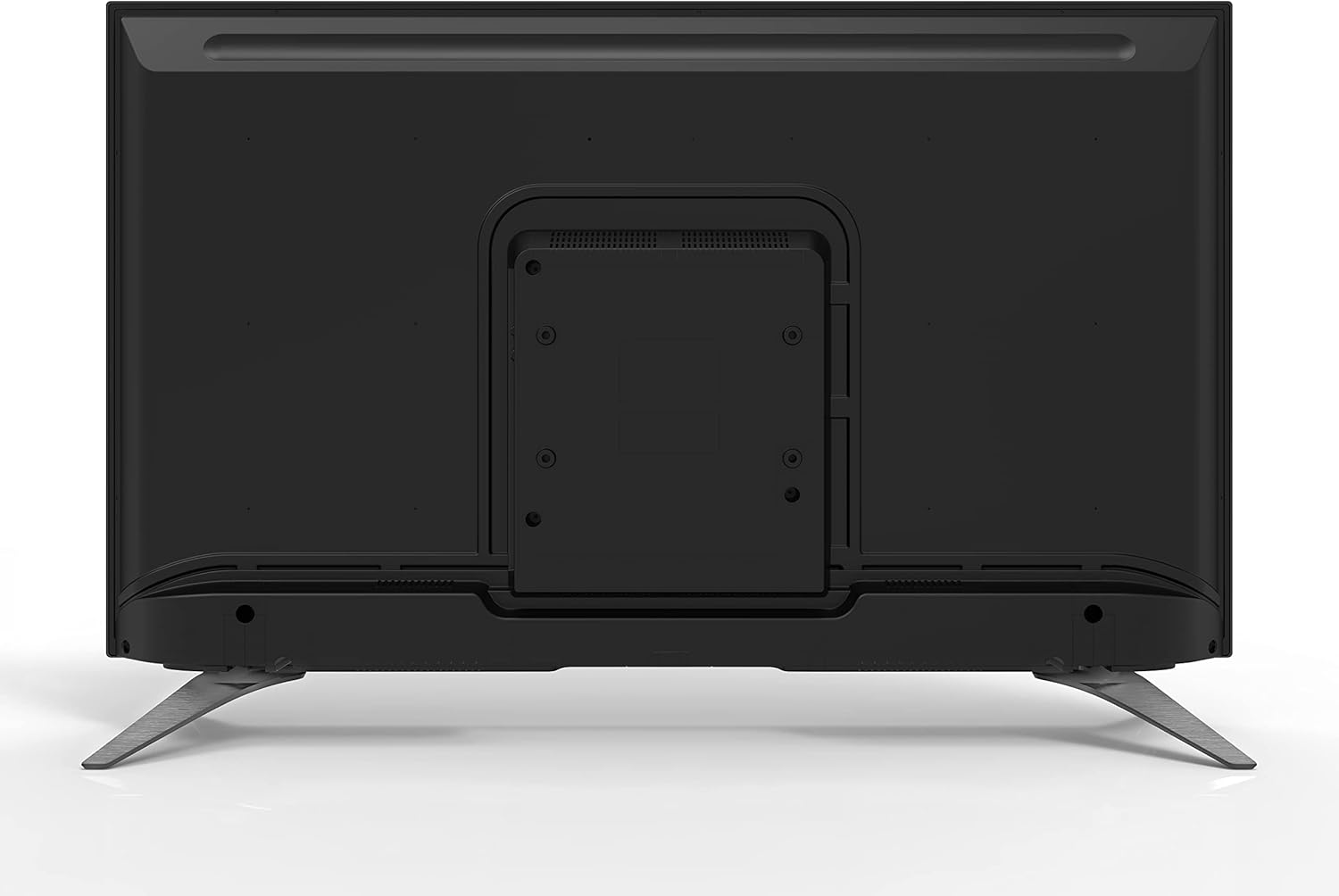
Изображение: сзади view of the TORNADO Smart LED TV 43ES1500E, highlighting the VESA mounting points for wall installation.
2.4 Connecting Power and Initial Power-Up
Connect the power cable to the TV's power input and then to a wall outlet. Ensure the outlet is easily accessible. Press the power button on the remote control or the TV to turn it on. Follow the on-screen instructions for initial setup, including language selection, network connection, and channel scanning.

Изображение: вид сбокуfile of the TORNADO Smart LED TV 43ES1500E, displaying its connectivity ports including HDMI and USB.
3. Инструкция по эксплуатации
3.1 Функции дистанционного управления
The remote control allows you to navigate the TV's menus and control various functions. Familiarize yourself with the button layout for optimal use.
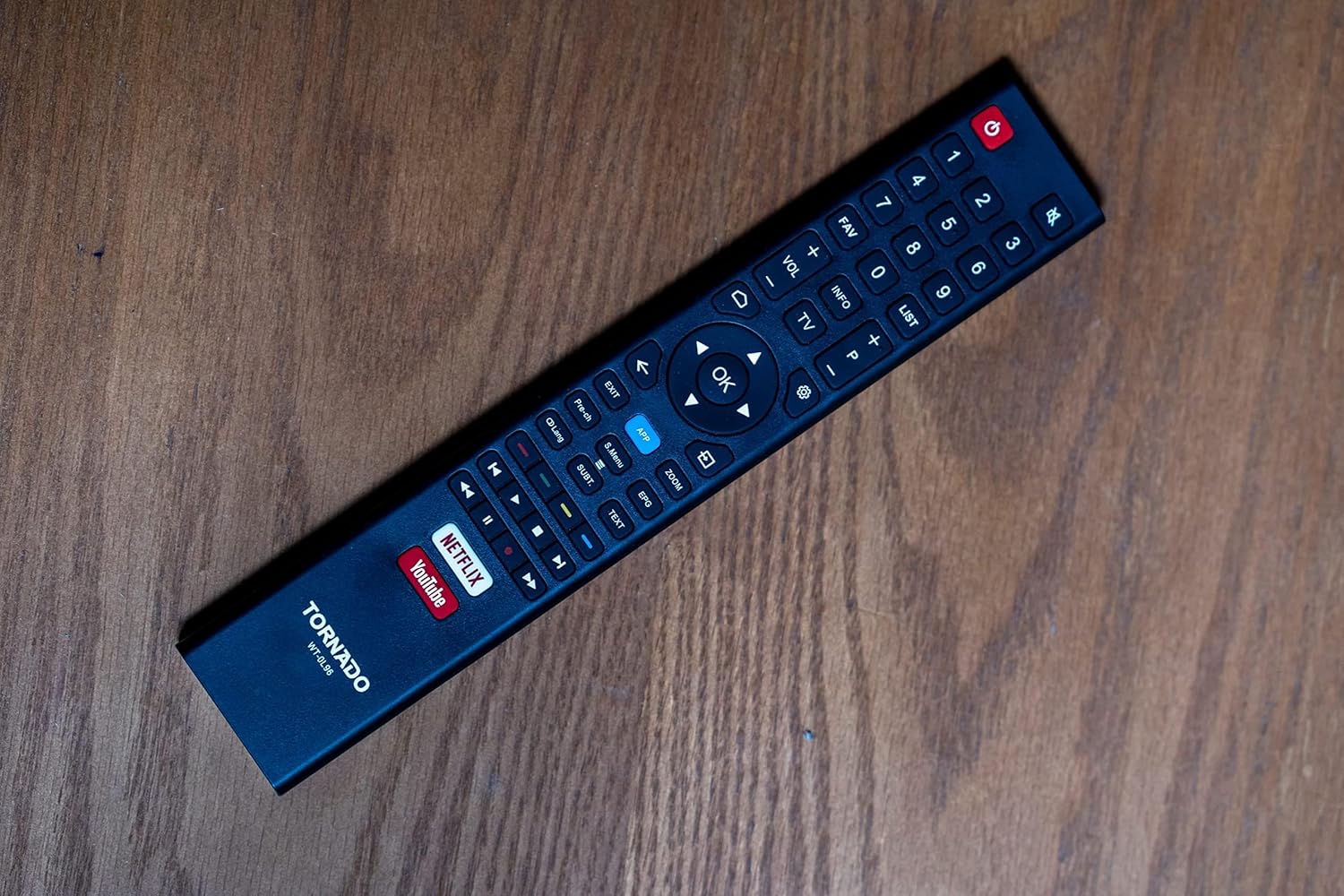
Image: The remote control for the TORNADO Smart LED TV 43ES1500E, showing its various buttons and layout.
3.2 Функции Smart TV
Your TORNADO Smart LED TV runs on the TORNADO Smart Portal operating system, providing access to a range of smart features:
- Web Браузер: Выходите в Интернет прямо с телевизора.
- Предустановленные приложения: Enjoy popular streaming services like Netflix, YouTube, and Prime Video.
- Зеркалирование экрана: Connect your mobile device to the TV to display content from your phone or tablet on the larger screen.

Image: The smart TV interface of the TORNADO 43ES1500E, showing recommended applications like Netflix, YouTube, and Prime Video.
3.3 Функция PVR (персональный видеорегистратор)
The PVR function allows you to record live television broadcasts directly to a USB storage device connected to your TV. To use this feature, ensure a USB drive with sufficient storage is connected.
3.4 Time Shift Function
With the Time Shift function, you can pause live TV and resume watching later. This feature also requires a USB storage device to be connected to the TV.
Video: A demonstration of the TORNADO Smart LED TV's PVR and Time Shift functions, showing how to record and pause live television.
4. Техническое обслуживание
To ensure the longevity and optimal performance of your TORNADO Smart LED TV, follow these maintenance guidelines:
- Очистка экрана: Аккуратно протрите экран мягкой, сухой тканью без ворса. Для удаления стойких загрязнений слегка потрите.ampСмочите ткань водой или специальным средством для чистки экранов (не распыляйте средство непосредственно на экран).
- Очистка тела: Для очистки рамки и задней панели телевизора используйте мягкую сухую ткань.
- Вентиляция: Во избежание перегрева убедитесь, что вентиляционные отверстия на задней панели телевизора не заблокированы.
- Выключение: Always turn off the TV and unplug it from the power outlet before cleaning or when it will not be used for an extended period.
5. Поиск Неисправностей
This section addresses common issues you might encounter with your TORNADO Smart LED TV.
5.1 Image Distortion or Interference
If the image appears distorted, blurry, or has interference (repeated or overlapping images):
- Проверьте соединения: Ensure all antenna/satellite (RF) and HDMI cables are securely connected to the TV and external devices.
- Минимизация помех: Keep the TV away from other electronic devices that might cause electromagnetic interference, such as hair dryers or other appliances. Ensure signal cables are not running parallel to power cables.
5.2 TV Turns Off Automatically
If the TV turns off by itself:
- Check Sleep Timer: Verify that the sleep timer function is not activated in the TV settings.
- Автоматический переход в режим ожидания: Ensure the automatic standby feature (if available) is not set to turn off the TV after a specific period of inactivity. Adjust or disable this setting in the system menu.
5.3 Пульт дистанционного управления не работает
If the remote control is unresponsive:
- Проверьте батареи: Replace the batteries in the remote control with new ones, ensuring correct polarity.
- Препятствия: Убедитесь, что между пультом дистанционного управления и инфракрасным датчиком телевизора нет препятствий.
Video: Troubleshooting guide for common issues with the TORNADO Smart LED TV, including image problems and remote control functionality.
6. Технические характеристики
Detailed technical specifications for the TORNADO Smart LED TV 43ES1500E:
| Особенность | Спецификация |
|---|---|
| Номер модели | 43ES1500E |
| Размер экрана | 43 дюйма |
| Технология отображения | ВЕЛ |
| Разрешение | 1920 x 1080 (Full HD) |
| Соотношение сторон | 16:9 |
| Коэффициент контрастности | 1:3000 |
| Viewугол наклона | 178° |
| Частота обновления | 60 Гц |
| Broadcasting Type | Digital (DVB-T/T2/S2) |
| Операционная система | TORNADO Smart Portal |
| Связность | Wi-Fi, RF, USB (2), HDMI (2), Video In (1) |
| Выходная мощность звука | 2 х 10 Вт |
| Особые возможности | Built-in Receiver, Web Browser, Netflix, YouTube, Screen Mirroring, PVR, Time Shift |
| Размеры (без подставки) | 970 х 566 х 85 мм |
| Размеры (с подставкой) | 970 х 618 х 220 мм |
| Вес нетто | 7.3 кг |
| Вес брутто | 9.8 кг |
| Класс энергоэффективности | A |
| Страна происхождения | Египет |

Image: The TORNADO Smart LED TV 43ES1500E with its key dimensions (width, height, depth) clearly indicated.
7. Гарантия и поддержка
Your TORNADO Smart LED TV 43ES1500E comes with a 3-летняя полная бесплатная гарантия from the manufacturer. For warranty claims, technical support, or service inquiries, please refer to the contact information provided on your warranty card or visit the official Tornado service center.
Сохраните чек о покупке для подтверждения гарантии.


