Продукт болееview
The Performance Tool W2977 CAN OBD II Scanner Tool is an essential diagnostic device for vehicle owners and professionals. It provides a straightforward way to interact with your vehicle's On-Board Diagnostics (OBD-II) system, allowing you to quickly identify and resolve issues indicated by the Check Engine Light.
Основные характеристики:
- Обширное покрытие транспортных средств: Compatible with most 1996 and newer American, European, and Asian vehicles.
- Powerful Scan Tool: Reads and erases Diagnostic Trouble Codes (DTCs) to pinpoint engine and emissions system problems.
- Удобный интерфейс: Simple operation with clear display and intuitive buttons.
- Emissions Readiness Check: Verifies your vehicle's emissions system status for compliance.
- Full OBD2 Protocol Support: Includes support for the Controller Area Network (CAN) protocol.
- Note: Does not work with 2007 Chevy Silverado models.
Руководство по настройке
Follow these steps to set up and begin using your W2977 CAN OBD II Scanner Tool:
- Найдите порт OBD-II: Разъем OBD-II обычно расположен под приборной панелью со стороны водителя. Если вы не можете его найти, обратитесь к руководству по эксплуатации вашего автомобиля.
- Подключите сканер: Plug the scanner's cable connector firmly into the vehicle's OBD-II port. Ensure a secure connection.

Image: Connecting the scanner to the vehicle's OBD-II port.

Image: The W2977 scanner held in hand, connected and ready for use.
Once connected, the scanner will power on automatically. Ensure your vehicle's ignition is in the 'ON' position or the engine is running, as required for proper communication.
Инструкция по эксплуатации
Чтение диагностических кодов неисправностей (DTC)
- With the scanner connected and powered on, the display will show 'C.A.N. OBD2'.
- Нажмите ВХОДИТЬ button to initiate the scan. The display will show 'SCAN...' as it communicates with the vehicle.
- Once the scan is complete, the scanner will display 'Menu: 1. DTC'. Press ВХОДИТЬ к view the Diagnostic Trouble Codes.
- If codes are present, they will be displayed. Use the СВИТОК button to navigate through multiple codes if applicable.
- If 'NO CODES' is displayed, it means no active Diagnostic Trouble Codes are currently stored in the vehicle's computer.

Image: Initial display screen of the scanner.

Image: Menu option to view коды неисправности.

Image: Display indicating no trouble codes found.
Erasing Диагностические коды неисправностей (DTC)
Примечание: Erasing DTCs will turn off the Check Engine Light, but it will not fix the underlying problem. Ensure the issue has been resolved before clearing codes.
- В главном меню воспользуйтесь СВИТОК button to navigate to 'Menu: 2. ERASE'.
- Нажмите ВХОДИТЬ button. The scanner will ask 'ERASE? YES NO'.
- Нажимать ВХОДИТЬ again to confirm 'YES'. The display will show 'ERASE DONE!' indicating the codes have been cleared.
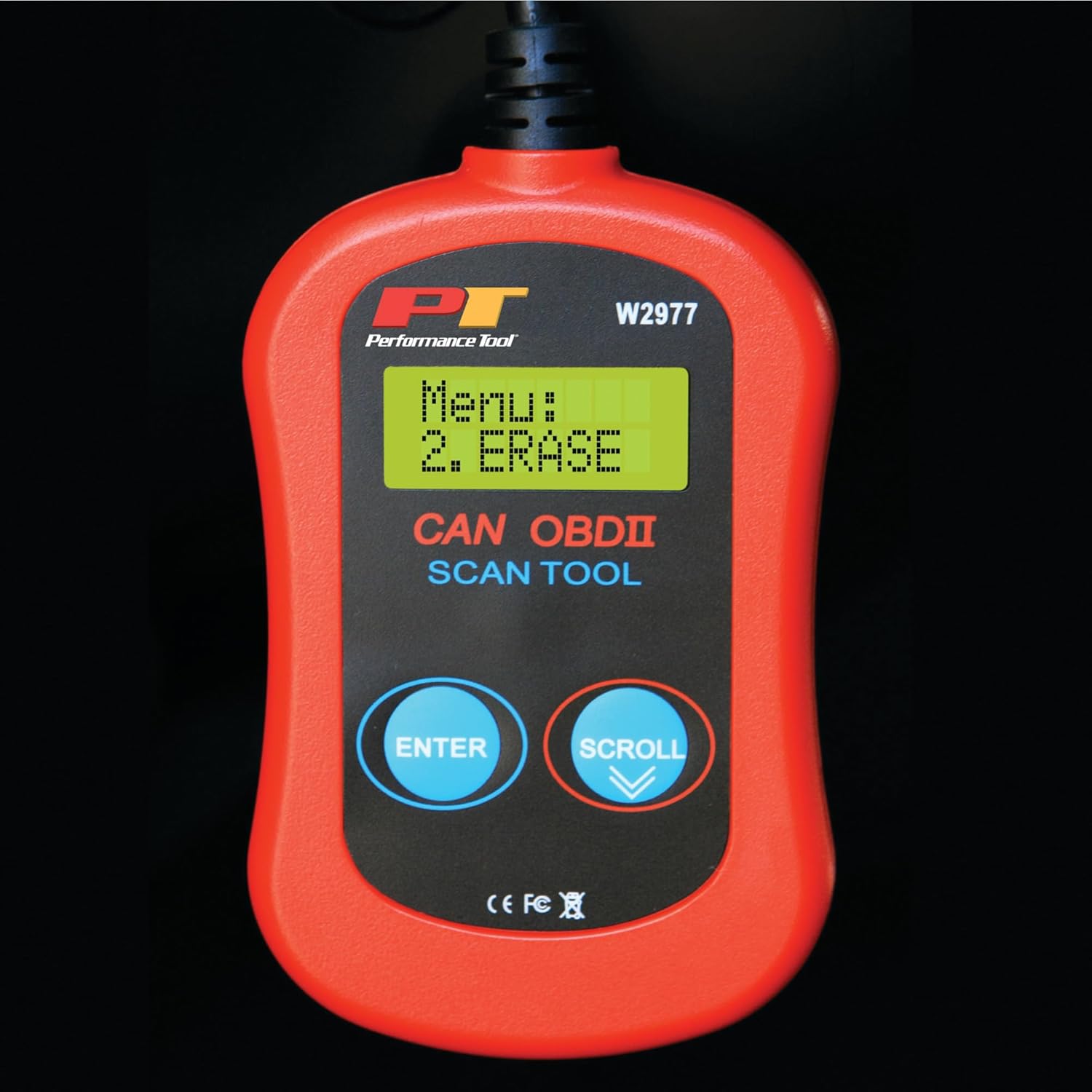
Image: Menu option to erase DTCs.
Обслуживание
To ensure the longevity and proper functioning of your Performance Tool W2977 scanner, follow these maintenance guidelines:
- Уборка: Протирайте устройство мягкой сухой тканью. Не используйте абразивные чистящие средства или растворители.
- Хранилище: Храните сканер в чистом, сухом месте, вдали от экстремальных температур и прямых солнечных лучей.
- Уход за кабелем: Avoid kinking or sharply bending the cable. Store it neatly coiled to prevent damage.
Поиск неисправностей
Распространенные проблемы:
- 'LINK ERROR!' Displayed:
This indicates a communication issue between the scanner and the vehicle. - Ensure the scanner cable is securely connected to the OBD-II port.
- Убедитесь, что зажигание автомобиля находится в положении «ВКЛ» или двигатель работает.
- Check if your vehicle is compatible with OBD-II (most vehicles 1996 and newer).
- Try connecting the scanner to a different compatible vehicle to rule out a scanner issue.
- Сканер не включается:
- The scanner draws power from the vehicle's OBD-II port. Ensure the connection is secure.
- Check the vehicle's fuse for the OBD-II port (often labeled 'CIGAR' or 'AUX POWER').
- No Codes Found, But Check Engine Light is On:
- Some intermittent issues may not store a permanent code immediately. Drive the vehicle for a short period and re-scan.
- Ensure the vehicle's ignition is on or engine is running during the scan.

Image: Display indicating a communication error.
Технические характеристики
| Спецификация | Деталь |
|---|---|
| Бренд | Инструмент производительности |
| Модель | В2977 |
| Вес товара | 5.6 унции |
| Размеры продукта | 1.75 x 6.09 x 9.5 дюйма |
| Тип посадки автомобиля | Universal Fit (1996 and later OBD-II compliant vehicles) |
| СКП | 039564106811 |
| Производитель | Инструмент производительности |
Гарантия и поддержка
The Performance Tool W2977 CAN OBD II Scanner Tool comes with a 1-year limited warranty. For detailed warranty information and terms, please refer to the official documentation.
For further assistance, troubleshooting, or to access the complete user manual, please refer to the official PDF document:
Загрузить руководство пользователя (PDF)
Вы также можете посетить Performance Tool Store on Amazon для получения дополнительной информации о продукте и ресурсов поддержки.


