1. Введение
The BenQ GP20 is an Ultra-Lite LED 700 Lumen Projector designed for versatile use, offering high-definition projection in various environments. This compact projector features 720p HD resolution, built-in 3W speakers with SRS surround sound, and 3D-ready projection capabilities. It supports unparalleled multimedia connectivity, including wireless display functions and MHL for mobile devices.
This manual provides essential information for setting up, operating, and maintaining your BenQ GP20 projector to ensure optimal performance and longevity.
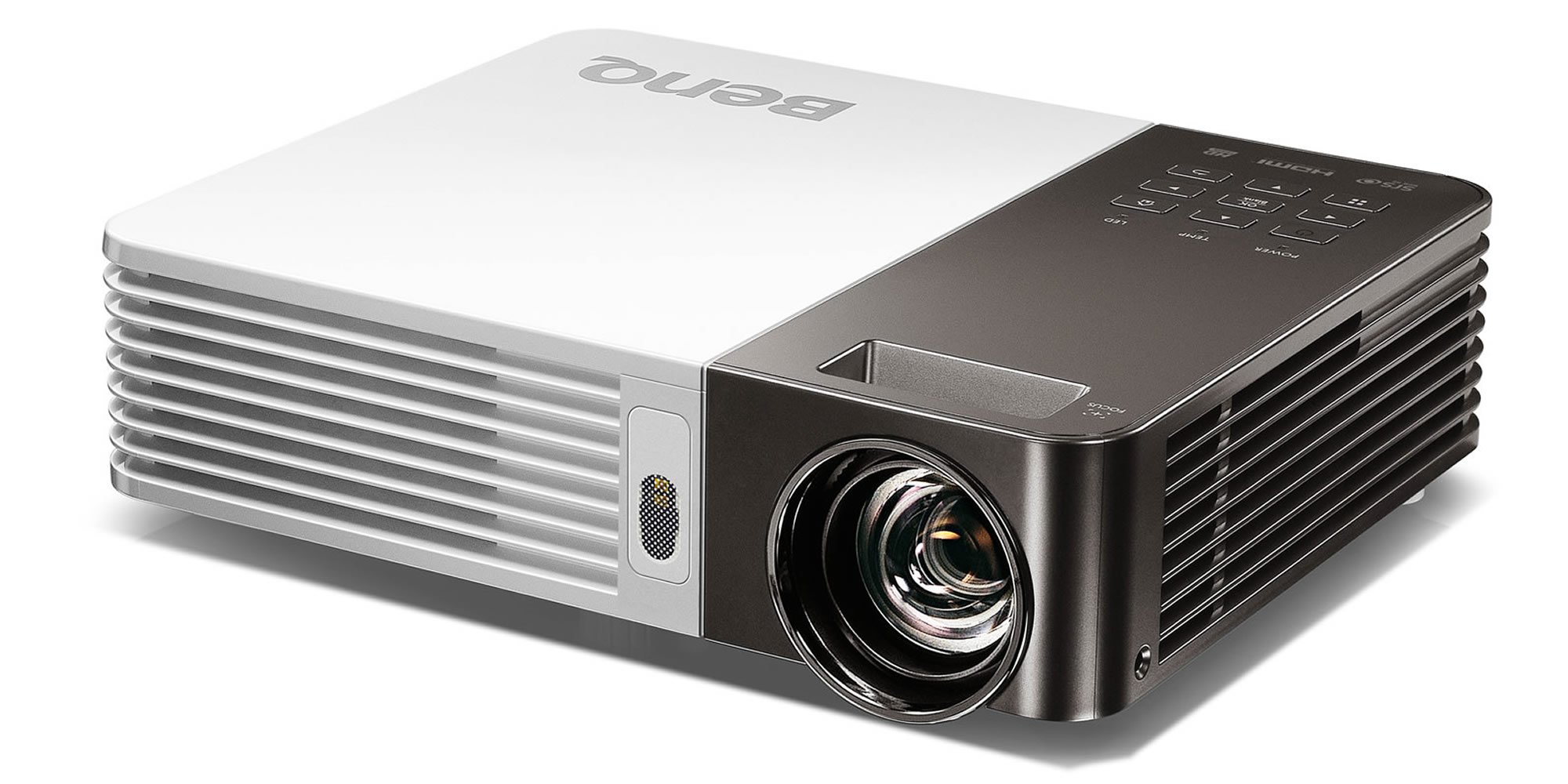
Image 1.1: The BenQ GP20 Wireless Ultra-Lite LED 700 Lumen Projector, showcasing его компактный дизайн и объектив.
2. Распаковка и комплектация
Upon opening the BenQ GP20 package, ensure all components are present and undamaged. The standard package includes the projector unit, a remote control, power cables, and a carrying case. Additional accessories such as a wireless dongle and various connection cables may also be included.

Image 2.1: The BenQ GP20 projector box, with various accessories including cables, remote, and carrying case laid out.
3. Инструкции по настройке
3.1 Первоначальное размещение
Place the projector on a stable, flat surface. For optimal image quality, position the projector perpendicular to the projection surface (screen or wall). The short-throw projection technology allows for a large 40-inch picture from approximately one meter distance.
3.2 Подключение питания
- Подключите кабель питания к входному порту питания проектора.
- Другой конец кабеля питания подключите к подходящей электрической розетке.
- Нажмите кнопку питания на проекторе или пульте дистанционного управления, чтобы включить устройство.
3.3 Настройка изображения
The GP20 features an automatic keystone correction function. This feature automatically adjusts misshaped images, graphics, and charts into a perfect square, eliminating the need for manual adjustments.
4. Инструкция по эксплуатации
4.1 Пользовательский интерфейс
The GP20 user interface is designed for ease of use, featuring navigation elements similar to popular multimedia devices. This intuitive design minimizes the need for extensive manual consultation.
4.2 Content Source Selection
The projector can automatically detect and select content sources when devices like SD cards or USB drives are plugged in. Manual selection is also available through the on-screen menu.
4.3 Функции дистанционного управления
Use the provided remote control to navigate menus, adjust settings, and control playback. Familiarize yourself with the buttons for power, source selection, volume, and menu navigation.
5. Связь
5.1 Беспроводной дисплей
The GP20 supports wireless display functions, allowing connection via notebooks, PCs, or mobile devices. The EZ QPresenter 2.0 for PC offers wireless connectivity from your PC to the GP20, with options for extending to a secondary display or projecting streaming video. The iOS EZ QPresenter 2.0 app allows projection of PDF, MS Office, and iWorks documents directly from an iPhone or iPad, including Dropbox streaming.
5.2 MHL Connectivity
The projector features MHL (Mobile High-Definition Link) functionality, enabling you to mirror content from compatible Android devices to the big screen. Your device will also charge while connected via MHL.
5.3 Другие подключения
The GP20 offers various ports for multimedia connectivity, including USB. Refer to the port labels on the projector for specific connection types.
6. Расширенные функции
6.1 LED Projection Technology
Utilizing RGB LEDs as the light source, the GP20 delivers vibrant, color-rich images with a 10000:1 contrast ratio and 100% NTSC color gamut. This technology ensures a long lifespan for the light source, up to 30,000 hours in Eco Mode, without a decrease in brightness.
6.2 Auto Blank Eye Protection
The Auto Blank feature is designed for eye protection, particularly around young children. It detects movements within 20 to 30 centimeters in front of the lens and automatically cuts off the projection light to prevent direct exposure.
6.3 3D-Ready Projection
The BenQ GP20 is 3D-ready, allowing for immersive 3D content viewing with compatible 3D glasses and source material.
7. Техническое обслуживание
7.1 Чистка проектора
- Экстерьер: Use a soft, lint-free cloth to gently wipe the projector's exterior. Avoid abrasive cleaners or solvents.
- Объектив: Use a lens cleaning cloth or specialized lens paper with a small amount of lens cleaning solution. Do not touch the lens directly with your fingers.
- Вентиляция: Убедитесь, что вентиляционные отверстия свободны от пыли и посторонних предметов, чтобы предотвратить перегрев.
7.2 Хранение
Когда проектор не используется, храните его в чехле в прохладном, сухом месте, вдали от прямых солнечных лучей и экстремальных температур.
8. Поиск Неисправностей
If you encounter issues with your BenQ GP20 projector, consider the following basic troubleshooting steps:
- Нет питания: Ensure the power cable is securely connected to both the projector and the electrical outlet. Check if the power outlet is functional.
- Нет изображения: Verify that the correct input source is selected. Check all cable connections between the projector and the source device.
- Размытое изображение: Allow the automatic keystone correction to function. Ensure the projection surface is flat and the projector is stable.
- Нет звука: Check the volume settings on both the projector and the source device. Ensure audio cables are correctly connected if not using HDMI.
- Пульт дистанционного управления не работает: Проверьте и замените батарейки в пульте дистанционного управления. Убедитесь, что между пультом и ИК-приемником проектора нет никаких препятствий.
При возникновении постоянных проблем обратитесь в службу поддержки BenQ. webсайт или свяжитесь со службой поддержки клиентов.
9. Технические характеристики
| Особенность | Спецификация |
|---|---|
| Бренд | BenQ |
| Номер модели | GP20 |
| Разрешение дисплея | 1280 х 800 |
| Яркость | 700 люмен |
| Источник света | ВЕЛ |
| Коэффициент контрастности | 10000:1 |
| Цветовая гамма | 100% НТСК |
| Тип динамика | Built-In (Two 3W Stereo Speakers with SRS HD) |
| Технология связи | USB, Wireless Display, MHL-Enabled HDMI |
| Особые возможности | 3D-Ready, Auto Keystone, Auto Blank Eye Protection |
| Вес товара | 3.5 фунта |
| Размеры продукта | 2.4 x 8.6 x 6.9 дюйма |
| Источник питания | 1 литий-ионный аккумулятор (входит в комплект) |
| Энергоэффективность | Сертификация Energy Star |
10. Гарантия и поддержка
Для получения информации о гарантии обратитесь к гарантийному талону, прилагаемому к вашему изделию, или посетите официальный сайт BenQ. website. For technical support, product registration, or service inquiries, please contact BenQ customer support through their official channels.


