Введение
This manual provides instructions for the proper use and care of your Panasonic K1HY08YY0031 USB Cable. This cable is designed for connecting various Panasonic brand models and other compatible electronic devices for data transfer and charging purposes.
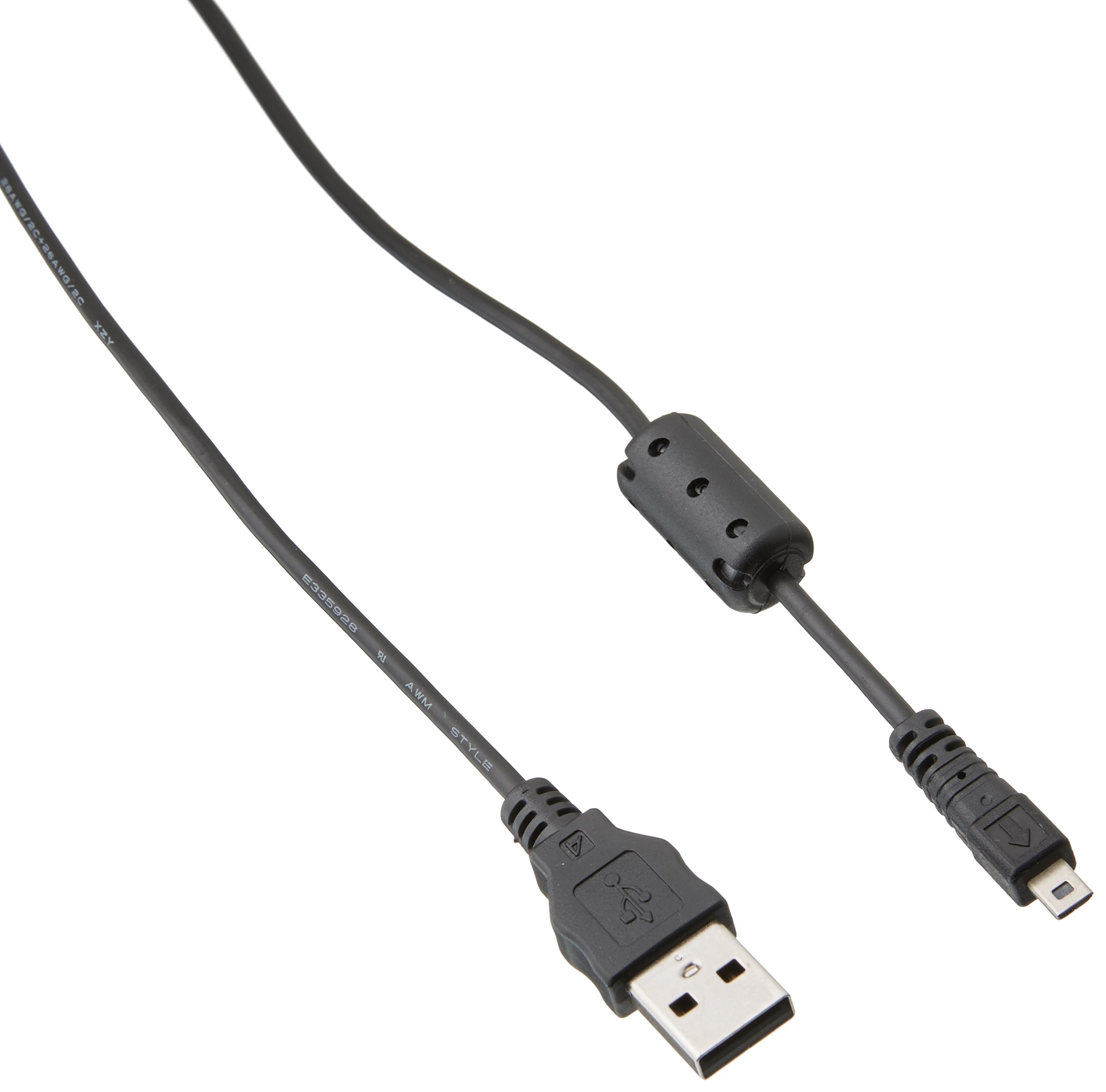
Image: The Panasonic K1HY08YY0031 USB Cable, featuring its standard USB Type A connectors on both ends, designed for reliable device connectivity.
Настраивать
The Panasonic K1HY08YY0031 USB Cable is a plug-and-play device, requiring no special software installation for basic functionality.
- Определить порты: Locate the appropriate USB Type A ports on your Panasonic device (e.g., camera, camcorder) and the host device (e.g., computer, charger).
- Подключить кабель: Insert one end of the USB cable into the USB port of your Panasonic device.
- Подключение к хосту: Insert the other end of the USB cable into a compatible USB port on your computer, laptop, or a USB wall adapter for charging.
- Проверить соединение: Ensure both ends of the cable are securely connected. Your device should indicate a connection (e.g., charging icon, data transfer prompt).
Инструкция по эксплуатации
Передача данных
To transfer data between your Panasonic device and a computer:
- Подключите кабель, как описано в разделе «Настройка».
- Once connected, your computer should recognize the Panasonic device as a removable storage device or prompt you to select a connection mode (e.g., Mass Storage, PC Connection).
- Follow the on-screen prompts on your computer or device to access and transfer files.
- После перевода files, safely eject the device from your computer's operating system before disconnecting the cable to prevent data corruption.
Зарядка
To charge your Panasonic device using the USB cable:
- Connect the cable from your Panasonic device to a USB wall adapter or a powered USB port on a computer.
- Убедитесь, что источник питания активен.
- The device's charging indicator should activate, confirming that it is receiving power.
Обслуживание
- Хранилище: Store the cable in a cool, dry place, away from direct sunlight and extreme temperatures. Avoid tightly coiling or bending the cable sharply, which can damage internal wires.
- Уборка: Use a soft, dry cloth to clean the cable and its connectors. Do not use liquid cleaners or solvents.
- Умение обращаться: Always grasp the connector head when plugging or unplugging the cable, rather than pulling on the cable itself. This prevents strain on the cable's connection points.
- Инспекция: Периодически осматривайте кабель на наличие признаков износа, истирания или повреждения изоляции или разъемов. При обнаружении повреждений прекратите использование.
Поиск неисправностей
| Проблема | Возможная причина | Решение |
|---|---|---|
| Устройство не распознано компьютером. | Loose connection, faulty USB port, incorrect device settings. |
|
| Устройство не заряжается. | Faulty power source, damaged cable, device issue. |
|
| Медленная передача данных. | USB port speed limitations, large file sizes, background processes. |
|
Технические характеристики
| Особенность | Деталь |
|---|---|
| Бренд | Панасоник |
| Номер модели | K1HY08YY0031 |
| Номер детали | K1HY08YY0031 |
| Тип разъема | USB-тип А |
| Тип кабеля | USB |
| Совместимые устройства | Computer, Laptop, Smartphone, Tablet, Other USB-enabled Devices |
| Пол: Мужской | От мужчины к мужчине |
| Материал | Медь |
| Вес товара | 1.44 унции |
| Размеры продукта | 5 x 4 x 1 дюйма |
| СКП | 361147000583 |
Гарантия и поддержка
This product is an authorized aftermarket part. For specific warranty information, please refer to the documentation provided with your original Panasonic device or contact the seller directly. For technical support, please consult the support resources for your specific Panasonic device model.


