Введение
This manual provides essential instructions for the safe and effective use of your Pentax MX-1 Digital Camera. Please read this manual thoroughly before using the camera and keep it in a safe place for future reference.
Продукт болееview
The Pentax MX-1 is a high-end compact digital camera featuring a 12-megapixel back-illuminated CMOS sensor and a 4x optical zoom lens (28-112mm equivalent) with an f/1.8-2.5 aperture. It includes a 3-inch tilting LCD display and a dual shake reduction system for clear images and video.

Рисунок 1: Передняя часть view of the Pentax MX-1 Digital Camera.
Настраивать
1 Установка и зарядка аккумулятора
- Откройте крышку батарейного отсека, расположенную в нижней части камеры.
- Insert the provided Lithium-Ion battery, ensuring the correct orientation as indicated inside the compartment.
- Плотно закройте крышку батарейного отсека.
- Connect the camera to the AC adapter using the supplied USB cable. The charging indicator will illuminate.
- Charge the battery fully before first use. A full charge typically takes approximately 3 hours.
2. Установка карты памяти
- Найдите слот для карты памяти, обычно он находится рядом с отсеком для батареи или на боковой панели камеры.
- Insert an SD, SDHC, or SDXC memory card into the slot with the label facing the correct direction until it clicks into place.
- To remove the card, push it in gently until it springs out.

Рисунок 2: Сторона view of the camera showing the open port cover for USB/HDMI connections.
3. Начальные настройки
- Включите камеру, нажав кнопку ВКЛ/ВЫКЛ кнопка.
- Следуйте инструкциям на экране, чтобы установить язык, дату и время.
- Format the memory card before first use to ensure optimal performance. Navigate to the МЕНЮ, выбирать НАСТРАИВАТЬ, а потом ФОРМАТИРОВАТЬ КАРТУ.
Эксплуатация камеры
1. Базовая фотография
- Включение питания: Нажмите ВКЛ/ВЫКЛ button. The lens will extend.
- Выберите режим: Rotate the mode dial on the top of the camera to select your desired shooting mode (e.g., Auto Pict, Program, Aperture Priority, Shutter Priority, Manual).
- Фокус: Point the camera at your subject. Press the shutter button halfway down to focus. The focus frame will turn green when focus is achieved.
- Shoot: Чтобы сделать снимок, нажмите кнопку спуска затвора до упора.

Рисунок 3: Вверху view of the camera showing the mode dial, shutter button, and exposure compensation dial.
2. Using the Tilting LCD Monitor
The 3-inch LCD monitor can be tilted up or down to facilitate shooting from various angles, such as low-angle shots or overhead shots. Gently pull the top or bottom edge of the LCD screen to adjust its position.
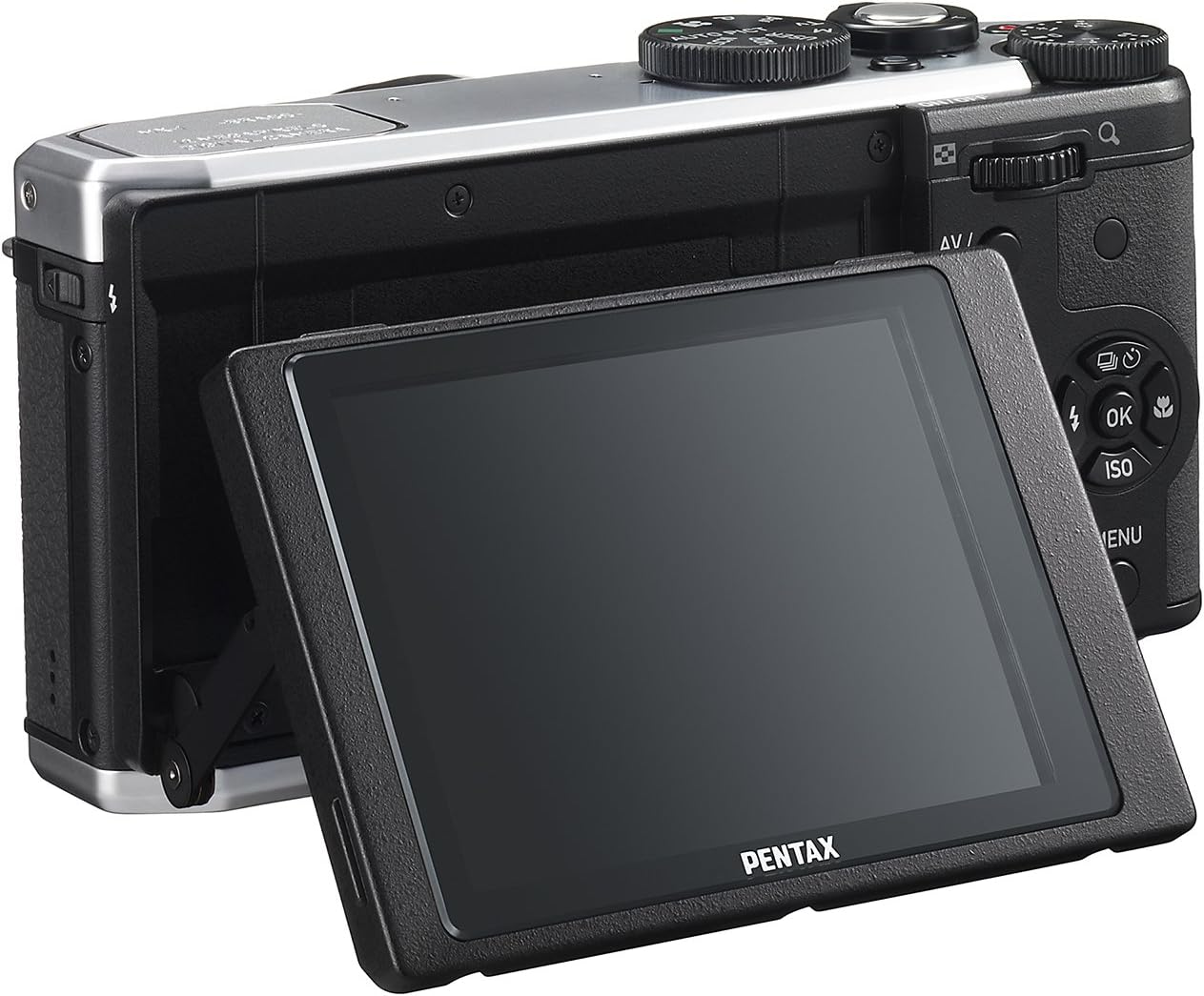
Рисунок 4: Сзади view of the camera demonstrating the tilting LCD screen.
3. Работа со флэш-памятью
To use the built-in flash, slide the flash release lever to pop up the flash unit. The flash modes (Auto, On, Off, Slow Sync, Rear Curtain Sync) can be selected via the camera's menu or a dedicated button, depending on the shooting mode.

Рисунок 5: Передняя часть view of the camera with the pop-up flash in the extended position.
4. Режим воспроизведения
- Нажмите ИГРАТЬ кнопку, чтобы войти в режим воспроизведения.
- Use the directional pad to scroll through your photos and videos.
- Нажмите OK кнопка для view information about the selected image or to play a video.
- Нажмите МЕНЮ button to access playback options such as deleting, rotating, or resizing images.
Обслуживание
1. Чистка камеры
- Корпус камеры: Протрите корпус камеры мягкой сухой тканью. Для удаления стойких загрязнений слегка потрите.ampСмочите ткань водой или мягким чистящим раствором. Избегайте использования органических растворителей.
- Объектив: Use a lens brush or a blower to remove dust. For smudges, use a lens cleaning cloth and lens cleaning fluid. Do not touch the lens surface with your fingers.
- ЖК монитор: Аккуратно протрите экран мягкой безворсовой тканью. Избегайте сильного нажатия на экран.
2. Хранение
- Если камера не используется в течение длительного времени, извлеките из нее аккумулятор.
- Store the camera in a cool, dry, and well-ventilated place, away from direct sunlight, high temperatures, and humidity.
- Use a desiccant to prevent mold growth if storing in humid environments.
Поиск неисправностей
If you encounter issues with your Pentax MX-1, refer to the table below for common problems and their solutions.
| Проблема | Возможная причина | Решение |
|---|---|---|
| Камера не включается. | Батарея разряжена или неправильно вставлена. | Зарядите аккумулятор или правильно вставьте его обратно. |
| Фотографировать нельзя. | Карта памяти заполнена, заблокирована или не вставлена. | Insert a memory card, unlock it, or delete unnecessary files. |
| Изображения размыты. | Дрожание камеры, неправильная фокусировка или загрязнение объектива. | Держите камеру неподвижно, обеспечьте правильную фокусировку или почистите объектив. |
| Вспышка не срабатывает. | Flash is set to "Off" or not popped up. | Pop up the flash and set the flash mode to "Auto" or "On". |
| ЖК-экран плохо виден при ярком свете. | Высокий уровень окружающего освещения. | Adjust the tilting LCD for a better viewing angle or find shade. |
Технические характеристики
| Особенность | Деталь |
|---|---|
| Название модели | Пентакс МХ-1 |
| Разрешение фотодатчика | 12 МП |
| Размер фотодатчика | 1/1.7 дюйма |
| Оптический зум | 4x |
| Фокусное расстояние объектива | 28-112mm (35mm equivalent) |
| Диапазон диафрагмы | f/1.8-2.5 |
| Стабилизация изображения | Датчик-сдвиг |
| Размер экрана | 3 дюйма |
| Тип дисплея | Tilting LCD |
| Поддерживается File Формат | JPEG 2.3, RAW |
| Разрешение видео | FHD 1080p (H.264) |
| Диапазон ISO (расширенный) | 100-12800 |
| Диапазон выдержки | от 30 секунд до 1/8000 секунды |
| Тип карты памяти | SD/SDHC/SDXC |
| Связность | HDMI (Mini HDMI type-D), USB |
| Тип батареи | Литий-ионный |
| Вес товара | 13.76 унции |
Гарантия и поддержка
Информация о гарантии
The Pentax MX-1 Digital Camera comes with a Гарантия 1 год covering parts and labor from the date of purchase. This warranty covers manufacturing defects and malfunctions under normal use. It does not cover damage caused by misuse, accidents, unauthorized repairs, or normal wear and tear. Please retain your proof of purchase for warranty claims.
Поддержка клиентов
For technical assistance, service, or further inquiries, please visit the official Pentax support website or contact their customer service department. Refer to the product packaging or the official Pentax webсайт для получения самой актуальной контактной информации.
Visit the Pentax Store on Amazon для получения дополнительной информации о продукте и аксессуарах.


