1. Продукт закончилсяview
The ViewSonic PJD5353 is a short throw DLP projector designed for business and education environments. It offers XGA 1024x768 native resolution, 2500 ANSI lumens brightness, and a 3000:1 contrast ratio for clear and vibrant images. Its short throw lens allows for large images from a minimal distance, making it suitable for various room sizes.
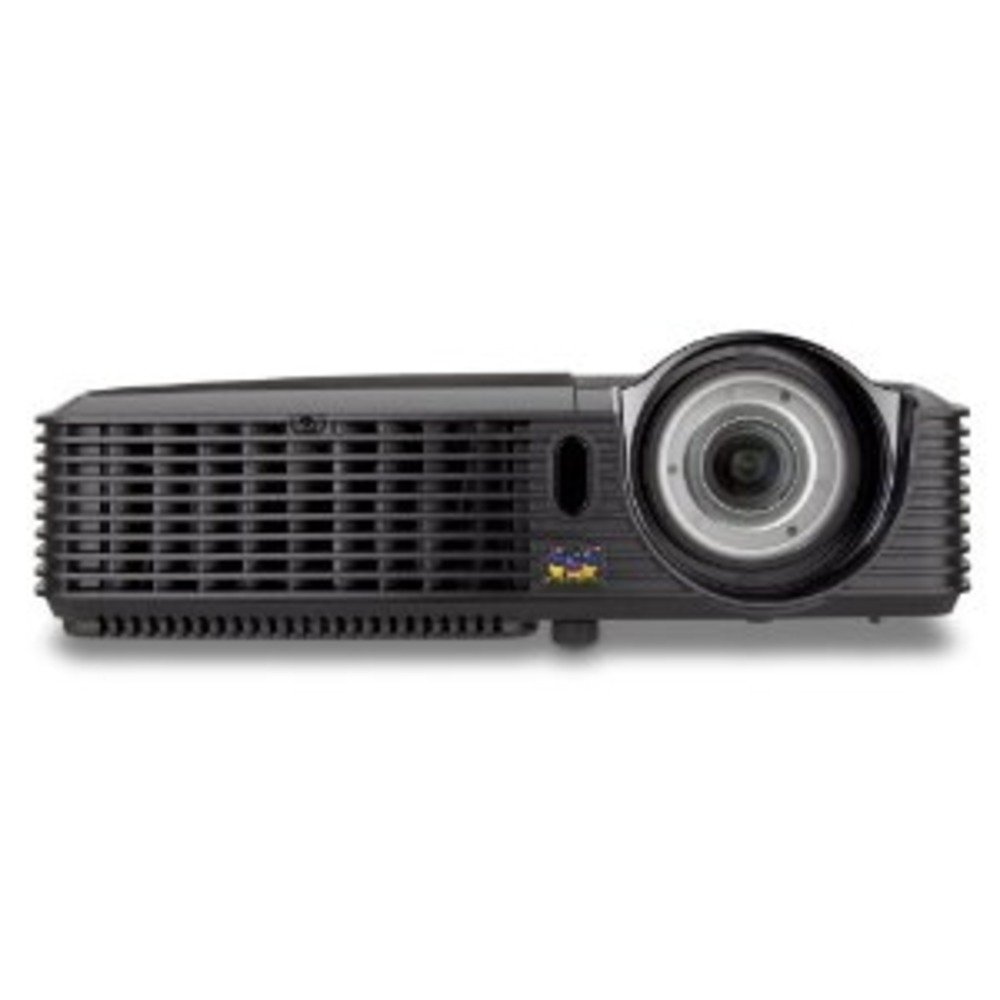
Рисунок 1.1: ViewSonic PJD5353 DLP Projector. This image displays the projector from an angled perspective, highlighting the projection lens on the front and the control panel located on the top surface.
Основные характеристики:
- XGA 1024x768 DLP projector with 2500 ANSI Lumens and 3000:1 Contrast.
- Short Throw Ratio (TR 0.68) for large images in small spaces.
- Multiple input options: HDMI, dual RGB in, composite, S-video, RGB out, audio in/out, RS232.
- Supports HD 720p and 1080i/p via HDMI.
- 120Hz/3D-Ready technology powered by DLP Link for PC-based 3D applications.
- Digital keystone correction of +/- 40 degrees.
- Integrated 1W speaker.
- Lightweight and portable at 5.7 lbs.
- Lamp life of 5000 hours (Normal mode) / 6000 hours (Eco mode).
- Apple Mac compatible.
- 8 preset picture modes (e.g., bright, cinema, whiteboard).
- Eco Mode for energy savings, extended lamp life, and reduced operating noise.
- Includes remote control with batteries.
2. Настройка
2.1 Распаковка и размещение
Carefully remove the projector and all accessories from the packaging. Place the projector on a stable, flat surface. Due to its short throw capability, the projector can be positioned close to the projection screen or wall. For example, a 50-inch image can be achieved from approximately 27 inches away.
2.2 Подключение питания
- Подключите шнур питания к разъему питания проектора.
- Вставьте другой конец шнура питания в заземленную электрическую розетку.
2.3 Подключение источников видеосигнала
The PJD5353 offers various input ports for connecting different devices:
- HDMI: For high-definition digital video and audio. Supports HD 720p and 1080i/p signals.
- VGA (RGB In): For connecting computers via a VGA cable. Two VGA inputs are available.
- Композитное видео: Для видеоисточников стандартного разрешения.
- S-видео: For improved standard definition video sources.
- Аудиовход: Для подключения внешних источников звука.
Connect your desired video source (e.g., laptop, DVD player) to the corresponding input port on the projector using the appropriate cable.
2.4 Первоначальное включение питания и настройка фокусировки
- Press the power button on the projector or the remote control to turn on the unit. The power indicator light will illuminate.
- Allow a few moments for the projector lamp to warm up and display an image.
- Adjust the focus ring around the lens until the image on the screen is sharp and clear.
- Use the keystone correction function (digital +/- 40 degrees) via the projector's menu or remote control to square the image if the projector is not perfectly perpendicular to the screen.
3. Операция
3.1 Основные элементы управления
The projector can be controlled using the control panel on the top of the unit or the included remote control.
- Кнопка питания: Включает или выключает проектор.
- Кнопка источника: Cycles through available input sources (HDMI, VGA1, VGA2, Video, S-Video).
- Кнопка меню: Предоставляет доступ к экранному меню (OSD) для настройки параметров.
- Кнопки со стрелками: Навигация по опциям экранного меню.
- Кнопка ввода: Подтверждает выбор в экранном меню.
- Keystone Buttons: Adjusts vertical keystone correction.
3.2 Режимы изображения
The projector features 8 preset picture modes optimized for different viewing environments and content types. These include:
- Яркий
- Кино
- Белая доска
- And others.
Select the appropriate picture mode from the OSD menu to enhance your viewопыт.
3.3 Эко-режим
Activate Eco Mode to reduce power consumption, extend lamp life, and lower operating noise. This mode is ideal for situations where maximum brightness is not required.
3.4 3D-функциональность
The PJD5353 is 120Hz/3D-Ready, powered by DLP Link. To utilize 3D features, you will need compatible 3D content, a 3D-capable source device (e.g., PC with 3D software), and DLP Link 3D glasses (sold separately).
4. Техническое обслуживание
4.1 лamp Жизнь и замена
Проектор lamp has an estimated life of 5000 hours in Normal mode and 6000 hours in Eco mode. When the lamp reaches the end of its life, a warning message may appear, or the lamp Индикаторная лампочка может загореться. Для получения подробной информации обратитесь к полному руководству пользователя.amp replacement instructions. Always use genuine ViewSonic replacement lamps.
4.2 Очистка
- Проектор Casing: Используйте мягкий, damp cloth with a mild detergent to clean the exterior. Avoid abrasive cleaners.
- Объектив: Gently wipe the lens with a soft, lint-free cloth specifically designed for optical surfaces. Do not use liquid cleaners directly on the lens.
- Вентиляционные отверстия: Периодически проверяйте и очищайте вентиляционные отверстия, чтобы обеспечить надлежащий поток воздуха и предотвратить перегрев. Используйте мягкую щетку или сжатый воздух.
Осторожность: Always unplug the projector from the power outlet before cleaning.
5. Поиск Неисправностей
Распространенные проблемы и решения:
- Нет изображения на экране:
- Убедитесь, что проектор включен и...amp освещен.
- Убедитесь, что видеокабель надежно подключен как к проектору, так и к источнику сигнала.
- Press the "Source" button on the projector or remote to select the correct input source.
- Check the resolution settings of your source device; ensure it is compatible with the projector's supported resolutions.
- Нет звука:
- If using HDMI, ensure the audio is being sent through the HDMI cable.
- If using an analog audio cable, ensure it is properly connected to the "Audio In" port.
- Проверьте настройки громкости как на проекторе, так и на источнике сигнала.
- Ensure the integrated speaker is enabled in the projector's OSD menu.
- Пульт дистанционного управления не работает:
- Check and replace the batteries in the remote control (2 AA batteries are included).
- Убедитесь, что между пультом дистанционного управления и ИК-приемником проектора нет препятствий.
- Направьте пульт дистанционного управления прямо на проектор.
- Изображение искажено или размыто:
- Отрегулируйте фокусировочное кольцо на объективе.
- Use the keystone correction function to correct trapezoidal distortion.
- Ensure the projector is placed on a stable surface and is not vibrating.
For more detailed troubleshooting, refer to the complete user manual or visit the ViewПоддержка Соника webсайт.
6. Технические характеристики
| Особенность | Описание |
|---|---|
| Номер модели | PJD5353 |
| Технология отображения | ДЛП |
| Собственное разрешение | XGA (1024 х 768) |
| Яркость | 2500 ANSI Lumens |
| Коэффициент контрастности | 3000:1 |
| Коэффициент выброса | 0.68 (Short Throw) |
| Коррекция трапецеидальных искажений | Digital +/- 40 degrees (Vertical) |
| Lamp Life (Normal/Eco) | 5000 / 6000 часов |
| Связность | HDMI, 2x VGA In, Composite Video, S-Video, Audio In/Out, RS232 |
| Поддержка HD | 720p, 1080i/p (via HDMI) |
| Готов к 3D | 120Hz/DLP Link |
| Встроенный динамик | 1W |
| Размеры продукта | 9.2 x 11.2 x 3.2 дюйма |
| Вес товара | 5.7 фунта |
| Включенные аксессуары | Remote control with 2 AA batteries |
7. Гарантия и поддержка
7.1 Информация о гарантии
Этот ViewSonic product is covered by a limited warranty. For specific warranty terms and conditions, including duration and coverage details, please refer to the warranty card included with your product or visit the official ViewСоник webСохраните чек о покупке для предъявления гарантийных претензий.
7.2 Поддержка клиентов
For technical assistance, product registration, or to download the complete user manual, please visit the official ViewПоддержка Соника webили свяжитесь с их службой поддержки клиентов. Контактную информацию обычно можно найти на сайте. ViewСоник webсайте или в упаковке продукта.