1. Введение
Welcome to the user manual for your Nikon COOLPIX S6100 digital camera. This guide provides essential information for setting up, operating, and maintaining your camera to ensure optimal performance. The COOLPIX S6100 features a 16.0-megapixel CCD sensor, a 7x NIKKOR wide-angle optical zoom lens, a 3-inch touch-panel LCD, and HD (720p) movie recording capabilities.
2. Продукт закончилсяview
Familiarize yourself with the main components and controls of your Nikon COOLPIX S6100 camera.
Передний View

Изображение 2.1: Передний view of the Nikon COOLPIX S6100 camera, highlighting the NIKKOR 7x wide optical zoom lens and built-in flash.
Верхние и задние элементы управления
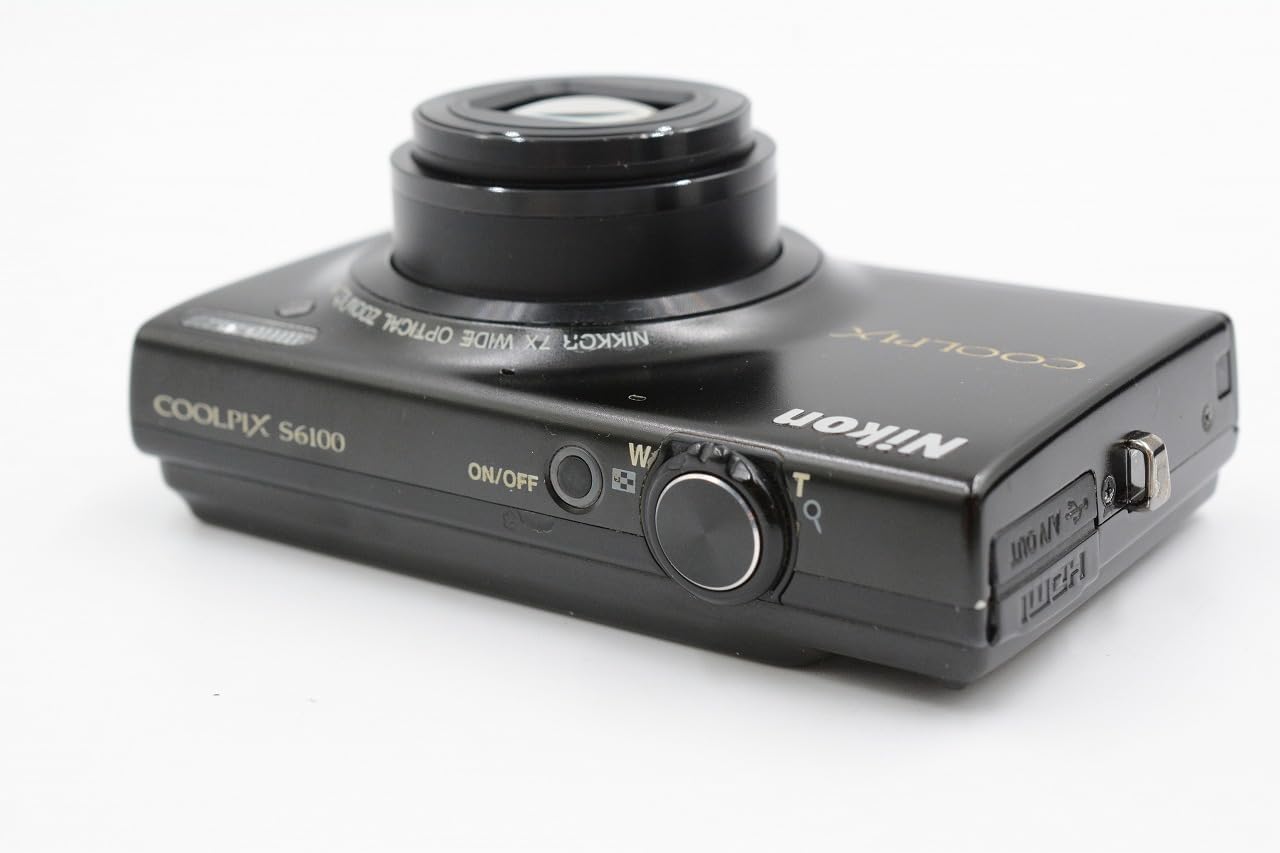
Изображение 2.2: Сверху и сзади view of the camera, illustrating the ON/OFF button, shutter release, zoom control, and HDMI/USB ports.
Touch-Panel LCD Interface
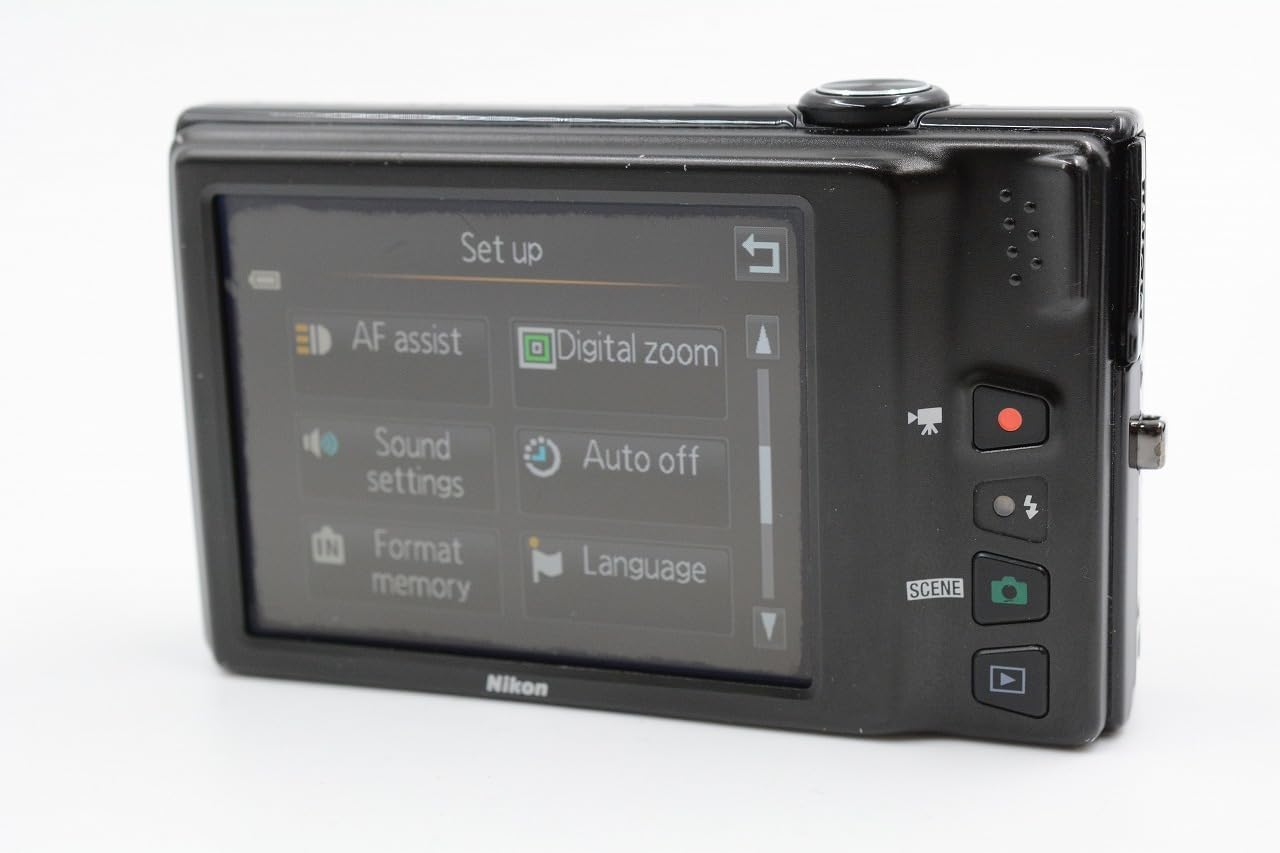
Изображение 2.3: The 3-inch touch-panel LCD displaying the camera's setup menu, including options for AF assist, digital zoom, sound settings, auto off, format memory, and language.
3. Настройка
3.1. Установка аккумулятора и карты памяти
The camera uses a rechargeable Lithium-ion battery. Ensure the battery is fully charged before first use. The camera supports SD, SDHC, and SDXC memory cards.
- Откройте крышку отсека для батареи/карты памяти, расположенную в нижней части камеры.
- Вставьте батарейку, расположив её правильно, до щелчка.
- Insert a compatible memory card into the slot until it clicks.
- Надежно закройте крышку.

Изображение 3.1: Нижний view of the camera with the battery and memory card compartment open, showing the slots for insertion.
3.2. Зарядка аккумулятора
The camera can be charged via a USB cable connected to a computer or using the included AC adapter and USB cable connected to a wall outlet. A light on the back of the camera indicates charging status.
3.3. Начальные настройки
Upon first power-on, you may be prompted to set the language, date, and time. Use the touch screen or physical controls to navigate and confirm your selections.
4. Основные операции
4.1. Фотографирование
- Включите камеру, нажав кнопку ВКЛ/ВЫКЛ кнопка.
- Point the camera at your subject. The camera will automatically focus.
- Press the shutter button halfway down to confirm focus.
- Полностью нажмите кнопку спуска затвора, чтобы сделать снимок.
4.2. Запись видео
The COOLPIX S6100 features a dedicated movie recording button.
- Нажмите специальную кнопку Запись фильма кнопку, чтобы начать запись.
- Нажмите Запись фильма еще раз, чтобы остановить запись.
Videos are recorded in HD (720p) resolution.
4.3. Воспроизведение
Чтобы повторноview Ваши фотографии и видео:
- Нажмите Воспроизведение кнопка.
- Use the touch screen or directional controls to scroll through your images and videos.
5. Расширенные функции
5.1. Функции сенсорного экрана
The 3-inch touch-panel LCD allows for intuitive control. You can tap to focus, navigate menus, and review images. A stylus is included for precise interaction.
5.2. Scene Selection
The camera offers 19 scene modes plus an auto scene selector. These modes optimize camera settings for specific shooting conditions (e.g., Portrait, Landscape, Night Portrait, Close-up). Access scene modes via the menu on the touch screen.
5.3. Filter Effects and Retouching
Enhance your photos directly on the camera with various filter effects and retouching options, including:
- Drawing or writing on photos
- Adding decorations
- Cross screen effect
- Fish eye effect
- Selective color
- Black and white conversion
- Sepia tone
- Glamour retouch
- Skin softening
5.4. Zoom and Image Stabilization
The camera features a 7x optical zoom NIKKOR ED glass lens and up to 4x digital zoom. The 4-way VR (Vibration Reduction) image stabilization system helps reduce blur caused by camera shake, especially in low light or when using the zoom.
6. Техническое обслуживание
6.1. Чистка камеры
- Объектив: Аккуратно удалите пыль мягкой безворсовой тканью или щёточкой для чистки линз. Для удаления пятен используйте чистящее средство для линз, нанесённое на ткань, а не непосредственно на линзу.
- ЖК-экран: Аккуратно протрите мягкой сухой тканью. Избегайте сильного нажатия на экран.
- Корпус камеры: Use a soft, dry cloth to wipe away dust and dirt. Do not use organic solvents or strong cleaning agents.
6.2. Хранение
When not in use, store the camera in a cool, dry place away from direct sunlight, high temperatures, and humidity. Remove the battery if the camera will not be used for an extended period.
7. Поиск Неисправностей
Если у вас возникли проблемы с камерой, воспользуйтесь следующими распространенными решениями:
- Камера не включается: Убедитесь, что аккумулятор полностью заряжен и правильно вставлен.
- Фотографии размыты: Check that the lens is clean. Ensure the camera has focused correctly before taking the shot. Use VR image stabilization in low light or with zoom.
- Ошибка карты памяти: Ensure the memory card is inserted correctly and is not full. Try formatting the card (this will erase all data).
- Сенсорный экран не реагирует: Gently clean the screen. If using a stylus, ensure it is making proper contact.
For more detailed troubleshooting, please consult the official Nikon support resources.
8. Технические характеристики
| Тип датчика | 16.0-megapixel CCD |
| Линза | NIKKOR 7x Optical Zoom ED Glass Lens (28-196mm equivalent) |
| Стабилизация изображения | 4-way VR (Vibration Reduction) |
| Отображать | 3-inch (460,000-dot) Touch-Panel LCD |
| Видеозапись | HD 720p with Stereo Sound |
| Носители информации | Карты памяти SD/SDHC/SDXC |
| Связность | USB, HDMI (Mini Connector) |
| Размеры (приблизительные) | 97.9 x 58.0 x 21.9 мм (3.9 x 2.3 x 0.9 дюйма) |
| Вес (приблизительный) | 177 g (6.3 oz) with battery and memory card |
9. Гарантия и поддержка
Your Nikon COOLPIX S6100 camera is covered by a limited warranty. Please refer to the warranty card included with your product for specific terms and conditions. For technical support, service, or additional information, please visit the official Nikon website or contact Nikon customer service.
Более подробную информацию и поддержку вы можете найти на сайте Магазин Nikon на Amazon.


