Введение
The Taylor Pro Digital 4-Event Timer is designed to track up to four separate timing events simultaneously. This device features a large LCD display for clear visibility and offers versatile placement options with its integrated magnets and built-in stand. It supports countdown timing up to 99 hours, 59 minutes, and 59 seconds, and includes a memory function for recalling previous settings.
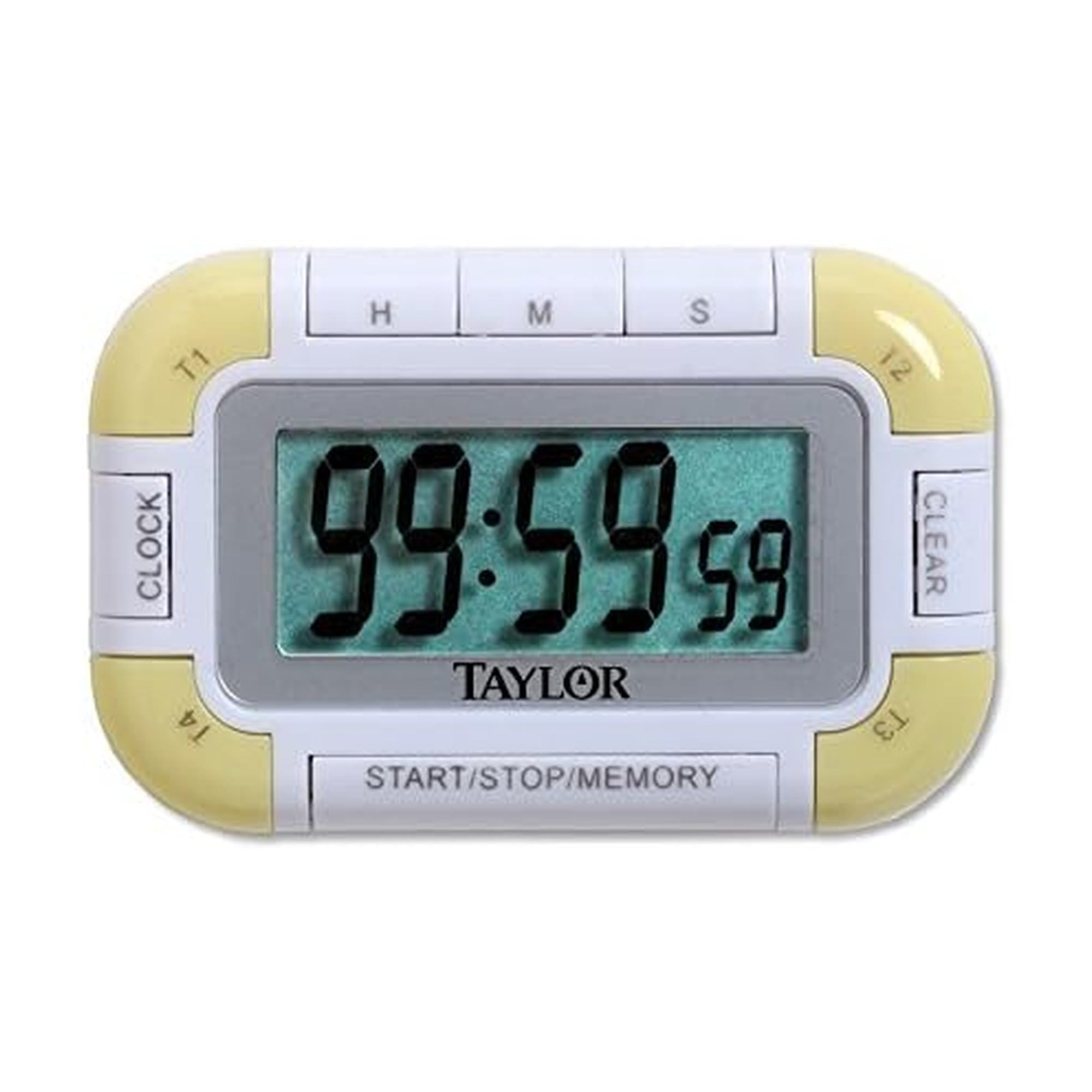
Рисунок 1: Передняя часть view of the Taylor Pro Digital 4-Event Timer.
Информация по безопасности
WARNING: This product contains button cell batteries. Swallowing a button cell battery can cause severe internal burns in as little as 2 hours and can lead to death. Keep new and used batteries away from children. If the battery compartment does not close securely, stop using the product and keep it away from children. If you think batteries might have been swallowed or placed inside any part of the body, seek immediate medical attention.

Figure 2: Button cell battery safety warning.
Содержимое упаковки
- Taylor Pro Digital 4-Event Timer (Model 5862)
- Руководство по эксплуатации
- 2 x Product Specific Batteries (pre-installed or included separately)
Характеристики продукта
- Four Independent Timers: Track up to four events simultaneously.
- Большой ЖК-дисплей: 0.8-inch display for clear time readings.
- Универсальное размещение: Strong magnets for metal surfaces and a built-in stand for countertops.
- Extended Countdown: Sets times up to 99 hours, 59 minutes, 59 seconds.
- Distinctive Alarms: Each timer has a unique beep pattern.
- Функция памяти: Recalls the last set time for each event.

Рисунок 3: Подробная информация view of the timer's display and control buttons.
Настраивать
Установка аккумулятора
- Найдите отсек для батареек на задней панели таймера.
- Откройте крышку отсека.
- Insert two product-specific batteries, ensuring correct polarity (+/-).
- Плотно закройте крышку батарейного отсека.
Первоначальное включение питания
Once batteries are installed, the timer should automatically power on and display '00:00:00' or the current time if a clock function is present (refer to display for confirmation).
Инструкция по эксплуатации
Selecting a Timer (T1, T2, T3, T4)
Нажмите Т1 / Т2 / Т3 / Т4 buttons to select the desired timer. The active timer will be indicated on the display.
Setting a Countdown Timer
- Select the desired timer (T1-T4).
- Нажмите HR кнопка для установки часов, МИН for minutes, and СЕЦ for seconds. Each press increases the value. Hold the button for faster adjustment.
- To clear a set time, press the ПРОЗРАЧНЫЙ button while the timer is selected and stopped.
Starting and Stopping a Timer
- After setting the desired time, press the СТАРТ/СТОП кнопку, чтобы начать обратный отсчет.
- Чтобы приостановить обратный отсчет, нажмите СТАРТ/СТОП снова.
- Чтобы возобновить, нажмите СТАРТ/СТОП еще раз.
Функция будильника
When a timer reaches zero, it will emit an audible alarm. Each of the four timers has a distinct alarm sound to help differentiate between events. Press any button to silence the alarm.
Функция памяти
The timer automatically stores the last set time for each of the four events. To recall a previously set time, select the desired timer (T1-T4) and press the ПАМЯТЬ button. The last set time for that specific timer will be displayed.
Обслуживание
Уборка
Протрите таймер мягкой, damp ткань. Не используйте абразивные чистящие средства и не погружайте устройство в воду.
Замена батареи
When the display becomes dim or the timer functions erratically, it is time to replace the batteries. Follow the battery installation steps outlined in the Setup section.
Поиск неисправностей
| Проблема | Возможная причина | Решение |
|---|---|---|
| Дисплей пустой или тусклый. | Низкий заряд или полная разрядка батарей. | Замените батареи новыми, соблюдая правильную полярность. |
| Таймер не запускается. | Time not set or START/STOP not pressed. | Ensure a time is set for the selected timer. Press START/STOP. |
| Сигнализация не срабатывает. | Volume setting too low (if applicable) or timer not reaching zero. | Ensure timer counts down to zero. Check for any mute function (if available). |
| Кнопки не реагируют. | Low batteries or internal malfunction. | Замените батареи. Если проблема не устранена, обратитесь в службу поддержки клиентов. |
Технические характеристики
- Номер модели: 5862
- Бренд: Тейлор
- Материал: Пластик
- Цвет: Белый/Зеленый
- Вес товара: 2.4 унции
- Размеры продукта: 7 x 5.1 x 6.68 дюйма
- Размер экрана: 0.8 дюйма (ЖК-дисплей)
- Количество таймеров: 4
- Max Countdown: 99 часов, 59 минут, 59 секунд
- Аккумуляторы: 2 Product Specific batteries (required)
Гарантия
This Taylor Pro Digital 4-Event Timer (Model 5862) comes with a Гарантия 1 год covering parts and labor from the date of purchase. This warranty does not cover damage caused by misuse, accident, unauthorized modifications, or normal wear and tear. Please retain your proof of purchase for warranty claims.
Поддерживать
For further assistance, troubleshooting not covered in this manual, or warranty inquiries, please contact Taylor customer support. Refer to the product packaging or the official Taylor webсайт для получения самой актуальной контактной информации.