
1. Введение
This manual provides detailed instructions for the safe and effective use of your DIGIERA DGW100BL 5K Digital Camera. Please read this manual thoroughly before operating the camera and retain it for future reference.
The DIGIERA DGW100BL is a versatile digital camera designed for high-quality photography and videography, featuring 5K video recording, 80MP photo resolution, a 3.0-inch IPS LCD flip screen, and advanced autofocus capabilities.
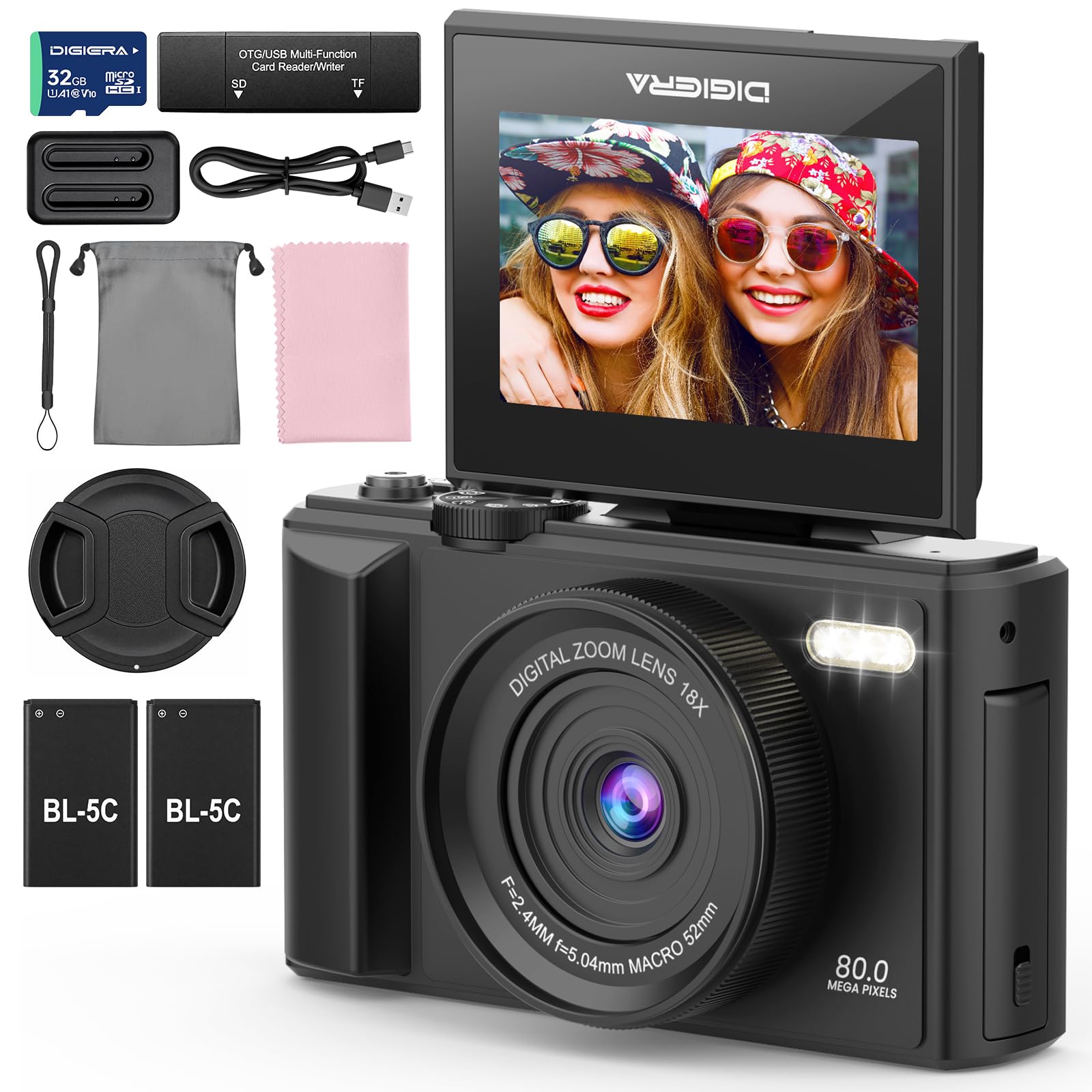
Image 1.1: The DIGIERA DGW100BL 5K Digital Camera.
2. Содержимое упаковки
Проверьте наличие всех предметов в посылке:
- DIGIERA DGW100BL Camera Body
- 2 x Detachable Rechargeable Lithium-ion Batteries
- Зарядное устройство для аккумулятора
- SD-карта 32 ГБ
- USB-кабель
- Руководство пользователя
- Ремешок на запястье
3. Настройка
3.1 Установка и зарядка аккумулятора
- Откройте крышку батарейного отсека, расположенную в нижней части камеры.
- Insert a rechargeable lithium-ion battery, ensuring the contacts align correctly. Close the cover.
- To charge the battery, insert it into the provided external charger. Connect the charger to a power source using the USB cable. The indicator light on the charger will show charging status.
- A fully charged battery provides approximately 80 minutes of 4K video recording.
3.2. Установка SD-карты
- Найдите слот для SD-карты, обычно расположенный сбоку или снизу камеры.
- Insert the included 32GB SD card with the metal contacts facing the correct direction (refer to the diagram near the slot). Push until it clicks into place.
- To remove, gently push the SD card inward until it springs out.
3.3. Включение и выключение
- Чтобы включить устройство, нажмите и удерживайте кнопку питания, пока не загорится экран.
- Чтобы выключить устройство, нажмите и удерживайте кнопку питания еще раз, пока экран не погаснет.
3.4. Начальные настройки
Upon first power-on, you may be prompted to set the date, time, and language. Use the navigation buttons to select and confirm your preferences.
4. Эксплуатация камеры
4.1. Basic Photography and Video Recording
The camera supports 80MP still images and 5K video recording.

Image 4.1: Demonstrating 5K video and 80MP photo capabilities.
- Режимы переключения: Use the mode dial or menu options to switch between photo, video, and playback modes.
- Фотографировать: In photo mode, frame your shot and press the Shutter button halfway to focus, then fully to capture the image.
- Запись видео: In video mode, press the Record button to start and stop recording.
- Snapshot While Recording: You can capture still photos during video recording by pressing the Shutter button.
4.2. Режимы фокусировки
The camera offers flexible focusing options:
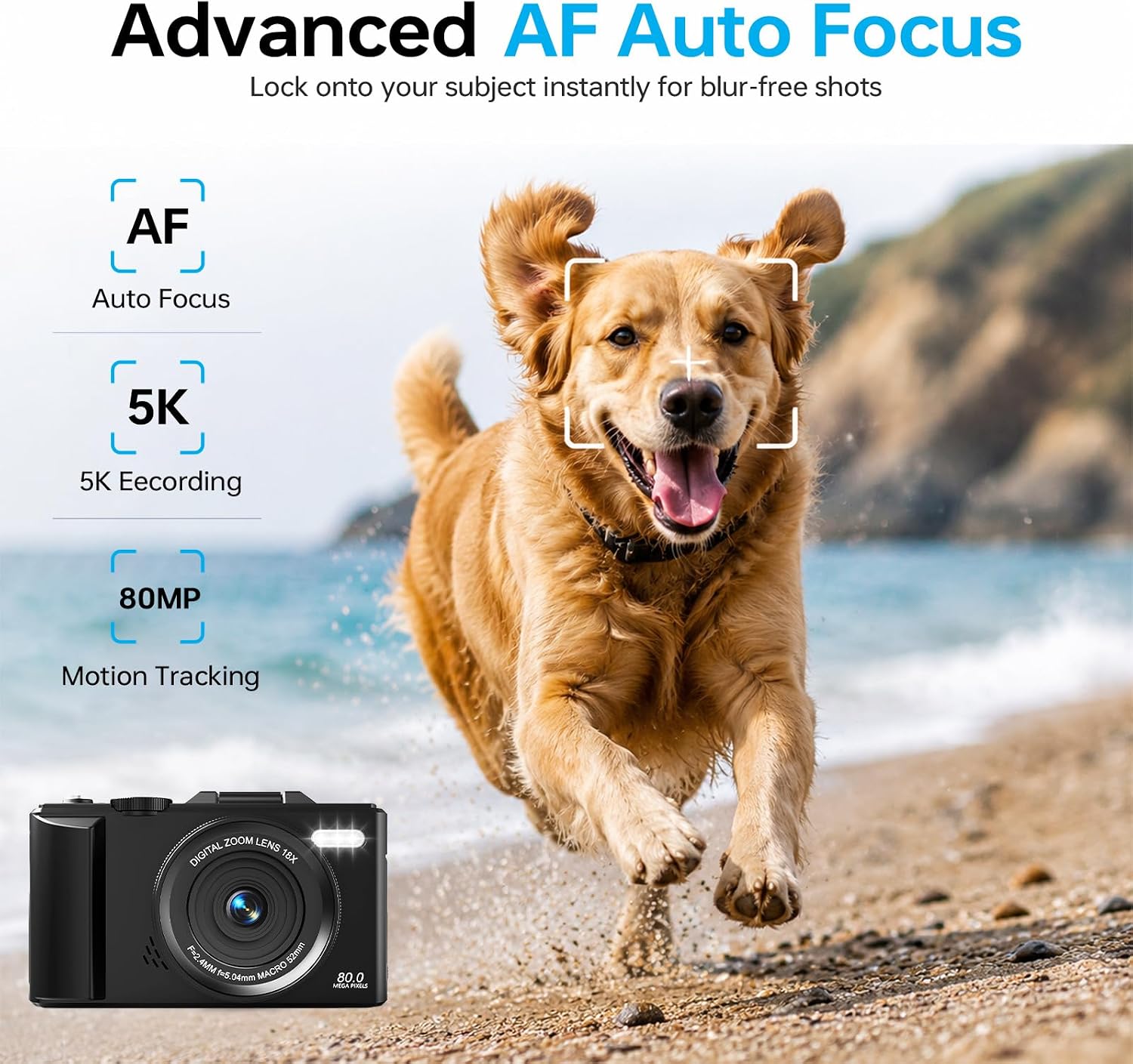
Image 4.2: Advanced Autofocus for sharp images.
- Автофокус (АФ): The camera automatically detects and focuses on subjects. This is ideal for most situations, including moving subjects.
- Фиксированный фокус: Maintains a fixed focus distance, suitable for specific scenarios where manual adjustment is not desired.
- Ручная фокусировка (MF): Allows you to manually adjust the focus for precise control.
4.3. Using the Flip Screen and Digital Zoom

Image 4.3: The 180° flip screen for easy selfies and vlogging.
- Перевернуть экран: The 3.0-inch IPS LCD screen can be flipped 180 degrees, making it convenient for self-portraits, vlogging, and monitoring your shots from various angles.
- 18-кратный цифровой зум: Use the zoom controls (usually 'W' for wide and 'T' for telephoto) to digitally zoom in or out on your subject. Note that digital zoom may reduce image quality compared to optical zoom.
4.4. Технология стабилизации
The built-in anti-shake technology helps to stabilize your footage and photos, reducing blur caused by camera movement, especially useful during handheld shooting or when using digital zoom.
4.5. Особые возможности
- Промежуток времени: Capture sequences of images over time to create time-lapse videos. Access this feature through the camera's menu. For extended sessions, consider connecting a power bank.
- Замедленная съемка: Record videos at a higher frame rate to play back in slow motion.
- Креативные фильтры: Apply various artistic filters and effects directly to your photos and videos.

Изображение 4.4: Примерamples of built-in creative filters.
4.6. Подключение к Wi-Fi и управление через приложение

Image 4.5: Wi-Fi transfer for instant sharing.
The camera features built-in Wi-Fi for seamless transfer of photos and videos to your smartphone via a dedicated mobile app. This also enables remote control for convenient selfies and group shots.
- Download the official DIGIERA camera app from your device's app store.
- Enable Wi-Fi on your camera and connect your smartphone to the camera's Wi-Fi network.
- Используйте приложение для просмотра, передачи и обмена медиафайлами, а также для удаленного управления камерой.
4.7. External Lens Support

Image 4.6: The camera supports external 52mm wide-angle lenses (sold separately).
The camera supports external 52mm wide-angle lenses (not included) to expand your field of view, ideal for capturing landscapes or group photos.
5. Техническое обслуживание
5.1. Чистка камеры
- Объектив: Для бережного удаления пыли используйте мягкую безворсовую ткань или щеточку для линз. Для удаления пятен используйте специальный раствор для чистки линз, нанеся его на ткань, а не непосредственно на линзу.
- Экран: Wipe the LCD screen with a soft, dry microfiber cloth. Avoid harsh chemicals.
- Тело: Use a dry, soft cloth to clean the camera body. Do not use water or cleaning solvents.
5.2. Уход за аккумулятором
- Когда батарейки не используются, храните их в прохладном сухом месте.
- Чтобы продлить срок службы аккумуляторов, избегайте частой полной разрядки.
- Не подвергайте батареи воздействию экстремальных температур.
5.3. Хранение
When storing the camera for extended periods, remove the battery and SD card. Store the camera in a protective case in a dry, dust-free environment.
6. Поиск Неисправностей
Если у вас возникли проблемы с камерой, ознакомьтесь со следующими распространенными проблемами и решениями:
| Проблема | Возможная причина | Решение |
|---|---|---|
| Камера не включается. | Батарея разряжена или неправильно вставлена. | Ensure battery is fully charged and correctly inserted. Try a different charged battery. |
| Невозможно делать фотографии/записывать видео. | SD-карта заполнена, заблокирована или не вставлена. | Check SD card status. Ensure it is unlocked, has sufficient space, and is inserted correctly. Format the SD card if necessary (this will erase all data). |
| Изображения размыты. | Неправильная фокусировка, дрожание камеры или грязный объектив. | Check focus mode. Ensure anti-shake is enabled. Clean the lens. Hold the camera steady. |
| Проблемы с подключением к Wi-Fi. | Неправильные настройки Wi-Fi или проблемы с приложением. | Ensure Wi-Fi is enabled on both camera and phone. Reconnect to the camera's Wi-Fi network. Restart the camera and the app. |
| Короткое время работы батареи. | Frequent use of power-intensive features or old battery. | Reduce screen brightness, limit continuous recording. Ensure batteries are fully charged. Consider replacing old batteries. |
Если проблема сохраняется после применения этих решений, обратитесь в службу поддержки клиентов.
7. Технические характеристики
| Особенность | Деталь |
|---|---|
| Название модели | DGW100BL |
| Технология фотодатчика | КМОП |
| Максимум WebРазрешение изображения камеры | 80 МП |
| Разрешение видео | 5K |
| Цифровой зум | 18X |
| Размер экрана | 3.0 дюймов |
| Тип дисплея | IPS LCD (Flip Screen) |
| Стабилизация изображения | Цифровой (с защитой от тряски) |
| Режимы фокусировки | Autofocus, Fixed Focus, Manual Focus |
| Поддерживается File Формат | JPEG (Photos) |
| Емкость памяти | 32 ГБ (SD-карта в комплекте) |
| Совместимый тип флэш-памяти | микроSD |
| Технология связи | USB, Wi-Fi |
| Тип батареи | Detachable Rechargeable Lithium-ion |
| Средний срок службы батареи | Approx. 80 minutes (4K recording) |
| Особые возможности | Anti-Shake, Slow Motion, Wi-Fi Control, Time-Lapse, Snapshot While Recording, 5K Ultra-HD |
| Производитель | Shenzhen Kerun E-commerce Co.,Ltd |
8. Информация о гарантии
This DIGIERA DGW100BL camera comes with a Гарантия производителя на 1 год Гарантия действует с даты покупки. Данная гарантия распространяется на производственные дефекты и качество изготовления при нормальной эксплуатации. Она не распространяется на повреждения, вызванные неправильным использованием, несчастными случаями, несанкционированными модификациями или стихийными бедствиями.
Пожалуйста, сохраните документ, подтверждающий покупку, для претензий по гарантии.
9. Поддержка клиентов
For technical assistance, troubleshooting not covered in this manual, or warranty inquiries, please contact DIGIERA customer support. We offer 4/7 after-sale support to assist you.
- Электронная почта: Refer to your product packaging or the official DIGIERA webсайт для контактных данных.
- Webсайт: Visit the DIGIERA Store on Amazon
