
1. Введение
This manual provides detailed instructions for the installation, operation, and maintenance of your LongPlus CLK2-W1X8 4K 8MP UHD Wireless Outdoor Security Camera. Please read this manual thoroughly before using the product to ensure proper function and safety. Keep this manual for future reference.
2. Что в коробке
Убедитесь, что в упаковке присутствуют все компоненты:
- Камера
- Настенное крепление
- Руководство пользователя
- Винты
3. Продукт закончилсяview и особенности
The LongPlus CLK2-W1X8 is a 4K 8MP UHD wireless outdoor security camera designed for home surveillance. It offers advanced features for comprehensive monitoring.
3.1 Основные характеристики
- 4K (8MP) UHD Resolution: Delivers ultra-clear video and image details.
- Цветное ночное видение: Advanced starlight sensor and large aperture lens provide vivid full-color night vision in low-light conditions.
- Запись 24/7: Supports continuous recording in Always-On Power Mode.
- Двухдиапазонный Wi-Fi: Совместимость с сетями Wi-Fi 2.4 ГГц и 5 ГГц обеспечивает стабильное соединение.
- Двустороннее аудио: Встроенный микрофон и динамик для общения в реальном времени.
- Обнаружение движения с помощью ИИ: PIR detection with adjustable sensitivity, triggering recording, flashing white lights, and a siren.
- Гибкое хранилище: Supports local SD card storage (up to 512GB, not included) and cloud storage options.
- Питание от батареи: 5200mAh battery provides extended operation.
3.2 Визуальные характеристики
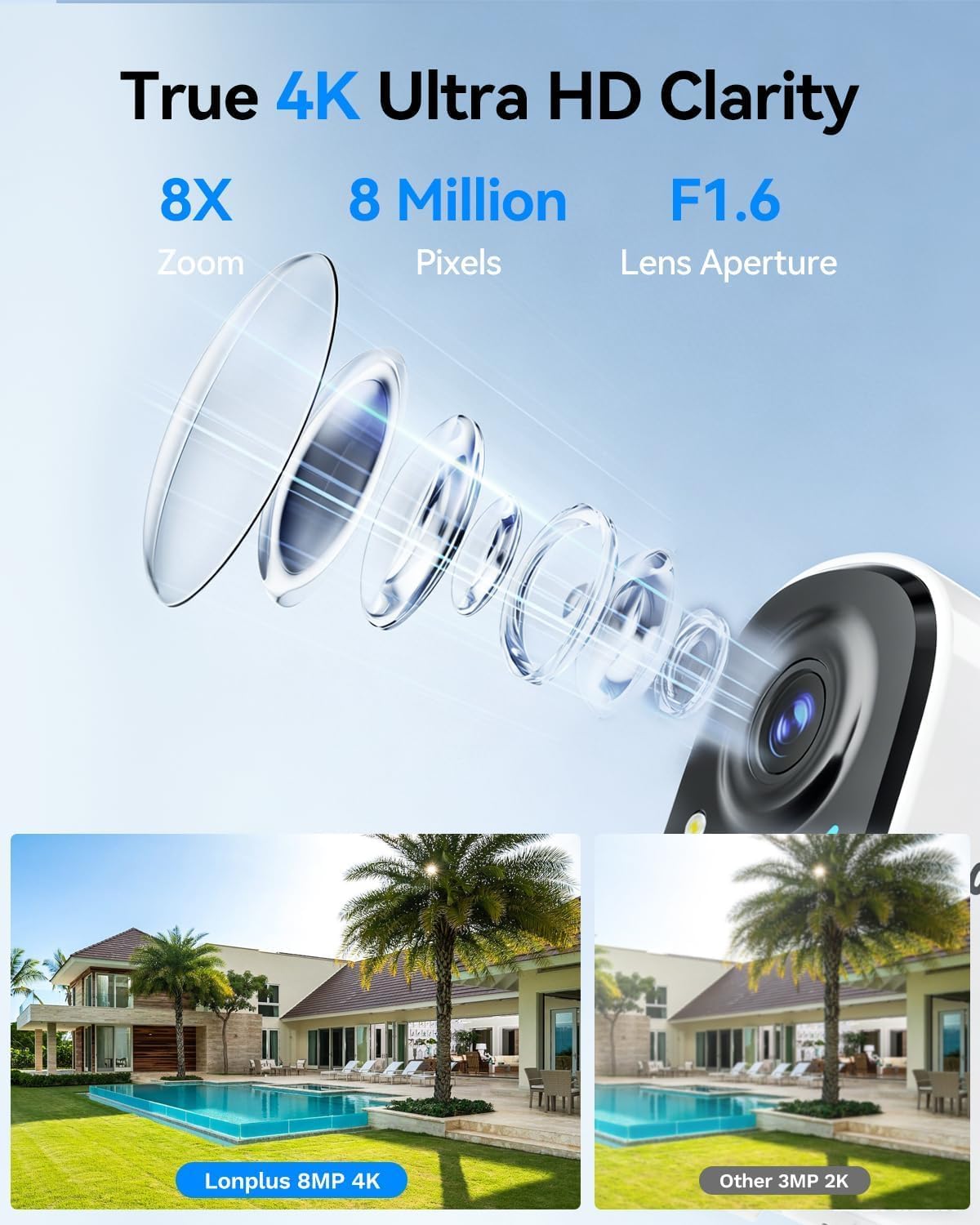
Изображение 1: Illustrates the 4K 8MP UHD clarity of the LongPlus camera, showing a detailed lens diagram and a comparison of 8MP 4K footage versus 3MP 2K footage of a house with a pool.

Изображение 2: Shows the LongPlus 4K 8MP wireless outdoor camera mounted on a wall, highlighting features such as 4K 8MP HD, 5200mAh battery, multi-user share, 2-way talk, human/car detection, SD/cloud storage, sound/light alarm, and color/infrared night vision.

Изображение 3: Depicts PIR motion detection in action, showing a man near a garage door and a notification indicating a person detected by the outdoor camera. It mentions 3 levels of detection, automatic 20-second recording, and a motion detection distance of up to 24 feet.

Изображение 4: Compares different night vision capabilities, showing a house at night with Color Night Vision, what is visible to the Naked Eyes, and the view from an IR Light Camera, demonstrating enhanced clarity with color night vision.

Изображение 5: Illustrates the two-way talk feature, with a delivery person at a door and a smartphone screen showing a video feed and a text message exchange, demonstrating voice and call functionality.
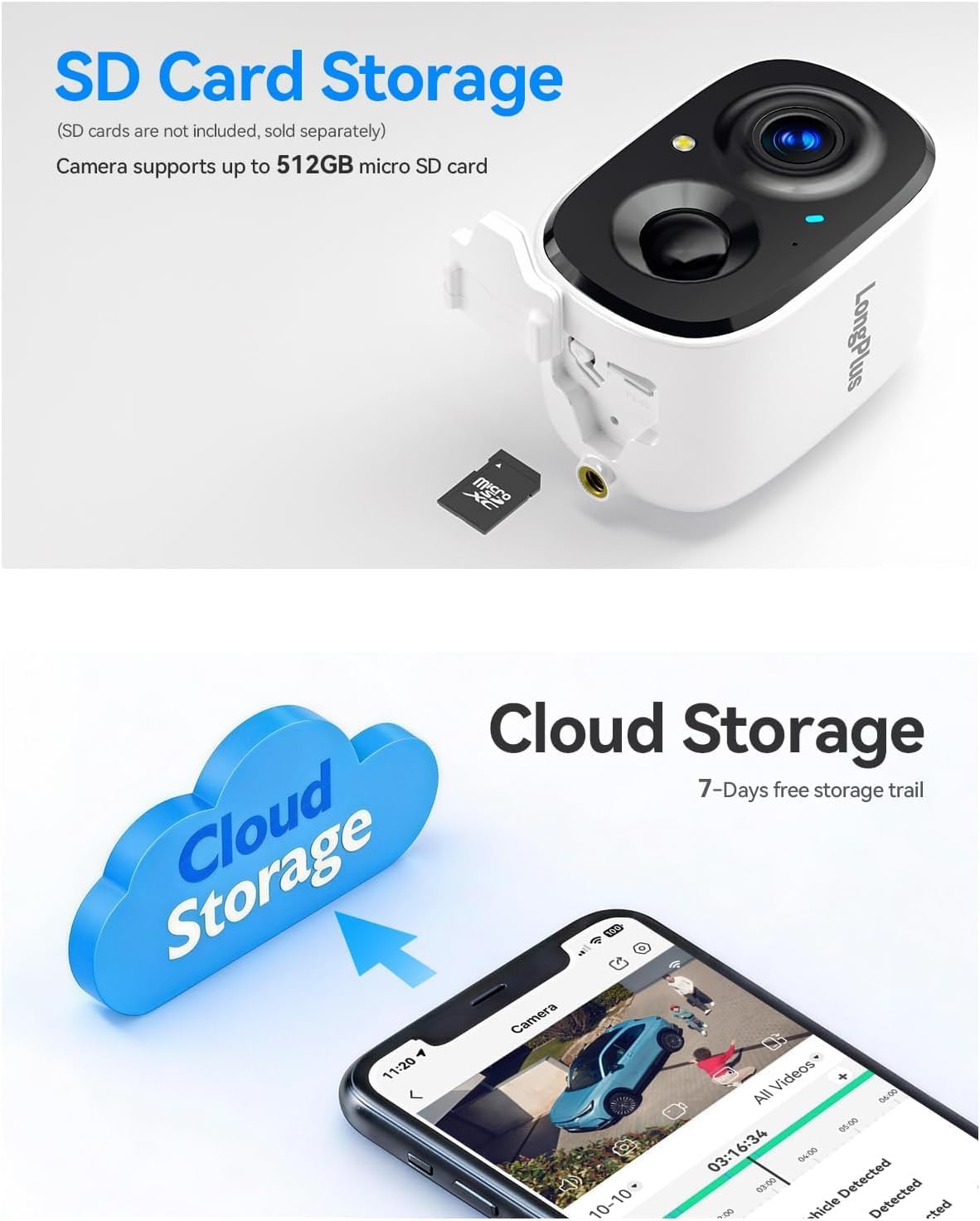
Изображение 6: Details the storage options, showing the camera with an inserted micro SD card (up to 512GB supported) and a cloud storage graphic with a smartphone displaying recorded video, indicating both local and cloud storage availability.

Изображение 7: Provides an exploded view of the camera, highlighting its 5200mAh battery and internal components, emphasizing its 100% wire-free battery-powered design and extended battery life.
4. Руководство по установке
4.1 Первоначальная зарядка
Before first use, fully charge the camera battery using a standard 5V USB charger (not included). The charging indicator light will change color when charging is complete.
4.2 Загрузка приложения и создание учетной записи
- Download the 'SV360' app from your smartphone's app store (iOS or Android).
- Open the app and create a new user account, following the on-screen instructions.
4.3 Camera Pairing with Wi-Fi
- Включите камеру.
- In the SV360 app, tap 'Add Device' or the '+' icon.
- Select your camera model and follow the in-app prompts to connect to your Wi-Fi network. The camera supports both 2.4GHz and 5GHz Wi-Fi bands. Ensure your phone is connected to the same Wi-Fi network during setup.
- При появлении соответствующего запроса отсканируйте QR-код, отображаемый на вашем телефоне, с помощью объектива камеры.
- После подключения дайте камере имя и завершите настройку.
4.4 Установка
- Choose an outdoor location with a clear view of the area you wish to monitor. Ensure good Wi-Fi signal strength at the chosen location.
- Use the provided wall mount and screws to securely attach the camera to a wall or suitable surface.
- Отрегулируйте угол наклона камеры, чтобы охватить необходимую зону наблюдения.
5. Инструкция по эксплуатации
5.1 Прямой эфир View и запись
- Open the SV360 app and select your camera to view прямая трансляция.
- 24/7 Recording (Always-On Power Mode): This mode enables continuous recording. Be aware that this consumes more battery.
- Power Saving Mode (Event-Triggered Recording): The camera records only when motion is detected, conserving battery life. You can switch between these modes in the app settings.
5.2 Двусторонняя аудиосвязь
Из живого view in the app, tap the microphone icon to speak through the camera's speaker. Tap the speaker icon to listen to audio from the camera's microphone.
5.3 Обнаружение движения и тревоги
- The camera uses PIR detection to identify motion. Adjust sensitivity levels in the app settings.
- Upon detection, the camera will automatically begin recording for 20 seconds.
- You can configure the camera to activate flashing white lights and a loud siren as a deterrent when motion is detected.
- Receive push notifications on your smartphone when motion events occur.
5.4 Воспроизведение и хранение
- Хранение на SD-карте: Insert a micro SD card (up to 512GB) into the camera's slot for local storage of recordings. Access recorded footagчерез функцию воспроизведения в приложении.
- Облачное хранилище: The camera supports cloud storage. A 7-day free trial is typically offered, after which subscription plans are available for continuous video history and enhanced data protection. Access cloud recordings through the app.
6. Техническое обслуживание
6.1 Управление аккумулятором
- Monitor the battery level through the SV360 app.
- Recharge the camera when the battery is low to ensure continuous operation.
- Battery life varies based on usage, recording mode, and environmental factors.
6.2 Очистка
Periodically clean the camera lens and housing with a soft, dry cloth to remove dust and smudges. Do not use harsh chemicals or abrasive materials.
6.3 обновлений прошивки
Check the SV360 app regularly for available firmware updates. Keeping your camera's firmware updated ensures optimal performance and access to new features.
6.4 Управление SD-картой
If using an SD card, ensure it is formatted correctly within the app. Regularly back up important footage and consider replacing the SD card if it shows signs of degradation.
7. Поиск Неисправностей
- Камера не подключается к Wi-Fi:
Ensure your Wi-Fi network is 2.4GHz or 5GHz and has a strong signal. Verify the Wi-Fi password. Try resetting the camera and repeating the pairing process. - Плохое качество видео:
Check your Wi-Fi signal strength. Ensure the camera lens is clean and free from obstructions. Adjust video quality settings in the app if available. - Обнаружение движения не работает:
Verify that motion detection is enabled in the app settings. Adjust PIR sensitivity. Ensure there are no physical obstructions blocking the sensor. - Аккумулятор быстро разряжается:
Frequent motion events, continuous recording (Always-On Power Mode), and low temperatures can reduce battery life. Consider switching to Power Saving Mode. - Проблемы с двусторонней аудиосвязью:
Check the volume settings on your phone and in the app. Ensure there are no obstructions blocking the camera's microphone or speaker.
For further assistance, refer to the FAQ section within the SV360 app or contact customer support.
8. Технические характеристики
| Название модели | CLK2-W1X8 |
| Разрешение | 4K (8MP) UHD |
| Технология связи | Беспроводная связь (Wi-Fi 2.4 ГГц и 5 ГГц) |
| Особые возможности | 2-Way Audio, Color Night Vision, AI Motion Sensor, Siren, Flashing Lights |
| Использование внутри и снаружи помещений | На открытом воздухе |
| Совместимые устройства | Смартфон (iOS, Android) |
| Метод контроля | App (SV360) |
| Источник питания | Питание от аккумулятора (5200 мАч) |
| Viewугол наклона | 110 градусов |
| Диапазон ночного видения | 33 футов |
| Max Flash Memory Supported | 512 ГБ (карта Micro SD) |
| Размеры товара | 2.3 x 2.3 x 3.5 дюйма |
9. Гарантия и поддержка
Your LongPlus CLK2-W1X8 camera is covered by a manufacturer's warranty. Please refer to the warranty card included in your package or the official LongPlus webсайт для получения информации о конкретных положениях и условиях.
For technical support, troubleshooting assistance, or warranty claims, please contact LongPlus customer service through the SV360 app or visit the official LongPlus support website. Have your product model number (CLK2-W1X8) and purchase information ready when contacting support.