
NIIMBOT D11H
NIIMBOT D11H Label Maker Instruction Manual
Модель: D11H
Введение
Thank you for choosing the NIIMBOT D11H Label Maker. This portable thermal label printer is designed for efficient and clear label printing for various organizational needs in home, office, and small business environments. This manual provides detailed instructions for setup, operation, and maintenance to ensure optimal performance of your device.

Image: A user operating the NIIMBOT D11H label maker with a smartphone, demonstrating its compact size and app-based functionality. The image highlights the device's portability and ease of use for creating various labels.
Что в коробке?
Пожалуйста, проверьте комплектность после распаковки:
- NIIMBOT D11H Label Maker
- 3 Rolls of Label Tapes (14x30mm clear, 14x40mm white, 12x40mm green)
- Extra 6 Rolls of Mixed Label Paper (White 0.47" x 1.57", Clear 0.47" x 4.29", 0.55" x 1.18")
- USB-кабель для зарядки (тип C)
- Руководство пользователя (этот документ)

Image: A collection of NIIMBOT label rolls in different sizes and colors, illustrating the variety of labels included with the D11H label maker.
Продукт болееview
The NIIMBOT D11H is a compact, portable thermal label printer. It features a 300 DPI print resolution for clear text and graphics, a 1500mAh battery, and a Type-C USB port for charging. It connects via Bluetooth to your mobile device for label design and printing.

Image: A visual comparison between the NIIMBOT D11 and D11H models, highlighting the D11H's improved specifications such as 1500mAh battery, 300dpi resolution, Type-C USB, and 50mm/s printing speed.
Настраивать
1. Зарядка устройства
Before first use, fully charge the label maker. Connect the provided USB Type-C cable to the charging port on the device and to a standard USB power adapter (not included).
- Индикатор зарядки покажет состояние зарядки.
- Полная зарядка обычно занимает около 2–3 часов.
2. Установка рулонов этикеток
- Open the label compartment cover by sliding it open or pressing the release button (refer to device diagram if available).
- Insert the label roll with the printing surface facing upwards, ensuring the labels feed smoothly into the printer mechanism.
- Close the compartment cover firmly until it clicks into place.
- Ensure a small portion of the label tape extends out of the printer's output slot.
3. Загрузка приложения и подключение по Bluetooth
- Загрузите приложение: Искать "NIIMBOT" or "NIIM" in your mobile app store (iOS App Store or Google Play Store) and download the official application.
- Turn On the Label Maker: Нажмите и удерживайте кнопку питания, пока не загорится индикатор.
- Включить Bluetooth: Убедитесь, что Bluetooth включен на вашем мобильном устройстве.
- Подключиться через приложение: Open the NIIMBOT app. The app will automatically search for nearby NIIMBOT devices. Select your D11H from the list to pair. Note: Do not pair directly through your phone's Bluetooth settings; connect only via the NIIMBOT app.
- После подключения приложение отобразит состояние устройства.
Инструкция по эксплуатации
1. Включение/выключение питания
- Включение питания: Press and hold the power button for approximately 2 seconds. The indicator light will illuminate.
- Выключение: Нажмите и удерживайте кнопку питания примерно 2 секунды, пока индикатор не погаснет.
2. Создание и редактирование этикеток
Use the NIIMBOT app to design your labels:
- Open the NIIMBOT app and ensure your D11H is connected.
- Select a template or create a new label from scratch.
- The app offers various features including text, symbols, logos, barcodes, QR codes, images, and time stamps.
- Customize font, size, alignment, and other label properties.
- The D11H supports automatic calibration, meaning the first label will not be wasted during printing.

Image: An illustration showing the NIIMBOT D11H's self-calibration feature, which automatically rewinds the first label to prevent waste, ensuring efficient use of label paper.
3. Печать этикеток
- После создания этикетки в приложении нажмите кнопку «Печать».
- Confirm the number of copies and other print settings.
- The label maker will print the labels. The D11H prints at a speed of 50mm/s.
- Оторвите напечатанную этикетку по зубчатому краю.
Note: This label maker produces monochrome printouts, meaning it only prints in black text.

Изображение: крупный план view of the NIIMBOT D11H printing a label, emphasizing its 300 dpi high-resolution thermal printing capability for clear and sharp text.
Обслуживание
1. Очистка печатающей головки
- Перед чисткой убедитесь, что устройство выключено.
- Откройте отделение для этикеток.
- Аккуратно протрите печатающую головку ватным тампоном.ampпропитан изопропиловым спиртом.
- Перед закрытием крышки и включением устройства дайте печатающей головке полностью высохнуть.
2. Хранение
- Храните этикеточный принтер в прохладном, сухом месте, вдали от прямых солнечных лучей и экстремальных температур.
- Remove label rolls if the device will not be used for an extended period.
Поиск неисправностей
| Проблема | Возможная причина | Решение |
|---|---|---|
| Устройство не включается. | Низкий заряд батареи; неисправность устройства | Charge the device; Contact customer support if issue persists. |
| Невозможно подключиться через Bluetooth | Bluetooth не включен; Неправильный способ сопряжения; Проблема с приложением | Ensure Bluetooth is on; Connect via NIIMBOT app only; Restart app and device. |
| Плохое качество печати | Dirty print head; Incorrect label orientation; Low battery | Clean the print head; Reinstall label roll correctly; Charge the device. |
| Labels not feeding | Label roll incorrectly installed; Empty roll; Jammed mechanism | Reinstall label roll; Replace with new roll; Check for obstructions. |
| First label wasted | Automatic calibration not functioning | Ensure the app and firmware are updated. The D11H model is designed to prevent this. |
Технические характеристики
- Модель: NIIMBOT D11H
- Разрешение печати: 300 точек на дюйм
- Технология печати: Термопечать
- Связь: Bluetooth
- Емкость аккумулятора: 1500мАч
- Порт зарядки: USB-порт типа C
- Скорость печати: 50мм/с
- Поддерживаемые ОС: iOS, Android (via NIIMBOT App)
- Цвет печати: Monochrome (Black text only)
- Автоматическая калибровка: Supported (no first label waste)
Приложения
The NIIMBOT D11H label maker is suitable for a wide range of labeling tasks:
- Домашняя организация: Labeling kitchen containers, storage boxes, pantry items.
- Офисное использование: Организация files, folders, stationery, cables.
- Малый бизнес: Маркировка продукции, цена tags, inventory management, jewelry labels.
- Личное использование: Labeling cosmetics, medicine, gifts, school supplies.

Image: Demonstrates various uses of the NIIMBOT D11H labels, including organizing kitchen items, setting reminders for medication, and labeling office supplies.
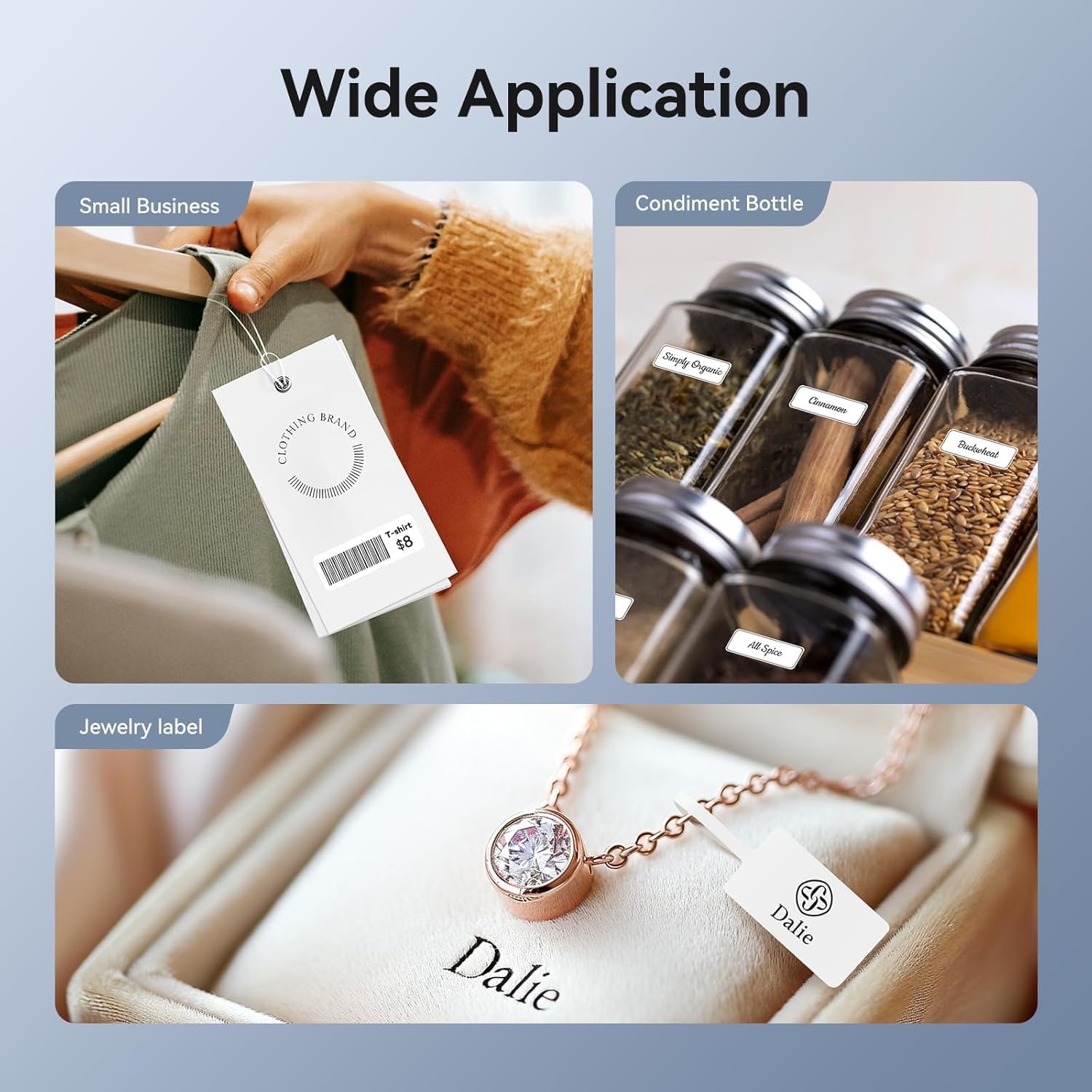
Image: Shows the versatility of the NIIMBOT D11H for small business applications, such as creating price tags for clothing, labeling condiment bottles, and making elegant jewelry labels.

Изображение: коллажasing diverse labeling applications for the NIIMBOT D11H, covering kitchen organization, office filing, cosmetic storage, gift personalization, stationery identification, and medicine management.
Гарантия и поддержка
NIIMBOT products typically come with a standard manufacturer's warranty. Please refer to the warranty card included in your package or visit the official NIIMBOT webсайт для получения информации о конкретных условиях гарантии.
For technical support, troubleshooting assistance, or warranty claims, please contact NIIMBOT customer service through their official website or the contact information provided in your product packaging. When contacting support, please have your product model (D11H) and purchase details ready.
Ask a question about this manual
Ask about setup, troubleshooting, compatibility, parts, safety, or missing instructions. Manuals+ will review the question and use this page’s manual context to help answer it.