
Введение
This manual provides essential information for setting up, operating, maintaining, and troubleshooting your Samsung 55-Inch Class QN80H Series Neo QLED 4K Smart TV. Please read this manual thoroughly to ensure proper use and to maximize your viewопыт.
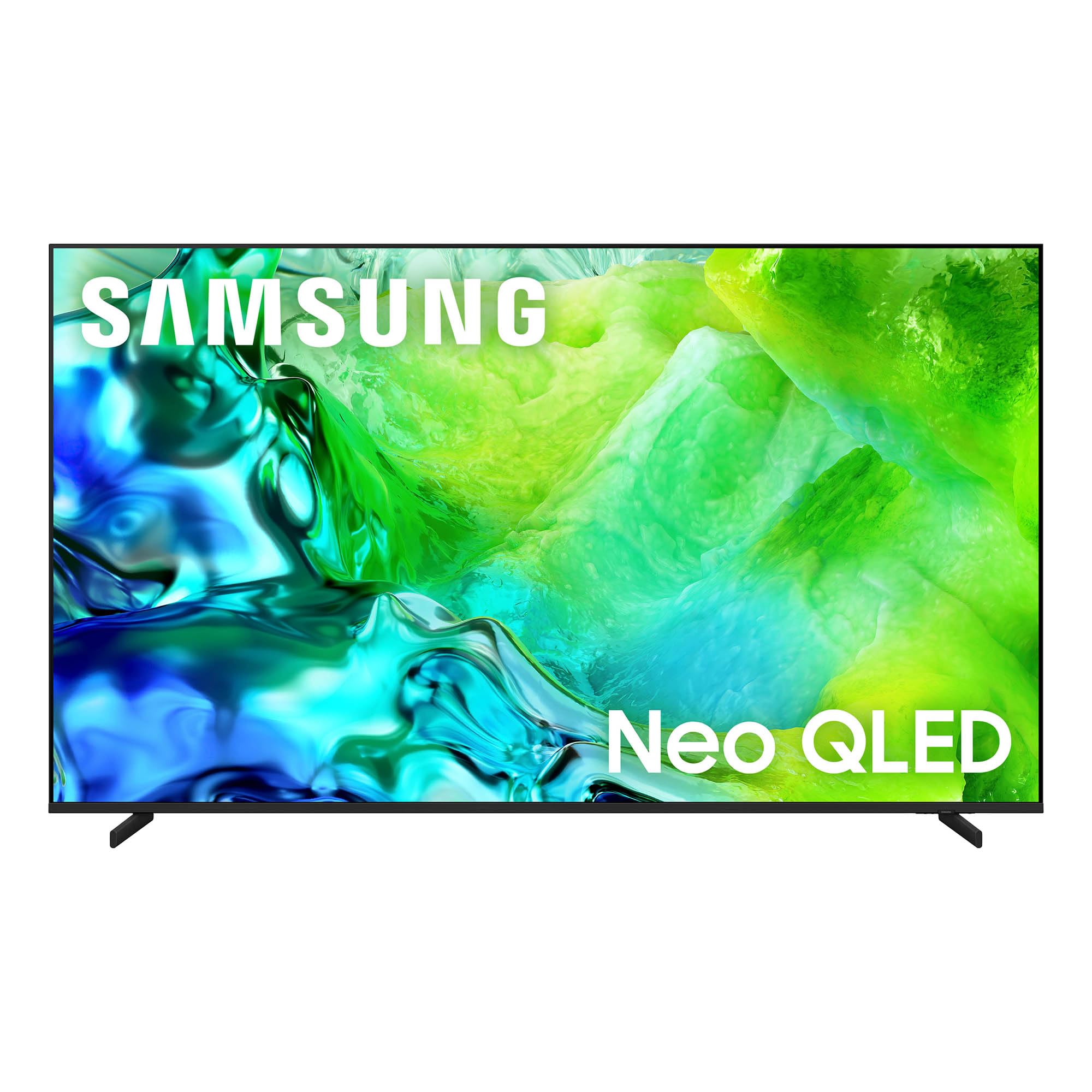
The Samsung 55-Inch Class QN80H Series Neo QLED 4K Smart TV.
Что в коробке?
Убедитесь, что в комплект вашего телевизора входят все перечисленные ниже предметы:
- Samsung QN80H Series Neo QLED 4K Smart TV
- BT Simple Remote TM2280A with batteries
- Силовой кабель
- Компоненты стойки
- Руководство пользователя (этот документ)
- Гарантийный талон

A visual representation of the TV's dimensions and the items included in the packaging.
Настраивать
1. Распаковка
Carefully remove the TV from its packaging. It is recommended to have two people for this process due to the size and weight of the television. Retain all packaging materials for future transport or service needs.
2. Установка на стойку или крепление на стену
For stand installation, follow the instructions provided in the separate Installation Manual. Ensure the stand is securely attached before placing the TV on a stable, level surface. If wall mounting, use a VESA-compatible mount (300 x 200 mm) and consult the Installation Manual for proper procedures. Professional installation is recommended for wall mounting.
3. Подключение периферийных устройств
Connect your external devices such as cable boxes, Blu-ray players, gaming consoles, and sound systems to the TV's ports. The QN80H Series TV features multiple connectivity options:
- HDMI-порты (всего 4): For high-definition video and audio. HDMI 3 supports eARC for enhanced audio return. HDMI 4 is optimized for 4K@144Hz gaming.
- USB Ports (2 total, 1 USB 3.0): Для воспроизведения медиафайлов с USB-накопителей.
- Порт Ethernet (LAN): Для проводного подключения к Интернету.
- Аудиовыход (оптический): Для подключения к звуковым панелям или ресиверам.
- Кабель/ANT: Для приема эфирных антенных или кабельных телевизионных сигналов.

Подробный view of the TV's connectivity ports, including HDMI, USB, Ethernet, and Audio Out.
4. Power On & Initial Setup
Plug the power cable into the TV and then into a wall outlet. Press the power button on the remote control or the TV. Follow the on-screen instructions to complete the initial setup, including network connection, channel scanning, and smart features configuration.
5. Дистанционное управление
The included BT Simple Remote TM2280A uses Bluetooth for connectivity. Insert the provided AAA batteries. The remote should automatically pair with the TV during initial setup. If not, refer to the on-screen instructions or the full User Guide for manual pairing.
Эксплуатация телевизора
1. Smart Hub & Tizen OS
Your Samsung QN80H TV runs on the Tizen operating system, providing access to a wide range of internet applications such as Amazon, Netflix, YouTube, Hulu, HBO, and Disney+. Navigate the Smart Hub using your remote control to find and launch your favorite streaming services and apps.

The intuitive One UI Tizen smart TV platform for personalized content access.
2. Настройки изображения
The QN80H Series TV incorporates advanced technologies to deliver an exceptional visual experience:
- Quantum Mini LED Full Array: Experience precise brightness and contrast with dark scenes revealing subtle shadows and bright scenes shining with intense detail.
- Процессор NQ4 AI Gen2: This processor enhances content in real-time, delivering sharper images, smoother motion, and more vibrant colors.
- Масштабирование 4K AI: Advanced AI processing upscales lower-resolution content to captivating 4K resolution.
- Движение Xcelerator 144 Гц: Provides ultra-smooth 144Hz performance for fast-paced action, reducing stutter and tearing.
- Автоматический ремастеринг HDR: Intelligently transforms SDR content to HDR-like quality with brighter highlights and more vibrant colors.
- Color Booster Pro: Enhances vibrant colors through AI for a richer visual experience.
- Режим настройки ИИ: Automatically detects content type and optimizes picture settings.
- Реальный усилитель глубины: Analyzes and enhances scenes to create lifelike depth.
- Проверено Pantone: Ensures expert-validated color and skin tones for a realistic picture.
- 100% цветовой объем с квантовыми точками: Displays over a billion colors that remain true even in bright scenes.

Quantum Mini LED Full Array for ultra-fine contrast and brilliant brightness.

The NQ4 AI Gen2 Processor, the power behind the TV's stunning picture quality.

4K AI Upscaling transforms content to captivating 4K resolution.

Motion Xcelerator 144Hz for smooth motion in sports and gaming.

Auto HDR Remastering transforms content to HDR-like quality.

Color Booster Pro enhances vibrant colors through AI.

AI Customization Mode automatically optimizes picture settings.

Real Depth Enhancer creates pictures with true depth.

Pantone Validated ensures accurate color and skin tones.

100% Color Volume with Quantum Dot for over a billion true colors.
3. Настройки звука
Улучшите качество звука с помощью этих функций:
- Адаптивный звук Pro: Provides vivid, balanced audio by identifying sounds and optimizing audio based on your room's acoustics.
- Действительный залог Amplifier Pro: Enhances dialogue by identifying and amplifying voices above background sounds and room noise.
- Звуковое сопровождение объекта Lite: Delivers motion-based sound that moves with the action on screen for immersive audio.
- Q-Symphony: Allows the TV and a compatible soundbar to work together for a richer, more nuanced sound experience.

Adaptive Sound Pro for scenic and spatial intelligence for vivid, yet balanced audio.

Действительный залог Amplifier Pro for clear dialogue with AI-powered voice enhancement.

Object Tracking Sound Lite provides motion-based sound.

Q-Symphony allows the TV and soundbar to work together in harmony.
4. Игровые возможности
- Игровой центр: A central hub that brings together your favorite games from consoles, cloud services, and gaming apps.

The Gaming Hub provides a central place for all your gaming needs.
5. Умные функции
- Vision AI Companion: Access powerful AI features and ask your TV questions using voice control.
- SmartThings Hub: Connect and control smart devices through your TV, simplifying your daily life.
- Quick Remote: Control your TV using your smartphone to change channels, adjust volume, and access Tizen features.
- Уход за домашними животными: On-device AI detects your dog's barking and alerts you when your pet needs attention.
- Доля хранилища: Плавно view мультимедиа files from your phone or tablet on the big screen.
- Samsung TV Plus: Instantly access over 400 channels and thousands of on-demand shows and movies for free.
- Теперь вкратце: Customize widgets for essential information like weather, memo, and music.
- Безопасность Samsung Knox: Enjoy peace of mind with built-in triple-layer data protection, defending against harmful apps and phishing sites.
- Художественный магазин: Access art from world-famous galleries and artists.

Vision AI Companion allows interaction with your TV using AI features.

Use your phone as a Quick Remote to control your TV.

Pet Care feature helps you monitor your pets.

Storage Share allows seamless file sharing across Samsung devices.

Samsung TV Plus offers free access to a wide range of content.

Now Brief provides essential information for your day.

Samsung Knox Security provides built-in triple-layer data protection.

The Art Store provides access to world-famous galleries and artists.
Обслуживание
1. Чистка телевизора
To clean the screen, gently wipe it with a soft, lint-free cloth. For the TV body, use a soft, dry cloth. Avoid using harsh chemicals, abrasive materials, or excessive moisture, as these can damage the screen or finish.
2. Режим энергии ИИ
The AI Energy Mode helps reduce power consumption by automatically adjusting brightness based on the room's lighting and your user activity. This feature can be enabled or disabled in the TV settings.
Поиск неисправностей
If you encounter any issues with your TV, refer to the following common troubleshooting tips. For more detailed solutions, consult the comprehensive User Guide (PDF) available online or through the provided link in the Support section.
- Нет питания: Убедитесь, что кабель питания надёжно подключён к телевизору и исправной розетке. Проверьте розетку, подключив другое устройство.
- Нет изображения/звука: Проверьте все кабельные соединения (HDMI, антенна и т. д.). Убедитесь, что на телевизоре выбран правильный источник входного сигнала.
- Пульт дистанционного управления не работает: Замените батарейки в пульте дистанционного управления. Убедитесь, что между пультом и телевизором нет препятствий. При необходимости повторно выполните сопряжение Bluetooth-пульта.
- Плохое качество изображения: Adjust picture settings (brightness, contrast, sharpness, color). Check the resolution of the input source. Ensure your antenna or cable connection is strong.
- Проблемы с сетевым подключением: Verify your Wi-Fi password. Restart your router and modem. If using a wired connection, ensure the Ethernet cable is properly connected.
Технические характеристики
| Особенность | Спецификация |
|---|---|
| Размер экрана | 55 дюймов |
| Бренд | Samsung |
| Технология отображения | QLED (Neo QLED Mini LED) |
| Разрешение | 4K |
| Частота обновления | 120 Гц (Motion Xcelerator 144 Гц) |
| Процессор | Процессор NQ4 AI Gen2 |
| Операционная система | Тизен |
| Связность | Bluetooth 5.3, HDMI (4 ports), USB (2 ports, 1 USB 3.0), Wi-Fi, Ethernet |
| Особые возможности | Built-In Speaker, Game Mode, AI Upscaling, HDR10+, Voice Control |
| Размеры продукта (Д x Ш x В) | 8.6"Д x 48.2"Ш x 30.3"В |
| Вес товара | 29.8 фунта |
| Стандарт крепления VESA | 300 х 200 мм |
| Номер модели | QN55QN80HAFXZA |
| Модельный год | 2026 |
Информация о гарантии
Your Samsung 55-Inch Class QN80H Series Neo QLED 4K Smart TV is covered by a Гарантия производителя 1 год. This warranty covers defects in materials and workmanship under normal use. For specific terms, conditions, and to register your product, please refer to the Warranty Card included in your product packaging or visit the official Samsung support webсайт.
Поддержка и ресурсы
For further assistance, detailed instructions, or to download digital copies of your manuals, please use the following resources:
- Руководство пользователя (PDF): Скачать руководство пользователя
- Руководство по установке (PDF): Загрузить руководство по установке
- Поддержка Самсунг Webсайт: Посещать samsung.com/us/support/ Для регистрации продукта, часто задаваемых вопросов и контактной информации.