
1. Введение
The EPOMAKER TH108 V2 PRO is a full-size mechanical keyboard designed for versatility and performance. It features multi-mode connectivity (Bluetooth, 2.4GHz wireless, and wired USB-C), a customizable screen and knob, hot-swappable switches, RGB lighting, and a gasket-mounted design for a comfortable typing experience. This manual provides instructions for setting up, operating, maintaining, and troubleshooting your keyboard.
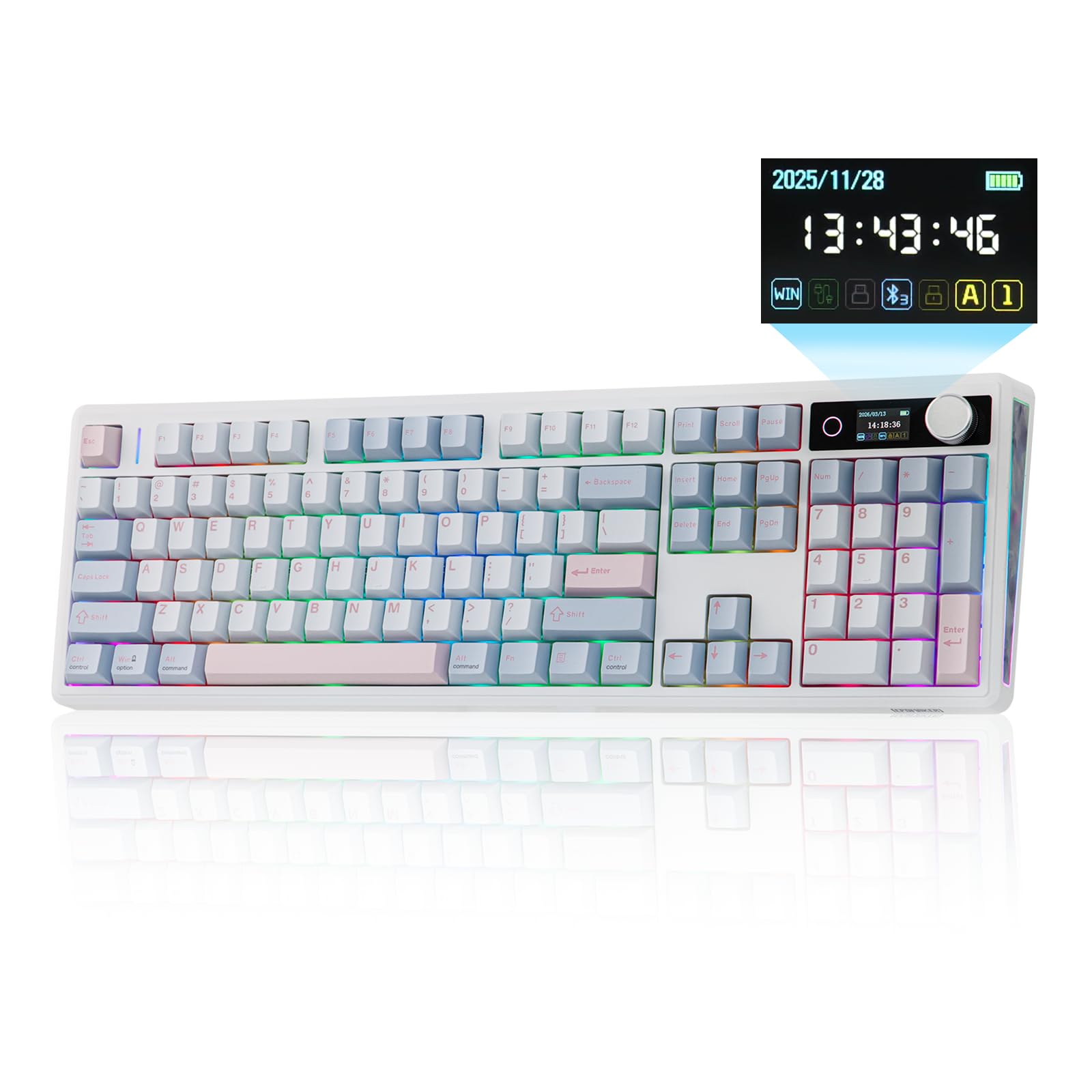
Figure 1.1: EPOMAKER TH108 V2 PRO Mechanical Keyboard
2. Что в коробке
- EPOMAKER TH108 V2 PRO Full-Sized Gaming Keyboard
- Detachable USB A-to-C Cable
- Wireless 2.4Ghz Receiver (stored under the left kick-stand)
- Дополнительный переключатель
- Универсальный инструмент для снятия переключателей и колпачков клавиш 2-в-1
- Summarized Multilingual Manual and Product Card

Figure 2.1: Location of the 2.4Ghz Wireless Receiver
3. Продукт закончилсяview
The TH108 V2 PRO keyboard integrates several features for enhanced user experience:
- Многорежимное подключение: Supports Bluetooth, 2.4GHz wireless, and wired USB-C connections.
- Customizable Screen & Knob: A 1.06-inch functional glass screen displays real-time keyboard information, backlight settings, and supports custom GIFs or images. The rotary knob controls volume and screen pages, and is customizable.
- Коммутаторы с возможностью горячей замены: Позволяет легко заменять механические переключатели без пайки.
- Конструкция прокладочного крепления: Multiple layers of sound-dampening materials (PORON, latex, IXPE, silicone, foams) provide a soft, bouncy typing feel and a deep acoustic profile.
- RGB-подсветка: Features per-key adjustable south-facing LEDs, an integrated light bar, and a custom decor panel for vibrant lighting effects.
- Длительный срок службы батареи: Оснащен аккумулятором емкостью 10000 мАч, обеспечивающим до 200 часов непрерывной работы.
- Совместимость с Mac/Windows: Includes dedicated Mac modifier keycaps for seamless switching between operating systems.

Figure 3.1: Cushioned Gasket Structure

Figure 3.2: Pre-Lubed Linear Switches

Figure 3.3: Mac Modifier PBT Keycaps

Рисунок 3.4: Яркая RGB-подсветка
Видеоролики о продуктах
Video 3.1: Comparison between TH108 PRO and TH108 V2 PRO, highlighting key differences and improvements.
Video 3.2: Demonstrates the typing sound and feel of Creamy Jade and Sea Salt Silent V2 switches on the TH108 V2 PRO.
Video 3.3: Provides close-up views of various components and design elements of the TH108 V2 PRO keyboard.
4. Настройка
4.1 Варианты подключения
The TH108 V2 PRO supports three connection modes:
- Проводной режим: Connect the keyboard to your device using the provided USB A-to-C cable.
- Беспроводной режим 2.4 ГГц: Insert the 2.4GHz USB receiver (found under the left kick-stand) into your device's USB port. Switch the keyboard's mode selector to 2.4G.
- Режим Bluetooth: Switch the keyboard's mode selector to BT. Press FN + Q/W/E Для выбора канала Bluetooth. Индикатор будет мигать, указывая на режим сопряжения. Искать "TH108 V2 PRO" on your device and connect.
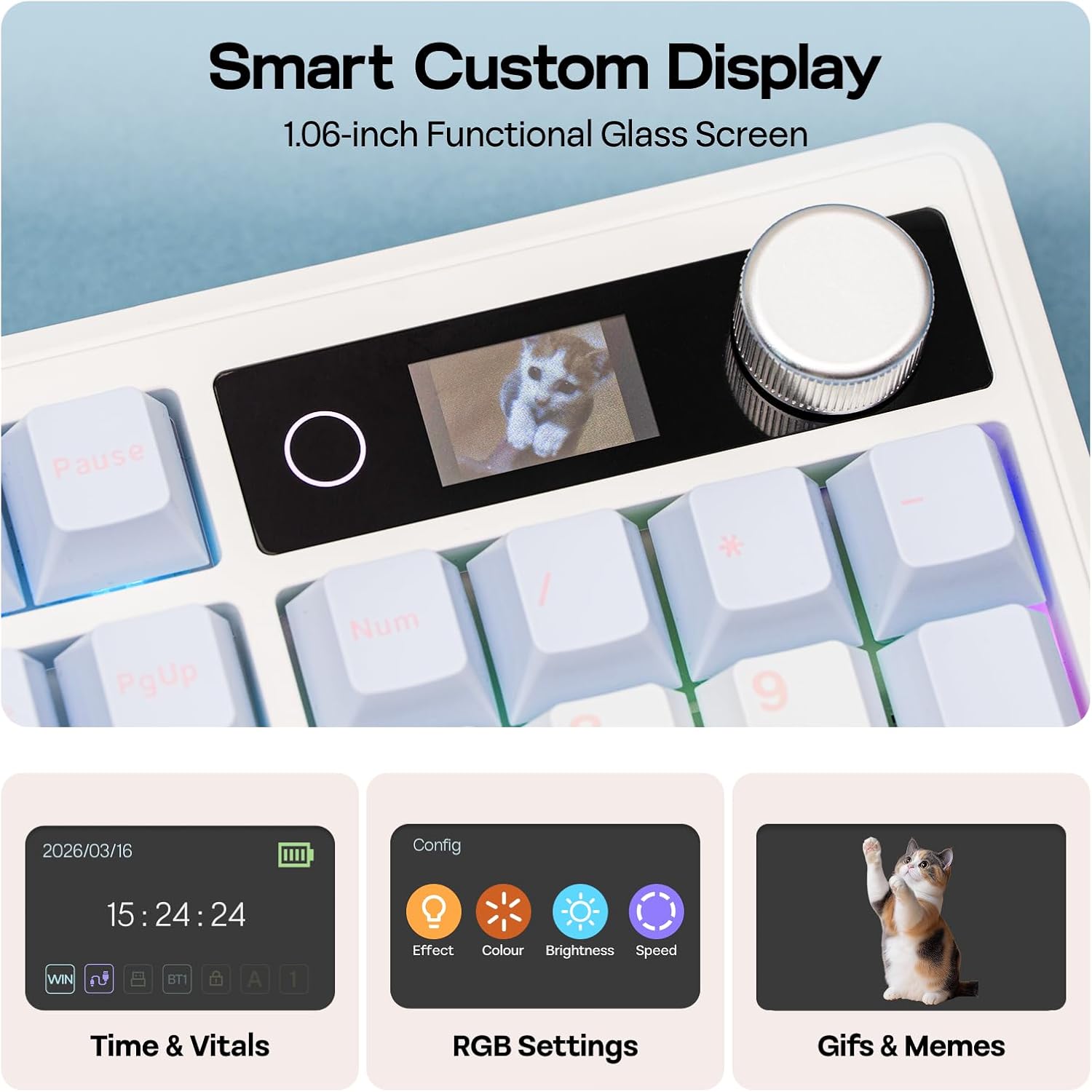
Figure 4.1: Connection Hub and Mode Switches
4.2 Переключение операционной системы
Use the dedicated switch on the keyboard to toggle between Windows (WIN) and Mac operating system layouts. This ensures correct key mapping for your system.
4.3 Первоначальная зарядка
Before first use, it is recommended to fully charge the keyboard using the provided USB-C cable. The screen will indicate charging status.
Video 4.2: An unboxing video of the TH108 V2 PRO, showing initial setup components.
5. Инструкция по эксплуатации
5.1 Screen and Knob Functions
The 1.06-inch screen displays various information and settings. The rotary knob allows for quick adjustments:
- Default Knob Function: Поверните, чтобы отрегулировать громкость. Нажмите, чтобы отключить/включить звук.
- FN + Ручка: Toggles between screen pages (e.g., time, battery, connection status, RGB settings).
- Настройка: The screen can display custom GIFs, drawings, or photos. This is managed via the web-compatible software.

Figure 5.1: Smart Custom Display and Knob
5.2 Управление RGB-подсветкой
The keyboard features customizable RGB backlighting. You can adjust effects, colors, brightness, and speed using:
- Integrated Knob and Screen: Use FN + Knob to navigate to RGB settings on the screen, then use the knob to adjust.
- Сочетания клавиш: Refer to the included quick guide for specific FN key combinations to change RGB modes.
- WebПрограммное обеспечение на основе: For advanced customization, including per-key lighting and custom effects.
5.3 Программируемое программное обеспечение
The TH108 V2 PRO utilizes a web-compatible software for advanced customization. This software allows you to:
- Клавиши быстрого доступа
- Record macros
- Настраиваемая RGB-подсветка
- Adjust keyboard settings
- Upload GIFs or images to the screen
Access the software via the official EPOMAKER website. It is compatible across various devices and operating systems.
Video 5.2: A guide on how to customize your TH108 V2 PRO using the available software and features.
6. Техническое обслуживание
6.1 Очистка
- Перед чисткой отключите клавиатуру от всех источников питания.
- Используйте мягкую, безворсовую ткань, слегкаampСмочите водой или мягким чистящим раствором колпачки клавиш и корпус.
- Для удаления пыли и мусора между клавишными колпачками используйте сжатый воздух или небольшую щетку.
- Избегайте агрессивных химикатов, абразивных материалов и чрезмерной влажности.
6.2 Замена клавиш и переключателя
The TH108 V2 PRO features hot-swappable switches, allowing for easy replacement without soldering.
- Use the provided 2-in-1 switch-and-keycap puller.
- Чтобы снять колпачок клавиши, аккуратно потяните его вверх с помощью специального инструмента для снятия колпачков.
- To remove a switch, use the switch puller to grasp the top and bottom clips of the switch and pull straight upwards.
- When inserting a new switch, ensure the pins are straight and align with the PCB sockets. Press firmly until it clicks into place.
- When replacing keycaps, align them with the switch stem and press down gently.
7. Поиск Неисправностей
- Клавиатура не отвечает:
- Убедитесь, что клавиатура заряжена.
- Check the connection mode switch (wired, 2.4GHz, Bluetooth) matches your setup.
- For 2.4GHz, ensure the receiver is properly inserted.
- Для подключения по Bluetooth выполните повторное сопряжение устройства.
- Попробуйте подключиться через кабель USB-C, чтобы исключить проблемы с беспроводной связью.
- RGB-подсветка не работает/работает некорректно:
- Check RGB settings via the screen or software.
- Ensure brightness is not set to zero.
- Если доступна функция обновления прошивки клавиатуры, обновите её.
- Ключи не регистрируются:
- If a specific key is not working, try removing and re-inserting its switch.
- Ensure the switch pins are not bent.
- Если есть возможность, попробуйте использовать другой переключатель.
- Проблемы с программным обеспечением:
- Ensure you are using a compatible browser (e.g., Chrome) for the web-программное обеспечение.
- Очистите кэш браузера или попробуйте другой браузер.
- Refer to the EPOMAKER support website for software-specific FAQs.
8. Технические характеристики
| Бренд | ЭПОМЕЙКЕР |
| Название модели | TH108 V2 PRO |
| Технология связи | 2.4Ghz Wireless, Bluetooth, USB Cable |
| Описание клавиатуры | Механический |
| Количество ключей | 104 |
| Раскладка клавиатуры | QWERTY |
| Тип переключателя | Linear, Linear Silent (depending on variant) |
| Особые возможности | Backlit, Ergonomic, Hot-Swappable, Programmable Keys, Volume Roller, Screen |
| Подсветка клавиатуры | РГБ |
| Источник питания | Питание от аккумулятора (10000 мАч) |
| Материал | Plastic (Enclosure), Polycarbonate (Plate) |
| Совместимые устройства | Игровая консоль, ноутбук, ПК, смартфон, планшет |
| Совместимая ОС | Android, Windows, Mac OS 11 Big Sur and above |
| Частота опроса (проводная) | 1000 Гц |
| Latency (Wired) | 2мс |
9. Гарантия и поддержка
The EPOMAKER TH108 V2 PRO Mechanical Keyboard comes with a Гарантия 1 год с даты покупки.
For technical support, warranty claims, or additional information, please visit the official EPOMAKER website or contact their customer service directly. You can also find more resources and product information on the Магазин EPOMAKER на Amazon.