
1. Введение
Thank you for choosing the LG 34 Inch UltraWide WQHD Curved Monitor. This manual provides essential information for the safe and efficient use of your new monitor. Please read it thoroughly before operating the device and keep it for future reference.
Содержимое упаковки
- LG 34 Inch UltraWide Curved Monitor
- Подставка для монитора (основание и горловина)
- Силовой кабель
- HDMI-кабель
- Кабель DisplayPort
- Кабель USB-C
- Руководство пользователя и гарантийный талон
2.Основные характеристики
- 34-inch WQHD UltraWide Curved Display: Expansive 21:9 screen (3440 x 1440) for enhanced productivity and immersive viewинж.
- HDR Display with 99% sRGB: Delivers vibrant, natural colors and distinct image layers, supporting HDR brightness performance.
- Высокая частота обновления 120 Гц: Ensures fluid scrolling and dynamic content for a comfortable visual experience.
- 5ms (GTG) Response Time: Provides quick pixel response for smooth motion.
- LG Switch for Multitasking & Eye Care: Enables quick split-screen functionality, customizable layouts, and Reader Mode to reduce eye strain.
- Регулируемая подставка: Supports height, tilt, and swivel adjustments for optimal viewуглы.
- Встроенные динамики: Встроенная аудиосистема для удобства.
- Несколько вариантов подключения: Includes DisplayPort and HDMI inputs.
3. Настройка
3.1 Сборка подставки
Carefully remove the monitor and stand components from the packaging. Follow the instructions below to attach the stand to the monitor.
- Положите монитор экраном вниз на мягкую чистую поверхность, чтобы не поцарапать его.
- Прикрепите подставку к задней панели монитора. Убедитесь, что она надёжно зафиксировалась со щелчком.
- Attach the stand base to the bottom of the stand neck. Tighten the screw(s) firmly to secure the base.
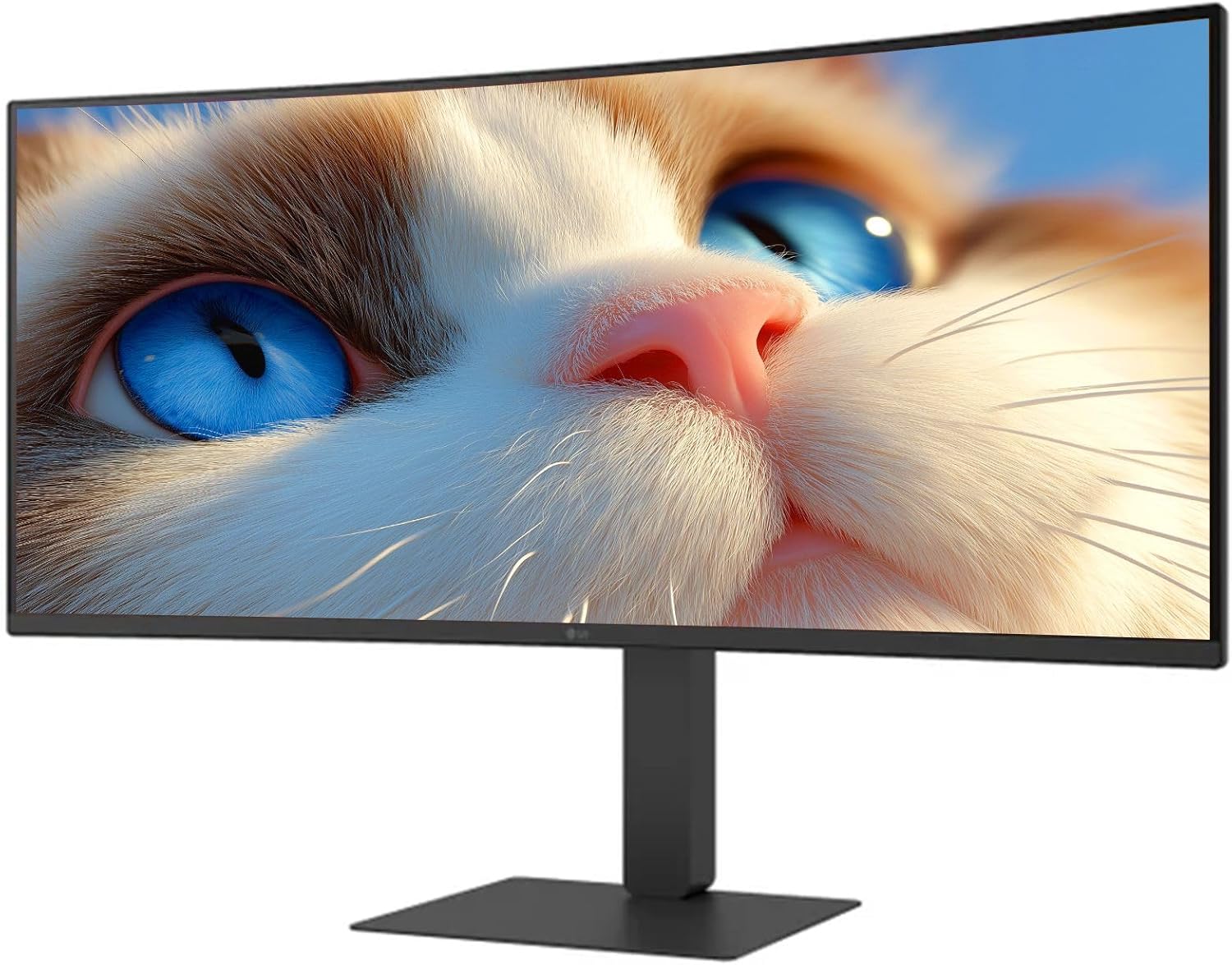
Рисунок 1: Передняя часть view of the LG 34 Inch UltraWide Curved Monitor with stand.

Рисунок 2: Сторона view of the LG 34 Inch UltraWide Curved Monitor with stand.
3.2 Подключение монитора
Подключите монитор к компьютеру или другим устройствам с помощью соответствующих кабелей.
- Подключите кабель питания к разъему питания монитора, а затем к розетке.
- For video input, connect either an HDMI cable or a DisplayPort cable from your computer's graphics card to the corresponding port on the monitor.
- If your computer supports USB-C, you can use the provided USB-C cable for video, audio, and data transfer.

Рисунок 3: Сзади view of the monitor showing available ports for connectivity.
4. Работа с монитором
4.1 Включение/выключение питания
Press the power button, usually located on the bottom center of the monitor, to turn the monitor on or off. The power indicator light will illuminate when the monitor is on.
4.2 Экранное меню (OSD)
The OSD menu allows you to adjust various monitor settings. Use the joystick button (typically located on the bottom center) to navigate the menu.
- Режим изображения: Select from various preset modes (e.g., Custom, Reader, HDR Effect) or customize settings like brightness, contrast, and sharpness.
- Вход: Выберите источник входного сигнала вручную (HDMI, DisplayPort, USB-C).
- Общий: Access settings for language, OSD transparency, and power-saving options.
4.3 Регулировка подставки
The monitor stand offers ergonomic adjustments for your comfort:
- Регулировка высоты: Аккуратно поднимите или опустите монитор до нужной высоты.
- Регулировка наклона: Hold both sides of the monitor and tilt it forwards or backwards.
- Регулировка поворота: Поверните монитор влево или вправо на его основании.
5. Техническое обслуживание
5.1 Очистка монитора
Для обеспечения долговечности и оптимальной работы вашего монитора следуйте этим рекомендациям по очистке:
- Перед чисткой всегда отключайте монитор от розетки.
- Используйте мягкую, безворсовую ткань, слегкаampпромыть водой или специальным средством для чистки экранов.
- Не распыляйте чистящее средство непосредственно на экран.
- Avoid using abrasive cleaners, solvents, or ammonia-based products.
6. Поиск Неисправностей
Если у вас возникли проблемы с монитором, воспользуйтесь следующими распространенными решениями:
- Нет питания: Убедитесь, что кабель питания надежно подключен как к монитору, так и к розетке. Проверьте, исправна ли розетка.
- Нет сигнала: Убедитесь, что видеокабель (HDMI, DisplayPort или USB-C) правильно подключен к монитору и компьютеру. Убедитесь, что в экранном меню выбран правильный источник входного сигнала.
- Мерцающий экран: Check the video cable connection. Try adjusting the refresh rate in your computer's display settings.
- Искажение изображения: Reset the monitor to factory settings via the OSD menu. Ensure your computer's display resolution matches the monitor's native resolution (3440 x 1440).
- Нет звука из встроенных динамиков: Check the volume settings on both the monitor and your computer. Ensure the audio output is correctly routed to the monitor.
If the problem persists after trying these steps, please contact LG customer support.
7. Технические характеристики
| Особенность | Спецификация |
|---|---|
| Бренд | LG |
| Номер модели | 195174134092 |
| Размер экрана | 34 дюймов |
| Максимальное разрешение | WQHD (3440 x 1440) |
| Частота обновления | 120 Гц |
| Время отклика | 5ms (GTG) |
| Соотношение сторон | 21:9 |
| Цветовая гамма | 99% sRGB |
| Поддержка HDR | HDR10 |
| Viewугол наклона | 178 degrees (R/L), 178 degrees (U/D) |
| Разъемы дисплея | 1 x HDMI, 1 x DisplayPort |
| Eye Relief Features | Low blue light, Flicker-free, Anti-glare, Reader Mode |
| Встроенные динамики | Да |
| Размеры изделия (с подставкой) | 8.7"Д x 32.1"Ш x 19.2"В |
| Вес продукта (с подставкой) | 16.8 фунта |
8. Гарантия и поддержка
Your LG 34 Inch UltraWide Curved Monitor comes with a standard manufacturer's warranty. Please refer to the warranty card included in your package for detailed terms and conditions.
For technical support, service, or further inquiries, please visit the official LG website or contact their customer service hotline. Keep your purchase receipt and product serial number (located on the back of the monitor) handy when contacting support.