
1. Введение
Welcome to the user manual for your new OPPO Reno15 F 5G Smartphone. This guide provides essential information on setting up, operating, maintaining, and troubleshooting your device. Please read it carefully to ensure optimal performance and longevity of your smartphone.
The OPPO Reno15 F 5G combines advanced camera capabilities, long-lasting battery life, and robust performance in a sleek design. Key features include a 50MP ultra-wide selfie camera, AI Portrait Glow, a 6500mAh battery with 80W SUPERVOOC charging, a 6.57-inch 120Hz AMOLED display, and IP69 water and dust resistance.
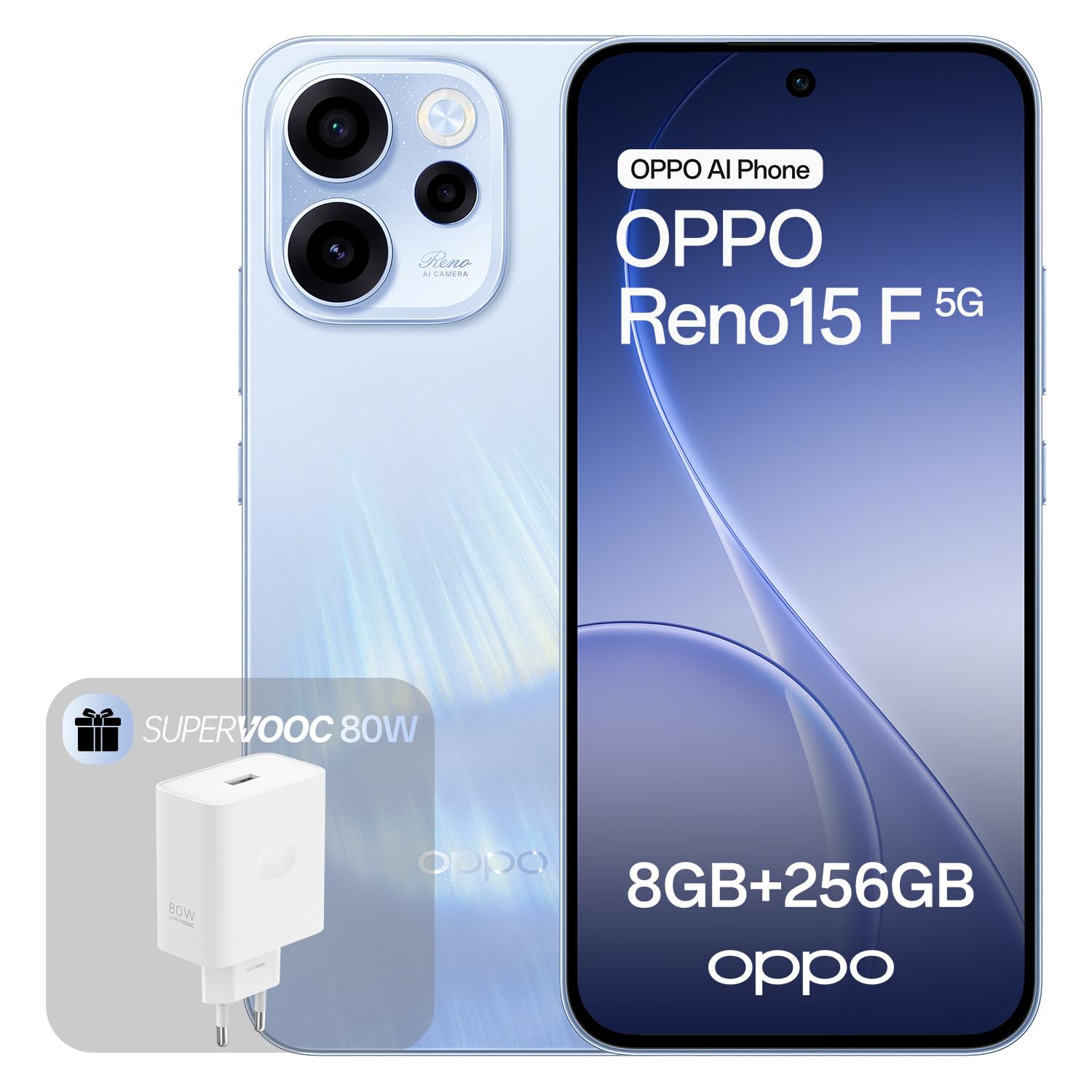
Image: OPPO Reno15 F 5G Smartphone in Aurora Blue.
2. Настройка
2.1. Что в коробке
- Смартфон OPPO Reno15 F 5G
- Зарядное устройство SUPERVOOC мощностью 80 Вт
- USB-кабель
- Инструмент для извлечения SIM-карты (может различаться в зависимости от региона)
- Краткое руководство пользователя (этот документ)
- Информация по безопасности
2.2. Установка SIM-карты и включение питания.
- Найдите лоток для SIM-карты на боковой панели устройства.
- Вставьте инструмент для извлечения SIM-карты в небольшое отверстие рядом с лотком и аккуратно нажмите, чтобы лоток выдвинулся.
- Place your nano-SIM card(s) into the tray with the gold contacts facing down. This device supports eSIM functionality.
- Аккуратно вставьте лоток обратно в телефон.
- Нажмите и удерживайте кнопку питания (обычно с правой стороны), пока не появится логотип OPPO.
- Follow the on-screen instructions to complete the initial setup, including connecting to Wi-Fi, setting up your Google account, and configuring security features.
2.3. Первоначальная зарядка
Before first use, it is recommended to fully charge your device. Use the included 80W SUPERVOOC charger and USB cable for fast charging. Connect the USB cable to the phone's USB-C port and the charger to a power outlet.

Image: Illustration of the OPPO Reno15 F 5G's 80W SUPERVOOC charging capability and 6500mAh battery.
3. Использование смартфона
3.1. Характеристики камеры
Your OPPO Reno15 F 5G is equipped with a versatile camera system designed to capture stunning photos and videos.
- 50MP Ultra-Wide Selfie Camera: Capture group selfies and expansive landscapes with a 100° Field of View (ФО).
- AI Portrait Glow: This feature intelligently applies professional lighting effects (Flash, Backlight, Natural Light) to create studio-quality portraits with natural skin tones in various conditions.
- Система задней камеры: Features a 50MP Ultra-Clear Main Camera, an Ultra-Wide Camera, and a Macro Camera for diverse photographic needs.
- AI Flash Photography: Enhances night shots, ensuring subjects are well-lit and vibrant.
- AI Eraser: Remove unwanted objects or passersby from your photos, even in dynamic shots.

Image: Close-up of the OPPO Reno15 F 5G's rear camera module, highlighting the 50MP main, ultra-wide, and macro lenses.

Image: Demonstration of AI Portrait Glow, showing before and after effects of natural light enhancement on a portrait.
3.2. Аккумулятор и зарядка
The device is equipped with a large 6500mAh battery, providing extended usage times. With typical use, it can last up to 2.4 days, or over 11 hours of gaming.
The 80W SUPERVOOC flash charging technology allows you to charge your phone from 1% to 100% in approximately 59 minutes. A few minutes of charging can provide hours of entertainment.
3.3. Дисплей
Experience perfect fluidity and absolute clarity on the 6.57-inch 120Hz AMOLED display. It offers a resolution of 1080x2400 pixels and supports 1.07 billion colors, providing a vibrant and immersive visual experience.

Image: Illustration of the OPPO Reno15 F 5G's 120Hz Smart Adaptive Display, highlighting its fluidity and clarity.
3.4. Производительность и программное обеспечение
The OPPO Reno15 F 5G runs on ColorOS 16, designed for long-lasting fluidity. The All-New Trinity Engine with AI optimizes performance, ensuring a consistently smooth and responsive experience for years.
- Процессор: Powered by the Snapdragon 6 Gen 1 chip, optimized for intensive gaming.
- AI HyperBoost 2.0: Enables up to 10 hours of stable, high-frame-rate MOBA gaming.
- ИИ LinkBoost 3.0: Accelerates the AI Gaming antenna system, provides AI Super Wi-Fi Booster for improved connectivity in crowded spaces, and an AI Network Booster to prioritize data during team fights, reducing lag.
- O+ Connect: Facilitates seamless sharing of photos and videos with other devices.
- Возможности ИИ: Includes real-time AI translation for travel, AI call translator, instant lost phone locking, and a private processing cloud to protect your data.

Image: Screenshot of the ColorOS 16 interface, demonstrating its smart and smooth operation.

Image: Illustration of the Snapdragon 6 Gen 1 Mobile Platform, emphasizing its fluidity and power.
4. Техническое обслуживание
4.1. Защита от воды и пыли (IP69)
The OPPO Reno15 F 5G is certified with an IP69 rating, providing maximum protection against dust, high-pressure water jets, and temporary immersion. This means the device is designed to withstand harsh environmental conditions.
Важные примечания:
- IP69 rating is not a permanent condition and resistance might decrease as a result of normal wear.
- Do not charge a wet device. Refer to the safety information for detailed instructions.
- Damage caused by liquids is not covered under warranty if the device has been tampered with or exposed to conditions beyond the IP69 rating.

Image: Illustration of the OPPO Reno15 F 5G highlighting its IP69 water and dust resistance.
4.2. Очистка устройства
To clean your smartphone, use a soft, lint-free cloth. Avoid using abrasive materials, alcohol, or chemical cleaners, as these can damage the screen or finish. If necessary, slightly dampсмочите ткань водой.
5. Поиск Неисправностей
If you encounter issues with your OPPO Reno15 F 5G, try the following basic troubleshooting steps:
- Устройство не отвечает: Нажмите и удерживайте кнопку питания около 10 секунд, чтобы принудительно перезагрузить компьютер.
- Батарея быстро разряжается: Check background app usage in Settings > Battery. Reduce screen brightness and disable unnecessary features like GPS or Bluetooth when not in use.
- Сбои приложений: Очистите кэш проблемного приложения (Настройки > Приложения > [Название приложения] > Хранилище > Очистить кэш). Если проблема сохраняется, попробуйте переустановить приложение.
- Проблемы с подключением (Wi-Fi/мобильный интернет): Toggle Wi-Fi or mobile data off and on. Restart your router for Wi-Fi issues. Ensure your SIM card is properly inserted and your mobile plan is active.
- Низкая производительность: Close unused apps, clear system cache, or consider a factory reset (back up your data first).
В случае более сложных проблем, пожалуйста, обратитесь в официальную службу поддержки OPPO. webсайт или свяжитесь со службой поддержки клиентов.
6. Технические характеристики
| Особенность | Спецификация |
|---|---|
| Бренд | ОППО |
| Название модели | Reno15 F 5G |
| Операционная система | Android with ColorOS 16 |
| Размер оперативной памяти | 8 ГБ |
| Модель ЦП | Львиный зев |
| Скорость ЦП | 2.4 ГГц |
| Емкость хранилища | 256 ГБ |
| Размер экрана | 6.57 дюйма |
| Разрешение | 1080 х 2400 |
| Частота обновления | 120 Гц |
| Цвет | Аврора Блю |
| Слоты для SIM-карты | Single SIM (eSIM supported) |
| Вход | USB-C |
| Биометрическая идентификация | Распознавание лиц |
| Уровень водонепроницаемости | IP69 (водонепроницаемый) |
| Разъем для наушников | No 3.5mm connector |
| Max Supported Flash Memory | 256 ГБ |
| Разрешение фронтальной камеры | 50 МП |
| Емкость аккумулятора | 6500 мАч |
| Разрешение видеозахвата | 4K |
| Сотовые технологии | 5G |
| Поставщик беспроводной связи | Разблокирован |
| Средний срок службы батареи | 2.4 дней |
| Время разговора | 24 часов |
6.1. Информация об энергетической маркировке

Image: EU Energy Label for OPPO CPH2801 (Reno15 F 5G).
Для получения подробной информации об энергетике посетите сайт База данных EPREL.
7. Гарантия и поддержка
7.1. Информация о гарантии
Your OPPO Reno15 F 5G Smartphone comes with a standard manufacturer's warranty. Please refer to the warranty card included in your product packaging for specific terms and conditions, including warranty duration and coverage details. Keep your proof of purchase for warranty claims.
7.2. Поддержка клиентов
Для получения дополнительной помощи, технической поддержки или по вопросам обслуживания, пожалуйста, посетите официальный сайт поддержки OPPO. webсайт:
- Поддержка OPPO Webсайт: support.oppo.com
You can also find the Data Transparency Statement in PDF format здесь.