
Введение
This manual provides detailed instructions for the proper use and maintenance of your CAMMHD H4 1920P Body Camera. Please read this manual thoroughly before operating the device to ensure optimal performance and longevity. The CAMMHD H4 is designed for reliable audio and video recording in various professional and personal scenarios, featuring 1920P Full HD resolution, night vision, and a long-lasting battery.

Image: The CAMMHD H4 Body Camera, illustrating its compact design and 360-degree rotating clip for versatile attachment.
Что в коробке?
Убедитесь, что все перечисленные ниже предметы включены в ваш пакет:
- 1* H4 Body Camera (with 64GB memory pre-installed)
- 1* 360° Rotating Long Clip
- 1* 360° Rotating Short Clip
- 1* Зарядное устройство
- 1* USB-кабель
- 1* Руководство пользователя

Image: All components included with the CAMMHD H4 Body Camera: the camera unit, long clip, short clip, USB cable, charger, and user manual.
Продукт болееview
The CAMMHD H4 Body Camera is a compact and robust recording device. It features a high-definition lens, infrared LEDs for night vision, and intuitive controls for easy operation. The device is designed for durability and versatility in various environments.

Image: The CAMMHD H4 Body Camera highlighting its one-touch start buttons for video and audio recording, emphasizing user-friendly operation.
Основные характеристики:
- 1920P Full HD Video Resolution: Захватывает четкие и подробные изображения еды.tage.
- Аккумулятор емкостью 3000 мАч: Provides 8-10 hours of continuous recording at 1080P (night vision off, screen idle).
- Auto/Manual Night Vision: High-power infrared for clear recording in low light or darkness.
- Широкоугольный объектив 150°: Обширное поле view.
- Циклическая запись: Перезаписывает самые старые продуктыtage, когда хранилище заполнено.
- Обнаружение движения: Records when movement is detected.
- Защита паролем: Secures recorded data.
- Время Stamp: Embeds date and time into recordings.
Настраивать
1. Зарядка устройства
Before first use, fully charge the body camera. Connect the USB cable to the camera and then to the provided charger. Plug the charger into a standard wall outlet. The charging indicator light will show the charging status. A full charge typically takes about 4 hours.

Image: The CAMMHD H4 Body Camera emphasizing its 3000mAh battery, capable of 8 hours of continuous use.
2. Прикрепление зажима
Select either the long or short 360° rotating clip based on your preference. Attach the clip to the back of the camera by sliding it into the designated slot until it clicks securely into place. The clip allows for flexible mounting on clothing or gear.
3. Включение и выключение
- Включение питания: Нажмите и удерживайте кнопку питания в течение нескольких секунд, пока экран не загорится.
- Выключение: Нажмите и удерживайте кнопку питания, пока устройство не выключится.
Инструкция по эксплуатации
1. Запись видео
From standby mode, press the dedicated Video Record button once to start recording. The indicator light will flash, and a recording icon will appear on the screen. Press the button again to stop recording. Videos are saved automatically.
2. Аудиозапись
From standby mode, press the dedicated Audio Record button once to start audio-only recording. An audio recording icon will appear. Press the button again to stop recording. Audio fileсохраняются автоматически.
3. Фотосъемка
From standby mode, press the Photo button once to take a still image. The screen may briefly flash, indicating a photo has been captured.
4. Ночное видение
The camera features automatic and manual night vision. In low-light conditions, the camera can automatically activate its infrared LEDs. You can also manually toggle night vision on or off via the menu settings or a dedicated button (refer to device interface for specific button). Ensure clear visibility in dark environments.
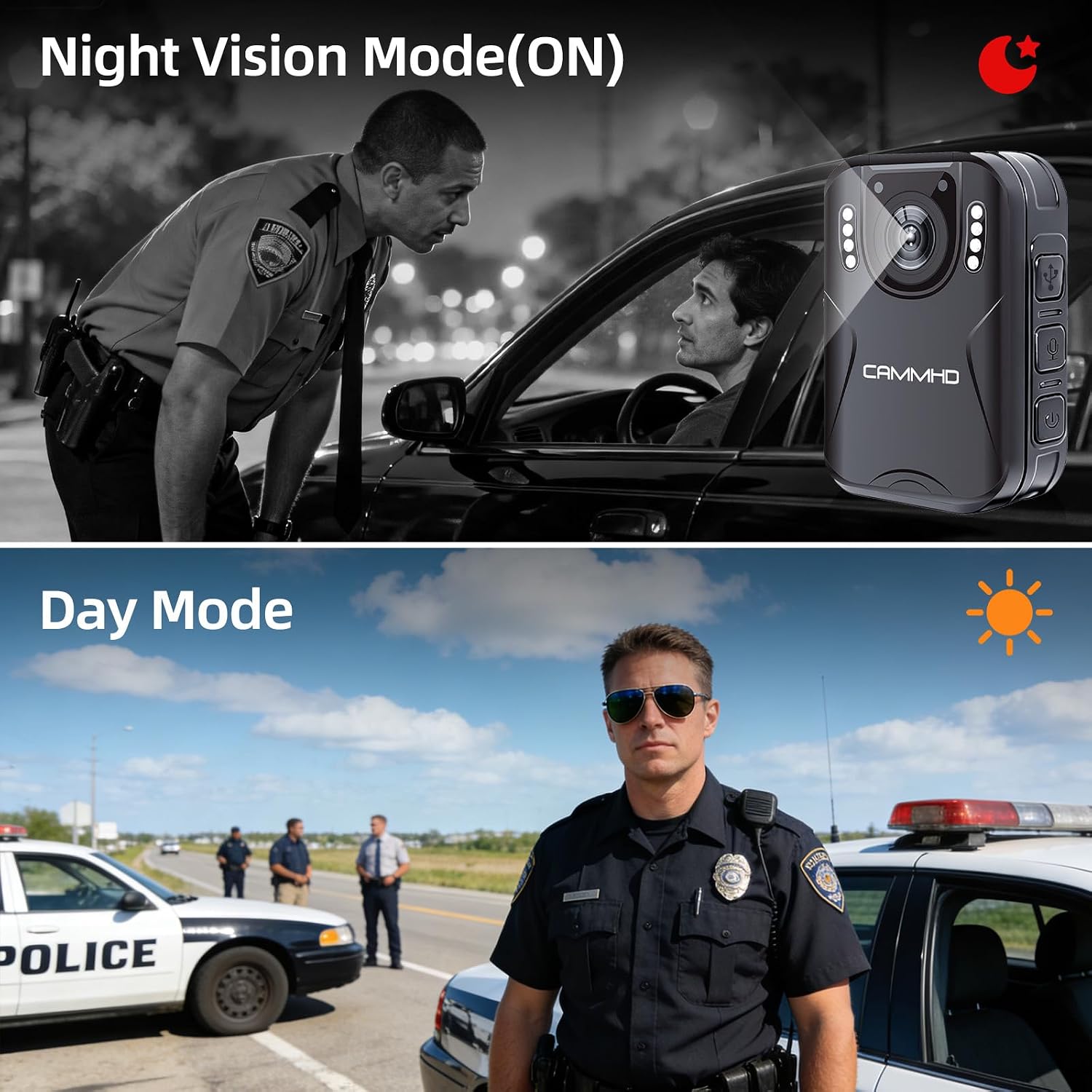
Image: Illustrates the difference between Night Vision Mode (ON) and Day Mode, showing clear visibility in dark conditions with the CAMMHD H4.
5. Циклическая запись
When enabled, loop recording allows the camera to continuously record. Once the memory card is full, the oldest files will be automatically overwritten by new recordings. This ensures continuous operation without manual deletion of old files.
6 Обнаружение движения
Activate motion detection in the camera settings. When enabled, the camera will automatically begin recording when it detects movement within its field of view and stop when motion ceases, conserving battery and storage space.
7. Password Protection and Time Stamp
The camera supports password protection to secure your recorded data. Access the settings menu to set up or change your password. The time stamp feature automatically embeds the date and time onto all recordings, providing crucial chronological evidence.
Обслуживание
- Уборка: Для чистки корпуса камеры используйте мягкую сухую ткань. Для чистки объектива используйте специальную салфетку и раствор, чтобы избежать царапин.
- Хранилище: Храните камеру в прохладном, сухом месте, вдали от прямых солнечных лучей и экстремальных температур.
- Уход батареи: Чтобы продлить срок службы батареи, избегайте частой полной разрядки. Регулярно заряжайте камеру, даже если она не используется, чтобы поддерживать работоспособность батареи.
- Обновления прошивки: Проверьте производителя webпериодически проверяйте сайт на наличие обновлений прошивки для обеспечения оптимальной производительности и новых функций.
Поиск неисправностей
| Проблема | Возможная причина | Решение |
|---|---|---|
| Камера не включается. | Низкий заряд батареи; неисправность устройства. | Зарядите камеру не менее 4 часов. Если она по-прежнему не реагирует, обратитесь в службу поддержки. |
| Невозможно записать видео/аудио. | Карта памяти заполнена; ошибка карты памяти; неправильный режим. | Check available storage. Format the memory card (this will erase all data). Ensure you are in the correct recording mode. |
| Плохое качество видео. | Dirty lens; low light conditions; incorrect resolution setting. | Clean the lens. Activate night vision in low light. Check video resolution settings in the menu. |
| Аккумулятор быстро разряжается. | Continuous recording; night vision active; screen always on. | Reduce continuous recording time. Turn off night vision when not needed. Set screen to idle or turn off display. |
Технические характеристики
| Бренд | каммхд |
| Название модели | CAMMHD-H4 |
| Разрешение видеозахвата | 1920p |
| Разрешение фотодатчика | 4 МП |
| Viewугол наклона | 170 градусов |
| Емкость аккумулятора | 3000мАч |
| Время непрерывной записи | 8-10 hours (at 1080P, night vision off, screen idle) |
| Время зарядки | Примерно 4 часа |
| Технология связи | USB |
| Хранилище | 64GB (pre-installed Micro SD) |
| Размеры товара | 1.03 x 2.08 x 2.99 дюйма |
| Вес товара | 110 грамм |
| Цвет | Черный |
Гарантия и поддержка
Гарантия производителя
CAMMHD offers a warranty for its products. If there is any quality problem within 30 working days after purchase, you may apply for returning the goods. Please retain your proof of purchase for warranty claims.
Поддержка клиентов
For technical assistance, troubleshooting, or warranty inquiries, please contact CAMMHD customer support. Refer to the product packaging or the official CAMMHD webсайт для получения самой актуальной контактной информации.
Вы также можете посетить CAMMHD Store on Amazon для получения дополнительной информации о продукте и ресурсов поддержки.