
1 Важная информация по безопасности
Внимательно прочтите все инструкции перед установкой и использованием. Сохраните это руководство для дальнейшего использования.
- Установка для двух человек: Always use at least two people to lift and install the TV to prevent injury or damage.
- Настенный монтаж: Follow all wall mounting instructions precisely. Ensure the wall structure can support the TV's weight. If unsure, consult a professional.
- Избегайте препятствий: Do not drill into walls where electrical wiring or piping may be present.
- Стабильное размещение: If not wall-mounted, ensure the TV is placed on a stable, level surface to prevent tipping.
- Вентиляция: Не закрывайте вентиляционные отверстия. Обеспечьте достаточно места вокруг телевизора для свободной циркуляции воздуха.
- Влага: Keep the TV away from water, moisture, and high humidity environments.
- Шнур питания: Protect the power cord from being walked on or pinched. Do not use a damaged power cord.
- Уборка: Перед чисткой отключите телевизор от сети. Используйте мягкую сухую ткань. Не используйте жидкие или аэрозольные чистящие средства.
2. Что включено
Убедитесь, что в коробке присутствуют все компоненты:
- Amazon Ember Artline TV (55-inch)
- Улучшенная функция голосового пульта Alexa
- Комплект для настенного монтажа
- Шнур питания
- 2 батарейки ААА
- Краткое руководство пользователя
- Amazon Ember Artline 55” Frame (four pieces) - Note: Frames ship separately and may arrive at a different time.

Image: Amazon Ember Artline 55-inch Fire TV with Ash frame.
3. Настройка и установка
3.1. Preparing the TV for Wall Mount
Before mounting, ensure the TV is prepared correctly. You will need a number two Phillips screwdriver. Do not use an electric drill to prevent stripping the bolt holes.
- Lay the TV screen side down on a soft, clean surface to access the recessed cover on the back.
- Remove the recessed cover.
- Install the two mount bolts into the designated holes using a number two Phillips screwdriver.
Video: Instructions for wall mounting the Amazon Ember Artline TV. This video demonstrates the steps for preparing the TV and installing the wall mount hardware.
3.2. Установка настенного крепления
You will need at least two people to complete this process. Ensure you have the included wall mounting template, bolts, screws, and anchors. Additionally, you will need an electric drill with a 3/16 inch drill bit, a #2 Phillips driver bit, a hammer, a pencil, and a level or level app. If mounting on wood studs, you'll need a 1/8 inch drill bit. If mounting on brick, you'll need a 5/16 inch drill bit and a stud finder for drywall.
- Планирование местоположения:
- Consider the height of everyone using the TV. Place it at eye level for comfortable viewинж.
- Find a mount location away from water or moisture.
- Avoid drilling holes over electrical wiring or piping.
- If installing on a brick wall, locate an area free of cracks.
- If your wall doesn't have proper stud spacing, contact a professional for installation.
- Монтаж кронштейна:
- Plan the location of the wall mount using the wall mounting template.
- Locate two studs using a stud finder (for drywall). Mark the center of each stud with a pencil.
- Place the mount against the wall and mark at least four screw holes. Use a level or level app to ensure the mount is straight.
- Drill pilot holes on each mark using an electric drill with the appropriate bit (1/8" for drywall, 5/16" for brick).
- If on drywall, anchors are not needed. If on brick, use a hammer to install the mount anchors in the holes.
- Attach the mount to the wall using the mount screws, an electric drill, and a #2 Phillips bit.
- Installing Magnet Plates:
- Attach the template to the wall using double-sided tape.
- Mark the locations for the four magnet plates on the wall, then remove the template.
- Drill pilot holes on each mark using an electric drill with a 3/16 inch bit.
- Install the magnet plate anchors using a hammer.
- Install the magnet plates into the anchors using the magnet plate screws and an electric drill with a #2 Phillips bit.
- Attaching the TV to the Mount:
- While attaching the TV, avoid pressing against the screen.
- Fully extend the TV bracket away from the wall and gently release the bolt latches.
- Place the four alignment stickers above the mount bolts on the back of the TV and the bolt latches on the mount. Fold the stickers up to see them more clearly.
- Hang the mount bolts on the mount hooks. Use the alignment stickers to guide you.
- Close the bolt latches, then push the TV flush with the wall to connect the magnets and magnet plates.
4. Operating Your Amazon Ember Artline Fire TV
4.1. Интерфейс Fire TV
The Amazon Ember Artline features the new Fire TV experience (2026 release) with a modern design for fast access to entertainment. You can pin frequently used apps and browse dedicated content categories. Access hundreds of thousands of movies and TV episodes, including free, ad-supported content. Subscription fees may apply for certain services.

Image: The Fire TV interface displaying various streaming applications and content.
4.2. Alexa Voice Remote Enhanced
The included Alexa Voice Remote Enhanced allows for easy navigation and voice control. Talk naturally to find content, manage your smart home, or explore topics.
- Голосовое управление: Press and hold the voice button to use your voice commands.
- Навигация: Use the directional pad to navigate menus and content.
- Кнопки быстрого доступа: Dedicated buttons for popular streaming services (e.g., Prime Video, Netflix) provide instant access.
4.3. Ambient Experience and Art Mode
The Ember Artline functions as both an entertainment hub and a curated art gallery. It can display art, stream content, and manage your smart home. The matte screen reduces glare for an optimal viewопыт.
- Художественная галерея: Access a gallery of over 2,000 free works of art.
- Личные фотографии: Upload and display your own photos from the Amazon Photos App. Use Alexa to create slideshows or collages (e.g., "Play a slideshow of us biking in the mountains.").
- Match the Room: Upload photos of your space, and the TV will recommend art pieces that complement your decor.
- Пользовательские рамки: Choose from ten available frame colors. Frames are easy to install and change.

Image: The Amazon Ember Artline TV seamlessly integrated into a living room, displaying a vibrant piece of art.
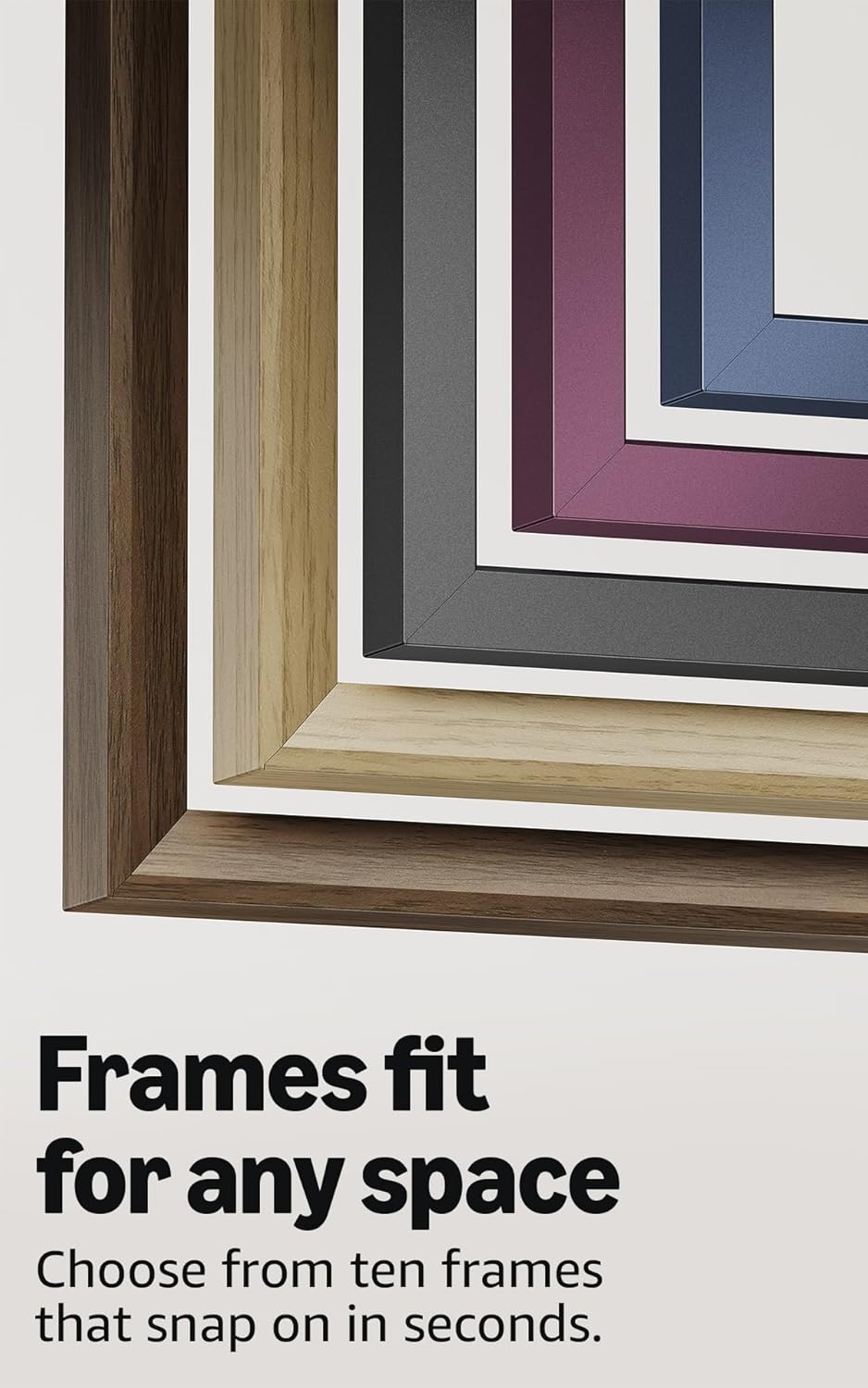
Image: A selection of different colored frames available for the Amazon Ember Artline TV, highlighting customization options.
4.4. Omnisense Technology (Motion Detection)
The custom Omnisense technology uses built-in sensors to detect your presence. The display will wake to show your favorite artwork or allow you to start watching content quickly. When you leave the area, the TV automatically turns off to save energy.

Изображение: Подробный view of the Omnisense sensor, which enables motion detection for automatic display activation and power saving.
Видео: Оверview of the Amazon Fire TV 4K TV with Alexa Voice Remote, demonstrating initial setup, interface navigation, and motion detection features.
5. Технические характеристики
| Особенность | Деталь |
|---|---|
| Разрешение | 3840 x 2160 (4K UHD) |
| High Dynamic Range (HDR) format | HDR10, HLG, HDR10+ Adaptive, Dolby Vision |
| Подсветка типа | ВЕЛ |
| Частота обновления | 60 Гц |
| Screen finish | Matte, anti-glare |
| Размер экрана | 55“ (Viewable display size: 54.6“) |
| HDMI-порты | 3 HDMI 2.0 + 1 HDMI 2.1 с eARC |
| Wifi & Ethernet connectivity | Wi-Fi 6 + 1 порт Ethernet |
| USB | 1 USB 3.0 |
| Цифровой оптический аудиовыход | 1 цифровой оптический аудиопорт |
| Голосовая поддержка | Yes, hands-free with Alexa, press and ask Alexa with the Fire TV Alexa Voice Remote Enhanced or the free Fire TV app. |
| Аудио поддержка | Dolby Digital Plus с сквозной передачей звука, кодированного Dolby |
| Мощность звука | 10W + 10W |
| OS | Fire OS |
| Product size (without frame) | 48.3” x 28.3” x 1.54” |
| Вес (без рамы) | 39.9 фунтов |
| Номер SKU | QL55M800A |
| Стандарт настенного крепления VESA | 300mm x 400mm (Note: Included wall mount is non-VESA; TV is VESA compatible for separately purchased mounts.) |
| TV size with frame | 49.1” x 28.7” x 1.8” |
| TV weight with frame | 42.5 фунтов |
6. Функции доступности
The Amazon Ember Artline Fire TV includes several accessibility features:
- ГолосView программа чтения с экрана: Обеспечивает доступ к большинству функций Fire TV для слепых и слабовидящих пользователей.
- Увеличительное стекло для экрана: Позволяет пользователям увеличивать и уменьшать масштаб, а также перемещаться по экрану.
- Текстовый баннер: Consolidates onscreen text into a compact, customizable banner.
- Скрытые субтитры: Доступно для видеороликов и телепередач там, где это поддерживается.
- Описание аудио: Предоставляет словесные описания действий на экране, выражений лица и смены сцен (доступно не для всего контента).
- Поддержка слуховых аппаратов с Bluetooth: Поддерживает потоковую передачу аудио с некоторых совместимых слуховых аппаратов и устройств Bluetooth для прослушивания в приватном режиме. Также поддерживаются совместимые наушники Bluetooth.
7. Software Updates and Security
Это устройство получает гарантированные обновления безопасности программного обеспечения в течение как минимум четырех лет после того, как устройство в последний раз будет доступно для покупки в качестве нового устройства на нашем сайте. websites. For information specific to your device, visit Manage Your Content and Devices.
8. Гарантия и обслуживание
A 1-Year limited warranty and service are included with the Amazon Ember Artline TV. Optional 3-Year and 4-Year Extended Warranties are available for U.S. customers and are sold separately. Extended warranty excludes frame accessories. Use of Fire TV is subject to the terms found on the Amazon webсайт.
The Amazon Ember Artline 55” Frame includes a 90-day limited warranty and service.
9. Поиск Неисправностей
If you encounter issues with your Amazon Ember Artline Fire TV, consider the following common troubleshooting steps:
- Нет питания: Убедитесь, что шнур питания надежно подключен как к телевизору, так и к исправной розетке.
- Нет изображения/звука:
- Check all cable connections (HDMI, optical audio).
- Убедитесь, что на телевизоре выбран правильный источник входного сигнала.
- Перезагрузите телевизор, отключив его от розетки на 60 секунд, а затем снова подключив.
- Удаленно не отвечает:
- Замените батарейки типа AAA в пульте дистанционного управления Alexa Voice Remote.
- Для повторного сопряжения пульта дистанционного управления удерживайте кнопку «Домой» в течение 10 секунд.
- Проблемы с сетевым подключением:
- Проверьте свой Wi-Fi-роутер и модем, чтобы убедиться в их корректной работе.
- Перезагрузите маршрутизатор и модем.
- Go to the TV's Network settings to re-connect to your Wi-Fi network or try a wired Ethernet connection.
- Ambient Experience Not Activating:
- Ensure Omnisense technology is enabled in the TV settings.
- Check for any physical obstructions blocking the motion sensors.
- Производительность программного обеспечения: If the TV is slow or unresponsive, try restarting it. Ensure the TV's software is up to date.
For further assistance, refer to the online support resources or contact Amazon customer service.