
1. Введение
This manual provides essential information for setting up, operating, and maintaining your NiPoGi P2-3300U Mini PC. Please read it thoroughly before using the device to ensure optimal performance and longevity.
Болееview видео-шоуasing the compact design, AMD Ryzen 3300U processor, memory and storage expansion, multiple display output, various ports, efficient cooling, and diverse usage scenarios of the NiPoGi P2-3300U Mini PC.
Основные характеристики:
- Процессор: AMD Ryzen 3 3300U (up to 3.5GHz, 4 Cores/4 Threads)
- Операционная система: Windows 11 Профессиональная
- Память: 16 ГБ DDR4 (с возможностью расширения до 32 ГБ)
- Хранилище: 512GB M.2 2280 SSD (expandable up to 4TB)
- Графика: Integrated Graphics with 4K@60Hz support
- Вывод на дисплей: Supports up to 3 screens simultaneously (HDMI 2.0, DisplayPort 1.4, USB 3.2 Gen1 Type-C)
- Связь: USB 3.2 x6, USB 3.2 Gen1 Type-C x1, 1000Mbps Wired LAN, Wi-Fi 5GHz, Bluetooth 4.2
- Охлаждение: Efficient and silent cooling fan system
- Безопасность: TPM 2.0 chip for enhanced data protection
- Дизайн: Ultra-compact and lightweight (approx. 128.2×128.2×44mm), VESA mount compatible

Diagram showing the compact size and key features like 4K output, Windows 11 Pro, 512GB SSD, 16GB DDR4, LAN, Bluetooth 4.2, and WiFi 5.
2. Содержимое упаковки
Прежде чем приступить к настройке, убедитесь, что все перечисленные ниже предметы включены в ваш комплект:
- NiPoGi P2-3300U Mini PC
- Адаптер питания
- HDMI-кабель
- VESA Mount
- Винты для крепления VESA
- Руководство пользователя

Image showing the package contents, including the mini PC, power adapter, HDMI cable, VESA mount, and user manual.
3. Руководство по установке
3.1 Подключение периферийных устройств
Найдите на вашем мини-ПК различные порты для подключения дисплея, клавиатуры, мыши и других устройств.

Подробный view of the mini PC's ports, including USB, HDMI, DP, LAN, and Type-C.
- Власть: Connect the power adapter to the DC port on the Mini PC and then to a power outlet.
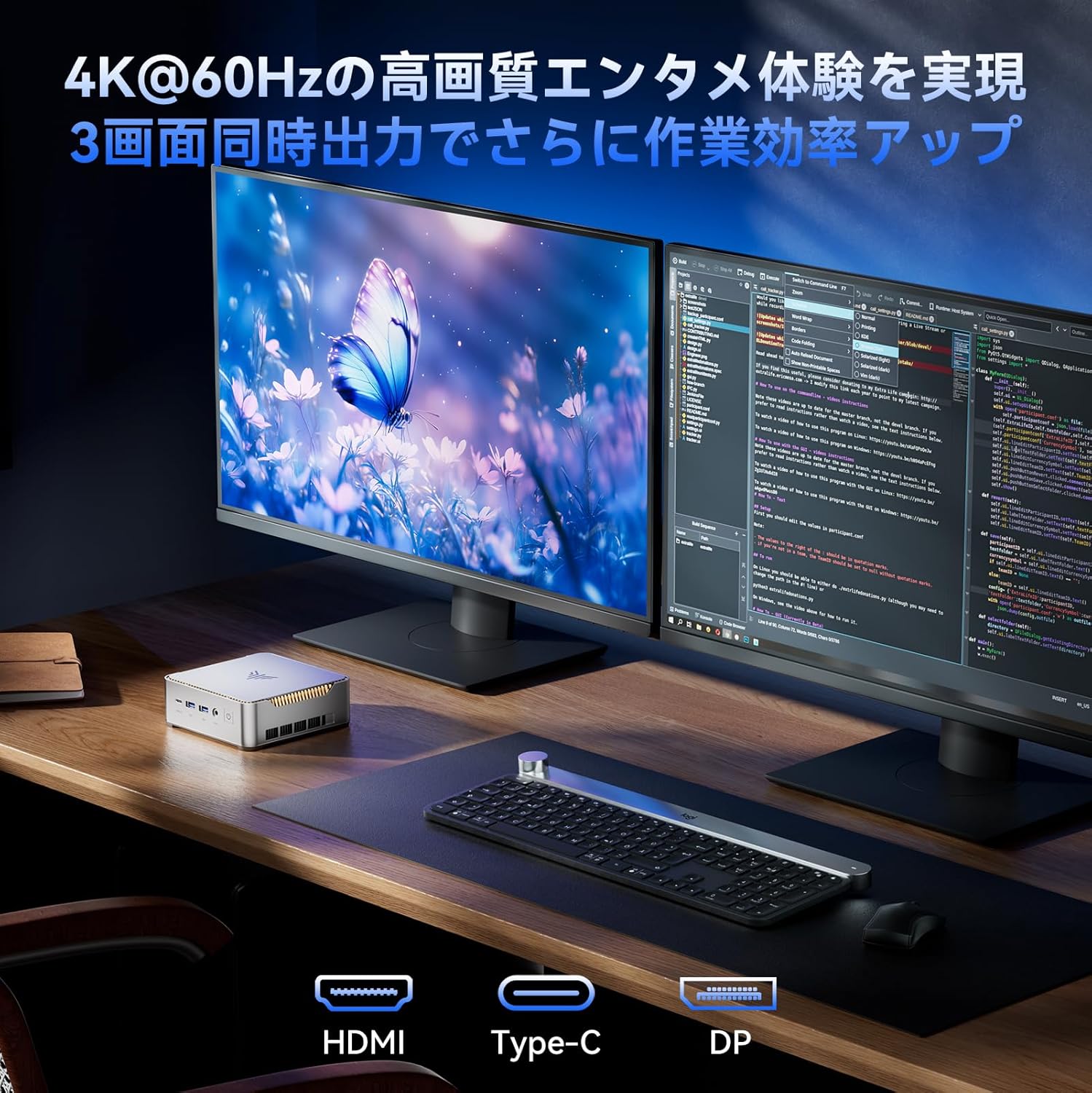
- Отображать: Connect your monitor(s) using the HDMI 2.0, DisplayPort 1.4, or USB 3.2 Gen1 Type-C ports. The Mini PC supports up to three displays simultaneously.
- Клавиатура и мышь: Подключите USB-клавиатуру и мышь к любому из доступных портов USB 3.2.
- Сеть: For a wired connection, connect an Ethernet cable to the RJ45 LAN port. For wireless, the device supports Wi-Fi 5GHz.
- Аудио: Подключите наушники или динамики к аудиоразъему 3.5 мм.
3.2 Установка крепления VESA
The Mini PC can be mounted on the back of a VESA-compatible monitor to save desk space.
- Прикрепите кронштейн крепления VESA к задней панели монитора с помощью прилагаемых винтов.
- Установите мини-ПК на закрепленный кронштейн до щелчка.

Mini PC mounted on the back of a monitor using a VESA mount.
3.3 Первоначальная загрузка и настройка Windows 11 Pro
After connecting all necessary peripherals and power, press the power button to turn on the Mini PC. Follow the on-screen instructions to complete the initial setup of Windows 11 Pro.
4. Инструкция по эксплуатации
4.1 Основные операции
The NiPoGi P2-3300U Mini PC is designed for smooth performance across various daily tasks:
- Web Просмотр: Enjoy fast and stable internet access with Wi-Fi 5GHz or wired LAN.
- Document Creation: Efficiently work on office applications for documents, spreadsheets, and presentations.
- Онлайн-встречи: Participate in video conferences with reliable connectivity.
- Проигрывание видео: Stream 4K content smoothly.

Various usage scenarios: video conferencing, light gaming, data analysis, and movie watching.
4.2 Multitasking and Multi-Display
The AMD Ryzen 3 3300U processor ensures efficient multitasking, allowing you to run multiple applications simultaneously without significant slowdowns.

Multiple application windows open on a screen, illustrating the mini PC's multitasking capabilities.
With support for up to three 4K@60Hz displays, you can expand your workspace for enhanced productivity.

Mini PC connected to multiple monitors, demonstrating multi-display capability.
4.3 Расширенные настройки BIOS
The unlocked BIOS provides access to advanced settings, including:
- Auto-boot: Configure the system to automatically power on when connected to power.
- Пробуждение RTC: Schedule the PC to wake up at a specific time.
- Пробуждение по локальной сети: Power on the PC remotely over a network connection.
5. Техническое обслуживание и модернизация
5.1 Эффективная система охлаждения
The Mini PC features an efficient and silent cooling fan system to prevent overheating and maintain stable performance even during extended use. The design ensures heat is effectively dissipated from the interior.
Внутренний view of the mini PC highlighting the cooling fan and heat dissipation system.

Image depicting a user working on the mini PC at night while a child sleeps, emphasizing silent operation.
5.2 Хранилище и расширение памяти
The Mini PC comes with 16GB DDR4 RAM and a 512GB M.2 2280 SSD. Both can be upgraded:
- Память: Expandable up to 32GB DDR4 SO-DIMM.
- Хранилище: The M.2 2280 SSD can be replaced with a larger capacity drive, up to 4TB.
For detailed instructions on how to access and upgrade these components, please refer to the technical support section or contact customer service.

Diagram illustrating the internal memory (DDR4) and storage (M.2 2280 SSD) expansion capabilities.
6. Поиск Неисправностей
If you encounter any issues with your NiPoGi P2-3300U Mini PC, please try the following general troubleshooting steps:
- Нет питания: Убедитесь, что адаптер питания надёжно подключён как к мини-ПК, так и к исправной розетке. При необходимости попробуйте использовать другую розетку.
- Нет дисплея: Verify that the monitor is powered on and the display cable (HDMI, DP, or Type-C) is firmly connected to both the Mini PC and the monitor. Try a different cable or port.
- Периферийное устройство не обнаружено: Ensure USB devices are properly plugged into the correct ports. Try connecting them to different USB ports.
- Низкая производительность: Close unnecessary applications. Check for available Windows updates. Ensure the cooling vents are not obstructed.
- Проблемы с сетью: For wired connections, check the Ethernet cable and router. For Wi-Fi, ensure you are connected to the correct network and the signal is strong.
Если проблема не исчезнет, обратитесь за дополнительной помощью в раздел «Гарантия и поддержка».
7. Технические характеристики
| Особенность | Деталь |
|---|---|
| Бренд | НиПоГи |
| Номер модели | P2-3300U-16+512-NEW |
| Размеры продукта | 128.2 х 128.2 х 44 мм |
| Вес товара | 1.11 Килограмма |
| Марка процессора | АМД |
| Тип ЦП | Райзен 3 3300U |
| Скорость ЦП | 2.1 GHz (up to 3.5 GHz Max Turbo) |
| Количество процессоров | 4 |
| Тип оперативной памяти | DDR4 SDRAM |
| Размер установленной оперативной памяти | 16 ГБ |
| Макс. поддерживаемая память | 32 ГБ |
| Размер жесткого диска | 512 ГБ |
| Тип жесткого диска | SSD (M.2 2280) |
| Интерфейс жесткого диска | eSATA (Note: M.2 is NVMe/SATA, eSATA is an external interface, likely a translation error in source data) |
| Графический ускоритель | Интегрированная графика |
| Описание видеокарты | Интегрированный |
| Тип видеопамяти | DDR4 SDRAM |
| Интерфейс графической карты | Интегрированный |
| Разрешение | 3840 x 2160 (4К) |
| Порты USB 3.0 | 6 |
| HDMI-порты | 1 |
| Тип оптического привода | Никто |
| Операционная система | Windows 11 Профессиональная |
| Связность | Wi-Fi 5, Bluetooth 4.2, 1000Mbps LAN |
| Особые возможности | VESA Support, TPM 2.0 |
8. Гарантия и поддержка
Your NiPoGi P2-3300U Mini PC comes with an Гарантия 18 месяца from the date of purchase. This warranty covers manufacturing defects and malfunctions under normal use. In the event of a defect or malfunction, NiPoGi offers free replacement or return services.
For technical support, warranty claims, or any questions regarding your product, please contact NiPoGi customer service through the official channels provided at the time of purchase or on the NiPoGi webсайт. При обращении в службу поддержки подготовьте модель вашего продукта и информацию о покупке.