
1. Введение
This manual provides detailed instructions for the proper use and maintenance of your ANCEL MT500 Plus Motorcycle Scanner. Please read this manual thoroughly before operating the device to ensure correct usage and to prevent damage.
2. Продукт закончилсяview
The ANCEL MT500 Plus is a comprehensive OBD2 diagnostic tool designed for motorcycles, ATVs, UTVs, scooters, dirt bikes, and snowmobiles. It offers dealer-level diagnostics, service reset functions, and active testing capabilities.
2.1 Основные характеристики
- Full-System Diagnostics: Access and diagnose Engine, ABS, TPMS, Suspension, Ignition, ECU, Battery, LED lights, and more.
- Функции сброса сервисного обслуживания: Perform oil reset, idle speed adjustment, AFR reset, ABS bleeding (for specific brands), and CO adjustment.
- Active Testing: Conduct bi-directional tests for components like fuel pump, cooling fan, headlights, and injectors.
- Широкий охват: Supports various motorcycle and powersports brands from 2003–2022, including BMW, Honda, Yamaha, Ducati, KTM, Kawasaki, Suzuki, and Triumph.
- Защитный чехол: Includes a durable hard protective case for storage and transport.

Image: The ANCEL MT500 Plus displaying its OE-level full system diagnosis capabilities, highlighting various systems like Engine, ABS, TPMS, and ECU on a motorcycle diagram.
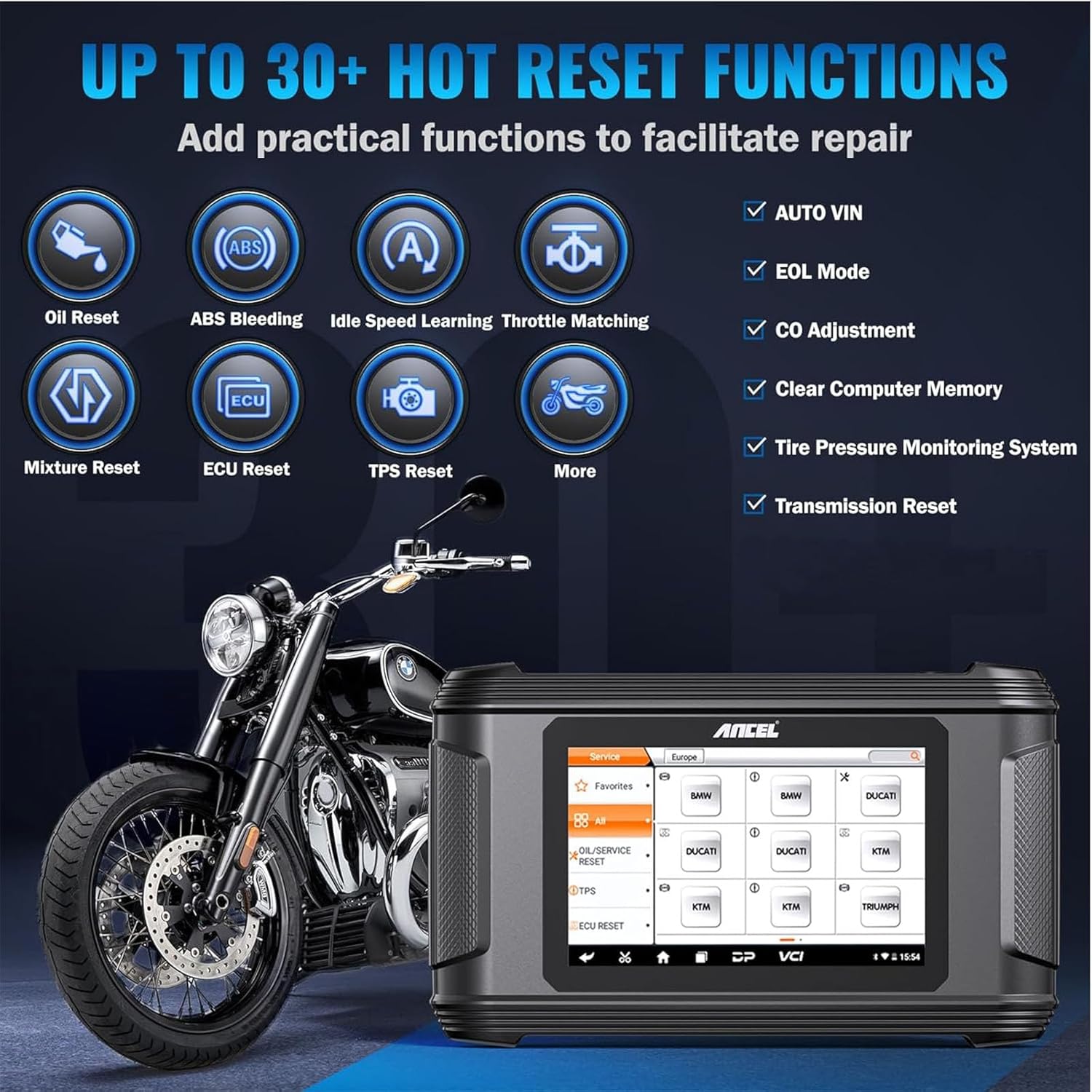
Image: The ANCEL MT500 Plus interface illustrating over 30 hot reset functions, including Oil Reset, ABS Bleeding, Idle Speed Learning, and CO Adjustment, alongside a motorcycle.

Image: The ANCEL MT500 Plus demonstrating its wide motorcycle compatibility, featuring logos for BMW, Yamaha, Honda, Kawasaki, Suzuki, KTM, Ducati, and Triumph.

Image: The ANCEL hard protective case with dimensions labeled as 12.6 inches (length), 8.66 inches (width), and 4.72 inches (height).
3. Настройка
3.1 Распаковка и первоначальный осмотр
- Carefully unpack all components from the protective case.
- Verify that all items listed in the packing list are present and undamaged.
- Inspect the scanner and cables for any visible signs of damage. If any damage is found, contact customer support immediately.
3.2 Включение устройства
- The MT500 Plus can be powered via the motorcycle's OBD port or an external power adapter (if included).
- Нажмите и удерживайте кнопку питания, пока не загорится экран.
3.3 Подключение к мотоциклу
- Locate the diagnostic port on your motorcycle. Refer to your motorcycle's service manual for the exact location.
- Select the appropriate adapter cable from the included set for your motorcycle brand.
- Connect one end of the adapter cable to the MT500 Plus and the other end to the motorcycle's diagnostic port.
- Turn the motorcycle's ignition to the ON position (engine off).
4. Инструкция по эксплуатации
The ANCEL MT500 Plus features an intuitive touchscreen interface. Navigate through menus by tapping on icons or using the directional buttons (if available).
4.1 Выход из главного менюview
Upon startup, the main menu typically displays options such as:
- Moto Diag: For performing diagnostic functions.
- Услуга: For accessing service reset functions.
- Персональный центр: For user settings and device information.
- Управление данными: Чтобы повторноview сохраненные данные.
- Поддерживать: For technical assistance and feedback.
- Настройки: To configure device preferences.
- Обновление: Для обновлений программного обеспечения.
4.2 Выполнение диагностики
- В главном меню выберите Moto Diag.
- Choose your motorcycle's brand and model.
- The system will automatically identify the vehicle or prompt for VIN entry.
- Выбирать Полное сканирование системы or choose a specific system (e.g., Engine, ABS).
- The scanner will read Diagnostic Trouble Codes (DTCs) and display live data.
- To clear codes, select the Очистить коды DTC option after addressing the underlying issue.

Image: The ANCEL MT500 Plus conducting a full OBD test, showing live data stream, VIN info retrieval, DTC lookup, and freeze frame data on its screen.
4.3 Using Service Reset Functions
- В главном меню выберите Услуга.
- Choose the desired service function (e.g., Oil Reset, ABS Bleeding).
- Follow the on-screen prompts to complete the procedure. Ensure all safety precautions are observed.
4.4 Active Testing
- Within the diagnostic menu for a specific system, look for the Активный тест or Двунаправленное управление вариант.
- Select the component you wish to test (e.g., fuel pump, cooling fan).
- Follow the instructions to activate or deactivate the component and observe its response.
4.5 Software Updates and Support
Regularly check for software updates to ensure optimal performance and compatibility with new vehicle models. Updates can typically be performed via Wi-Fi through the Обновление menu. For technical assistance, use the Поддерживать or Обратная связь параметры.

Image: The ANCEL MT500 Plus demonstrating advanced technical support features, including one-click updates, data record and replay, online feedback, and data management.
5. Техническое обслуживание
5.1 Очистка устройства
- Используйте мягкий, damp cloth to clean the screen and exterior of the scanner.
- Избегайте использования абразивных чистящих средств или растворителей, так как они могут повредить устройство.
- Ensure no liquids enter the ports or openings.
5.2 Обновления программного обеспечения
Periodically connect the device to a Wi-Fi network and check for software updates via the Обновление menu. Keeping the software updated ensures access to the latest features and vehicle compatibility.
5.3 Хранение
When not in use, store the ANCEL MT500 Plus in its protective hard case in a cool, dry place, away from direct sunlight and extreme temperatures.

Image: A person carrying the ANCEL protective case, demonstrating its portable design.
6. Поиск Неисправностей
6.1 Устройство не включается
- Ensure the device is properly connected to the motorcycle's diagnostic port or an external power source.
- Check the motorcycle's battery voltage.
- If using an external power adapter, verify the power outlet is functional.
6.2 Ошибка связи с транспортным средством
- Verify that the ignition is in the ON position (engine off).
- Ensure the correct adapter cable is used for your motorcycle model and is securely connected.
- Check for any blown fuses in the motorcycle's diagnostic circuit.
- Confirm that the motorcycle's battery has sufficient charge.
- Try selecting a different protocol or manually entering vehicle information if automatic detection fails.
6.3 Экран зависает или устройство не реагирует
- Press and hold the power button for approximately 10 seconds to force a shutdown.
- Перезагрузите устройство. Если проблема сохраняется, убедитесь, что программное обеспечение обновлено.
7. Технические характеристики
| Особенность | Описание |
|---|---|
| Операционная система | ОС Android 5.1.1 |
| Экран | 8-inch, 800*480 Screen Pixels, 5.0" Touchscreen |
| ПЗУ | 13G ROM |
| SD-карта | SD-карта 32 ГБ |
| Связность | Wi-Fi |
| Языки | Поддерживается 8 языков. |
| Размеры корпуса | 13.38*8.68*4.33 дюйма (приблизительно 34 x 22 x 11 см) |

Image: Diagram illustrating the optimized hardware and software configuration of the ANCEL MT500 Plus, detailing Android OS, 8-inch screen, 13G ROM, 32G SD Card, Wi-Fi, 8 languages, and 5.0" touchscreen.
8. Гарантия и поддержка
The ANCEL MT500 Plus comes with a manufacturer's warranty. For specific warranty terms and conditions, please refer to the warranty card included with your product or visit the official ANCEL website. For technical support, product inquiries, or to report issues, please contact ANCEL customer service through their official channels.
Примечание: сохраните чек о покупке в качестве подтверждения покупки для предъявления гарантийных претензий.