
Введение
The Radtel RT-950 PRO is a high-performance handheld two-way radio designed for amateur radio enthusiasts and professional operations. It offers a wide range of features including 10W output power, multi-band reception (AM/FM/CB/SW/MW/LW RX), Bluetooth APP programming, GPS/APRS functionality, NOAA weather channel reception, and an integrated spectrum analyzer. This manual provides essential information for the proper setup, operation, and maintenance of your RT-950 PRO radio.
Что в коробке?
Пожалуйста, проверьте наличие всех предметов в вашей посылке:
- 1x RT-950 PRO Main Unit (Green)
- 1 литий-ионных аккумулятора емкостью 2200 мАч
- 1x двухдиапазонная антенна
- 1x зажим для ремня
- 1x кабель для зарядки Type-C
- 1x блок питания с USB-портом
- 1x настольное зарядное устройство
- 1x Руководство пользователя на английском языке
Продукт болееview
Familiarize yourself with the physical components and layout of your Radtel RT-950 PRO radio.

Рисунок 1: Передняя часть view of the Radtel RT-950 PRO with labeled components.

Рисунок 2: Сторона view and dimensions of the Radtel RT-950 PRO.
Начальная настройка
1. Установка аккумулятора
- Совместите аккумуляторную батарею с пазами на задней панели радиоприемника.
- Сдвиньте аккумуляторную батарею вверх до щелчка, пока она не встанет на место.
- Чтобы извлечь аккумулятор, нажмите на защелку фиксатора аккумулятора и сдвиньте аккумулятор вниз.
2. Крепление антенны
- Вкрутите двухдиапазонную антенну по часовой стрелке в антенный разъем на верхней части радиостанции до упора от руки. Не перетягивайте.
3. Зарядка аккумулятора
The RT-950 PRO supports both Type-C direct charging and desktop charger charging.
- Использование настольного зарядного устройства: Place the radio with the battery installed into the desktop charger. Ensure the charging contacts align. The indicator light on the charger will show charging status.
- Использование кабеля Type-C: Connect the Type-C charging cable to the port on the side of the radio and to the provided power supply or any compatible USB power source.

Figure 3: Type-C charging port on the Radtel RT-950 PRO.
Инструкция по эксплуатации
Включение / выключение питания и регулировка громкости
Rotate the Power Switch/Volume Knob clockwise to turn on the radio and adjust the volume. Rotate counter-clockwise until it clicks to turn off.
Basic Communication (TX/RX)
To transmit, press and hold the PTT (Push-To-Talk) button on the side of the radio. Speak clearly into the microphone. Release the PTT button to receive. The RT-950 PRO features multiple PTT buttons (PTT A, PTT B, Side-key 1) which can be configured for different functions.

Figure 4: Programmable PTT and Side Keys.
Bluetooth APP Programming
The RT-950 PRO can be programmed wirelessly via a Bluetooth application on your smartphone. This allows for convenient configuration of channels, frequencies, and other settings without a physical cable.
- Загрузите официальное приложение Radtel для программирования из магазина приложений вашего смартфона.
- Включите Bluetooth на вашем смартфоне и RT-950 PRO.
- Open the app, search for your radio, and connect.
- Follow the in-app instructions to read, modify, and write radio settings.

Figure 5: Mobile Programming via Bluetooth App.
Приём сигнала метеорологического канала NOAA
Stay informed about weather conditions by accessing NOAA weather channels. The radio can receive real-time weather alerts, crucial for outdoor activities and emergency preparedness.
- Navigate to the NOAA weather channel function on your radio's menu.
- Select the desired NOAA channel to receive broadcasts.

Figure 6: NOAA Weather Channel display.
Функциональность GPS/APRS
The integrated GPS and APRS features allow for real-time position sharing and tracking, enhancing coordination during group activities or emergencies.
- Определение местоположения GPS в один клик: Access the GPS function through the menu or a programmable side-key to view your current coordinates and other location data.
- Передача положения APRS: Configure APRS settings to transmit your position data to other APRS-enabled devices or networks.
Анализатор спектра
The built-in spectrum analyzer allows you to monitor frequency activity, visualize signal strength, and identify active channels within a specified range.
- Activate the spectrum analyzer mode from the radio's menu.
- Observe the graphical display to identify active frequencies and signal patterns.

Figure 7: Real-time Spectrum Analysis display.
Многодиапазонный прием
The RT-950 PRO offers extensive reception capabilities across various bands:
- AM/FM Broadcast
- CB (Citizens Band)
- SW (короткие волны)
- Средние волны (MW)
- ДВ (длинные волны)
- LSB/USB/CW (Single Sideband and Continuous Wave)
To switch between bands, use the appropriate menu options or programmable keys. For optimal shortwave reception, an external shortwave antenna (sold separately) may be required.
Беспроводное копирование частоты
The wireless frequency copy feature allows you to quickly duplicate frequency and CTCSS/DCS settings from another radio without the need for cables.
- Activate the frequency copy mode on your RT-950 PRO.
- Place the transmitting radio near the RT-950 PRO.
- Initiate the copy process, and the radio will detect and store the frequency and tone settings.

Рисунок 8: Беспроводное копирование частот в действии.
Переключение уровня мощности
The RT-950 PRO supports three power output levels (High, Middle, Low) to optimize battery life and transmission range based on your communication needs.
- Access the power level setting through the radio's menu.
- Select the desired power output: High (up to 10W), Middle, or Low.
27MHz Transmission
The radio supports 27MHz transmission and reception in FM modulation only, with a power output of 3-4W in this band.
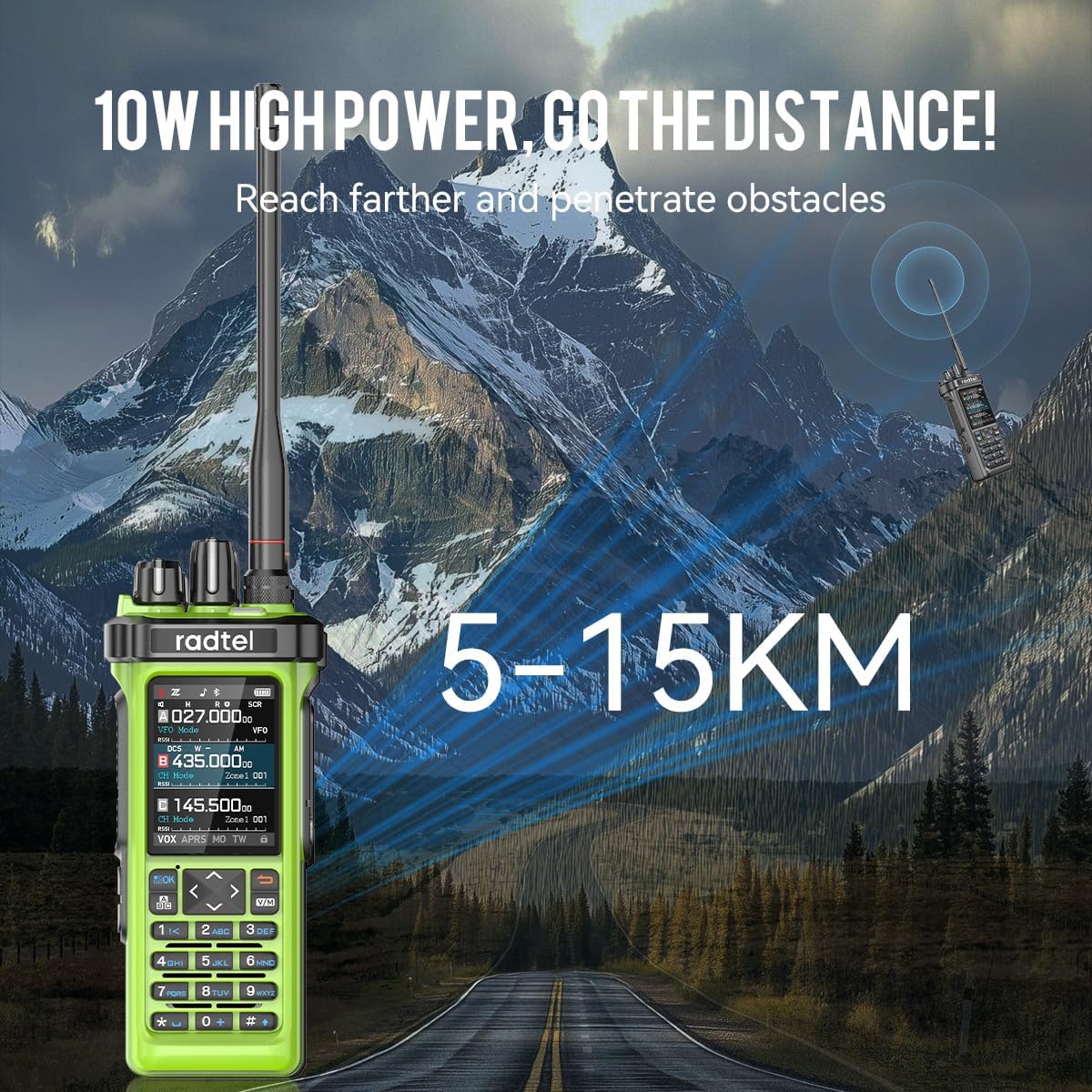
Figure 9: The 10W high power output of the RT-950 PRO for extended range.
Функция кросс-диапазона повторителя
The RT-950 PRO can function as a cross-band repeater, allowing interoperability between UHF and VHF frequencies. This extends the communication range for other radios.

Figure 10: Cross-Band Repeater capability.
Официальное видео о продукте
Video 1: Radtel RT-950 PRO V2 Green. This video demonstrates key features including Bluetooth programming, NOAA weather reception, power level switching, frequency spectrum analysis, one-click GPS positioning, APRS transmission, shortwave reception, 27MHz transmission, fast frequency copy, and Type-C charging.
Обслуживание
- Уборка: Используйте мягкий, damp Ткань для чистки корпуса радиоприемника. Не используйте едкие химикаты и растворители.
- Уход батареи: To prolong battery life, avoid overcharging or completely draining the battery. Store the radio and battery in a cool, dry place.
- Accessory Warning: ПРЕДУПРЕЖДЕНИЕ: Please use the 950/950Pro with caution. Using non-Radtel brand headphones and microphones may burn out the audio amplifier module and cause the radio to be silent. Always use original or Radtel-approved accessories.
Поиск неисправностей
| Проблема | Возможная причина | Решение |
|---|---|---|
| Радио не включается | Батарея разряжена или установлена неправильно. | Зарядите аккумулятор или правильно установите его на место. |
| Невозможно передать или получить | Incorrect frequency/channel, antenna not connected, low power setting. | Verify frequency/channel, ensure antenna is secure, check power output setting. |
| Плохое качество звука | Weak signal, incorrect squelch setting, faulty accessory. | Adjust squelch, move to an area with better signal, test with different accessories. |
Технические характеристики
| Особенность | Деталь |
|---|---|
| Бренд | радтель |
| Номер модели | RT-950 Pro |
| Цвет | Зеленый |
| Количество каналов | 960 |
| Диапазон частот | 144-148Mhz/420-450Mhz (TX/RX), Multi-band RX (AM/FM/CB/SW/MW/LW LSB USB CW) |
| 27 МГц TX/RX | FM Modulation only, 3-4W power |
| Максимальный диапазон разговора | 6 Километров |
| Томtage | 7.4 Вольт |
| Уровень водонепроницаемости | Не водостойкий |
| Количество батарей | 1 (в комплекте) |
| Протокол подключения | Bluetooth |
| Сопротивление | 50 Ом |
| Особые возможности | Bluetooth App Programming, High Output Power, GPS/APRS Position Sending, Channel Zone Function, Full-Color Display, PC Programming, Integrated Spectrum Analyzer, Wireless Frequency Copy, NOAA Weather Channel Support |
Гарантия и поддержка
The Radtel RT-950 PRO comes with a Гарантия 1 год from the date of purchase. For technical support, software updates, or warranty claims, please visit the official Radtel webсайт на radtel.com или обратитесь к своему авторизованному дилеру.