
1. Введение
The ZTE U60 Pro MU5250 is a portable 5G Wi-Fi 7 router designed to provide high-speed internet connectivity on the go. It features an ultra-high-speed 5G-A network, the flagship Snapdragon X75 chip platform, and advanced Wi-Fi 7 technology. This device is equipped with a 10,000 mAh high-capacity battery, offering extended usage and the ability to function as a power bank for other electronic devices. Its 3.5-inch HD touchscreen allows for easy network management and traffic monitoring. The U60 Pro supports up to 64 simultaneous device connections and offers convenient NFC one-touch connectivity, intelligent AI scenes, and AI voice management for a fast, stable, and efficient internet experience.

Изображение 1.1: Спереди view of the ZTE U60 Pro MU5250, showing its 3.5-inch display with network information.
2. Настройка
2.1 Содержимое упаковки
Перед началом работы убедитесь, что все компоненты присутствуют:
- ZTE U60 Pro MU5250 5G Pocket Wi-Fi 7 Router
- Адаптер переменного тока
- Руководство пользователя (этот документ)
2.2 Установка SIM-карты
To enable 5G connectivity, a compatible SIM card must be installed.
- Найдите слот для SIM-карты на боковой стороне устройства.
- Using the provided SIM ejector tool (if applicable) or a small pin, gently press into the small hole next to the SIM tray to eject it.
- Place your 5G-enabled Nano-SIM card into the tray, ensuring proper orientation.
- Аккуратно вставьте лоток SIM-карты обратно в устройство до щелчка.
2.3 Включение/выключение питания
To power on the device, press and hold the power button located on the side until the screen illuminates. To power off, press and hold the power button until the power-off options appear on the screen, then select 'Power Off'.
2.4 Первоначальное подключение к Wi-Fi
After powering on, the device will automatically search for a 5G network. You can connect to the Wi-Fi network using one of the following methods:
- Ручное подключение: On your device (phone, laptop, etc.), search for available Wi-Fi networks. Select the network name (SSID) displayed on the U60 Pro's screen and enter the password (also displayed on the screen).
- Подключение в одно касание NFC: For Android phones with NFC enabled, tap your phone against the NFC area on the U60 Pro. Your phone will automatically connect to the Wi-Fi network without requiring a password.

Image 2.1: Illustrates the NFC one-touch connection process for quick Wi-Fi access.
3. Инструкция по эксплуатации
3.1 Интерфейс сенсорного экрана
The 3.5-inch HD touchscreen provides a minimalist user interface for managing the device. You can view network status, data usage, signal strength, battery level, and adjust basic settings directly from the screen. Swipe and tap gestures are used for navigation.
3.2 Подключение нескольких устройств
The ZTE U60 Pro supports simultaneous connections for up to 64 devices, allowing multiple users to share the 5G network. Connect devices using the standard Wi-Fi connection method as described in Section 2.4.
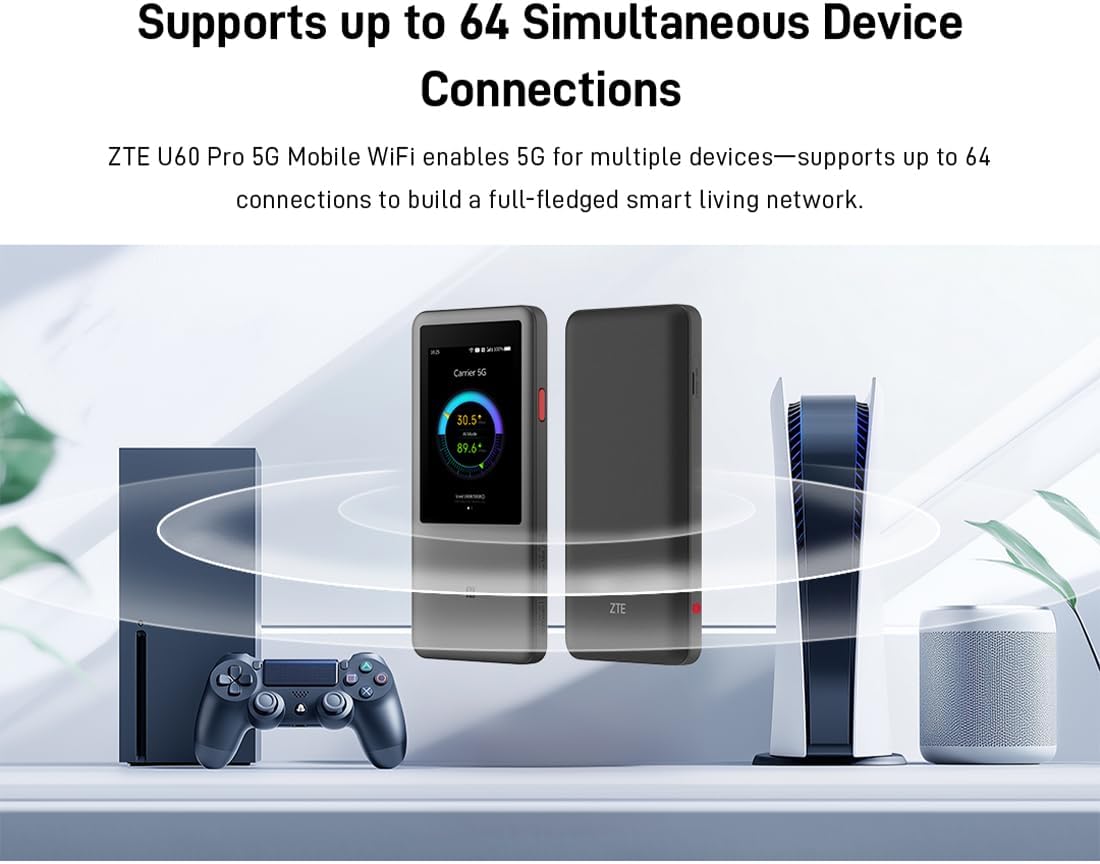
Image 3.1: The ZTE U60 Pro providing 5G Wi-Fi connectivity to various electronic devices.
3.3 AI Smart Scene Modes
The device features intelligent AI Scene technology with dynamic bandwidth allocation. It adjusts bandwidth and priority for applications based on user usage patterns to ensure smooth operation. Available modes include:
- Anchor Mode: Optimized for live streaming.
- Режим конференции: Prioritizes video conferencing applications.
- Видеорежим: Enhances video playback and streaming.
- Скоростной режим: Maximizes overall network speed.
- Режим игры: Reduces latency for online gaming.
3.4 AI Voice Management (via ZTE Smart Life APP)
The ZTE Smart Life APP enables effortless device management, including AI voice control. This feature allows for intelligent management of the router through voice commands. Download the ZTE Smart Life APP from your device's app store.

Image 3.2: The ZTE Smart Life APP interface demonstrating AI voice management capabilities.
3.5 Функциональность портативного зарядного устройства
The U60 Pro can also serve as a power bank. With its 10,000 mAh battery and 18W reverse fast charging, you can charge other electronic devices by connecting them to the router's appropriate port (e.g., USB-C).
4. Техническое обслуживание
4.1 Уход за аккумулятором
Устройство оснащено аккумулятором емкостью 10,000 мАч. Для максимального увеличения времени автономной работы:
- Избегайте экстремальных температур.
- Для оптимальной зарядки используйте прилагаемое быстрое зарядное устройство мощностью 27 Вт.
- Для длительного хранения зарядите аккумулятор примерно до 50% и храните его в прохладном, сухом месте.
4.2 Общий уход за устройством
To ensure the longevity and optimal performance of your ZTE U60 Pro:
- Содержите устройство в чистоте и не допускайте попадания на него пыли. Для чистки используйте мягкую сухую ткань.
- Избегайте попадания воды на устройство или воздействия чрезмерной влажности.
- Не роняйте и не подвергайте устройство сильным ударам.
- Для предотвращения перегрева во время использования обеспечьте надлежащую вентиляцию.
5. Поиск Неисправностей
If you encounter issues with your ZTE U60 Pro, refer to the following common solutions:
5.1 Нет подключения к сети
- Проверить SIM-карту: Ensure the SIM card is correctly inserted and activated with a 5G data plan.
- Уровень сигнала: Verify the signal strength indicator on the device's screen. Move to an area with better 5G coverage if the signal is weak.
- Перезагрузите устройство: Power off and then power on the U60 Pro.
- Настройки сети: Check network settings via the touchscreen or ZTE Smart Life APP to ensure APN settings are correct (usually automatic).
5.2 Проблемы с подключением Wi-Fi
- Неверный пароль: Double-check the Wi-Fi password displayed on the U60 Pro's screen.
- Предел устройства: Ensure you have not exceeded the maximum of 64 connected devices.
- Restart Connected Device: Restart the device attempting to connect to the Wi-Fi.
- Перезагрузка маршрутизатора: Restart the ZTE U60 Pro.
5.3 Низкая скорость интернета
- Уровень сигнала: Слабый сигнал 5G приведет к снижению скорости.
- Ограничение данных: Check if your data plan has a fair usage policy or if you have exceeded a data cap, which might throttle speeds.
- AI Scene Mode: Ensure the appropriate AI Scene mode (e.g., Speed Mode) is selected for your activity.
- Вмешательство: Уберите устройство подальше от других электронных устройств, которые могут создавать помехи.
6. Технические характеристики
The following table details the technical specifications of the ZTE U60 Pro MU5250:

Image 6.1: The Snapdragon X75 Flagship Chip-set Platform, central to the router's performance.
| Особенность | Деталь |
|---|---|
| Бренд | ЗТЕ |
| Название модели | MU5250 |
| Номер модели товара | MU5250 |
| Производитель | ЗТЕ |
| Специальная характеристика | 5G Connection, Wi-Fi 7, AI Scenes, Voice Control, Power Bank |
| Технология связи | 5G, Wi-Fi |
| Генерация Wi-Fi | Wi-Fi 7 |
| Стандарт беспроводной связи | 802.11a, 802.11ac, 802.11b, 802.11g, 802.11n |
| Класс диапазона частот | Двухдиапазонный |
| Частота | 5 ГГц |
| Скорость передачи данных | 4.29 Gigabits per second (Download) |
| Максимальная скорость передачи данных в восходящем направлении | 3600 Megabits per second (Wi-Fi 7 Peak Throughput) |
| Количество антенн | 9 (Omnidirectional 5G Array) |
| Покрытие | Wide and complete (360° full-band coverage) |
| Метод контроля | Трогать |
| Операционная система | ЗиНОС |
| Протокол безопасности | WPA3 |
| Router Firewall Security Level | Базовый |
| Батарея(и) | 1 AAA - included (Note: Product description mentions 10,000 mAh, likely internal) |
| Вес товара | 435 грамм |
| Включенные компоненты | Адаптер переменного тока |
| Совместимые устройства | Game Console, various Wi-Fi enabled devices |
| Рекомендуемое использование продукта | Streaming, Gaming, Outdoor/Travel, Small Office |
| Интернет-подключение | Да |
| Modem Compatible | No (Functions as a standalone 5G router) |
| Совместимость с умным домом | Not Smart Home Compatible |
| Наличие запасных частей | Информация недоступна |
| Обновления программного обеспечения гарантированы до | Информация недоступна. |

Image 6.2: Highlighting the 5G ultra-high-speed network of the ZTE U60 Pro MU5250.

Image 6.3: Illustration of the 9 omnidirectional 5G antennas providing 360° full-band coverage.
7. Поддержка и гарантия
7.1 Поддержка клиентов
For further assistance, technical support, or inquiries not covered in this manual, please refer to the official ZTE support channels or contact your retailer.
7.2 Информация о гарантии
Warranty terms and conditions may vary by region and retailer. Please refer to the warranty card included with your product or consult your point of purchase for detailed warranty information.


