
1. Введение
Спасибо за покупкуasing the LG 27G411A UltraGear Gaming Monitor. This manual provides essential information for the safe and efficient use of your monitor. Please read it thoroughly before operating the product and retain it for future reference. This 27-inch Full HD (1920 x 1080) IPS display is designed for an immersive gaming experience, featuring a 144Hz refresh rate, 1ms Motion Blur Reduction (MBR), HDR10 support, and compatibility with NVIDIA G-Sync and AMD FreeSync technologies.
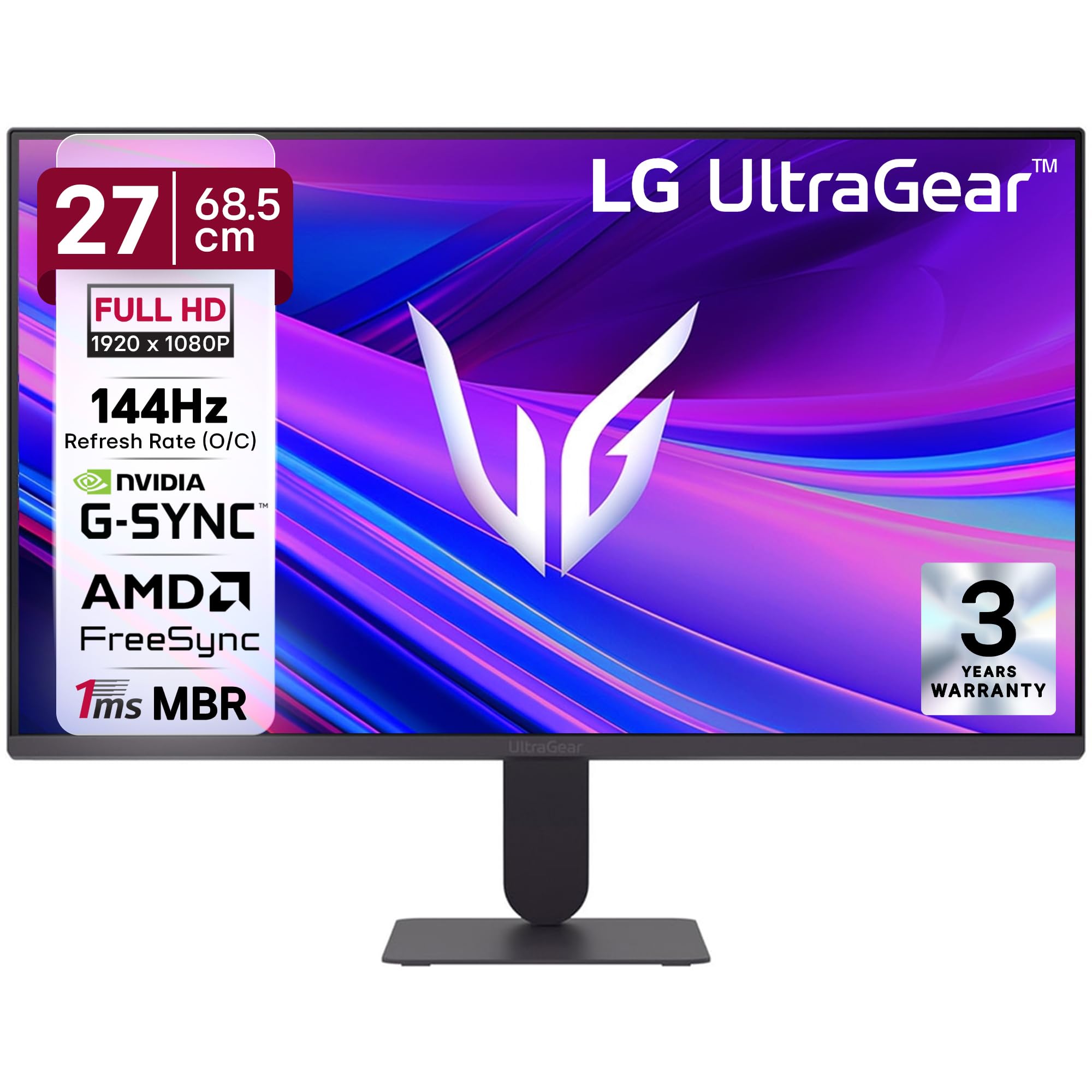
Рисунок 1: Передняя часть view of the LG 27G411A UltraGear Gaming Monitor.
2. Информация по технике безопасности
Соблюдайте следующие меры предосторожности, чтобы предотвратить повреждение изделия или нанесение травм себе и окружающим.
- Власть: Use only the power cord and adapter supplied with the monitor. Do not overload power outlets.
- Размещение: Place the monitor on a stable, level surface. Avoid direct sunlight, heat sources, and areas with high humidity or dust. Ensure adequate ventilation around the monitor.
- Умение обращаться: Do not drop the monitor or subject it to strong impacts. Avoid touching the screen with sharp objects.
- Уборка: Перед чисткой отсоедините шнур питания. Используйте мягкую сухую ткань. Не используйте жидкие чистящие средства или аэрозоли.
- Ремонт: Не пытайтесь ремонтировать этот продукт самостоятельно. Поручите все обслуживание квалифицированному обслуживающему персоналу.
3. Содержимое упаковки
Убедитесь, что в коробке с продуктом присутствуют все предметы:
- LG 27G411A UltraGear Monitor
- Силовой кабель
- HDMI-кабель
- Подставка для монитора (основание и горловина)
- Руководство пользователя (этот документ)
4. Настройка
4.1 Сборка монитора
Выполните следующие шаги, чтобы собрать подставку для монитора и прикрепить ее к панели дисплея.
- Carefully place the monitor face down on a soft cloth or cushion to prevent scratches.
- Attach the stand neck to the base, securing it with the captive screw.
- Align the assembled stand with the mounting slot on the back of the monitor panel and push until it clicks into place.
- Alternatively, the monitor supports VESA 100x100mm wall mounting. Remove the stand if using a wall mount.

Figure 2: Illustration of the monitor's ultra-slim design, tilt adjustment, and VESA wall mount compatibility.
4.2 Подключение монитора
Подключите ваши устройства к монитору с помощью соответствующих кабелей.
- Подключение питания: Подключите кабель питания к разъему питания монитора, а затем к розетке.
- HDMI-соединение: Use the supplied HDMI cable to connect your computer or gaming console to the HDMI port on the monitor.
- Подключение DisplayPort: For optimal performance, especially for 144Hz refresh rate, connect your computer to the DisplayPort (DP) on the monitor using a DisplayPort cable (not always included).
- Выход для наушников: Connect headphones or external speakers to the 3-pole headphone out port for audio output.

Рисунок 3: Сзади view of the monitor displaying the power input, HDMI, DisplayPort, and headphone out ports.

Рисунок 4: Подробная информация view of the DisplayPort (DP-IN), HDMI, and Headphone (HP) ports.
5. Инструкция по эксплуатации
5.1 Включение/выключение питания
Press the joystick button located at the bottom center of the monitor to turn it on or off. A short press will bring up the OSD menu, while a long press will power off the monitor.
5.2 Экранное меню (OSD)
Экранное меню позволяет настраивать различные параметры монитора. Для навигации используйте кнопку-джойстик:
- Перемещайте джойстик вверх/вниз/влево/вправо для навигации по пунктам меню.
- Нажмите на джойстик, чтобы выбрать опцию или подтвердить настройку.
5.3 Режимы изображения
The monitor offers several preset picture modes optimized for different content types:
- Обычай: Allows manual adjustment of all picture settings.
- Gamer1/Gamer2: User-configurable modes for gaming preferences.
- FPS/RTS: Optimized for First-Person Shooter and Real-Time Strategy games.
- Яркий: Enhances color and contrast for general viewинж.
- Читатель: Снижает уровень синего света для комфортного чтения.
- HDR-эффект: Simulates HDR content for non-HDR sources.
- Слабость цвета: Adjusts color settings to assist users with color vision deficiency.
5.4 Улучшения игрового процесса
The LG 27G411A is equipped with features to enhance your gaming experience:
- Частота обновления 144 Гц и MBR 1 мс: Experience fluid motion and reduced ghosting. The monitor supports a native 120Hz refresh rate and up to 144Hz in overclock mode via DisplayPort 1.4 (HDMI 2.0 supports up to 144Hz).
- AMD FreeSync & NVIDIA G-Sync Compatible: Синхронизирует частоту обновления монитора с частотой кадров графического процессора, устраняя разрывы и заикания экрана.
- Черный стабилизатор: Brightens dark areas to help you spot enemies hiding in shadows.
- Динамическая синхронизация действий (DAS): Минимизирует задержку ввода для действий в реальном времени.
- Перекрестие: Размещает фиксированное перекрестие в центре экрана для улучшения прицеливания в играх жанра FPS.
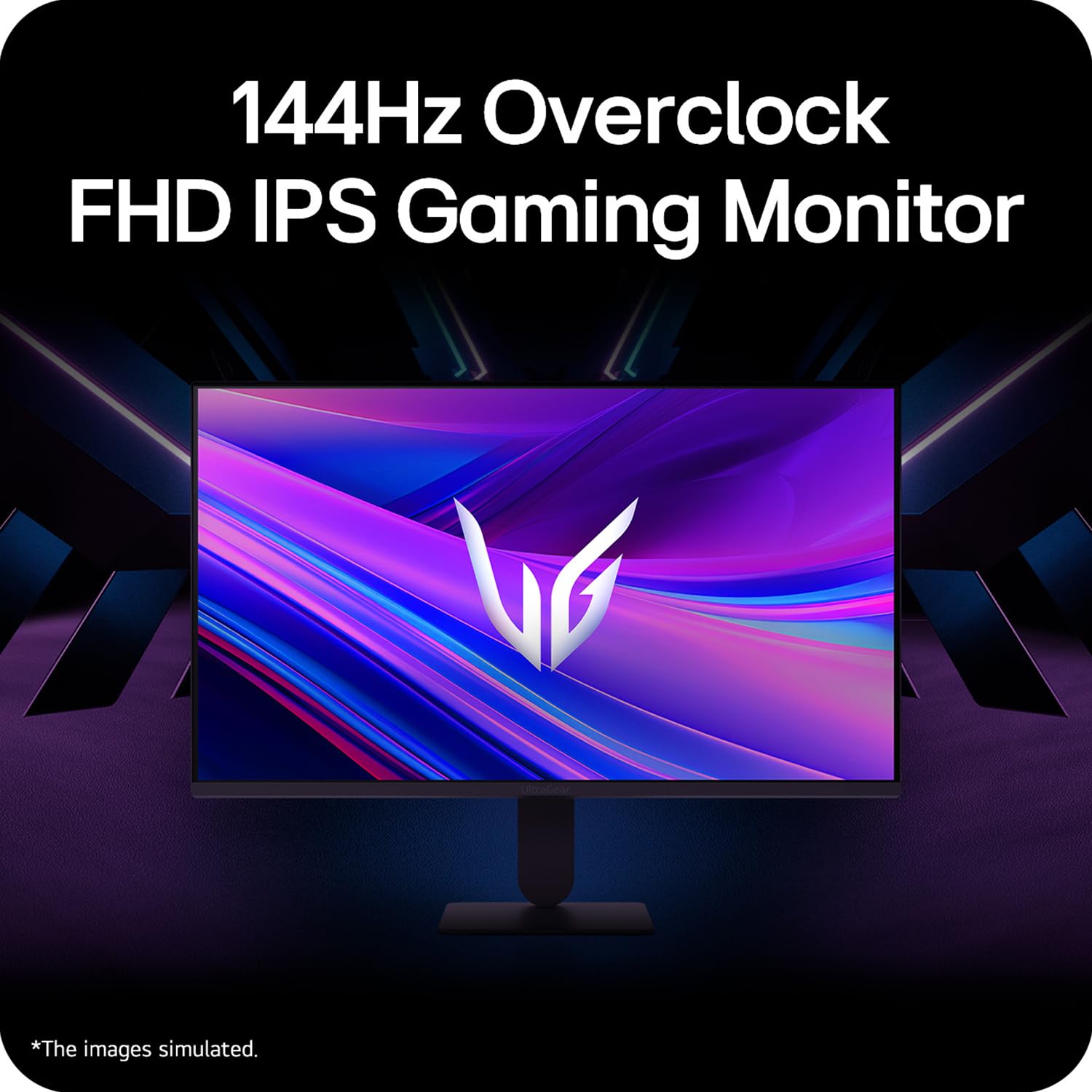
Figure 5: Visual representation of 144Hz overclock for fluid gaming motion.

Figure 6: Illustration of 1ms Motion Blur Reduction (MBR) for fast-paced gaming. Note: 1ms MBR causes lowered luminance and cannot be used with AMD FreeSync/DAS. Flicker may occur during 1ms MBR operation.

Figure 7: The monitor is certified compatible with NVIDIA G-Sync and AMD FreeSync technologies.

Figure 8: Precision Gaming Mode features: Dynamic Action Sync (DAS), Black Stabilizer, and Crosshair.
5.5 Характеристики защиты зрения
To reduce eye strain during prolonged use, the monitor includes:
- Безопасное мерцание: Reduces screen flicker to minimize eye fatigue.
- Режим чтения: Adjusts color temperature and brightness to simulate paper, making it easier on the eyes for reading tasks.
- Слабость цвета: Provides color adjustments for users with color vision deficiencies.
5.6 Smart Convenience (LG Switch App)
The LG Switch app offers enhanced control and customization options for your monitor directly from your computer. Features include Dual mode, Smart screen split, Launch a video call, and Personalized Picture Wizard.

Figure 9: The LG Switch app provides smarter control and seamless switching between various display modes and settings.
6. Техническое обслуживание
6.1 Очистка монитора
To maintain the monitor's appearance and performance:
- Перед чисткой всегда отключайте монитор от розетки.
- Используйте мягкую безворсовую ткань, чтобы аккуратно протереть экран и внешние поверхности.
- Для удаления стойких пятен слегка потритеampПромокните ткань водой или мягким неабразивным средством для чистки экранов. Не распыляйте жидкость непосредственно на экран.
- Avoid using benzene, alcohol, or other volatile solvents, as they may damage the monitor.
7. Поиск Неисправностей
Если у вас возникли проблемы с монитором, воспользуйтесь следующими распространенными решениями:
| Проблема | Возможная причина/решение |
|---|---|
| Нет электричества | Ensure the power cable is securely connected to the monitor and a working power outlet. Check if the power outlet is functional. |
| Нет сигнала / Пустой экран | Verify that the video cable (HDMI or DisplayPort) is securely connected to both the monitor and your computer/device. Ensure the correct input source is selected in the OSD menu. Check if the computer is powered on and not in sleep mode. |
| Мерцающее или искаженное изображение | Check the video cable for damage or loose connections. Try a different video cable or port. Adjust the refresh rate settings on your computer. Disable 1ms MBR if flicker is observed. |
| Backlight leakage on corners | Minor backlight leakage can be a characteristic of IPS panels, especially visible on a completely black screen in a dark environment. This is generally not considered a defect unless it significantly impacts normal viewинж. |
| Monitor not recognized by PC | Update your graphics card drivers. Restart your computer. |
8. Технические характеристики
Key technical specifications for the LG 27G411A UltraGear Gaming Monitor:
- Размер экрана: 27 дюйма (68.5 см)
- Тип панели: ИПС
- Разрешение: FullHD (1920 x 1080)
- Соотношение сторон: 16:9
- Частота обновления: 144 Hz (Overclock)
- Время ответа: 1ms MBR (5ms GTG)
- Яркость: 250 кд/м² (типично)
- Коэффициент контрастности: 1500:1
- Цветовая гамма: 99% sRGB
- Поддержка HDR: HDR10
- Адаптивная синхронизация: Совместимость с NVIDIA G-Sync и AMD FreeSync.
- ViewУгол входа: 178° (Г/В)
- Связь: 1 x HDMI, 1 x DisplayPort, 1 x выход для наушников
- Dimensions (with stand, WxHxD): 61.2 x 45.2 x 22 см (24.07 x 17.81 x 8.66 дюймов)
- Вес (с подставкой): 3.8 кг
- Потребляемая мощность: 20 Вт (типично)
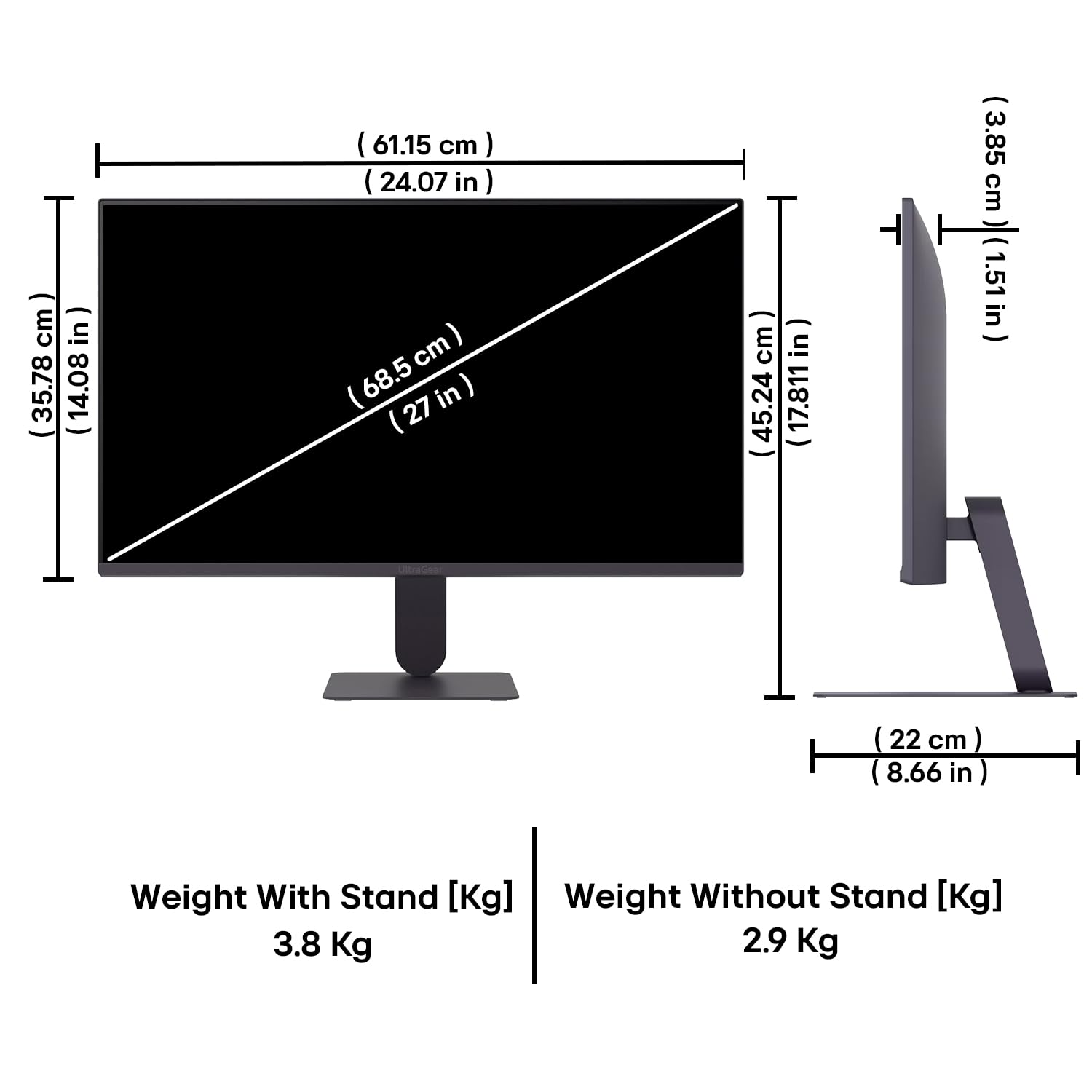
Figure 10: Physical dimensions and weight of the LG 27G411A monitor with and without the stand.
9. Информация о гарантии
This LG 27G411A UltraGear Gaming Monitor comes with a 3 года гарантии производителя covering parts and labor. Please retain your proof of purchase for warranty claims. For detailed terms and conditions, refer to the warranty card included in your product packaging or visit the official LG webсайт.
10. Поддержка клиентов
Для получения дополнительной помощи, технической поддержки или по вопросам обслуживания обращайтесь в службу поддержки клиентов LG. Контактную информацию можно найти на официальном сайте LG. webсайте или в документации, прилагаемой к вашему монитору.
LG Electronics Индия Pvt. ООО
PLOT NO. A-5, MIDC RANJANGAON.
TALUKA SHIRUR, PUNE, MAHRASHTRA (INDIA), 412220