
Введение
This manual provides essential instructions for setting up, operating, and maintaining your SGIN-T12S Android Tablet. Please read this guide thoroughly to ensure proper use and to maximize your tablet's performance and longevity.

Image: The SGIN-T12S Android Tablet, showcasing its 12-inch screen with the Android 13 operating system and a protective blue case.
Настраивать
1. Устройство перешлоview и порты

Image: A detailed diagram illustrating the various components and ports of the SGIN-T12S tablet, including cameras, power button, volume controls, speakers, Type-C port, and TF mount.
- Фронтальная камера: Для видеозвонков и селфи.
- Задняя камера: Для фото- и видеосъемки.
- Кнопка включения / выключения питания: Нажмите и удерживайте для включения или выключения.
- Кнопка увеличения громкости: Регулирует уровень выходного звука.
- Reduce Volume Button: Регулирует уровень выходного звука.
- Стереодинамики: Обеспечивает вывод звука.
- TF Mount: Slot for inserting a Micro TF (microSD) card.
- Порт Type-C: Для зарядки и передачи данных.
2. Зарядка планшета
Before first use, fully charge your tablet. Use the included Type-C fast charger.
- Подключите кабель Type-C к порту Type-C планшета.
- Подключите зарядное устройство к розетке.
- Индикатор заряда батареи на экране покажет состояние зарядки.

Image: Visual representation of the tablet's 8000mAh battery capacity and the Type-C universal charging port, emphasizing long battery life.
3. Включение и выключение
- Для включения: Нажмите и удерживайте кнопку включения/выключения питания, пока не появится логотип SGIN.
- Чтобы выключить: Press and hold the Power ON/OFF button, then select 'Power off' from the options on the screen.
- Начать заново: Press and hold the Power ON/OFF button, then select 'Restart' from the options.
4. Начальная настройка
Upon first power-on, the tablet will guide you through the initial setup process for Android 13. This includes:
- Выбор языка.
- Подключение к сети Wi-Fi.
- Setting up your Google account (required for Google Mobile Services and app downloads).
- Setting up screen lock (PIN, pattern, or password).
5. Inserting a Micro TF Card
To expand storage, insert a Micro TF (microSD) card into the TF mount.
- Locate the TF mount on the side of the tablet (refer to the Device Overview образ).
- Аккуратно вставьте карту Micro TF в слот до щелчка.
- The tablet supports up to 256GB TF card expansion.
Инструкция по эксплуатации
1. Дисплей и сенсорный экран
The tablet features an 11.97-inch Full HD IPS touch screen with a resolution of 1920x1200 pixels.
- Сенсорные жесты: Use standard Android touch gestures such as tap, swipe, pinch-to-zoom, and long-press.
- Поворот экрана: The display automatically adjusts orientation based on how you hold the tablet. This can be locked or unlocked in the Quick Settings panel.
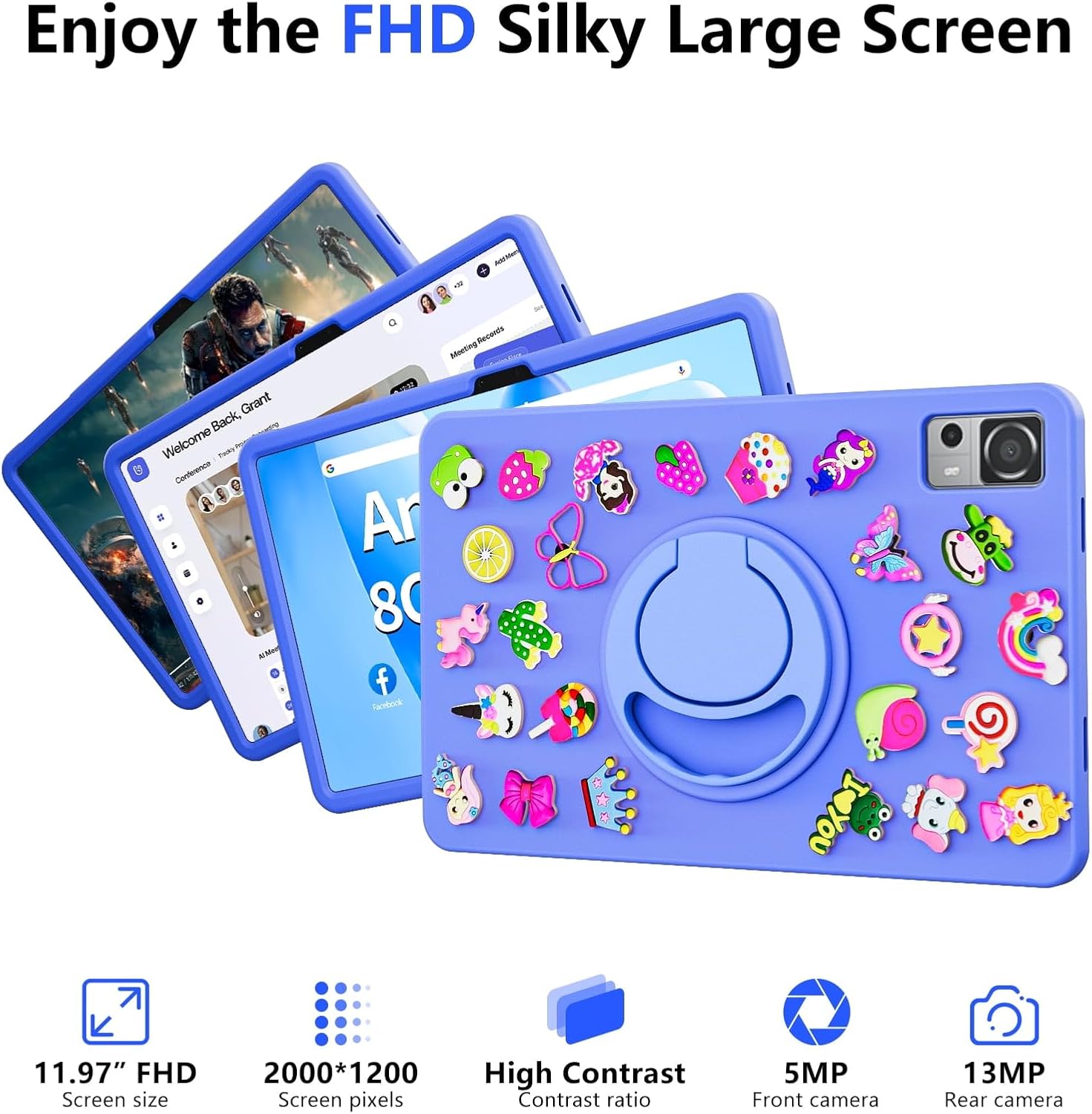
Image: The SGIN-T12S tablet highlighting its 11.97-inch FHD screen, 2000x1200 pixel resolution, 5MP front camera, and 13MP rear camera.
2. Камеры
Планшет оснащен 5-мегапиксельной фронтальной камерой и 13-мегапиксельной тыловой камерой.
- Откройте приложение «Камера» на главном экране или в панели приложений.
- Переключайтесь между фронтальной и тыловой камерами с помощью значка на экране.
- Tap to focus and press the shutter button to capture photos or start/stop video recording.
3. аудио
Experience immersive sound with the tablet's quad speakers and 3.5mm headphone jack.
- Четыре динамика: Located on the sides of the tablet, providing stereo sound.
- Порт для наушников: Подключите стандартные наушники с разъемом 3.5 мм для прослушивания в приватном режиме.
- Adjust volume using the physical volume buttons or the on-screen controls.

Image: The SGIN-T12S tablet illustrating its surround four-speaker stereo system, designed for an immersive audio experience.
4. Связь
- Wi-Fi: Supports dual-band Wi-Fi (2.4G/5G). Go to Настройки > Сеть и Интернет > Wi-Fi для подключения к доступным сетям.
- Bluetooth 5.0: For connecting wireless accessories like headphones, keyboards, or mice. Go to Настройки> Подключенные устройства> Параметры подключения> Bluetooth. to pair devices.
5 Хранение и производительность
The tablet comes with 8GB RAM and 256GB internal storage, expandable via Micro TF card.
- БАРАН: 8GB LPDDR4 RAM ensures smooth multitasking and app performance.
- Внутренняя память: 256GB ROM for apps, photos, videos, and documents.
- Расширяемое хранилище: Supports Micro TF cards up to 256GB for additional storage.
- Процессор: Powered by an ARM high-performance 8-core CPU with a frequency up to 2GHz for efficient operation.
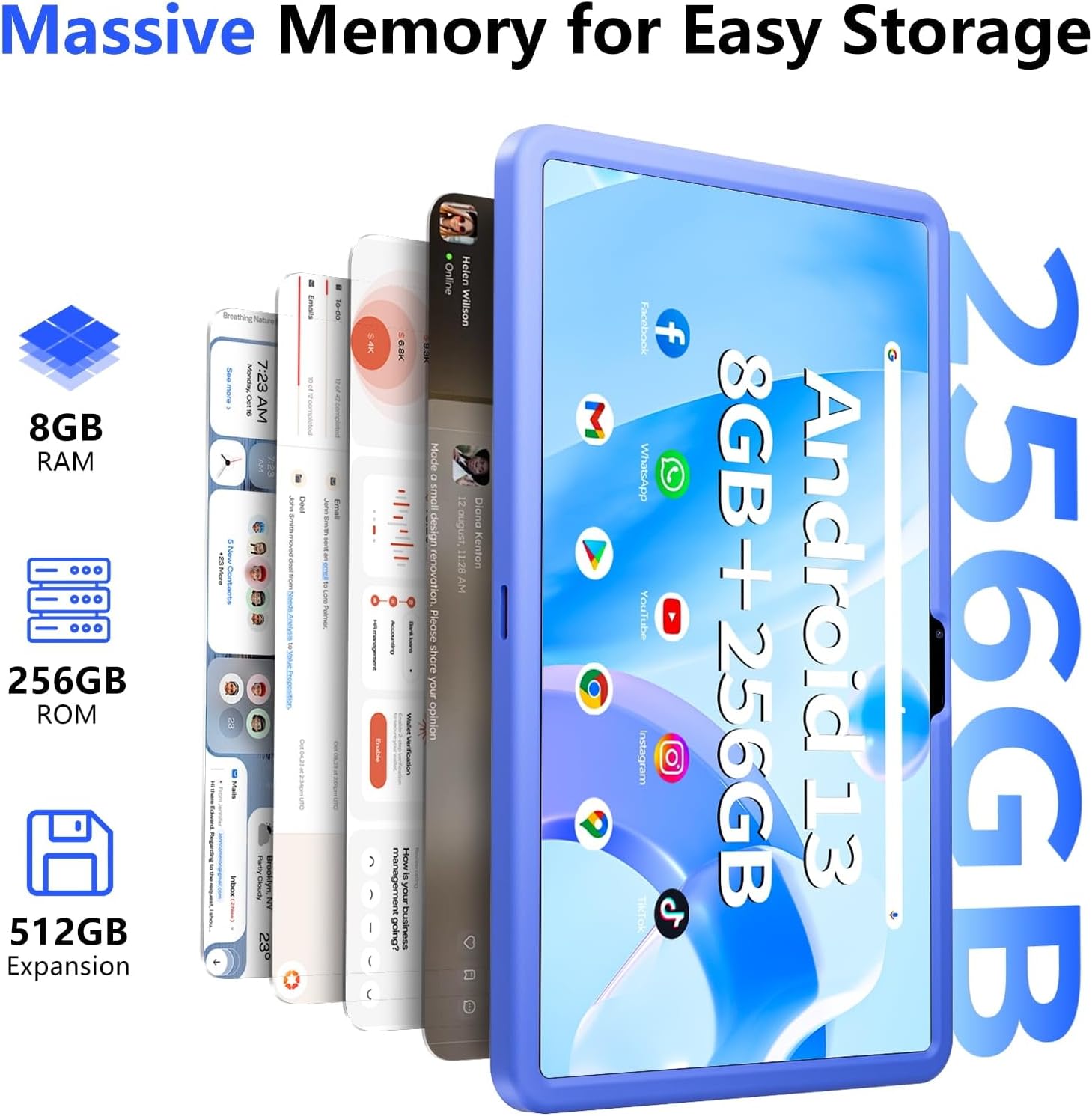
Image: The SGIN-T12S tablet emphasizing its large memory capacity, including 8GB RAM, 256GB ROM, and the potential for 512GB expansion.
6. Операционная система Android 13
The tablet runs on Android 13, offering enhanced security and personalization features.
- Безопасность: Android 13 provides improved privacy controls and system security.
- Персонализация: Customize your tablet's interface, themes, and widgets to suit your preferences.
- Google Mobile Services: Access to Google Play Store for apps, Gmail, Google Maps, and other Google services.

Image: The SGIN-T12S tablet highlighting the benefits of Android 13, such as enhanced security and personalization, alongside its matte metal body and silicone shell options.
Обслуживание
1. Уборка
- Для очистки экрана и корпуса планшета используйте мягкую безворсовую ткань.
- Для стойких пятен слегка разотритеampсмочите ткань водой или раствором для чистки экранов.
- Избегайте использования едких химикатов, абразивных материалов и чрезмерной влажности.
2. Уход за аккумулятором
- Избегайте экстремальных температур, так как они могут сократить срок службы батареи.
- Для обеспечения оптимальной работоспособности аккумулятора избегайте частой его полной разрядки или 100%-ной зарядки в течение длительного времени.
- The 8000mAh battery provides approximately 7-9 hours of usage depending on activity.
3. Обновления программного обеспечения
- Регулярно проверяйте и устанавливайте обновления системы, чтобы ваш планшет был оснащен новейшими функциями, исправлениями безопасности и улучшениями производительности.
- Перейти к Настройки > Система > Обновление системы для проверки обновлений.
Поиск неисправностей
- Планшет не включается: Ensure the tablet is charged. Connect it to the charger and wait a few minutes before attempting to power on again. If it still doesn't turn on, try holding the power button for 10-15 seconds.
- Экран не отвечает: Try restarting the tablet. If the issue persists, ensure the screen is clean and free of debris.
- Проблемы с подключением к Wi-Fi: Проверьте, включен ли Wi-Fi в настройках. Перезагрузите роутер и планшет. Убедитесь, что вы находитесь в зоне действия сигнала Wi-Fi и ввели правильный пароль.
- Приложения вылетают или зависают: Close and reopen the app. Clear the app's cache (Settings > Apps > [App Name] > Storage & cache > Clear cache). If the problem continues, uninstall and reinstall the app.
- Низкая производительность: Close unnecessary background apps. Clear cached data. Consider removing unused apps or large files, чтобы освободить место для хранения.
Технические характеристики
| Особенность | Спецификация |
|---|---|
| Название модели | SGIN-T12S |
| Операционная система | Андроид 13 |
| Размер экрана | 11.97 дюйма |
| Максимальное разрешение экрана | 2000*1200 Pixels (FHD IPS) |
| Процессор | ARM Octa-Core 2.0 GHz (ARM_Cortex_A5) |
| БАРАН | 8 ГБ DDR4 SDRAM |
| Жесткий диск (ПЗУ) | 256 ГБ |
| Расширяемое хранилище | Supports Micro TF card up to 256 GB |
| Передняя камера | 5 МП |
| Задняя камера | 13 МП |
| Тип беспроводной связи | 802.11bgn (Dual-band 2.4G/5G Wi-Fi) |
| Bluetooth | Блютус 5.0 |
| Аккумулятор | 8000 mAh Lithium Ion (Average 6-9 hours) |
| Порты | Type-C, Micro TF slot, 3.5mm Headphone Jack |
| Аудио | Четыре динамика |
| Вес товара | 2.2 фунта (приблизительно 500 граммов) |
| Размеры продукта | 11.97 x 6.85 x 0.3 дюйма |
Гарантия и поддержка
Information regarding specific warranty terms and direct support contact details for the SGIN-T12S tablet is not provided in the available product data. Please refer to the product packaging or the official SGIN webНа этом сайте вы найдете самую актуальную информацию о гарантии и вариантах поддержки клиентов.