
1. Введение
This manual provides detailed instructions for the safe and efficient operation of the Jesverty SPS-3030N DC Power Supply. This is a variable, regulated bench power supply designed for various applications requiring precise voltage and current control. Please read this manual thoroughly before using the device.
2. Меры предосторожности
- Всегда подключайте блок питания к заземленной розетке.
- Не эксплуатируйте устройство во влажных или сухих условиях.amp условия.
- Обеспечьте надлежащую вентиляцию вокруг устройства во избежание перегрева.
- Не открывайте сasing; внутри нет деталей, подлежащих обслуживанию пользователем. По всем вопросам обслуживания обращайтесь к квалифицированному персоналу.
- Проверьте входной объемtage requirements match your local power supply before connecting. This model does NOT have a 115V/230V input selectable switch. The power cords and AC input settings vary depending on the destination for the product at the factory-shipment.
- Always set the current and voltage correctly before connecting a load, especially when charging batteries.
3. Продукт закончилсяview
3.1 Передняя панель
The front panel features a large 4-digit LED display for real-time voltage and current readings, encoder adjustment knobs for precise control, and front output terminals.

Рисунок 3.1: Передний view of the Jesverty SPS-3030N DC Power Supply, highlighting the 4-digit LED display and encoder adjustment knobs for voltagе и ток.
- 4-разрядный светодиодный дисплей: Отображает выходной уровень громкостиtage (V) and current (A) with a resolution of up to 0.01V and 0.001A.
- Томtage Ручка регулировки: Encoder knob for setting the output voltage.
- Ручка регулировки тока: Encoder knob for setting the output current limit.
- Front Output Terminals: Positive (+) and Negative (-) terminals for connecting loads, typically used for lower current applications (e.g., 5A max).
3.2 Задняя панель
The rear panel includes the main power input, fuse holder, and auxiliary output terminals for higher current applications.

Рисунок 3.2: Задний view of the Jesverty SPS-3030N DC Power Supply, illustrating the main output terminals, intelligent cooling fan, power input, and fuse.
- Основные выходные клеммы: Red for positive (+), Black for negative (-). These are the primary output terminals for the full rated current.
- Интеллектуальный вентилятор охлаждения: Temperature-controlled fan for efficient heat dissipation.
- Вход питания переменного тока: Разъем для шнура питания.
- Патрон плавкого предохранителя: Содержит предохранитель для устройства.
4. Настройка
- Распаковка: Аккуратно извлеките блок питания из упаковки. Проверьте его на наличие повреждений, полученных во время транспортировки.
- Размещение: Place the unit on a stable, level surface with adequate ventilation. Ensure no objects obstruct the cooling fan vents on the rear panel.
- Подключение питания: Connect the provided power cord to the AC power input on the rear panel and then to a suitable grounded electrical outlet.
- Первоначальное включение: Turn on the power switch. The LED display should illuminate, showing default voltage и текущие настройки.
5. Инструкция по эксплуатации
5.1 Основные операции
- Настройка громкостиtage: Поверните Томtage Ручка регулировки чтобы установить желаемую выходную громкостьtage. The 4-digit LED display will show the set value.
- Установка текущего лимита: Поверните Ручка регулировки тока to set the maximum output current. This acts as a current limit to protect your load.
- Присоединительная нагрузка: Connect your device or circuit to the output terminals. For higher currents, use the main output terminals on the rear. For lower currents (up to 5A), the front terminals can be used. Ensure correct polarity (+ to +, - to -).
- Применение силы: Однажды voltage and current limits are set and the load is connected, the power supply will deliver power according to the set parameters. The display will show the actual output voltagе и ток.
5.2 Постоянный объемtage (CV) Режим
В режиме CV источник питания поддерживает постоянное выходное напряжение.tage as long as the load current does not exceed the preset current limit. If the load resistance decreases, the current will increase until it reaches the set current limit, at which point the unit will switch to C.C. mode.
5.3 Режим постоянного тока (CC)
In C.C. mode, the power supply maintains a constant output current at the preset limit. This occurs when the load resistance is low enough to draw more current than the set limit. The output voltage will automatically adjust to maintain the constant current. The V and A settings you set are the crossover point at which the mode switches.
5.4 Функция зарядки аккумулятора
The SPS-3030N can be used for charging various battery types, including Ni-MH, Lithium, LiFePO4, and Lead-Acid batteries. Важный: Always set the correct voltage and current limits appropriate for the specific battery type and capacity before connecting the battery for charging.
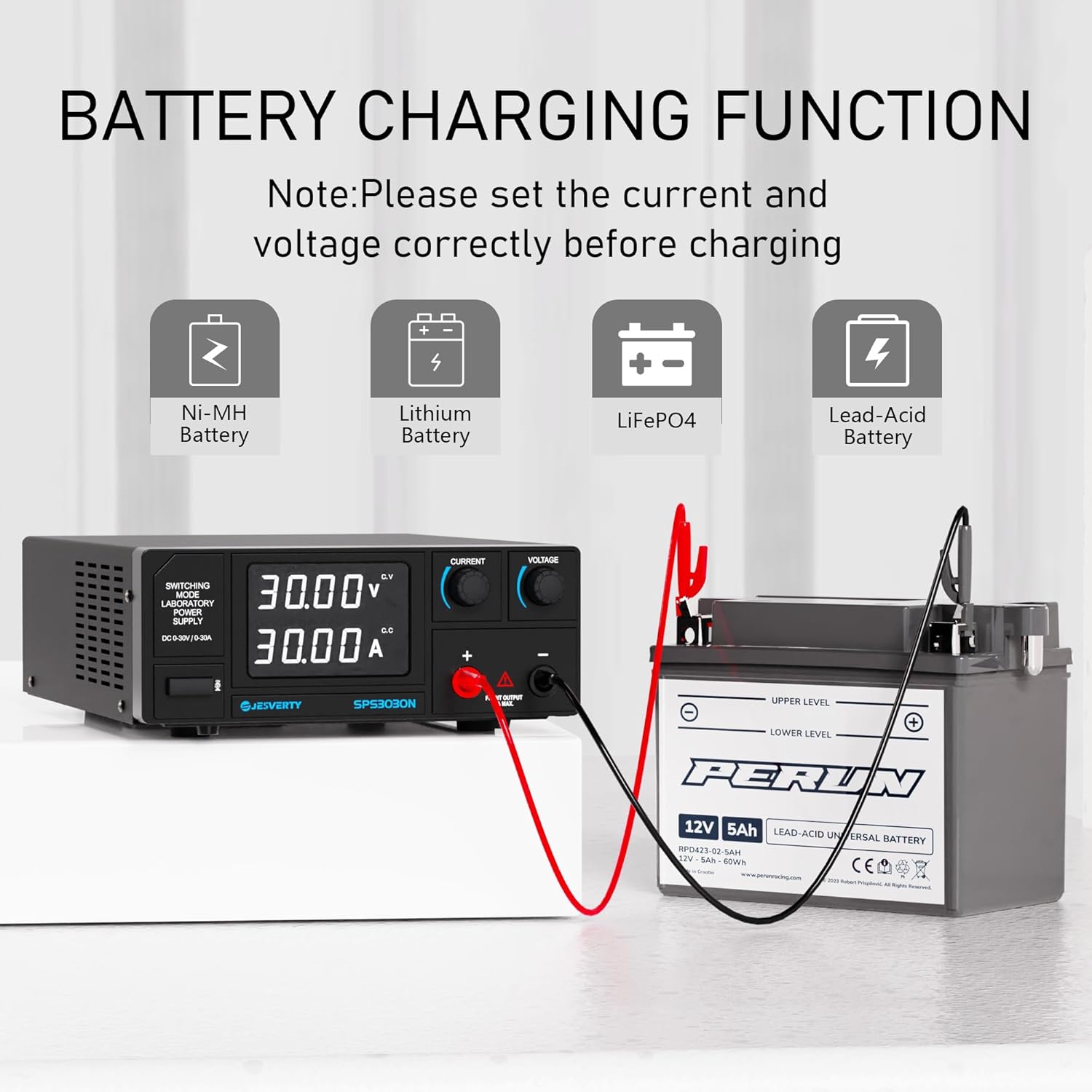
Рисунок 5.4: The Jesverty SPS-3030N DC Power Supply demonstrating its battery charging capability for various battery chemistries.
6. Техническое обслуживание
- Уборка: Перед чисткой отключите блок питания от розетки переменного тока. Протрите корпус мягкой сухой тканью. Не используйте абразивные чистящие средства или растворители.
- Вентиляция: Regularly check that the cooling fan vents are free from dust and obstructions.
- Замена предохранителя: If the unit fails to power on, check the fuse located on the rear panel. Replace it only with a fuse of the same type and rating.
7. Поиск Неисправностей
| Проблема | Возможная причина | Решение |
|---|---|---|
| Нет питания/дисплей выключен | Шнур питания не подключен; Выключатель питания выключен; Перегорел предохранитель | Check power cord connection; Turn on power switch; Replace fuse with correct rating. |
| Нет выходной громкостиtagе/ток | Выходные клеммы не подключены; Громкостьtage/Current set to zero; Overload protection activated | Connect load correctly; Adjust voltage/current knobs; Reduce load or check for short circuit. |
| Устройство перегревается | Затрудненная вентиляция; чрезмерная нагрузка | Ensure clear airflow around vents; Reduce load or operating time. |
8. Технические характеристики

Рисунок 8.1: Physical dimensions and weight of the Jesverty SPS-3030N DC Power Supply.
| Особенность | Спецификация |
|---|---|
| Модель | СПС-3030Н |
| Выход Voltage | 0-30 В (регулируемое) |
| Выходной ток | 0-30А (регулируемый) |
| Выходная мощность | 900W Max |
| Отображать | 4-Digit LED (0.01V, 0.001A resolution) |
| Метод контроля | Ручки энкодера |
| Охлаждение | Вентилятор с регулируемой температурой |
| Размеры (Д x Ш x В) | 290 мм x 210 мм x 80 мм (прибл. 11.4 x 8.3 x 3.15 дюйма) |
| Масса | Приблизительно 3.0 кг (6.4 фунта) |
| Тип разъема | Binding Posts, Banana Jacks, Aux Output Terminal |
| Сертификация безопасности | CE |
9. Гарантия и поддержка
Jesverty provides professional technical support for this product. If you encounter any problems or have questions regarding your order or the device's operation, please contact Jesverty Customer Service via Amazon or email. Refer to the contact information provided with your purchase or on the official Jesverty webсайт.