
Введение
The MAIWO K3015CF6 is a versatile 6-bay CFast Card Reader and 1-to-5 Offline Cloner designed for efficient data management. It supports CFast 2.0 cards and offers both online read/write capabilities via USB 3.0 and standalone offline cloning. This manual provides detailed instructions for setting up, operating, and maintaining your device.
Содержимое упаковки
Пожалуйста, проверьте наличие всех предметов в вашей посылке:
- 1x MAIWO CFast Card Reader & Cloner (K3015CF6)
- 1x USB-C to USB-C + USB-A Cable
- 1x источник питания 12 В/5 А
- Краткое руководство пользователя 1x

Продукт болееview
Familiarize yourself with the physical components and indicators of your MAIWO CFast Card Reader & Cloner.

- Кнопка питания: Включает и выключает устройство.
- Кнопка клонирования: Запускает процесс клонирования в автономном режиме.
- Световой индикатор питания: Указывает состояние питания.
- Progress Display: Shows cloning progress or other status information.
- CFast Card Slots (Source 0, Target 1-5): Bays for inserting CFast cards.
- Порт Type-C: USB 3.1 data transfer interface for PC connection.
- Порт постоянного тока: For connecting the 12V/5A power supply.
Индикаторные лампы
The device uses indicator lights to communicate its status:
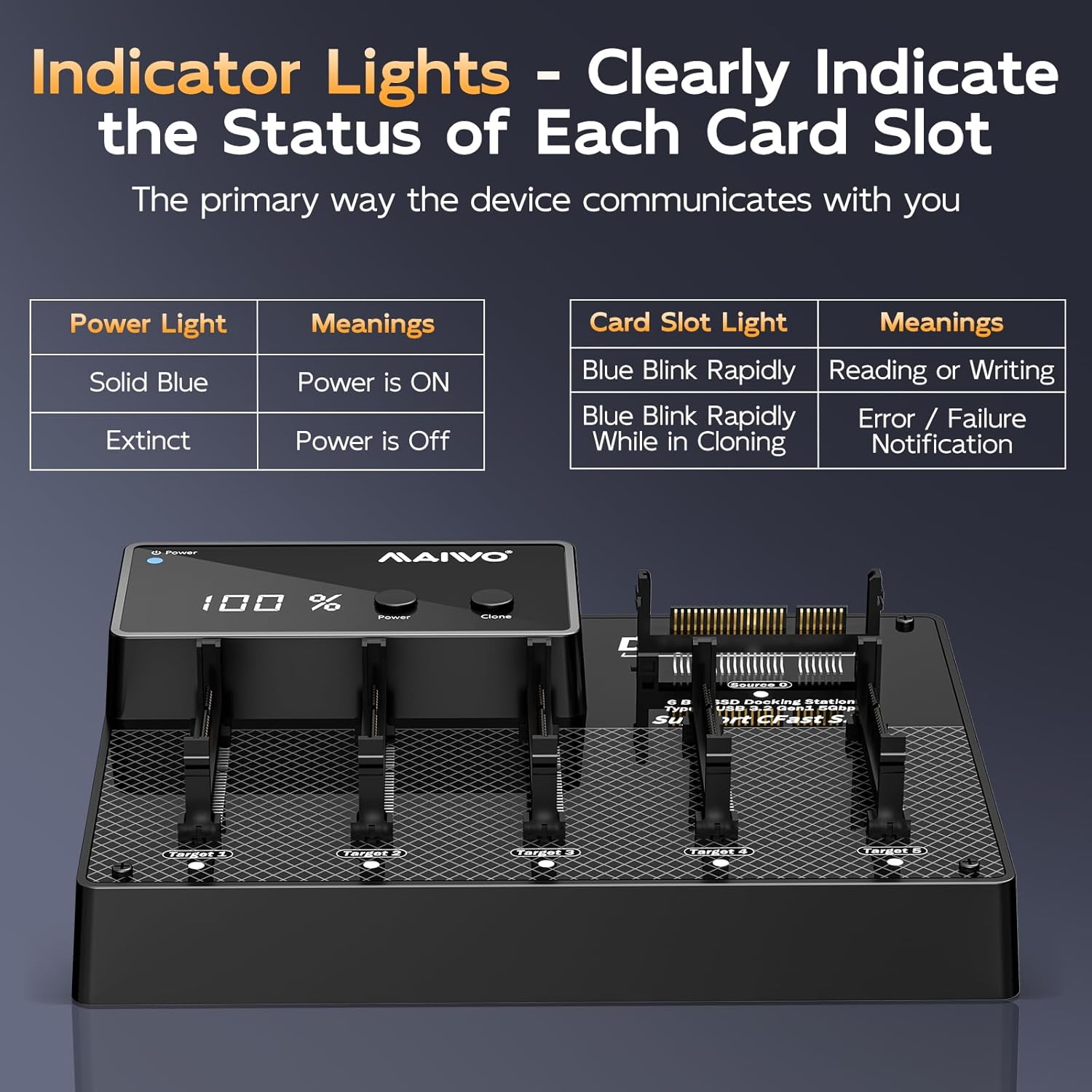
| Индикатор | Статус | Значение |
|---|---|---|
| Мощность света | Сплошной синий | Питание включено |
| Мощность света | Вымерший | Питание выключено |
| Card Slot Light | Blue Blink Rapidly | Reading or Writing |
| Card Slot Light | Blue Blink Rapidly While in Cloning | Error / Failure Notification |
Настраивать
Follow these steps to set up your MAIWO CFast Card Reader & Cloner:
- Подключите питание: Plug the provided 12V/5A power adapter into the DC IN port on the back of the device, then connect the adapter to a power outlet.
- Включение питания: Press the Power button on the device. The Power Indicator Light should turn solid blue.
- (Optional) Connect to PC: If you intend to use the device as a card reader, connect the USB-C end of the provided cable to the Type-C port on the device, and the other end (USB-C or USB-A) to your computer.

Инструкция по эксплуатации
Online Read & Write Operations (PC Connected)
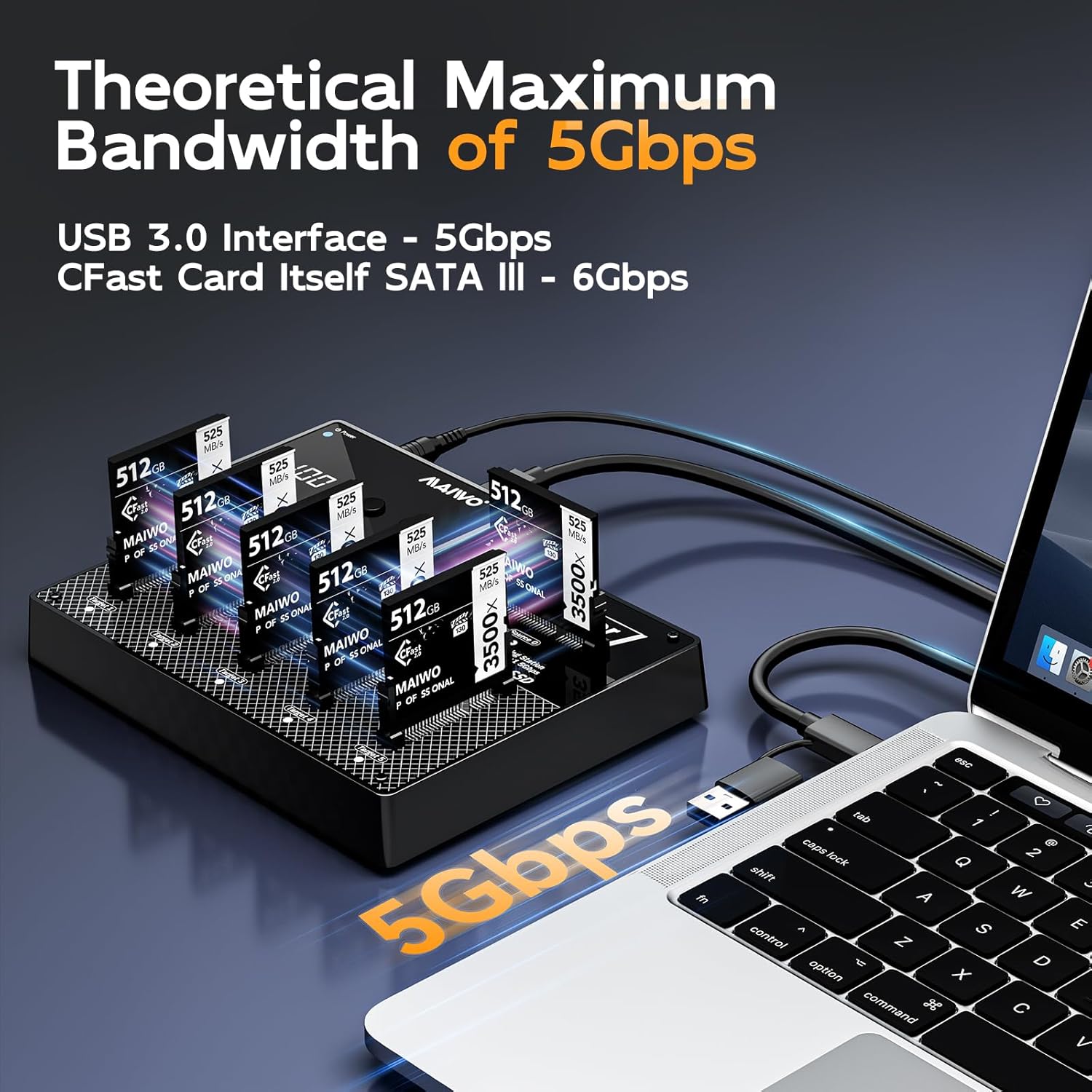
When connected to a computer, the device functions as a multi-card reader, allowing independent access to each CFast card.
- Ensure the device is powered on and connected to your computer via the USB cable.
- Insert CFast cards into any of the available slots (Source 0, Target 1-5).
- Your computer's operating system (Windows, macOS, Linux) will detect the inserted cards as separate drives.
- You can now read from or write to the CFast cards as you would with any external storage device.

Offline Cloning Process (Standalone Operation)
The device supports 1-to-5 offline cloning without requiring a computer.
- Подготовка карточек: Ensure the source CFast card (the card you want to copy from) is inserted into the Источник 0 slot. Insert up to five destination CFast cards (the cards you want to copy to) into the Цель 1 через Цель 5 слоты.
- Требования к мощности: Each target card must have equal or greater physical storage capacity than the source card.
- Включение питания: Убедитесь, что устройство включено.
- Инициировать клонирование: Нажмите и удерживайте Клон button for approximately 3-5 seconds until the cloning process begins. The progress display will show the cloning percentage, and the target card slot lights will blink rapidly.
- Завершение: The cloning process is complete when the progress display shows 100% and the indicator lights for the target cards stop blinking.
- Безопасное удаление: Once cloning is complete, power off the device before removing the CFast cards.


Обслуживание
To ensure the longevity and optimal performance of your MAIWO CFast Card Reader & Cloner, follow these maintenance guidelines:
- Уборка: Для чистки внешней поверхности устройства используйте мягкую сухую ткань. Не используйте жидкие чистящие средства или растворители.
- Хранилище: Храните устройство в прохладном, сухом месте, вдали от прямых солнечных лучей и экстремальных температур.
- Умение обращаться: Handle CFast cards and the device with care to prevent physical damage to connectors and slots.
- Рассеивание тепла: The device features an aluminum alloy chassis for passive cooling. Ensure adequate airflow around the device during operation to prevent overheating.

Поиск неисправностей
Если у вас возникли проблемы с вашим устройством, ознакомьтесь со следующими распространенными проблемами и решениями:
- Устройство не включается:
- Ensure the 12V/5A power adapter is securely connected to both the device and a working power outlet.
- Убедитесь, что розетка исправна.
- CFast Cards Not Detected (PC Connected):
- Check if the USB cable is securely connected to both the device and the computer.
- Попробуйте использовать другой порт USB на вашем компьютере.
- Ensure the CFast cards are fully inserted into their respective slots.
- Test with a different CFast card to rule out card issues.
- Offline Cloning Fails or Stops:
- Ensure the source card is in the Источник 0 slot and target cards are in Target 1-5 слоты.
- Verify that all target cards have equal or greater capacity than the source card.
- Check for any error indications on the card slot lights (rapid blinking during cloning indicates an error).
- Ensure the cards are properly seated.
- Try cleaning the card contacts and reinserting.
- Низкая скорость передачи данных:
- Ensure you are using a USB 3.0 compatible port on your computer for optimal speeds.
- The actual speed may vary depending on the CFast card's speed and your computer's system performance.
Технические характеристики
| Особенность | Деталь |
|---|---|
| Номер модели | K3015CF6 |
| Бренд | МАЙВО |
| Цвет | Черный |
| аппаратный интерфейс | USB-тип C |
| Специальная характеристика | Подключи и работай |
| Совместимые устройства | Настольные компьютеры, игровые приставки, ноутбуки, планшеты |
| Общее количество портов USB | 6 (for CFast cards) |
| Скорость передачи данных | 5 гигабит в секунду (USB 3.1) |
| Совместимость с операционными системами | Windows, Mac OS, Linux |
| Материал корпуса | Акрилонитрилбутадиенстирол (АБС) |
| Размеры изделия (Д x Ш x В) | 3.46"Д x 2.24"Ш x 1.5"В |
| Вес товара | 2 фунта |
| Источник питания | 12В/5А |
| Максимальная вместимость | 3TB (6 x 512GB CFast cards) |

Гарантия и поддержка
The MAIWO K3015CF6 CFast Card Reader & Cloner comes with a Гарантия 12 месяца from the date of purchase, covering manufacturing defects. For technical support, warranty claims, or further assistance, please contact MAIWO customer service through the retailer where you purchased the product or visit the official MAIWO webсайт для контактной информации.
Сохраните чек о покупке для гарантийных целей.