
1. Введение
This manual provides detailed instructions for the safe and effective operation of your HelloBaby HB6081 Baby Monitor system. Please read this manual thoroughly before use and retain it for future reference. The system includes a 5.5-inch 720P HD monitor unit and two 1080P cameras, designed to provide secure and reliable monitoring of your baby without requiring a Wi-Fi connection.
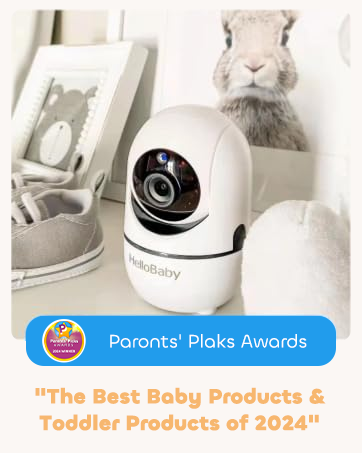
The HelloBaby HB6081 Baby Monitor system, featuring a parent unit and a camera, is designed for secure baby monitoring.
2 Важная информация по безопасности
- Опасность удушения: Keep all cords out of reach of children. Never place the camera or cords within 3 feet (1 meter) of the crib or playpen. Secure cords to a wall or floor using clips or ties.
- Опасность удушья: Этот продукт содержит мелкие детали. Храните в недоступном для детей месте.
- Перегрев: Не накрывайте монитор или камеру одеждой, одеялами или любыми другими материалами. Обеспечьте надлежащую вентиляцию.
- Вода и влага: Не допускайте контакта изделия с водой или влагой. Не используйте вблизи ванн, раковин и других влажных мест.
- Источники питания: Используйте только прилагаемые адаптеры переменного тока. Использование других адаптеров может повредить устройство и аннулировать гарантию.
- Безопасность аккумулятора: The monitor unit contains a rechargeable battery. Do not attempt to replace it yourself. Contact customer support for battery service.
3. Содержимое упаковки
Проверьте наличие всех предметов в посылке:
- 720P 5.5" HD Baby Monitor (Parent Unit) x 1
- 1080P Plug-In Baby Camera x 2
- Charger x 3 (for monitor and cameras)
- Руководство пользователя х 1
- Extra Wall Mounting Screws x 2
4. Продукт закончилсяview
4.1 Родительский блок (монитор)
The parent unit features a 5.5-inch 720P HD display for clear viewing of your baby. It includes controls for camera functions, two-way talk, and menu navigation.
4.2 Детский модуль (камера)
Each baby unit is a 1080P camera equipped with pan, tilt, and zoom capabilities, as well as infrared night vision and a microphone for two-way audio. The cameras connect wirelessly to the parent unit using a secure 2.4GHz FHSS encrypted technology, ensuring privacy and preventing hacking.

The HelloBaby HB6081 system includes one parent unit and two baby cameras.
4.3 Основные характеристики
- Безопасное соединение: No Wi-Fi, no internet, no app required. Private, closed transmission system.
- 5.5" HD Split-Screen Display: View up to two cameras simultaneously.
- Две камеры с разрешением 1080p: High-definition video feed.
- Pan-Tilt-Zoom: Remote control of camera angle (355° pan, 120° tilt) and 2x digital zoom.
- Двусторонний разговор: Communicate with your baby or partner.
- Automatic Infrared Night Vision: Прозрачный viewпри слабом освещении или в темноте.
- Аккумулятор емкостью 4000 мАч: Extended battery life for the parent unit.
- Дополнительные возможности: Adjustable lullabies, soothing night light, room temperature monitoring, feeding timer, VOX (Voice Operated Exchange) mode.
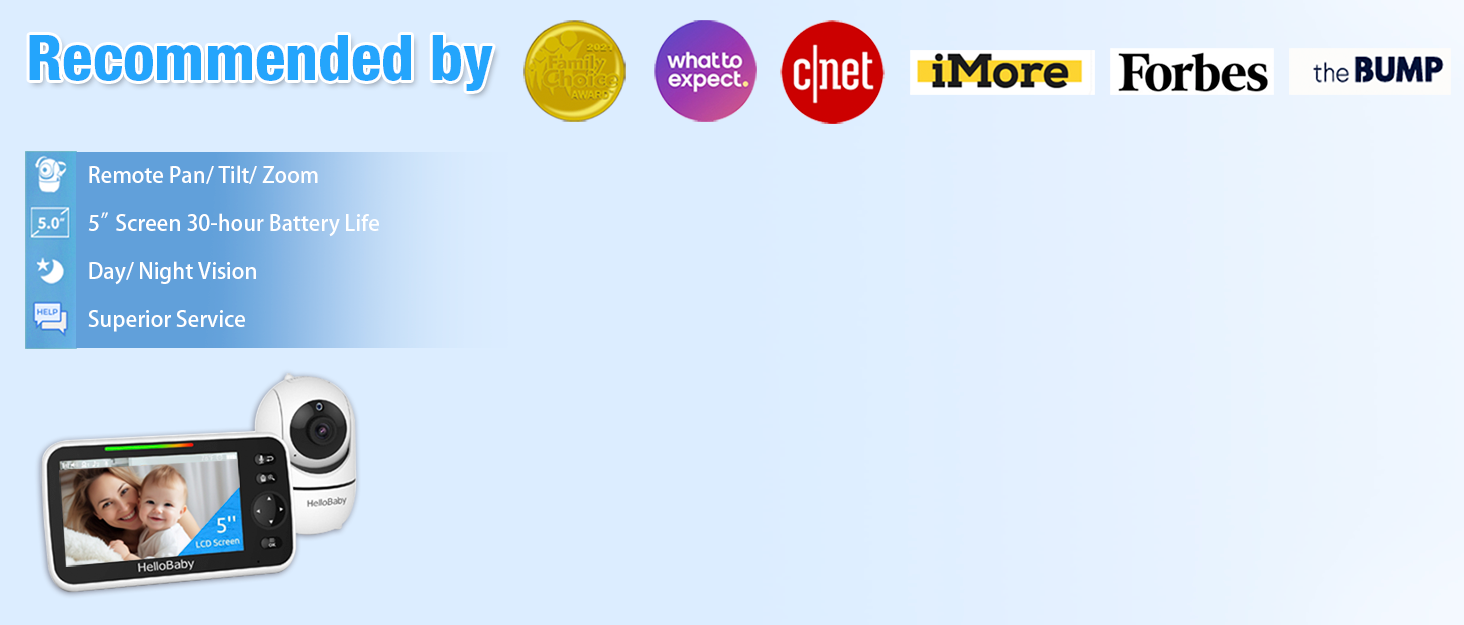
Key features of the HelloBaby HB6081 monitor, including pan-tilt-zoom, long range, night vision, and two-way audio.
This video demonstrates the features and ease of use of the HelloBaby baby monitor, including its secure connection, pan-tilt-zoom, and night vision capabilities.
5. Настройка
5.1 Зарядка родительского блока
- Connect the small end of one power adapter to the parent unit's charging port.
- Подключите другой конец адаптера к розетке.
- Для обеспечения оптимальной работы батареи перед первым использованием зарядите основной блок не менее 4 часов. Значок батареи на экране будет отображать состояние зарядки.
5.2 Питание детских блоков (камер)
- Connect the small end of the remaining power adapters to each baby unit's power port.
- Plug the other end of each adapter into a power outlet.
- The baby units will power on automatically when connected to power.
5.3 Positioning the Baby Units (Cameras)
- Place the baby unit on a flat surface, such as a dresser or shelf, or mount it to a wall or crib using the provided screws.
- Ensure the camera is at least 3 feet (1 meter) away from your baby to prevent strangulation hazards from the power cord.
- Position the camera to provide a clear view of your baby's crib or play area.
- Не размещайте камеру под прямыми солнечными лучами или вблизи источников тепла.
5.4 Первоначальное сопряжение (при необходимости)
Your cameras are pre-paired to the parent unit. If a camera loses connection or you add an additional camera (up to 4 total), follow these steps to pair:
- Turn on the parent unit and the baby unit you wish to pair.
- На родительском блоке нажмите кнопку Меню кнопка.
- Перейдите к Камера icon and select it.
- Choose an available camera slot (e.g., Camera 2, Camera 3, Camera 4) and select Пара.
- В течение 10 секунд нажмите и удерживайте Пара button on the back of the baby unit until the parent unit displays the camera's video feed.
6. Инструкция по эксплуатации
6.1 Включение/выключение питания
- Чтобы включить родительский блок, нажмите и удерживайте кнопку. Власть button until the HelloBaby logo appears.
- Чтобы выключить родительский блок, нажмите и удерживайте кнопку. Власть Нажимайте кнопку, пока экран не выключится.
- Baby units power on automatically when connected to an electrical outlet.
6.2 Навигация по меню
Используйте Меню button to access settings and features. Use the directional arrows (Вверх/Вниз/Влево/Вправо) для навигации и OK кнопку для подтверждения выбора.
6.3 Панорамирование, наклон и масштабирование (PTZ)
- Пока viewing a camera, use the directional arrows on the parent unit to remotely pan (move horizontally) and tilt (move vertically) the camera.
- Нажмите Увеличить button (magnifying glass icon) to activate 2x digital zoom. Use the directional arrows to move the zoomed image. Press Увеличить again to exit zoom mode.

The parent unit allows remote control of camera pan, tilt, and zoom functions.
6.4 Двусторонний разговор
- Нажмите и удерживайте Микрофон Кнопка на родительском блоке позволяет поговорить с ребенком через динамик камеры.
- Release the button to stop speaking and listen to your baby.

The two-way talk feature allows communication between the parent unit and the baby unit.
6.5 Ночное видение
The baby unit automatically activates infrared night vision in low-light conditions, providing a clear black and white image on the parent unit. No manual adjustment is required.

The monitor provides clear day and night imaging with automatic infrared night vision.
6.6 Разделенный экран View
- If you have multiple cameras, access the Камера меню.
- Выберите Разделенный экран возможность view feeds from two cameras simultaneously.
- The system supports up to four cameras, allowing for multi-child monitoring.

The split-screen function allows monitoring of multiple cameras simultaneously.
6.7 VOX (Voice Operated Exchange) / ECO Mode
- VOX mode conserves battery by turning off the screen when no sound is detected from the baby unit. The screen will automatically turn on when sound is detected.
- To activate or adjust VOX sensitivity, go to the Меню и выберите Чувствительность VOX option. Choose from low, medium, or high sensitivity levels.
6.8 Lullabies and Night Light
- Доступ к Колыбельная option in the menu to play soothing melodies through the baby unit. You can select individual lullabies or a continuous loop.
- The baby unit features a gentle night light. This can be controlled via the menu on the parent unit.
6.9 Temperature Monitoring and Feeding Timer
- The current room temperature is displayed on the parent unit screen. You can set temperature alerts in the menu to be notified if the room temperature goes above or below a set range.
- The Таймер кормления feature allows you to set reminders for feeding times, helping you maintain a consistent schedule.
7. Техническое обслуживание
- Уборка: Use a soft, dry cloth to clean the surfaces of the parent unit and baby units. Do not use cleaning sprays or liquid cleaners.
- Уход батареи: To prolong battery life, avoid fully discharging the parent unit battery frequently. Charge it regularly. If storing the unit for an extended period, charge it to about 50% and store in a cool, dry place.
- Хранилище: Store the monitor system in a clean, dry environment away from extreme temperatures.
8. Поиск Неисправностей
| Проблема | Возможное решение |
|---|---|
| No image on parent unit |
|
| Плохое качество изображения |
|
| Нет звука или искаженный звук |
|
| Аккумулятор родительского блока быстро разряжается. |
|
9. Технические характеристики
| Особенность | Деталь |
|---|---|
| Номер модели | HB6081 |
| Размер экрана | 5.5 дюйма |
| Разрешение монитора | 720P HD |
| Разрешение камеры | 1080P |
| Технология связи | 2.4GHz FHSS (No WiFi) |
| Пан Угол | 355 градусов |
| Угол наклона | 120 градусов |
| Цифровой зум | 2x |
| Батарея родительского блока | 4000 мАч (перезаряжаемый) |
| Источник питания | Battery Powered (Monitor), Plug-In (Cameras) |
| Рабочая температура | 0°C - 40°C (32°F - 104°F) |
| Размеры (монитор) | 8.5 x 4.2 x 5.2 дюйма (приблизительно) |
| Масса | 2.07 фунтов (приблизительный общий вес упаковки) |
10. Гарантия и поддержка
HelloBaby products are designed for reliability and performance. For warranty information, technical support, or customer service inquiries, please refer to the contact details provided on the HelloBaby official webНа сайте или упаковке товара. Сохраните чек о покупке в качестве подтверждения покупки для предъявления гарантийных претензий.