
1. Введение
This manual provides essential information for setting up, operating, maintaining, and troubleshooting your OUKITEL WP60 5G Rugged Phone. Designed for durability and high performance, the WP60 features a robust construction, a large display, and advanced camera capabilities. Please read this manual thoroughly to ensure optimal use of your device.
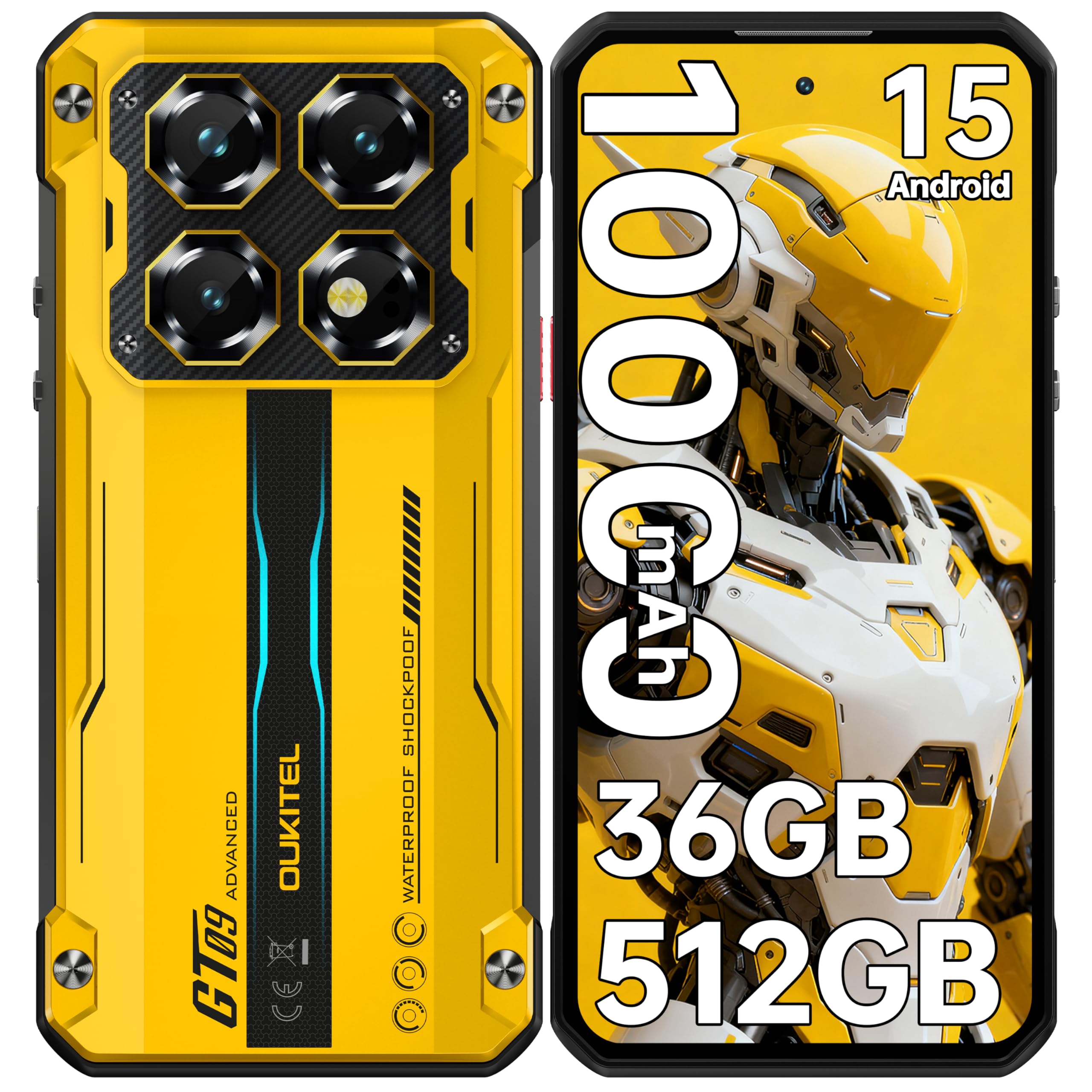
Figure 1: OUKITEL WP60 5G Rugged Phone Overview
2. Устройство перешлоview и ключевые особенности
2.1. Прочная конструкция
The OUKITEL WP60 is engineered with an aerospace-grade aluminum-titanium alloy shell, providing an indestructible armored core. It meets IP68, IP69K, and MIL-STD-810H standards for water, dust, and drop resistance, ensuring reliability in challenging environments.
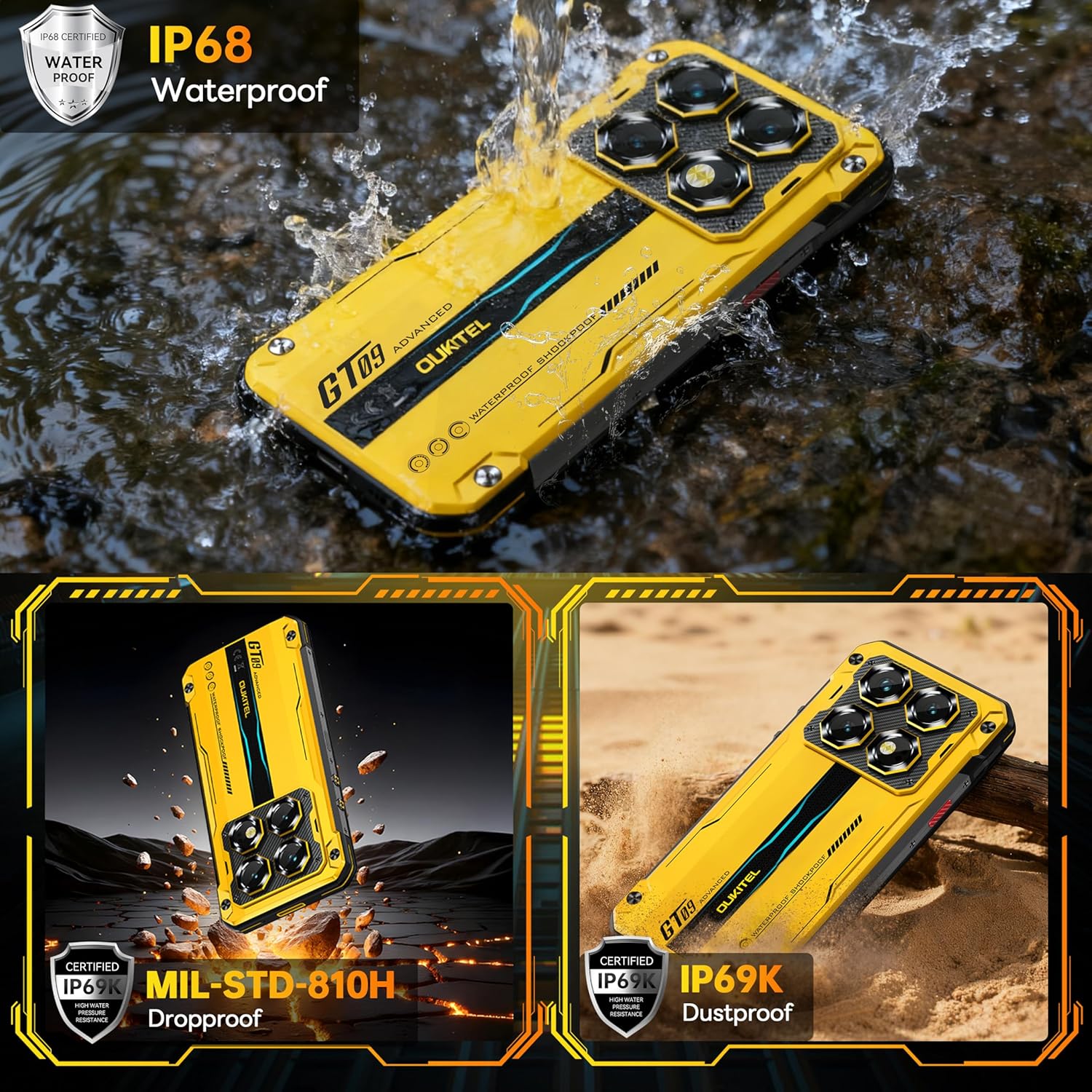
Figure 2: Durability ratings for OUKITEL WP60
2.2. Производительность и хранение
Powered by the 6nm Dimensity 7025 chipset, the WP60 offers high performance with low power consumption. It features 12GB physical RAM expandable by 24GB virtual RAM, totaling 36GB, alongside 512GB of internal storage, expandable up to 2TB via TF card.

Figure 3: OUKITEL WP60 RAM, ROM, and Processor details
2.3. Дисплей и визуальные эффекты
The device boasts a 7.2-inch HD+ display with a 720*1560 resolution, 500 nits peak brightness, and a 120Hz dynamic refresh rate. The screen is protected by Corning high-strength drop-resistant and scratch-resistant glass, supporting wet hand and glove operation.

Figure 4: OUKITEL WP60 7.2-inch HD+ Display
2.4. Система камер
Equipped with a 108MP ultra-clear main camera supporting 4K/30fps video, a 32MP front-facing portrait camera, an 8MP night vision camera, and a 2MP macro camera. The night vision camera allows shooting in complete darkness, and the macro camera offers a 4cm minimum focusing distance.

Figure 5: OUKITEL WP60 Camera System
2.5. Аккумулятор и зарядка
The WP60 features a 10000mAh battery with 33W rapid charging, capable of reaching 50% charge in approximately 40 minutes. It also supports reverse charging to power other devices.
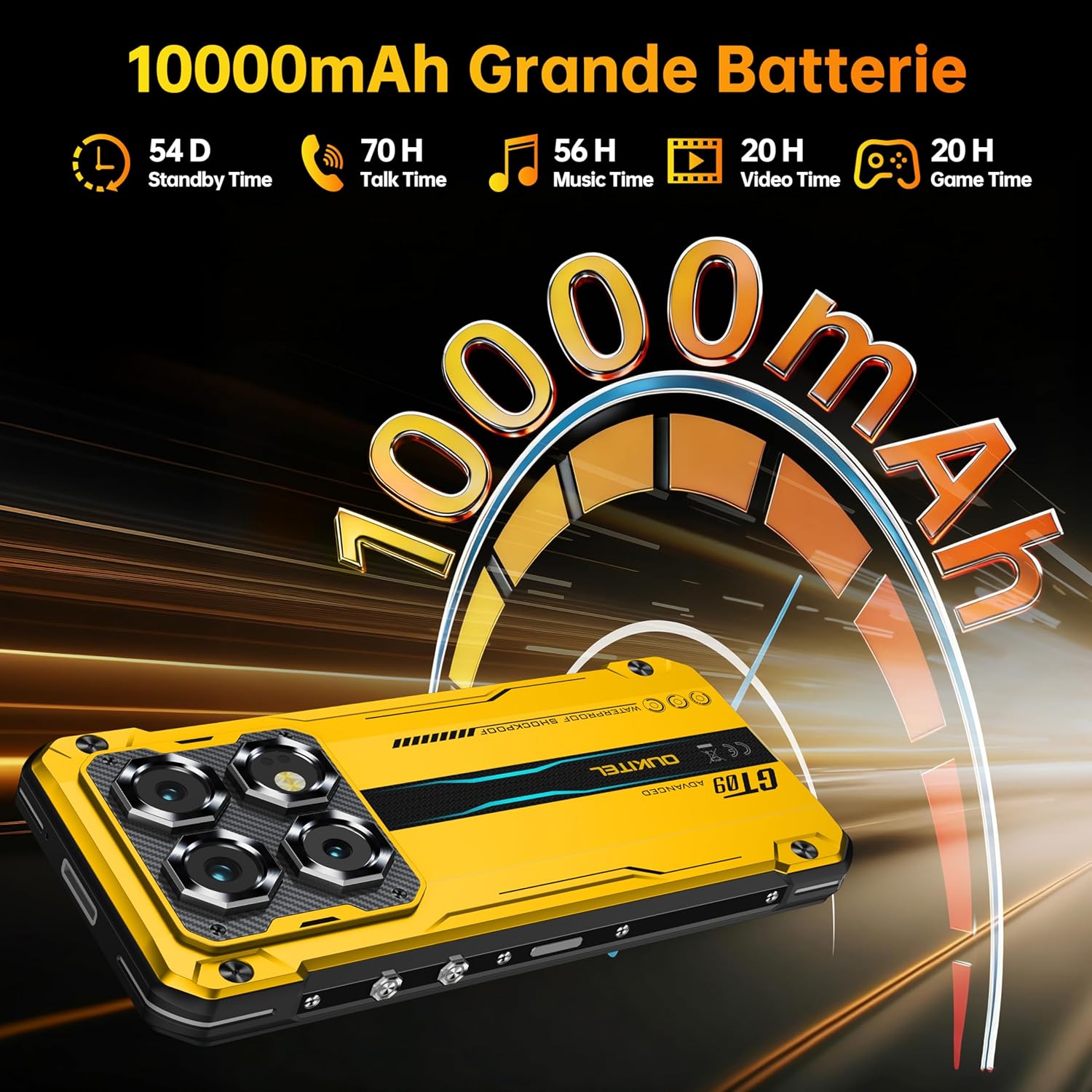
Figure 6: OUKITEL WP60 10000mAh Battery Capacity
2.6. Дополнительные возможности
Includes NFC for Google Pay, a 95dB ultra-loud speaker, Bluetooth 5.2, dual SIM card slots, facial recognition, and a side-mounted fingerprint sensor.
3. Настройка
3.1. Распаковка устройства
Upon opening the package, verify that all components are present: the OUKITEL WP60 phone, charger, and instruction manual. Familiarize yourself with the device and its accessories.
Video 1: Unboxing the OUKITEL WP60 Rugged Phone, showing the contents of the package.
3.2. Установка SIM-карты и хранилища
Locate the SIM card tray on the side of the device. Use the provided SIM ejector tool to open the tray. Insert your Nano-SIM cards and/or a microSD card (up to 2TB) into the designated slots. Ensure the tray is securely closed to maintain water and dust resistance.
3.3. Первоначальное включение и настройка
Press and hold the Power button until the OUKITEL logo appears. Follow the on-screen instructions to complete the initial setup, including language selection, network connection, and Google account setup. The device runs on Android 15.

Figure 7: OUKITEL WP60 running Android 15
3.4. Зарядка устройства
Connect the charger to the USB-C port at the bottom of the phone. Plug the charger into a power outlet. The device supports 33W fast charging. A full charge provides extended usage, including up to 48 hours of navigation or 20 hours of intensive gaming.
4. Эксплуатация OUKITEL WP60
4.1. Основная навигация
Navigate the device using touch gestures: tap to select, swipe to scroll, pinch to zoom. The 7.2-inch display offers ampпространство для взаимодействия.
Video 2: Demonstrating the 7.2-inch HD+ display and 120Hz refresh rate of the OUKITEL WP60.
4.2. Совершение звонков и отправка сообщений
Use the Phone app to make calls. The 95dB ultra-loud speaker ensures clear communication even in noisy environments. Use the Messages app for SMS and MMS.
4.3. Сетевое подключение
Connect to Wi-Fi via Settings > Network & internet. For mobile data, ensure your SIM card is active and data roaming is enabled if necessary. The device supports 5G connectivity for high-speed data transfer.
4.4. Использование камеры
Open the Camera app to access the 108MP main camera, 32MP front camera, 8MP night vision camera, and 2MP macro camera. Select different modes for various shooting scenarios, including portrait, macro, and night vision.
4.5. Функции безопасности
Unlock your phone using the side-mounted fingerprint sensor or facial recognition. Set up these features in Settings > Security & privacy.
4.6. NFC for Payments
Enable NFC in Settings > Connected devices to use Google Pay for contactless payments. Ensure your payment cards are set up in the Google Wallet app.
5. Техническое обслуживание
5.1. Очистка устройства
Due to its IP68/IP69K ratings, the WP60 can be cleaned with water and mild soap. Ensure all port covers are securely closed before exposing the device to liquids. Rinse thoroughly with clean water and dry completely before charging.
Video 3: Demonstrating the waterproof capabilities of the OUKITEL WP60.
5.2. Water and Dust Resistance Guidelines
The OUKITEL WP60 is resistant to water and dust under specific conditions. Avoid exposing the device to high-pressure water, extreme temperatures, or corrosive liquids. Always ensure the SIM tray and USB port covers are properly sealed.
5.3. Обновления программного обеспечения
Regularly check for system updates to ensure your device has the latest features and security patches. Go to Settings > System > System update.
5.4. Управление хранением
Monitor your device's storage in Settings > Storage. Delete unnecessary files or move them to an external microSD card to free up space and maintain performance.
6. Поиск Неисправностей
6.1. Устройство не включается.
Ensure the battery is charged. Connect the device to the charger and wait a few minutes before attempting to power it on again. If the issue persists, perform a forced restart by holding the Power button for 10-15 seconds.
6.2 Проблемы с сетевым подключением
Check if your SIM card is properly inserted and activated. Toggle Airplane Mode on and off. Restart the device. Verify network settings in Settings > Network & internet.
6.3. Приложения вылетают или зависают
Close and reopen the problematic app. Clear the app's cache and data in Settings > Apps. If the issue continues, uninstall and reinstall the app. Ensure your device's software is up to date.
6.4. Сброс настроек к заводским
If other troubleshooting steps fail, you may need to perform a factory reset. This will erase all data on your device. Back up important information before proceeding. Go to Settings > System > Reset options > Erase all data (factory reset).
7. Технические характеристики
| Особенность | Спецификация |
|---|---|
| Бренд | ОУКИТЕЛ |
| Модель | WP60 |
| Емкость памяти | 512 ГБ (с возможностью расширения до 2 ТБ с помощью microSD) |
| БАРАН | 36 ГБ (12 ГБ физической + 24 ГБ виртуальной) |
| Размер экрана | 7.2 дюйма |
| Разрешение | 720*1560 HD+ |
| Частота обновления | 120 Гц |
| Процессор | 6nm Dimensity 7025 Chipset |
| Беспроводной оператор | T-Mobile (unlocked for other carriers) |
| Емкость аккумулятора | 10000 миллиamp Часы |
| Быстрая зарядка | 33 Вт |
| Основная камера | 108МП |
| Передняя камера | 32МП |
| Камера ночного видения | 8МП |
| Макрокамера | 2МП |
| Операционная система | Андроид 15 |
| Рейтинги долговечности | IP68, IP69K, MIL-STD-810H |
| Связность | 5G, NFC, Bluetooth 5.2, Dual SIM |
8. Гарантия и поддержка
8.1. Информация о гарантии
Your OUKITEL WP60 device comes with a standard manufacturer's warranty. Please refer to the warranty card included in your product packaging for specific terms, conditions, and duration. Keep your proof of purchase for warranty claims.
8.2. Поддержка клиентов
For technical assistance, troubleshooting, or service inquiries, please visit the official OUKITEL website or contact their customer support. Contact details can typically be found on the OUKITEL webсайте или в гарантийной документации.