
1. Введение
Спасибо за покупкуasing the Rowin Harmonizer Guitar Effects Pedal. This pedal is designed to enhance your guitar playing with versatile sound modifications, offering Harmony, Pitch Shift, and Detune effects. Featuring a true bypass design, precise pitch control, and a durable zinc alloy construction, this pedal is suitable for various musical styles and performance environments. Please read this manual thoroughly to understand the pedal's functions and ensure optimal performance.
2. Информация по технике безопасности
- Не подвергайте устройство воздействию дождя, влаги или экстремальных температур.
- Use only a DC 9V power adapter with negative center polarity. Using an incorrect power supply may damage the unit and void the warranty.
- Не пытайтесь разбирать или ремонтировать устройство самостоятельно. По всем вопросам обслуживания обращайтесь к квалифицированному персоналу.
- Держите устройство вдали от сильных магнитных полей.
- Протирайте устройство мягкой сухой тканью. Не используйте жидкие чистящие средства.
3. Содержимое упаковки
- 1 x Rowin Harmonizer Guitar Effects Pedal
- 1 x Руководство по эксплуатации (этот документ)
Note: A DC 9V power adapter is not included and must be purchased separately.
4. Продукт закончилсяview и элементы управления
The Rowin Harmonizer pedal features a compact and durable design with intuitive controls for various effects. Below is a detailed diagram of the pedal's components and their functions.
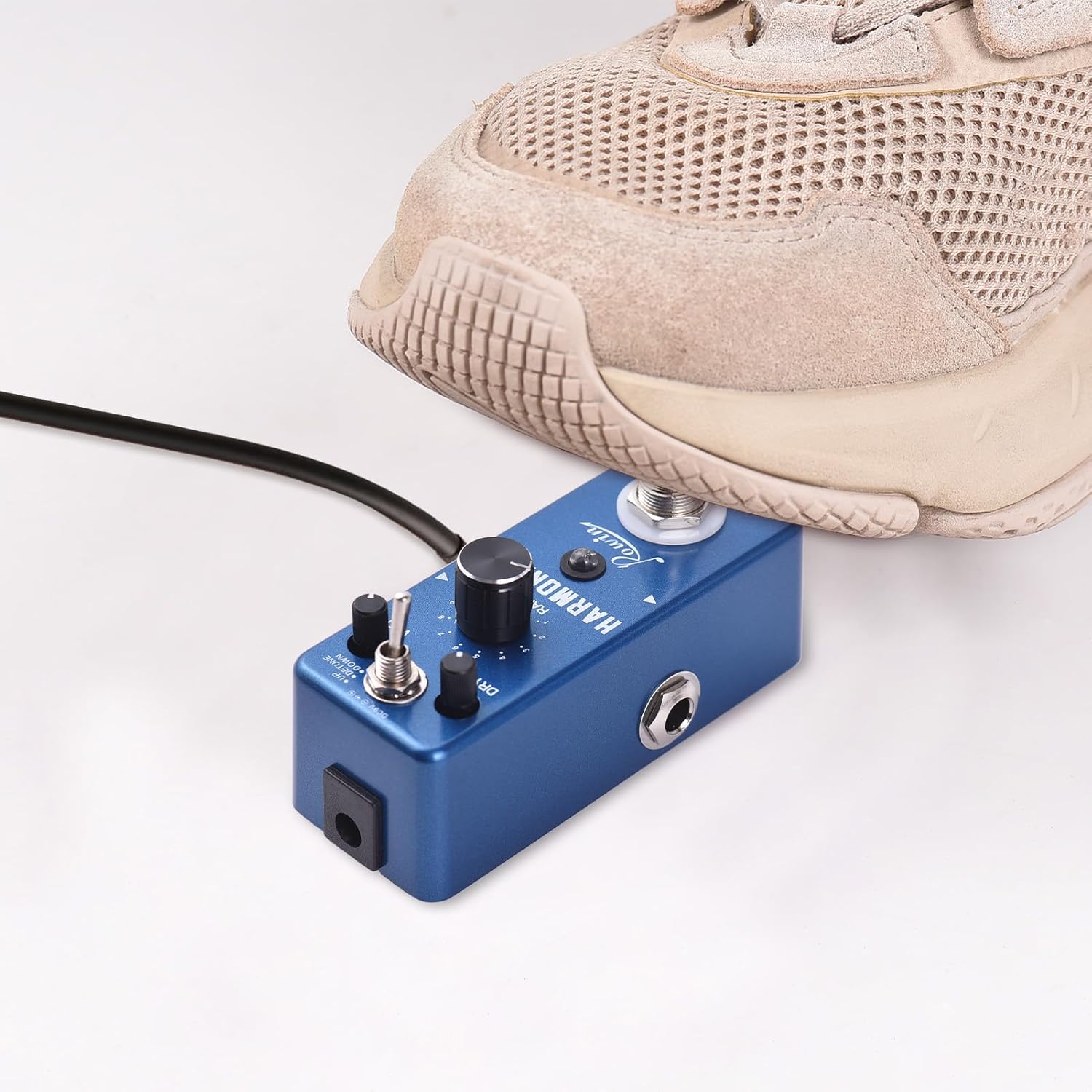
Image 4.1: Rowin Harmonizer Pedal Labeled Diagram
На этом изображении показана верхняя часть. view of the Rowin Harmonizer pedal, highlighting its various controls and jacks with corresponding numbers and descriptions for easy identification.
- True BYPASS Footswitch: Press once to switch between original sound and effect sound. Press twice to switch between fixed mode and normal mode. Long press to store the current parameters.
- Светодиодный индикатор: Green light indicates Normal mode where knobs adjust parameters. Red light indicates Fixed mode where the effector uses stored parameters and knobs are inactive. No light indicates original (bypassed) sound.
- RANGE Knob: Adjusts the range of the pitch shifting sound, from 1 to 2 octaves.
- WET Knob: Adjusts the volume of the wet (effected) signal.
- Переключатель режимов: Toggles between UP (Harmony/Pitch Shift up), DETUNE, and DOWN (Harmony/Pitch Shift down) modes.
- Ручка DRY: Adjusts the volume of the original (dry) signal.
- Входной разъем: 1/4" mono audio jack for guitar input.
- Выходной разъем: 1/4" mono audio jack for output to ampлифт или другие педали.
- Разъем питания постоянного тока 9 В: For DC 9V regulated AC adapter (plug polarity is positive on the barrel and negative in the center).

Image 4.2: Three Control Knobs
Это изображение представляет собой крупный план view of the RANGE, WET, and DRY control knobs, illustrating their positions and labels on the pedal.

Image 4.3: Easy to Carry Design
This image shows the pedal being held in a hand, emphasizing its light weight and compact size for easy portability.

Image 4.4: Non-slip Mat
This image displays the bottom of the pedal, highlighting the non-slip mat for stability during use.
5. Настройка
Follow these steps to connect your Rowin Harmonizer pedal:
- Ensure your guitar ampLifier выключен.
- Подключите гитару к Входной разъем (7) on the right side of the pedal using a 1/4" mono instrument cable.
- Подключите Output Jack (8) on the left side of the pedal to your amplifier's input (or to the input of another effects pedal) using a 1/4" mono instrument cable.
- Connect a DC 9V power adapter (center negative, not included) to the DC 9V Power Jack (9).
- Once all connections are secure, you can turn on your ampпожизненнее.

Image 5.1: DC 9V Adapter Connection
This image illustrates the proper connection of a DC 9V power adapter to the pedal. Note that the power adapter is not included with the product.
6. Инструкция по эксплуатации
The Harmonizer pedal offers three main effects modes: Harmony, Pitch Shift, and Detune. You can control these effects using the Mode Switch and the three control knobs.
6.1. Engaging and Bypassing the Effect
- Нажмите True BYPASS Footswitch (1) once to toggle between the original (bypassed) sound and the effected sound.
- When the effect is engaged, the Светодиодный индикатор (2) will illuminate (green or red). When bypassed, the LED will be off.

Image 6.1: True Bypass Footswitch in Use
This image shows a foot engaging the True Bypass footswitch, demonstrating how to activate or deactivate the pedal's effects.
6.2. Selecting Effect Modes
Используйте Переключатель режимов (5) to select one of the three available effect modes:
- UP: Engages Harmony or Pitch Shift upwards.
- ДЕТУНА: Engages the Detune effect.
- ВНИЗ: Engages Harmony or Pitch Shift downwards.

Image 6.2: Versatile Sound Modes
This image highlights the mode switch, indicating the three distinct effects: Harmony, Pitch Shift, and Detune.
6.3. Adjusting Effect Parameters
The ДИАПАЗОН (3), WET (4), и DRY (6) knobs allow you to fine-tune the effect:
- RANGE Knob: Controls the pitch interval for Harmony and Pitch Shift modes, from 1 to 2 octaves. In Detune mode, this knob adjusts the degree of detuning.
- WET Knob: Adjusts the volume of the processed (effected) signal. Turn clockwise for more effect.
- Ручка DRY: Adjusts the volume of your original, unprocessed guitar signal. Turn clockwise for more dry signal.
6.4. Normal Mode vs. Fixed Mode and Parameter Storage
The pedal supports two operational modes for parameter adjustment:
- Нормальный режим: Indicated by a зеленый светодиод. In this mode, you can freely adjust the RANGE, WET, and DRY knobs to change the effect parameters in real-time.
- Фиксированный режим: Indicated by a красный светодиод. In this mode, the pedal uses a previously stored set of parameters. The physical positions of the RANGE, WET, and DRY knobs will not affect the sound. This is useful for recalling specific settings instantly.
- To switch between Normal and Fixed modes, press the True BYPASS Footswitch (1) дважды быстро.
- To store the current parameters (knob settings) into Fixed Mode, press and hold the True BYPASS Footswitch (1) for an extended period until the LED flashes or changes to confirm storage.
7. Технические характеристики
| Чип | 32 Bit floating point |
| Sampскорость | 44.1кГц/24бит |
| Режимы эффектов | Harmony, Pitch Shift, Detune |
| Вход | 1/4" Monaural Jack |
| Выход | 1/4" Monaural Jack |
| Входное сопротивление | 470 кОм |
| Выходное сопротивление | 100 Ом |
| Рабочий ток | 100мА |
| Источник питания | DC 9V (center negative, adapter not included) |
| Материал | Цинковый сплав |
| Цвет продукта | Темно-синий |
| Размер продукта | 9.5 см x 3.7 см x 5 см (3.7 дюйма x 1.5 дюйма x 2 дюйма) |
| Вес продукта | 200 г (7.1 унции) |

Изображение 7.1: Размеры изделия
This image provides a visual representation of the pedal's dimensions, showing its length, width, and height in both centimeters and inches.
8. Техническое обслуживание
- Уборка: Для очистки внешней поверхности педали используйте мягкую сухую ткань. Избегайте абразивных чистящих средств или растворителей.
- Хранилище: When not in use for extended periods, disconnect the power supply and store the pedal in a dry, cool place away from direct sunlight.
- Соединения: Периодически проверяйте все кабельные соединения на износ. Заменяйте поврежденные кабели для обеспечения оптимальной целостности сигнала.
9. Поиск Неисправностей
- Нет звука:
- Проверьте все кабельные соединения (от гитары к входу, от выхода к выходу). amp).
- Ensure the power adapter is correctly connected and providing DC 9V with center negative polarity.
- Убедитесь, что ampУсилитель включен, и громкость увеличена.
- Press the footswitch to ensure the pedal is not in bypass mode (LED should be lit).
- Слабый или искаженный звук:
- Check the WET and DRY knob settings. Adjust them to achieve the desired blend.
- Убедитесь в выходном сигнале вашей гитары и ampУровни входного сигнала усилителя соответствуют требованиям.
- Try a different power adapter to rule out power supply issues.
- Effect Not Changing with Knobs:
- The pedal might be in Fixed Mode (red LED). Double-press the footswitch to switch to Normal Mode (green LED) to enable knob adjustments.
10. Гарантия и поддержка
На данный продукт распространяется стандартная гарантия производителя от дефектов материалов и изготовления. Подробности условий гарантии см. в документации, прилагаемой к товару при покупке, или обратитесь к продавцу.
For technical support or service inquiries, please contact the vendor or retailer from whom you purchased the product. Please have your model number (lvifloaeapc0neu249) and purchase information ready.