
1. Введение
This manual provides detailed instructions for the installation, operation, and maintenance of your ANNKE H1200 12MP Security Camera System. Please read this manual thoroughly before using the product to ensure proper setup and functionality. Keep this manual for future reference.
2. Что в коробке
Убедитесь, что в упаковке присутствуют все компоненты:
- 1 x H1200 12MP Bullet PoE Kit (NVR)
- 2 x 8MP Dual Lens PoE Camera
- 2 x 100ft PoE Cat5 Cable
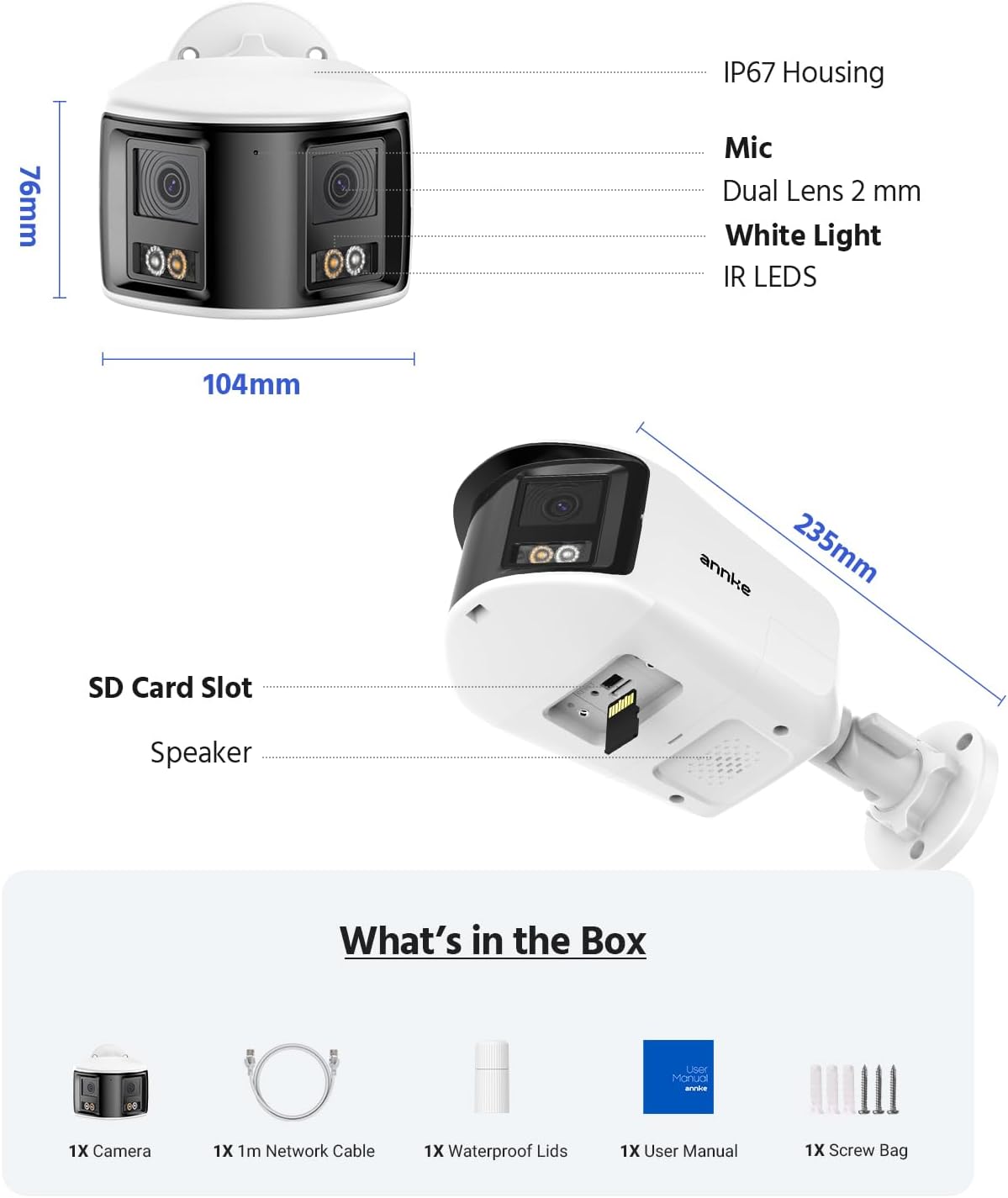
Figure 2.1: Package Contents. This image displays the NVR, two dual-lens cameras, two 100ft PoE cables, a user manual, and a screw bag.
3. Особенности продукта
3.1. Четкость UHD 12 Мп
Experience superior image quality with 12-megapixel Ultra High Definition resolution, providing clear and detailed surveillance footage для повышения безопасности.

Figure 3.1: 12MP UHD Clarity. This image demonstrates the high resolution, showing a wide shot of a backyard with a child and a magnified inset highlighting the detail.
3.2. Интеллектуальное обнаружение движения
The system features advanced motion detection capable of distinguishing between humans and vehicles, reducing false alarms and providing more relevant alerts via push notifications, email, or buzzer.

Figure 3.2: Intelligent Motion Detection. This image shows the system identifying a human and a vehicle, with options for push notifications, email alerts, and a buzzer.
3.3. Easy Remote Access
Monitor your property from anywhere, anytime, using various devices such as smartphones, tablets, and computers. The system supports remote viewing for convenient surveillance.

Figure 3.3: Easy Remote Access. This collage demonstrates viewing live camera feeds on a tablet, laptop, and smartphone, emphasizing accessibility from any location.
3.4. Three Night Vision Modes
The cameras offer three distinct night vision modes: Full Color Mode for vivid nighttime images, IR Night Mode for traditional black and white infrared viewing, and Motion Detected Color Mode which activates color vision upon detecting movement.

Figure 3.4: Three Night Vision Modes. This image displays examples of Full Color, IR, and Motion Detected Color night vision, with a camera unit at the bottom.
3.5. 180 Ultra-Wide Viewing
Equipped with dual lenses, the cameras provide a 180-degree ultra-wide viewing angle, eliminating blind spots and offering comprehensive coverage of your surveillance area.
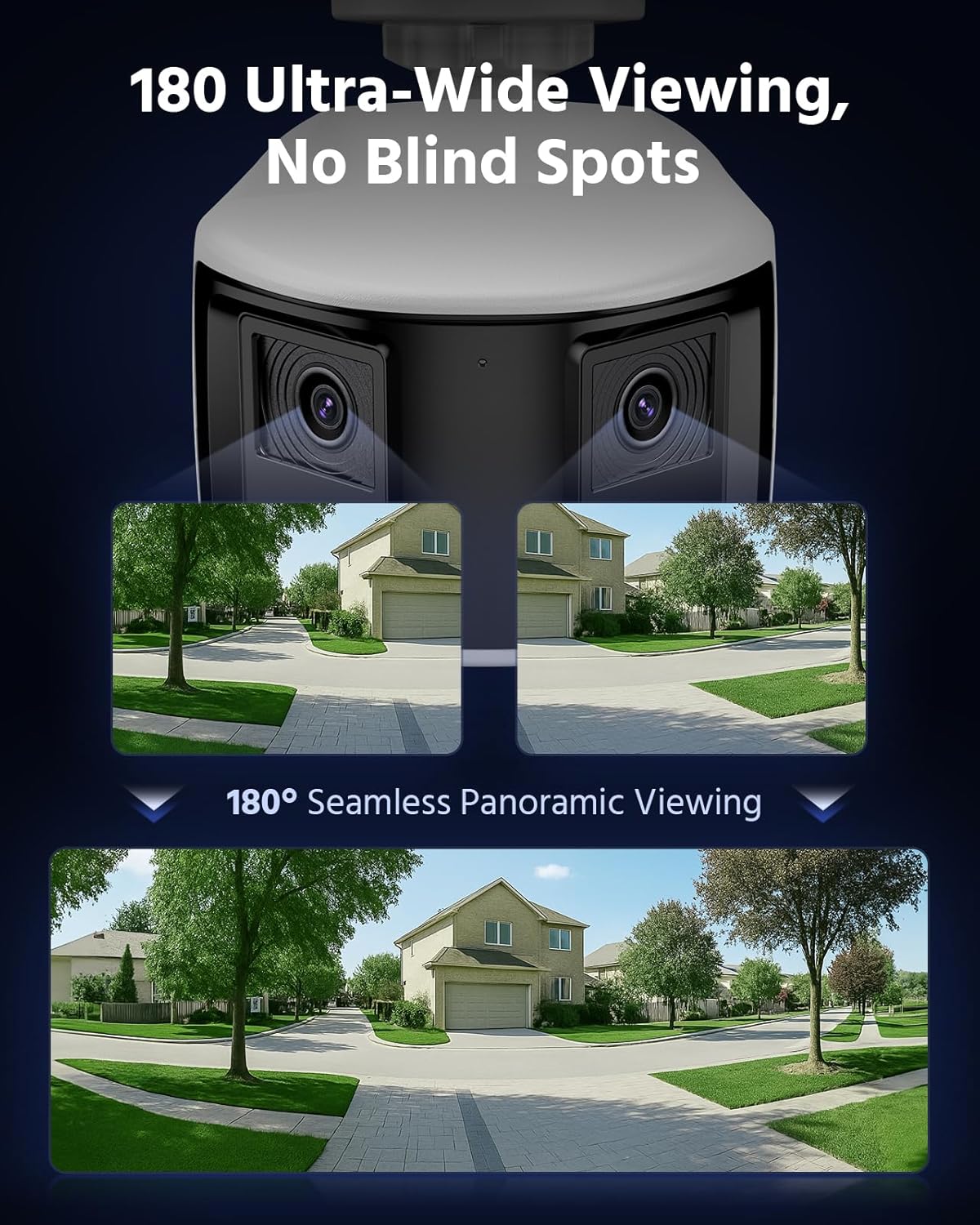
Figure 3.5: 180 Ultra-Wide Viewing. This image illustrates how the dual lenses combine to create a seamless 180-degree panoramic view, covering a wide area without blind spots.
3.6. 4K Ultra HD Visual
The system delivers 4K Ultra HD visuals at 4096x1860 resolution at 20 frames per second, featuring an F1.6 aperture and Dual-Light Color technology for exceptional detail and color reproduction.
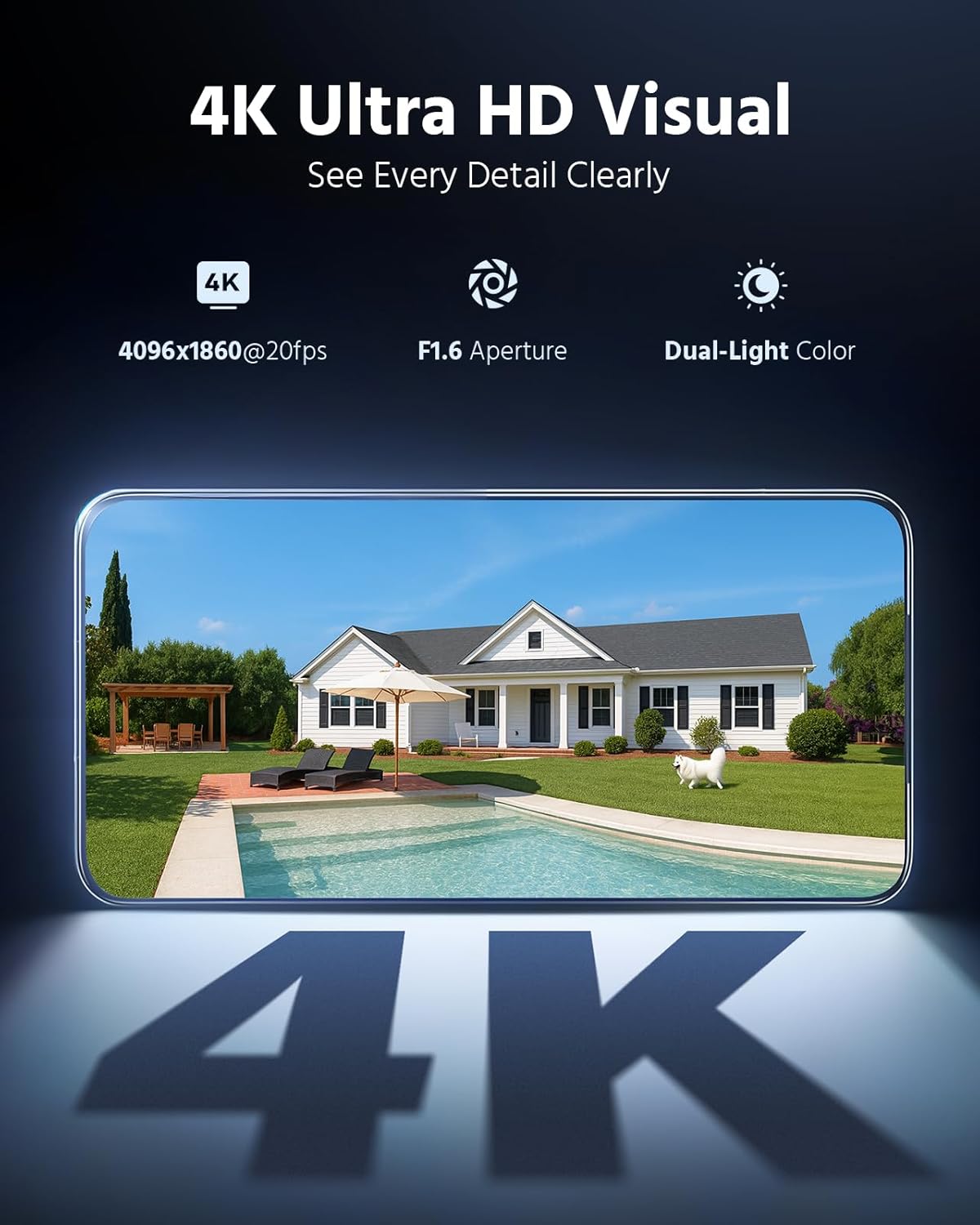
Figure 3.6: 4K Ultra HD Visual. This image showcases the high-resolution video quality, detailing an outdoor scene and listing key specifications like resolution, frame rate, aperture, and Dual-Light Color.
3.7. 3 Modes for Smart Security
The cameras offer three smart security modes: Color Mode for continuous color night vision, IR Mode for standard infrared black and white, and Smart Dual-Light Triggered Mode which switches to color upon motion detection.
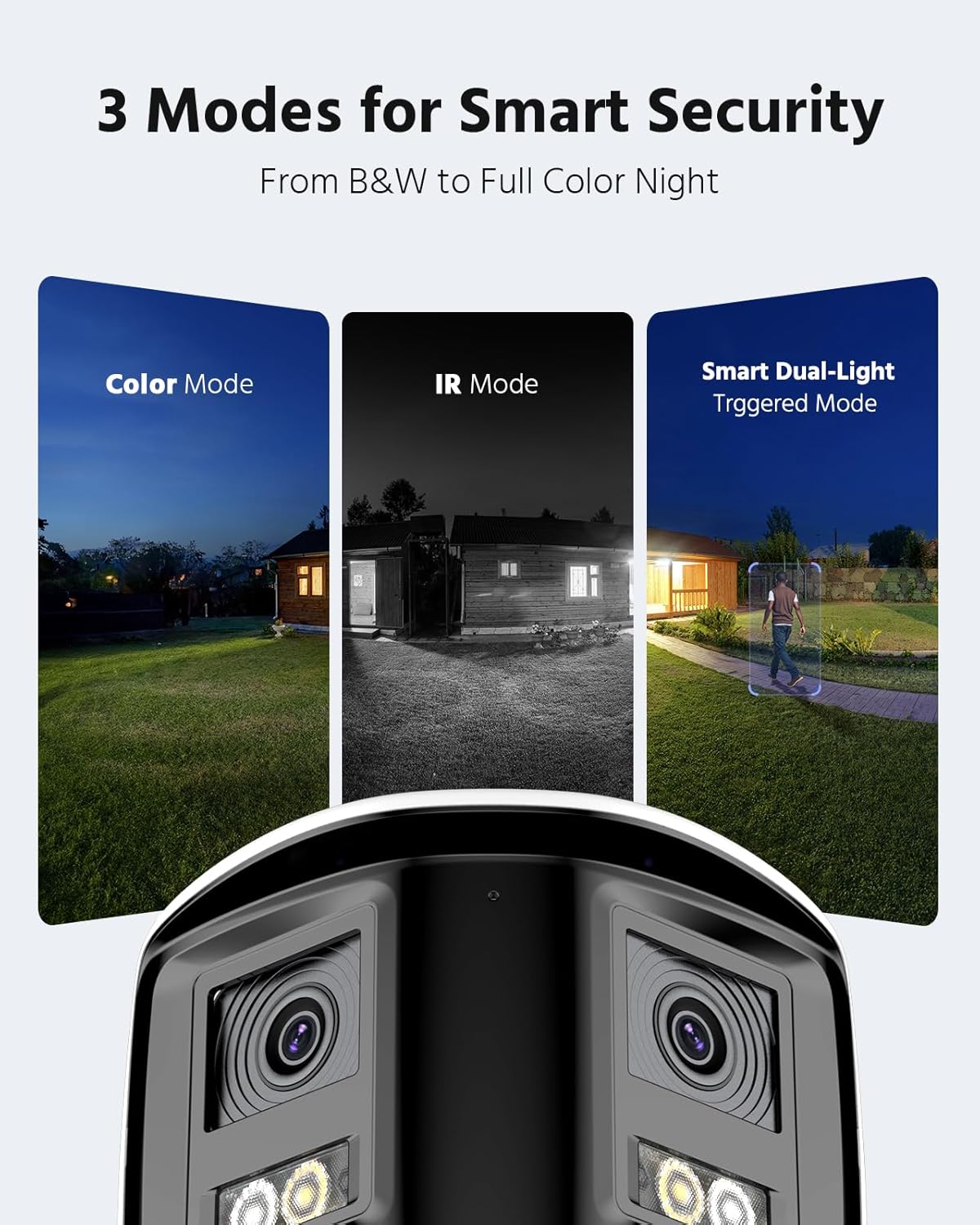
Figure 3.7: 3 Modes for Smart Security. This image illustrates the different night vision capabilities: Color Mode, IR Mode, and Smart Dual-Light Triggered Mode, with the camera unit shown below.
3.8. Camera Dimensions
The dual-lens cameras are designed with an IP67 housing for weather resistance, include a built-in microphone, dual 2mm lenses, white light illuminators, and IR LEDs. They also feature an SD card slot and a speaker.
Figure 3.8: Camera Dimensions and Features. This diagram provides the physical dimensions of the camera and highlights its key components including the IP67 housing, microphone, dual lenses, white light, IR LEDs, SD card slot, and speaker.
4. Настройка системы
4.1. Подключение NVR
- Подключите сетевой видеорегистратор к источнику питания с помощью прилагаемого адаптера питания.
- Подключите сетевой видеорегистратор к маршрутизатору с помощью кабеля Ethernet для доступа к сети.
- Connect a monitor to the NVR's HDMI or VGA port for initial setup and local viewинж.
- Подключите USB-мышь к видеорегистратору для навигации.
4.2. Установка и подключение камеры
- Установите камеры в желаемых местах, обеспечив оптимальное расположение. viewуглы обзора и охват.
- Connect each PoE camera to an available PoE port on the NVR using the provided Cat5 Ethernet cables. The NVR will supply power and data to the cameras.
- Убедитесь, что все кабельные соединения надежно закреплены и защищены от воздействия окружающей среды.
4.3. Первоначальная настройка
- Follow the on-screen prompts on the connected monitor to complete the NVR's initial setup wizard, including setting up a password and network settings.
- The NVR should automatically detect and add the connected PoE cameras. If not, refer to the NVR's specific manual for manual camera addition.
5. Работа системы
5.1. Жить View
Доступ в прямом эфире view on your connected monitor or through the ANNKE VISION mobile app/client software to see real-time footage со всех камер.
5.2. Воспроизведение
Review записано фуtage by selecting the desired date and time. Use the timeline to navigate through recordings and identify specific events.
5.3. Настройка обнаружения движения
Configure motion detection settings via the NVR interface or mobile app. Adjust sensitivity, define detection zones, and set up notification preferences (push, email, buzzer).
5.4. Удаленный доступ
Download the ANNKE VISION app from your device's app store. Register an account and add your NVR by scanning the QR code or entering its serial number. This enables remote viewing и контроль.
5.5 Режимы ночного видения
The cameras automatically switch between day and night modes. You can configure specific night vision preferences (Full Color, IR, Smart Dual-Light) through the NVR settings or camera-specific settings in the app.
6. Техническое обслуживание
6.1. Уборка
Регулярно очищайте линзы камеры мягкой тряпкой.amp Используйте специальную ткань для обеспечения четкости изображения. Не используйте агрессивные химикаты или абразивные материалы.
6.2. Обновления прошивки
Check for and install firmware updates for both the NVR and cameras periodically. Firmware updates often include security enhancements, bug fixes, and new features. Refer to the ANNKE webсайт или приложение для получения инструкций по обновлению.
6.3. Проверка кабеля
Periodically inspect all cables for any signs of wear, damage, or loose connections. Ensure waterproof connections remain sealed.
7. Поиск Неисправностей
7.1. Отсутствует видеоизображение
- Проверьте подключение питания как к видеорегистратору, так и к камерам.
- Verify Ethernet cable connections between cameras and NVR, and NVR and router.
- Ensure the monitor is correctly connected to the NVR and set to the correct input source.
- Перезагрузите NVR и камеры.
7.2. Проблемы удаленного доступа
- Убедитесь, что NVR подключен к Интернету.
- Проверьте подключение вашего мобильного устройства к интернету.
- Verify that the NVR is properly added to the ANNKE VISION app and is online.
- Check firewall settings on your router if you are experiencing connection blocks.
7.3. Функция обнаружения движения не работает.
- Review motion detection settings in the NVR or app, ensuring it is enabled and sensitivity is appropriate.
- Check the defined detection zones to ensure they cover the desired areas.
- Убедитесь, что параметры уведомлений настроены правильно.
8. Технические характеристики
| Особенность | Спецификация |
|---|---|
| Бренд | АННКЕ |
| Технология связи | Проводной |
| Разрешение видеозахвата | 4000x3000 (12 МП) |
| Совместимые устройства | Камеры |
| Частота кадров | 15 кадров в секунду |
| Режим записи | Непрерывный |
| аппаратный интерфейс | Ethernet |
| Тип объектива | Fixed, Varifocal (Dual Lens) |
| Видеовход | RJ45 (PoE) |
| Формат сигнала | Цифровой |
| Технология оптических датчиков | КМОП |
| ASIN | B0FS5YL8TZ |
9. Гарантия и поддержка
Для получения информации о гарантии, технической поддержке или сервисном обслуживании, пожалуйста, обратитесь к официальному сайту ANNKE. website or contact ANNKE customer support directly. Keep your purchase receipt as proof of purchase for warranty claims.
Официальный сайт ANNKE Webсайт: www.annke.com