
1. Продукт закончилсяview
The Eyoyo Mini Wireless Barcode Scanner (Model EY-023L) is a compact and portable device designed for efficient 1D barcode scanning. It offers versatile connectivity options and a user-friendly design for various applications.

Image 1.1: The Eyoyo Mini Wireless Barcode Scanner with its various connection cables.
Основные характеристики:
- Портативная конструкция: Weighing approximately 80g (2.82oz), this mini scanner is designed for comfort and portability, fitting easily into a pocket or palm.
- Универсальные возможности подключения: Supports three connection methods: Bluetooth, 2.4G wireless via USB dongle, and USB wired.
- Efficient 1D Scanning: Features a high-performance laser engine with a bright red aiming line for fast and reliable decoding of 1D barcodes on paper, even if damaged or poorly printed.
- Длительный срок службы батареи: Equipped with a 1500mAh rechargeable battery, providing up to 16 hours of continuous scanning and a 4-stage LED battery indicator.
- Удобные элементы управления: Includes a dedicated power switch and built-in volume control buttons for adjusting or muting the beep sound.
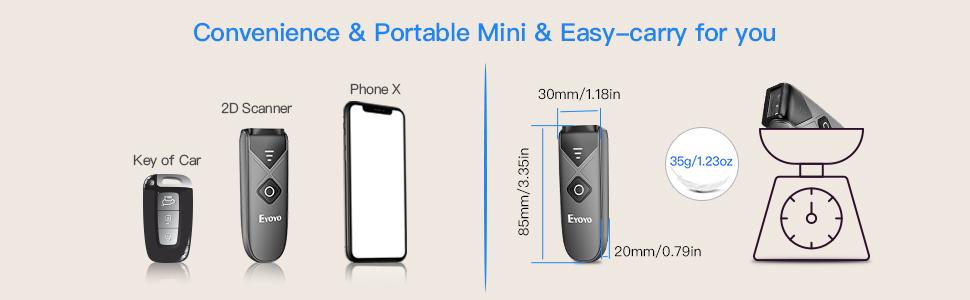
Image 1.2: The compact size and lightweight design of the scanner, with approximate dimensions of 85mm x 30mm x 20mm. Note: While some marketing materials indicate a weight of 35g, the product's feature bullets state approximately 80g.
2. Настройка и подключение
The EY-023L scanner offers three connection modes: Bluetooth, 2.4G Wireless, and USB Wired. Choose the mode that best suits your device and environment.

Изображение 2.1: оконченоview из трех доступных способов подключения.
2.1 Включение/выключение питания
Locate the dedicated power switch on the side of the scanner. Slide the switch to the "ON" position to power on the device. Slide it to "OFF" to power off.

Изображение 2.2: Подробно view of the scanner's controls and ports, including the On/Off switch.
2.2 Bluetooth-соединение
- Убедитесь, что сканер включен.
- On your host device (e.g., smartphone, tablet, computer), enable Bluetooth and search for available devices.
- Select "Eyoyo-XXXX" (or similar) from the list of found devices to pair. The scanner will indicate successful pairing.
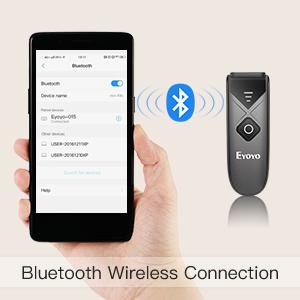
Image 2.3: Bluetooth wireless connection setup.
2.3 Беспроводное соединение 2.4G
- Подключите прилагаемый USB-модем 2.4 ГГц к свободному USB-порту вашего компьютера.
- Включите сканер. Он должен автоматически подключиться к ключу.
- The scanner is ready for use once connected.
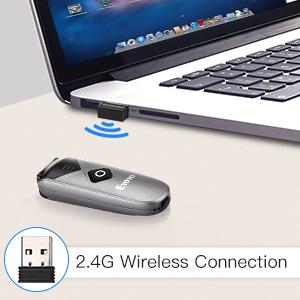
Image 2.4: 2.4G wireless connection setup.
2.4 Проводное USB-подключение
- Подключите сканер к компьютеру с помощью прилагаемого USB-кабеля.
- Сканер будет работать как проводное устройство и одновременно заряжаться.
- No additional drivers are typically required for most operating systems.
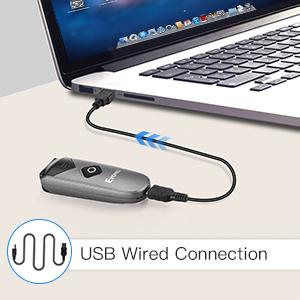
Image 2.5: USB wired connection setup.
2.5 Совместимость системы
The Eyoyo EY-023L scanner is compatible with a wide range of operating systems and devices, including:
- Windows ХР, 7, 8, 10
- ОС Mac
- линукс
- Android devices (phones, tablets)
- iOS devices (iPhones, iPads)
- Most Point-of-Sale (POS) systems
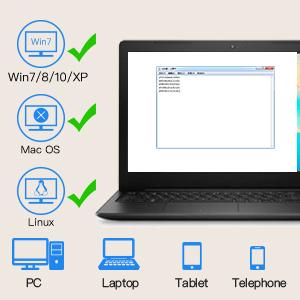
Image 2.6: System compatibility overview.
3. Инструкция по эксплуатации
3.1 Сканирование штрихкодов
Чтобы отсканировать одномерный штрихкод:
- Убедитесь, что сканер включен и подключен к хост-устройству.
- Point the scanner's laser window at the barcode you wish to scan. A bright red laser line will appear, acting as an aiming guide.
- Press the scan button (the large orange button) on the top of the scanner.
- A successful scan will typically be indicated by a beep sound (if not muted) and the data being transmitted to your connected device.

Image 3.1: The scanner in action, demonstrating 1D barcode scanning.
The scanner is optimized for fast and reliable decoding of 1D barcodes, even those that are damaged, poorly printed, or distorted.
3.2 Регулировка громкости
The scanner features built-in volume control buttons on its side. Use these buttons to adjust the beep sound level or to mute it entirely, depending on your working environment.
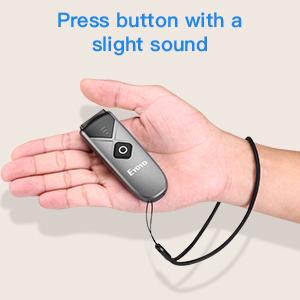
Image 3.2: The scanner's volume control buttons are located on the side.
3.3 Offline Scanning Mode
The scanner includes 16MB of internal storage, allowing it to store over 100,000 UPC/EAN barcodes when operating in offline mode. This is useful when out of range of a connected device. To upload stored data, connect the scanner to your device via USB or 2.4G wireless, and the data will be transferred.
4. Техническое обслуживание и зарядка
4.1 Зарядка аккумулятора
The EY-023L scanner is equipped with a 1500mAh rechargeable battery. To charge the scanner:
- Connect the provided USB cable to the USB-C port on the scanner.
- Подключите другой конец USB-кабеля к источнику питания (например, к USB-порту компьютера, сетевому USB-адаптеру).
- Полная зарядка обычно занимает около 4 часов.
A full charge provides up to 16 hours of continuous scanning, allowing for extended use. The 4-stage LED battery indicator on the scanner displays the current power level (25/50/75/100%).
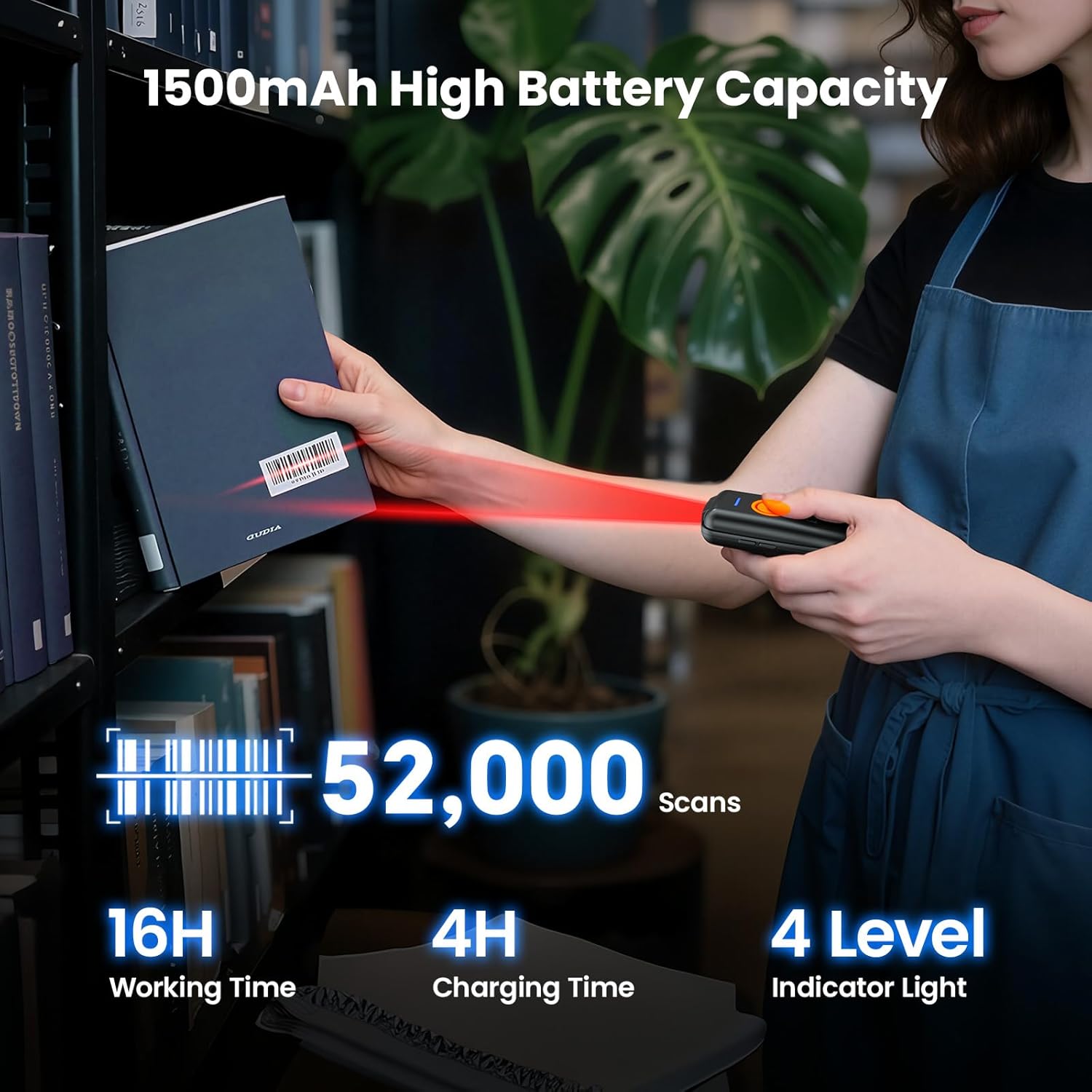
Изображение 4.1: Емкость аккумулятора и информация о зарядке.
4.2 Очистка сканера
To maintain optimal performance, keep the scanner's laser window clean. Use a soft, lint-free cloth, slightly dampened with water or a mild cleaning solution, to gently wipe the surface. Avoid abrasive materials or harsh chemicals.
5. Поиск Неисправностей
- Сканер не включается: Ensure the battery is charged. Connect the scanner to a power source using the USB cable and try again. Verify the power switch is in the "ON" position.
- Сканер не подключается через Bluetooth:
- Ensure Bluetooth is enabled on your host device and the scanner is in pairing mode.
- Check if the scanner is already paired with another device. Disconnect from other devices if necessary.
- Перезагрузите сканер и ваше основное устройство.
- Сканер не подключается по беспроводной сети 2.4 ГГц:
- Ensure the 2.4G USB dongle is securely plugged into your computer.
- Попробуйте подключить адаптер к другому USB-порту.
- Перезагрузите сканер и компьютер.
- Сканер не считывает штрихкоды:
- Ensure the barcode is a 1D type and not damaged or excessively faded.
- Verify the laser line is directly over the barcode.
- Clean the scanner's laser window if it appears dirty.
- Check if the scanner's battery is low.
- От сканера нет звука: Check the volume control buttons on the side of the scanner to ensure the sound is not muted or set to a very low level.
6. Технические характеристики
| Модель | ЭЙ-023Л |
| Возможность сканирования | 1D Barcodes (Codabar, Code11, Code93, MSI, Code 128, UCC/EAN-128, Code 39, EAN-8, EAN-13, UPCA, ISBN, Industrial25, Interleaved 25, Standard 25, 2/5 Matrix, etc.) |
| Связность | Bluetooth, беспроводная связь 2.4G, проводной USB |
| Аккумулятор | 1500 мАч литий-ионный аккумулятор |
| Непрерывное рабочее время | До 16 часов |
| Время зарядки | Примерно 4 часа |
| Внутреннее хранилище | 16 МБ (вмещает более 100 000 штрихкодов UPC/EAN) |
| Масса | Прибл. 80 г (2.82 унции) |
| Размеры (Д x Ш x В) | 85 мм x 30 мм x 20 мм (3.35 дюйма x 1.18 дюйма x 0.79 дюйма) |
| Беспроводной диапазон 2.4G | Up to 30m (98ft) in barrier-free environment; 15m (49ft) with obstacles |
| Диапазон Bluetooth | Up to 50m (164ft) in barrier-free environment; 20m (66ft) with obstacles |
| Поддерживаемые операционные системы | Windows XP/7/8/10, Mac OS, Linux, Android, iOS |

Image 6.1: Wireless transmission range details.