
Введение
This user manual provides detailed instructions for the installation, operation, maintenance, and troubleshooting of your LongPlus 8MP 4K UHD PoE Wired Security Camera Outdoor, Model LP8MEF8. This camera is designed to deliver high-quality surveillance with advanced features for enhanced security. Please read this manual thoroughly before using the product to ensure proper setup and functionality.
Что в коробке?
Carefully unpack the box and ensure all items are present and in good condition. If any items are missing or damaged, please contact LongPlus customer support.
- 1 x LongPlus Dome Camera
- 1 х Цветная коробка
- 1 предупреждающие наклейки
- 1 x Наклейка для позиционирования
- 1 x Foam Bag/1 x Protective Film
Продукт болееview
Основные характеристики
- Разрешение 4K UHD: Captures video at 3840x2160 pixels with a 132° wide viewing angle and HDR for clear, detailed footage.
- Обнаружение движения с помощью ИИ: Advanced object detection for humans and vehicles, with customizable activity zones and privacy masks to reduce false alerts.
- Triple Night Vision Modes: Offers IR Night Vision, Color Night Vision, and Smart Night Vision for clear visibility up to 100ft (30m) in various lighting conditions.
- Two-Way Audio & Strobe Light Alarm: Communicate with visitors or deter intruders using the built-in speaker and microphone, complemented by an automatic strobe light and siren alarm.
- Прочная конструкция: IP67 weatherproof metal housing ensures reliable operation in extreme weather conditions (-30°C to 60°C / -22°F to 140°F).
- Удаленный доступ: Мониторинг в прямом эфиреtage and recordings via the Longvision app, compatible with iOS, Mac, Windows, and Android devices. Supports up to 32 users.
- Эффективное хранение: Utilizes H.265 High Efficiency Video Coding to optimize storage space. Supports local storage (via NVR, up to 10TB expandable) and cloud storage options.
- Подключение по PoE: Power over Ethernet (PoE) simplifies installation by delivering power, audio, and video through a single Ethernet cable.
Компоненты камеры
The LongPlus LP8MEF8 camera features a robust dome design with integrated LED spotlights for color night vision, an infrared sensor for IR night vision, a lens, and a microphone/speaker for two-way audio. The durable metal housing provides protection against environmental elements.

Image: The LongPlus LP8MEF8 camera highlighting its IP67 weatherproof rating for all-season security and durable metal housing for efficient heat dissipation.

Image: Illustration of the camera's 132-degree wide field of view, capturing a broad area in 4K UHD resolution.
Настраивать
1. Планирование места установки
Выберите подходящее место для камеры, учитывая желаемые параметры. viewing area, proximity to an NVR or PoE switch, and protection from direct impact. The camera is IP67 weatherproof, making it suitable for outdoor use in various conditions.
2. Установка камеры
- Use the provided positioning sticker to mark the drill holes on the mounting surface.
- Drill holes according to the marks. Insert wall anchors if mounting on masonry.
- Закрепите основание камеры на монтажной поверхности с помощью винтов.
- Отрегулируйте угол обзора камеры, чтобы охватить нужную область.
3. Подключение камеры
The LP8MEF8 camera uses Power over Ethernet (PoE) for simplified connectivity.
- Подключите один конец кабеля Ethernet к порту PoE камеры.
- Connect the other end of the Ethernet cable to a PoE-enabled NVR (Network Video Recorder) or a PoE switch.
- Ensure the NVR/PoE switch is powered on. The camera will receive power and transmit data through this single cable.

Image: Diagram showing the easy plug-and-play PoE connection between the LongPlus camera and an NVR, supporting distances up to 660ft.
4. Initial Configuration (via NVR or App)
Refer to your NVR's manual for specific camera addition procedures. Generally, the NVR will automatically detect PoE cameras. For app-based setup:
- Загрузить Longvision приложение из App Store (iOS) или Google Play Store (Android).
- Зарегистрируйте учетную запись и войдите в систему.
- Чтобы добавить камеру, следуйте инструкциям в приложении. Обычно это включает сканирование QR-кода на камере или ручной ввод идентификатора устройства.
- После добавления вы можете view жить фуtage and configure settings.
Инструкция по эксплуатации
1. Жить View и воспроизведение
- Open the Longvision app or access your NVR interface.
- Select the desired camera to view жить фуtage.
- Используйте функцию воспроизведения для повторного воспроизведения.view записанное видео.
2 Режимы ночного видения
Камера поддерживает три режима ночного видения:
- ИК ночного видения: Provides black and white video using infrared LEDs in low-light conditions.
- Цветное ночное видение: Использует встроенные прожекторы для получения полноцветного видео в условиях низкой освещенности.
- Умное ночное видение: Automatically switches between IR and color modes based on detected motion or light conditions.
You can switch between these modes via the Longvision app or NVR settings.

Image: Visual representation of the three night vision modes (Full-Color, AI, IR) available on the LongPlus camera, adapting to various lighting scenarios.
3. Обнаружение движения и оповещения на основе ИИ
- Включить обнаружение: In the app/NVR settings, enable AI motion detection for humans and/or vehicles.
- Зоны активности: Определите конкретные области в пределах камеры view where motion detection should be active. This helps filter out irrelevant alerts.
- Маска конфиденциальности: Configure privacy zones to block out sensitive areas from being recorded.
- Уведомления: Set up push notifications to receive real-time alerts on your mobile device when motion is detected.

Image: The camera's smart AI motion detection feature, capable of distinguishing between persons and vehicles to provide more accurate alerts.
4. Two-Way Audio and Alarm Functions
- Двустороннее аудио: Use the microphone and speaker in the Longvision app to communicate with individuals near the camera.
- Strobe Light & Siren Alarm: When motion is detected, the camera can automatically trigger a strobe light and siren to deter intruders. This can also be manually activated via the app.

Image: A scenario depicting the camera's two-way audio and strobe light alarm features, allowing interaction and deterrence.
5 Режимы записи
The camera supports various recording options when connected to a compatible NVR:
- Запись по движению: Records only when motion is detected (default).
- Scheduled recording: Records during specific times of the day.
- 24/7 continuous recording: Records continuously.
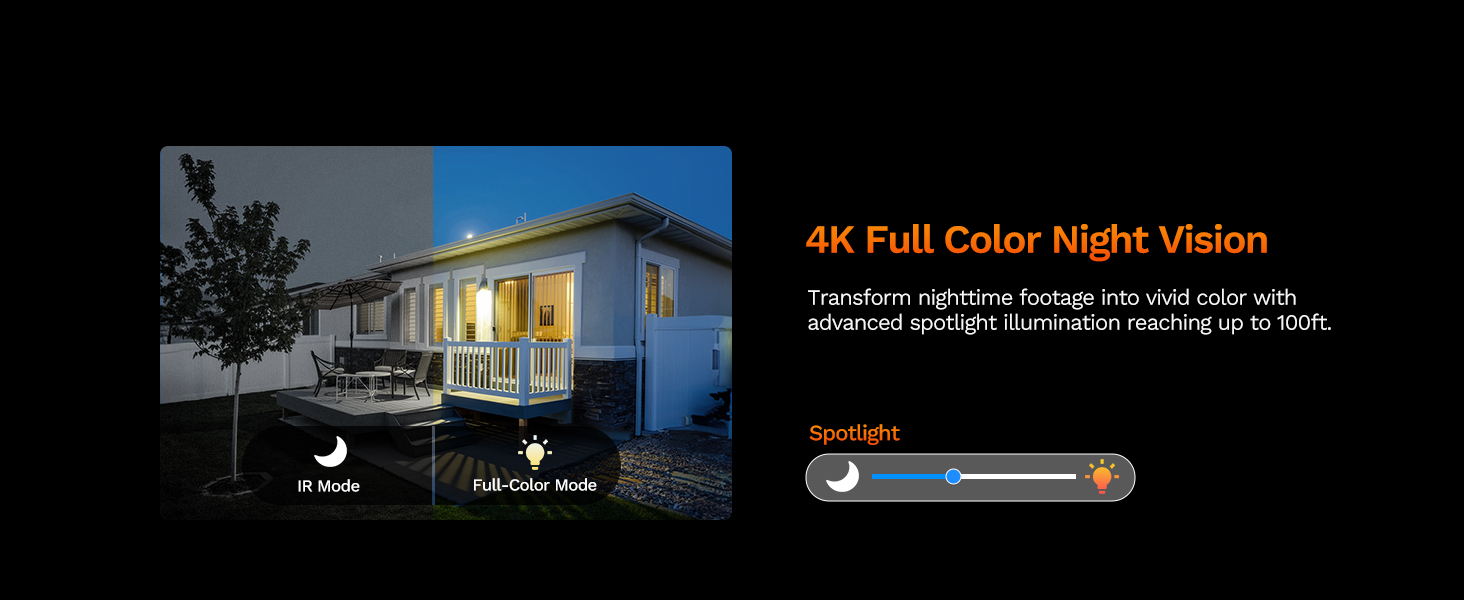
Image: The LongPlus NVR illustrating the benefits of H.265 (HEVC) video compression for saving storage space while maintaining video quality.
Обслуживание
- Уборка: Регулярно очищайте объектив и корпус камеры мягкой тряпкой.amp Используйте чистящую ткань. Избегайте абразивных средств, которые могут поцарапать линзу.
- Обновления прошивки: Check the Longvision app or LongPlus website periodically for firmware updates. Keeping your camera's firmware updated ensures optimal performance and security.
- Проверка кабеля: Periodically inspect the Ethernet cable for any signs of wear or damage, especially in outdoor installations. Ensure connections are secure.
- Экологические проверки: Убедитесь, что никакие препятствия не блокируют камеру. view or interfering with its sensors.
Поиск неисправностей
If you encounter issues with your LongPlus camera, refer to the following common problems and solutions:
| Проблема | Возможная причина | Решение |
|---|---|---|
| Нет видеопотока | No power; Loose cable connection; Network issue. | Check PoE connection to NVR/switch. Ensure NVR/switch is powered on. Verify Ethernet cable integrity. |
| Плохое качество изображения | Загрязнённый объектив; Недостаточное освещение; Проблемы с пропускной способностью сети. | Clean the camera lens. Ensure adequate lighting for color night vision or switch to IR mode. Check network speed. |
| Обнаружение движения не работает | Detection disabled; Incorrect sensitivity; Activity zone not set correctly. | Enable motion detection in app/NVR settings. Adjust sensitivity. Verify activity zone configuration. |
| Не удается подключиться к приложению | Incorrect network settings; App issues; Camera not online. | Ensure camera is connected to the network. Restart camera and router. Re-add camera to the app. Check app permissions. |
| Двусторонняя аудиосвязь не работает | Microphone/speaker disabled; Volume too low; Network latency. | Check audio settings in the app. Adjust volume levels. Ensure stable network connection. |
If the problem persists after trying these solutions, please contact LongPlus customer support for further assistance.
Технические характеристики
| Особенность | Описание |
|---|---|
| Бренд | ЛонгПлюс |
| Номер модели | LP8MEF8 |
| Технология связи | Wired (Power over Ethernet - PoE) |
| Разрешение видеозахвата | 4K UHD (3840x2160) |
| Технология оптических датчиков | КМОП |
| Тип объектива | Зафиксированный |
| Viewугол наклона | 132 градусов |
| Ночное Видение | Yes, up to 100 Feet (30m) range (IR, Color, Smart modes) |
| Частота кадров | 30 кадров в секунду |
| Режимы записи | Motion-triggered, Scheduled, 24/7 (via NVR) |
| Особые возможности | H.265 Video Coding, Siren Alarm, Strobe Light Alarm, Two-Way Audio, Vehicle/Person Detection, Activity Zones, Privacy Mask, IP67 Waterproof |
| Источник питания | Проводное электропитание (PoE) |
| Рабочая температура | -30°C до 60°C (-22°F до 140°F) |
| Совместимые устройства | Cameras, Laptops, Personal Computers, Smartphones |
| Поддержка операционной системы | Android, Mac OS, Windows, iOS |
| Размеры товара | 3.3 x 3.3 x 3.5 дюйма |
| Цвет | Белый |
Гарантия и поддержка
Информация о гарантии
LongPlus provides a Гарантия 2 год for this product from the date of purchase. This warranty covers manufacturing defects and ensures the product meets its specified performance standards under normal use.
Техническая поддержка
LongPlus offers пожизненная техническая поддержка for its customers. If you have any questions, require assistance with setup, operation, or troubleshooting, or encounter any issues not covered in this manual, please do not hesitate to contact our professional technical team. We are committed to responding to your inquiries within 24 hours.
For support, please visit the official LongPlus webсайт или обратитесь к контактной информации, указанной на упаковке вашего продукта.