
1. Введение
This manual provides detailed instructions for the installation, operation, and maintenance of your SILENTWARE VIEWWHITE A-RGB Mid-Tower PC Case. Please read this manual thoroughly before beginning assembly to ensure proper setup and to maximize the performance and longevity of your system components.
The SILENTWARE VIEWWHITE is a high-performance mid-tower PC case designed for optimal airflow and aesthetic appeal. It features tempered glass panels, four pre-installed 120mm A-RGB fans, and comprehensive compatibility for various PC components.
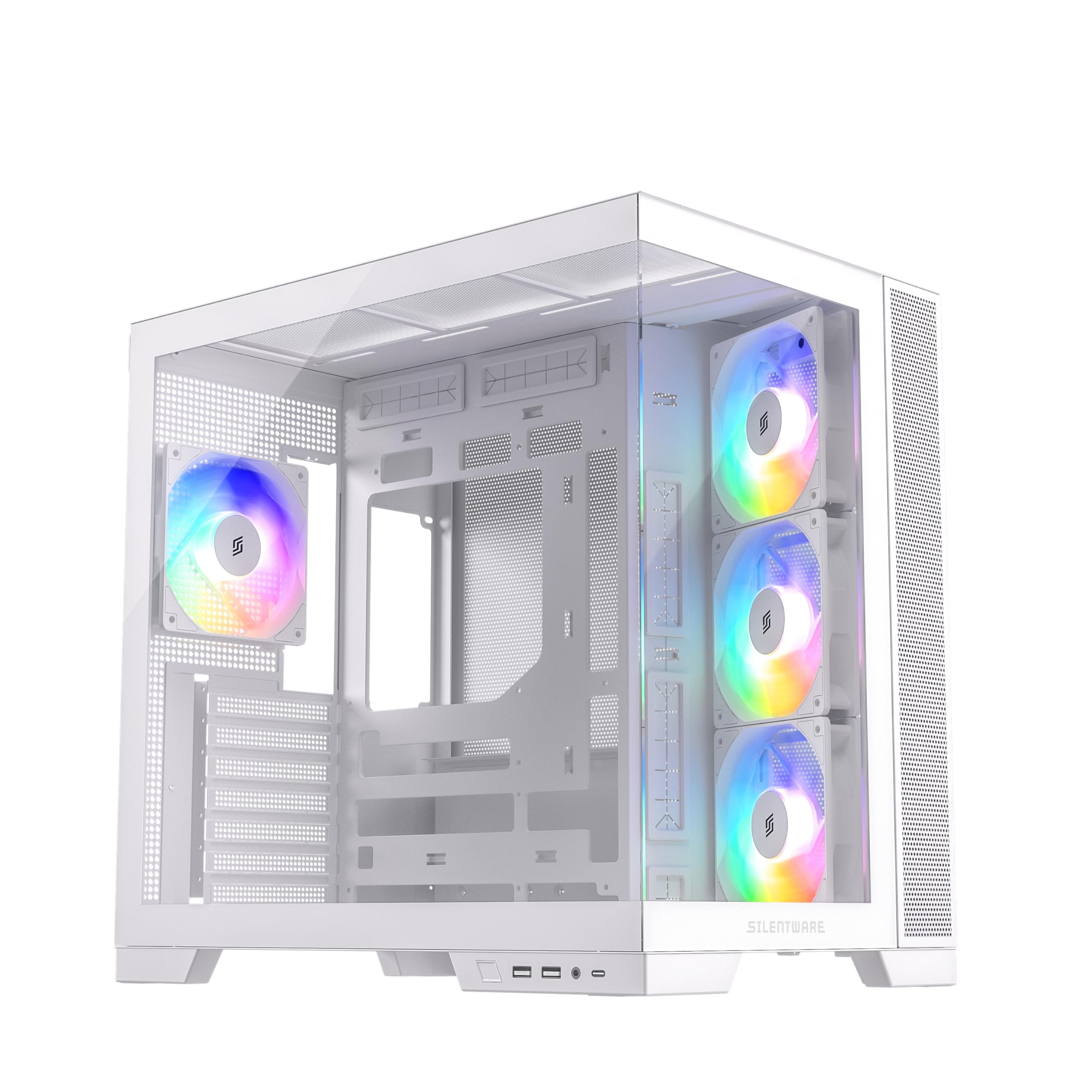
Рисунок 1.1: Болееview of the SILENTWARE VIEWWHITE A-RGB Mid-Tower PC Case.
2. Настройка и установка
Before starting, ensure you have all necessary components and tools. It is recommended to work on a clean, flat surface and to use anti-static precautions.
2.1 Распаковка кейса
Carefully remove the PC case from its packaging. Inspect for any damage that may have occurred during shipping. Retain the packaging for future transport or warranty claims.
2.2 Снятие панелей
The SILENTWARE VIEWWHITE features tempered glass panels on the front and side. To access the interior for component installation:
- Locate the thumbscrews or latches securing the side tempered glass panel.
- Carefully remove the screws/release the latches and gently slide or lift the panel off. Place it on a soft, flat surface to prevent scratches.
- The top panel can also be removed for easier access and radiator installation.

Figure 2.1: Top panel removed for access to the interior.
2.3 Установка материнской платы
The case supports ATX, mATX, and ITX motherboards.
- Install the necessary motherboard standoffs if they are not pre-installed for your motherboard size.
- Совместите материнскую плату с крепежными стойками и отверстием для заглушки разъемов ввода/вывода на задней панели корпуса.
- Закрепите материнскую плату винтами.
2.4 Установка блока питания
The power supply unit (PSU) is mounted at the bottom of the case.
- Вставьте блок питания в предназначенный для него отсек с задней стороны корпуса.
- Secure the PSU with screws from the exterior rear of the case.
- Utilize the integrated cable management system for a clean build. The case supports PSUs up to 200mm in length.
2.5 Установка накопителя
The case provides space for 2x SSDs and 1x HDD.
- Locate the SSD mounting points (typically behind the motherboard tray).
- Secure SSDs with screws.
- Install HDDs in the designated drive cage, usually located near the PSU shroud.
2.6 Установка видеокарты (GPU)
Корпус поддерживает видеокарты длиной до 410 мм.
- Снимите необходимые заглушки слотов расширения на задней панели корпуса.
- Вставьте видеокарту в слот PCIe на материнской плате.
- Закрепите видеокарту винтами.
2.7 Cooling System (Fans & Radiators)
The case comes with four pre-installed 120mm A-RGB fans: three inverted airflow fans at the front and one at the rear. It supports various radiator configurations:
- Вершина: Радиатор размером до 360 мм
- Сторона: Радиатор размером до 280 мм
- Задний: Радиатор размером до 120 мм
Ensure all fans are connected to the motherboard or a fan controller for power and RGB control.
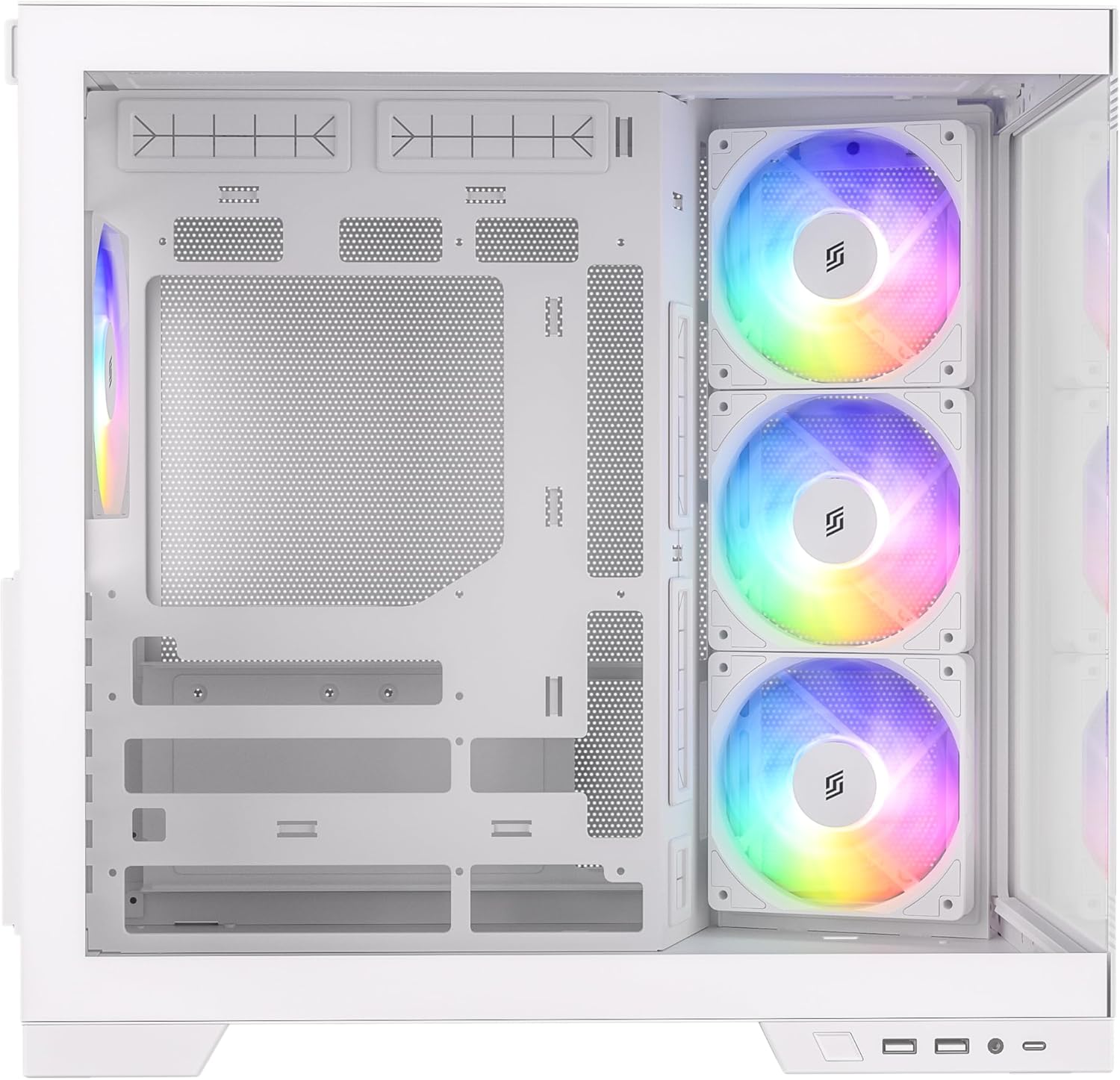
Рисунок 2.2: Внутренний view highlighting fan placement and component space.
2.8 Разъемы на передней панели ввода/вывода
Connect the front I/O panel cables to your motherboard. These include:
- USB 3.0 (2 шт.)
- USB-C (1 шт.)
- HD Audio (for headphone and microphone jacks)
- Power Button, Reset Button, Power LED, HDD LED
Refer to your motherboard manual for specific header locations.
3. Operating the A-RGB Fans
The pre-installed A-RGB fans offer flexible lighting and speed control.
3.1 Подключение вентиляторов
Each fan has two connectors:
- 4-pin PWM connector: For fan speed control. Connect this to a 4-pin fan header on your motherboard.
- 3-pin A-RGB connector: For addressable RGB lighting control. Connect this to a 3-pin 5V A-RGB header on your motherboard. Do not connect to a 4-pin 12V RGB header, as this may damage the LEDs.
3.2 Программное управление
Once connected, you can control the fan speed and A-RGB lighting effects through your motherboard's proprietary software (e.g., ASUS Aura Sync, MSI Mystic Light, Gigabyte RGB Fusion, ASRock Polychrome Sync). Refer to your motherboard's manual for instructions on using its specific software.

Figure 3.1: A-RGB fans providing illumination and airflow.
4. Техническое обслуживание
Регулярное техническое обслуживание помогает обеспечить оптимальную производительность и продлевает срок службы компонентов вашего ПК.
4.1 Очистка от пыли
Dust accumulation can impede airflow and cause components to overheat. It is recommended to clean your PC case every 3-6 months, or more frequently in dusty environments.
- Power off your PC and unplug it from the wall outlet.
- Remove the side and top panels.
- Use compressed air to blow dust out of the case, especially from fan blades, radiator fins, and mesh filters. Hold fan blades gently to prevent over-spinning.
- Протрите внутренние поверхности салфеткой из микрофибры.
4.2 Уход за закаленным стеклом
The tempered glass panels require careful handling.
- Clean glass panels with a soft, lint-free cloth and a non-abrasive glass cleaner.
- Avoid harsh chemicals or abrasive materials that could scratch the glass.
- Always handle glass panels by their edges to prevent fingerprints and smudges.
5. Поиск Неисправностей
В этом разделе рассматриваются распространенные проблемы, с которыми вы можете столкнуться.
5.1 Fans Not Spinning or Lighting Up
- Проверьте подключение питания: Ensure the 4-pin PWM fan connectors are securely plugged into the motherboard fan headers.
- Check RGB Connections: Verify that the 3-pin A-RGB connectors are securely plugged into the 5V A-RGB headers on your motherboard. Confirm you are not using a 12V RGB header.
- Программное обеспечение материнской платы: Ensure your motherboard's RGB control software is installed and configured correctly. Sometimes, a BIOS update or a fresh installation of the software can resolve issues.
- Fan Controller: If using an external fan controller, ensure it is powered and correctly connected to the fans and motherboard.
5.2 Плохая циркуляция воздуха / Высокие температуры
- Накопление пыли: Clean dust filters and fan blades as described in the Maintenance section.
- Ориентация для болельщиков: Ensure fans are oriented correctly for optimal airflow (front fans typically intake, rear/top fans exhaust). The pre-installed front fans are inverted for intake.
- Управление кабелями: Неправильная организация кабелей может препятствовать циркуляции воздуха. Перенаправьте кабели, чтобы минимизировать препятствия.
5.3 Front I/O Ports Not Working
- Проверьте подключения материнской платы: Verify that all front I/O cables (USB 3.0, USB-C, HD Audio, power/reset switches) are correctly connected to their respective headers on the motherboard. Refer to your motherboard manual.
- Установка драйвера: Ensure all necessary motherboard drivers, especially for USB ports, are installed.
6. Технические характеристики
Below are the technical specifications for the SILENTWARE VIEWWHITE A-RGB Mid-Tower PC Case:
| Особенность | Спецификация |
|---|---|
| Бренд | SILENTWARE |
| Номер модели | VIEWБЕЛЫЙ |
| Тип корпуса | Средняя башня |
| Цвет | Белый |
| Материал | Tempered Glass (Front & Side), Steel |
| Совместимость с материнской платой | ATX, mATX, ITX |
| Предустановленные вентиляторы | 4x 120mm A-RGB (3x Front, 1x Rear) |
| Длина графического процессора | До 410 мм |
| Зазор по высоте для установки процессорного кулера | До 160 мм |
| Опора радиатора (верхняя) | До 360 мм |
| Опора радиатора (сбоку) | До 280 мм |
| Опора радиатора (задняя) | До 120 мм |
| Отсеки для дисков | 2x 2.5" SSD, 1x 3.5" HDD |
| Передние порты ввода / вывода | 2x USB 3.0, 1x USB-C, Audio In/Out |
| Тип источника питания | ATX (Bottom Mount, up to 200mm) |
| Размеры (Д x Ш x В) | 28.5 х 42.5 х 41.5 см |

Рисунок 6.1: Размеры изделия.
7. Информация о гарантии
SILENTWARE products are covered by a limited warranty against defects in materials and workmanship. The specific warranty period and terms may vary by region and retailer. Please retain your proof of purchase for warranty claims.
For detailed warranty information, please refer to the warranty card included with your product or visit the official SILENTWARE webсайт.
8 Поддержка
If you encounter any issues not covered in this manual or require further assistance, please contact SILENTWARE customer support.
- Webсайт: Visit the official SILENTWARE webСайт с часто задаваемыми вопросами, загрузками драйверов и ресурсами поддержки.
- Электронная почта: Refer to your product packaging or the SILENTWARE webсайт адресов электронной почты службы поддержки клиентов.
- Телефон: Check the SILENTWARE website for regional support contact numbers.
При обращении в службу поддержки, пожалуйста, укажите номер модели вашего продукта (VIEWWHITE) and proof of purchase ready.