
1. Введение
This manual provides essential information for setting up, operating, maintaining, and troubleshooting your NIMO N158 15.6-inch laptop. Please read this manual thoroughly before using your device to ensure optimal performance and longevity.
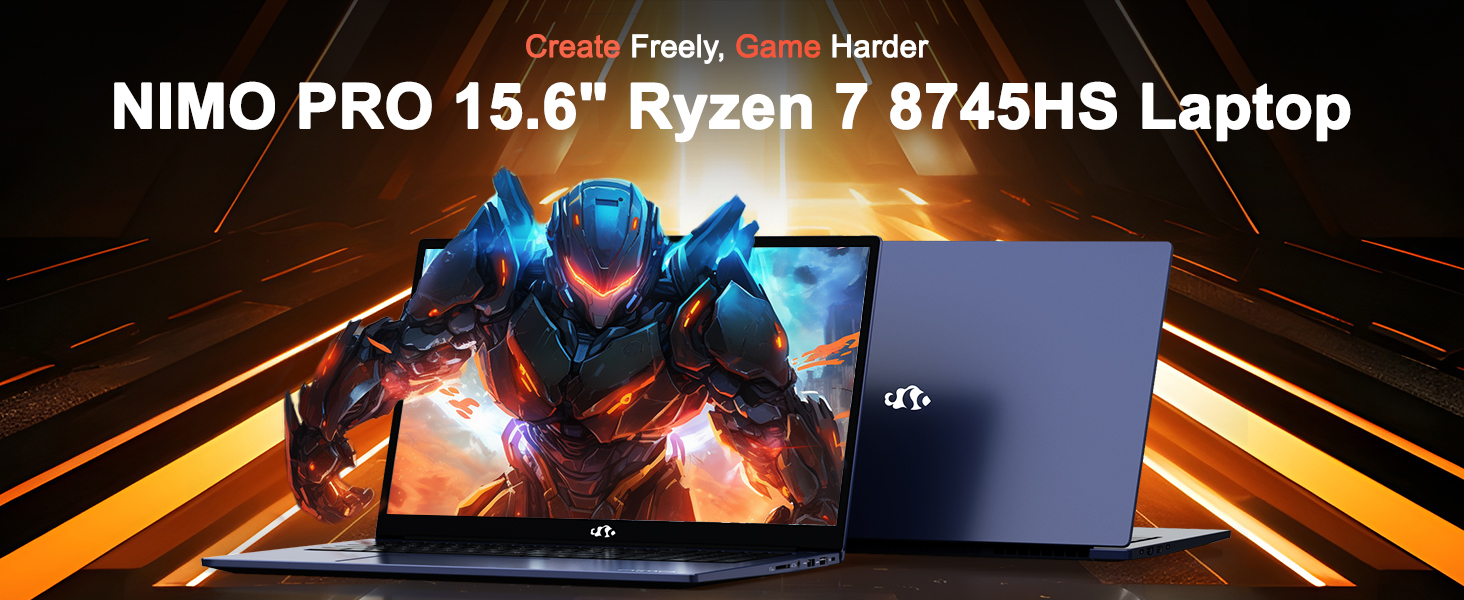
Image: The NIMO N158 15.6-inch laptop, showcasinг его дизайн и основные характеристики.
2. Продукт закончилсяview
The NIMO N158 is a high-performance laptop designed for productivity and entertainment. It features an AMD Ryzen 7 8745HS processor, 64GB DDR5 RAM, and a 1TB PCIe 4.0 SSD.
2.1 ключевых компонента
- Процессор: AMD Ryzen 7 8745HS (8 Cores, 16 Threads, up to 4.9GHz)
- Графика: AMD Radeon 780M Integrated Graphics
- Память: 64 ГБ оперативной памяти DDR5 (4800 МГц)
- Хранилище: Твердотельный накопитель PCIe 4.0 объемом 1 ТБ
- Отображать: 15.6-inch Full HD (1920x1080) IPS Anti-Glare
- Операционная система: Windows 11 Домашняя
- Аккумулятор: Литий-полимерный аккумулятор 75 Вт·ч
2.2 Порты и интерфейсы
The NIMO N158 laptop offers a variety of ports for connectivity:

Image: Diagram illustrating the various ports and interfaces on the NIMO N158 laptop.
- 1 порта USB 2.0
- 3 порта USB 3.0
- 1 x USB 4.0 Type-C Port (with 100W PD fast charging support)
- Порт 1 x HDMI
- 1 x Разъем для наушников
- 1 х SD-картридер
- 1 слот для замка Кенсингтона
3. Настройка
3.1 Первое включение и зарядка
- Unpack the laptop and the included 100W Type-C PD Fast Charger.
- Connect the charger to the USB Type-C port on the laptop and to a power outlet. The Charger LED will illuminate.
- Дайте ноутбуку заряжаться не менее 30 минут перед первым использованием или пока индикатор батареи не покажет достаточный уровень заряда.
- Нажмите кнопку питания, чтобы включить ноутбук.

Image: The NIMO N158 laptop connected to its 100W Type-C fast charger, illustrating the charging process.
3.2 Настройка операционной системы
Upon first boot, you will be guided through the Windows 11 Home setup process. Follow the on-screen instructions to configure your language, region, network connection, and user account.
3.3 Настройка считывателя отпечатков пальцев
For enhanced security, set up the integrated fingerprint reader during the Windows 11 setup or later via Windows Settings > Accounts > Sign-in options. This allows for quick and secure login.
4. Инструкция по эксплуатации
4.1 Клавиатура и сенсорная панель
- Подсветка клавиатуры: The keyboard features backlighting for comfortable typing in low-light conditions. Use the designated function key (Fn + F key combination, typically) to adjust brightness or toggle the backlight.
- Цифровая клавиатура: Для удобного ввода данных предусмотрена специальная цифровая клавиатура.
- Precision Gesture Touchpad: Сенсорная панель поддерживает мультитач-жесты для навигации. Для настройки жестов сенсорной панели обратитесь к параметрам Windows.

Image: A user interacting with the NIMO N158 laptop, highlighting the backlit keyboard and fingerprint reader on the touchpad.
4.2 Дисплей
The 15.6-inch Full HD IPS anti-glare display provides clear and vibrant visuals. Adjust display settings (resolution, brightness, color) through Windows Display Settings.

Image: The NIMO N158 laptop displaying a vibrant image on its 15.6-inch Full HD IPS screen, emphasizing visual quality.
4.3 Webкулачок
The laptop includes a 2MP webcam. For privacy, a physical webcam shield or switch is integrated. Ensure the webcam is open when in use and closed when not needed.

Image: A visual representation of the NIMO N158 laptop's privacy-focused camera, showing the open and closed states of the webcam switch.
4.4 Производительность и многозадачность
The AMD Ryzen 7 8745HS processor and 64GB DDR5 RAM provide robust performance for demanding tasks, content creation, and gaming. The 1TB PCIe 4.0 SSD ensures fast boot times and application loading.

Image: A close-up of the AMD Ryzen 7 8745HS processor chip, highlighting its core specifications.
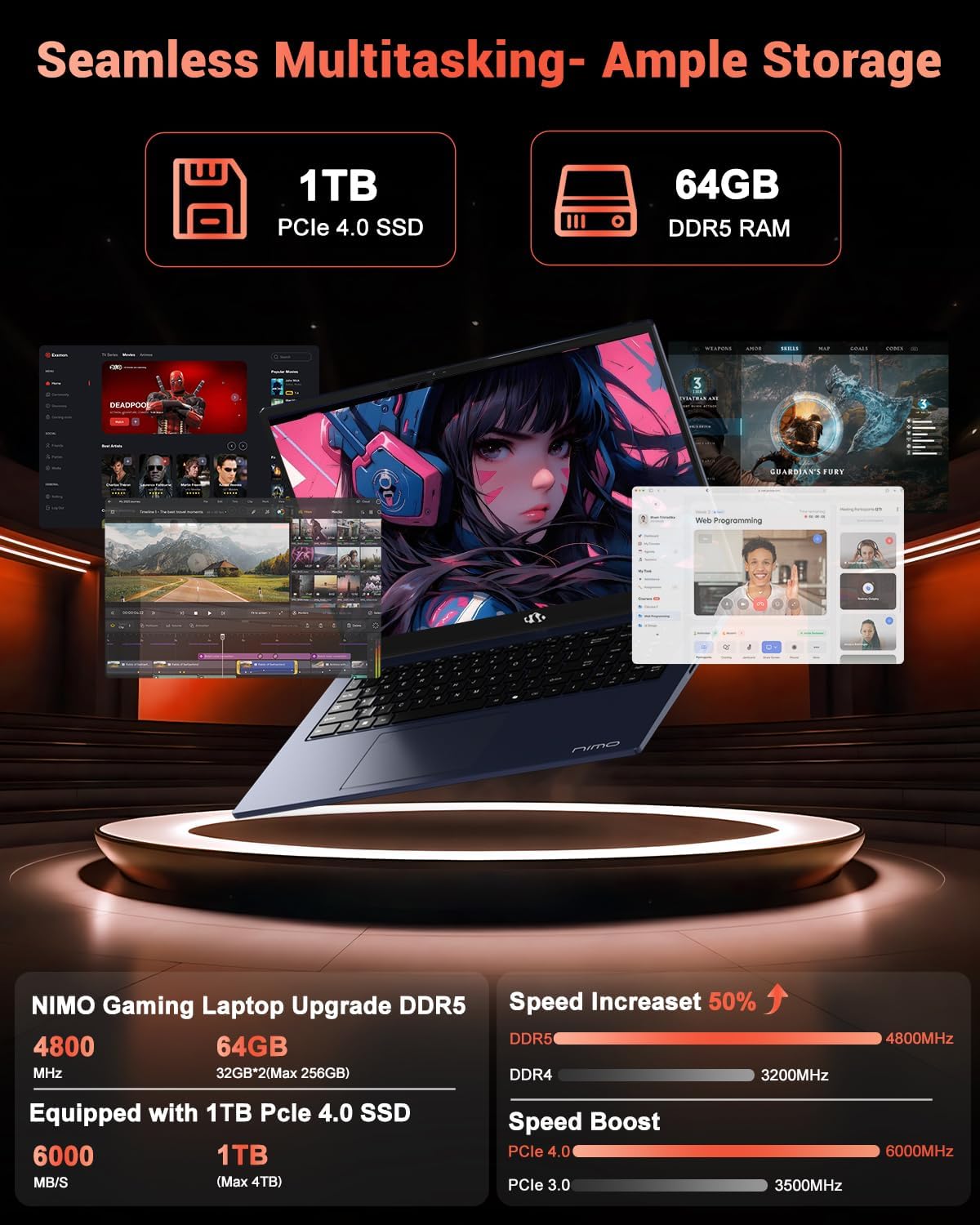
Image: The NIMO N158 laptop displaying multiple applications open, demonstrating its multitasking capabilities with 64GB RAM and 1TB SSD.
5. Техническое обслуживание
5.1 Общий уход
- Для поддержания чистоты ноутбука протирайте его поверхности мягкой сухой тканью.
- Избегайте воздействия на ноутбук экстремальных температур, прямых солнечных лучей или влаги.
- Не кладите на ноутбук тяжелые предметы.
- Обеспечьте надлежащую вентиляцию, не закрывая вентиляционные отверстия.
5.2 Возможность модернизации
The NIMO N158 features an upgradable design, allowing for expansion of memory (RAM) and storage (SSD). Consult a qualified technician or refer to official NIMO support resources before attempting any internal upgrades to avoid voiding your warranty.
6. Поиск Неисправностей
If you encounter issues with your NIMO N158 laptop, consider the following basic troubleshooting steps:
- Нет питания: Убедитесь, что зарядное устройство надежно подключено и розетка исправна. Попробуйте другую розетку.
- Проблемы с отображением: Check external display connections if using one. Adjust screen brightness. Restart the laptop.
- Низкая производительность: Закройте ненужные приложения. Проверьте наличие фоновых обновлений. Убедитесь в наличии достаточного свободного места на диске.
- Проблемы с подключением: Restart your Wi-Fi router. Reconnect to the Wi-Fi network. Update network drivers.
- Система зависает: Нажмите и удерживайте кнопку питания в течение 10–15 секунд, чтобы принудительно завершить работу, а затем перезапустите устройство.
For persistent issues, refer to the NIMO support webсайт или свяжитесь со службой поддержки клиентов.
7. Технические характеристики
| Особенность | Спецификация |
|---|---|
| Бренд | NIMO |
| Название модели | НИМО N158B |
| Размер экрана | 15.6 дюйма |
| Разрешение экрана | 1920 x 1080 пикселей (FHD IPS) |
| Процессор | AMD Ryzen 7 8745HS (up to 4.9 GHz) |
| БАРАН | 64 ГБ DDR5 (4800 МГц) |
| Жесткий диск | SSD-накопитель объемом 1024 ГБ (PCIe 4.0) |
| Графический сопроцессор | AMD Радеон 780M |
| Операционная система | Windows 11 Домашняя |
| Тип беспроводной связи | 802.11a/b/g/n/ac (Wi-Fi 6E) |
| Порты USB 2.0 | 1 |
| Порты USB 3.0 | 3 |
| Порты USB 4.0 Type-C | 1 |
| Средний срок службы батареи | 15.5 часов |
| Вес товара | 3.8 фунта |
| Размеры продукта | 14.07 x 8.98 x 0.76 дюйма |
| Особые возможности | Backlit Keyboard, Fingerprint Reader, HD Audio, Numeric Keypad |
8. Гарантия и поддержка
NIMO is committed to providing excellent customer service and product support.
8.1 Информация о гарантии
Your NIMO N158 laptop comes with a Гарантия 2 год from the date of purchase. This warranty covers manufacturing defects and hardware malfunctions under normal use. Please retain your proof of purchase for warranty claims.

Image: A technician performing maintenance on a laptop, representing the 2-year support provided by NIMO.
8.2 Политика возврата
NIMO offers a 90-дневная политика беспроблемного возврата товара.. If you are not satisfied with your purchase, you may return the product within 90 days from the date of purchase. Please refer to the official NIMO return policy for detailed terms and conditions.

Image: A delivery person handing a package to a customer, illustrating the 90-day return policy.
8.3 Поддержка клиентов
Our dedicated support team is available to assist you with any questions or issues. You can reach us via:
- Электронная почта: service@nimopc.com
- Онлайн: Visit the official NIMO webсайт для ответов на часто задаваемые вопросы и получения ресурсов поддержки.
We strive to provide quick solutions and a worry-free experience.

Image: Customer service representatives wearing headsets, representing professional customer assistance.