
NIMO NIMO N158
NIMO 15.6" FHD Laptop User Manual - Model N158
AMD Ryzen 7 8745HS, 16GB DDR5 RAM, 1TB SSD
1. Введение
This manual provides essential information for setting up, operating, maintaining, and troubleshooting your NIMO 15.6" FHD Laptop (Model N158). Please read this manual thoroughly before using your device to ensure optimal performance and longevity.
Содержимое упаковки
- 1 x NIMO N158 Laptop
- 1 x Type-C 100W PD Fast Charger
- 1 х Руководство пользователя
- Windows 11 Home Operating System (pre-installed)
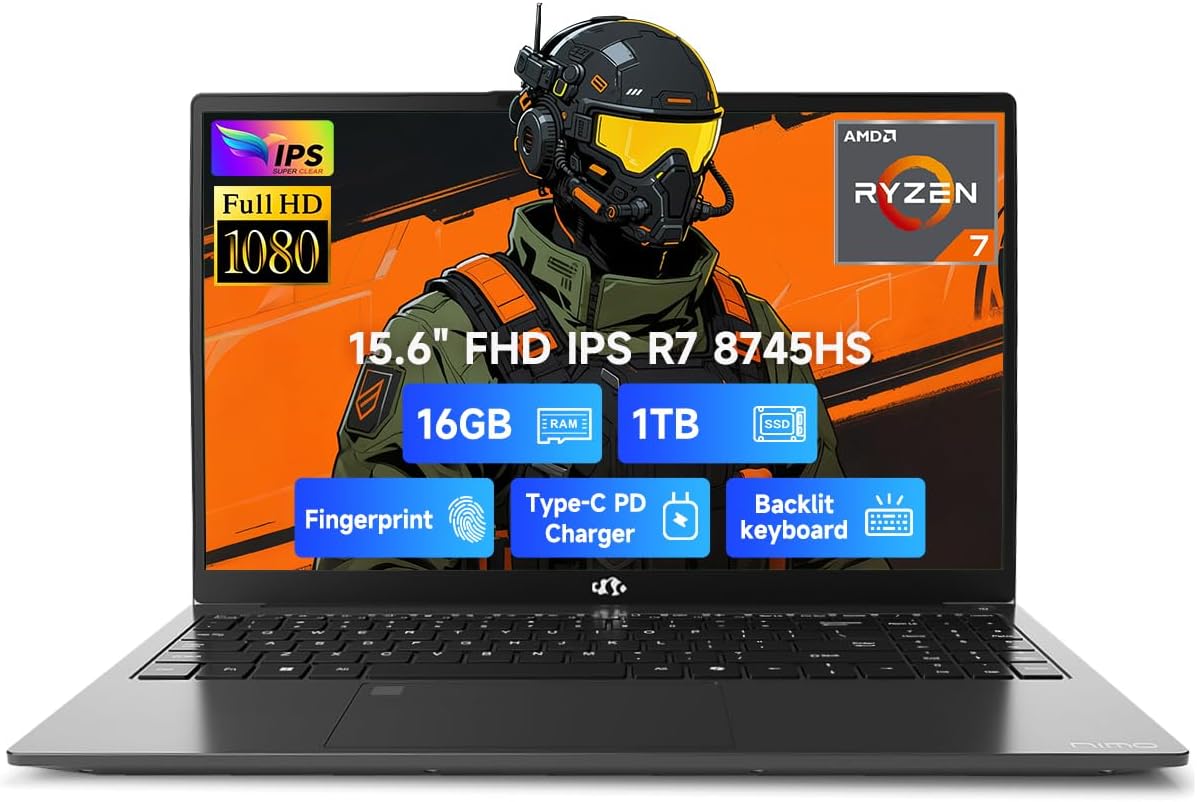
Image 1.1: NIMO 15.6 inch FHD Laptop, showcasing его элегантный дизайн и дисплей.
2. Начальная настройка
2.1 Включение и зарядка
Before first use, ensure your laptop is fully charged. Connect the provided 100W Type-C PD Fast Charger to the USB 4.0 Type-C port on the laptop and to a power outlet. The charging indicator light will illuminate.

Image 2.1: The NIMO laptop connected to its 100W USB-C fast charger, illustrating the charging process and battery capacity.
2.2 Первая загрузка и установка Windows 11
Press the power button to turn on the laptop. Follow the on-screen instructions to complete the initial setup of Windows 11 Home. This includes setting up your region, language, network connection, and user account.
2.3 Настройка сканера отпечатков пальцев
For enhanced security, configure the integrated fingerprint sensor. During Windows 11 setup or via Windows Settings > Accounts > Sign-in options, you can register your fingerprint for quick and secure login.

Image 2.2: Close-up of the NIMO laptop's keyboard, highlighting the backlit keys and the integrated fingerprint sensor on the touchpad.
3. Работа с ноутбуком
3.1 Клавиатура и сенсорная панель
The laptop features a full-size keyboard with a numeric keypad and adjustable backlighting for comfortable typing in various lighting conditions. The precision gesture touchpad supports multi-touch gestures for intuitive navigation. The fingerprint sensor is integrated into the touchpad for convenient unlocking.
3.2 Порты подключения
Your NIMO laptop is equipped with a variety of ports for connecting external devices:
- USB 4.0 Тип-C: For high-speed data transfer, video output, and power delivery (charging).
- USB 3.2: Multiple ports for connecting peripherals like external drives and mice.
- USB 2.0: Для стандартных USB-устройств.
- HDMI: Для подключения к внешним дисплеям или проекторам.
- Порт для наушников: Для аудиовыхода.
- Слот для SD-карты: Для чтения карт памяти.
- Слот для замка Кенсингтона: Для физической безопасности.
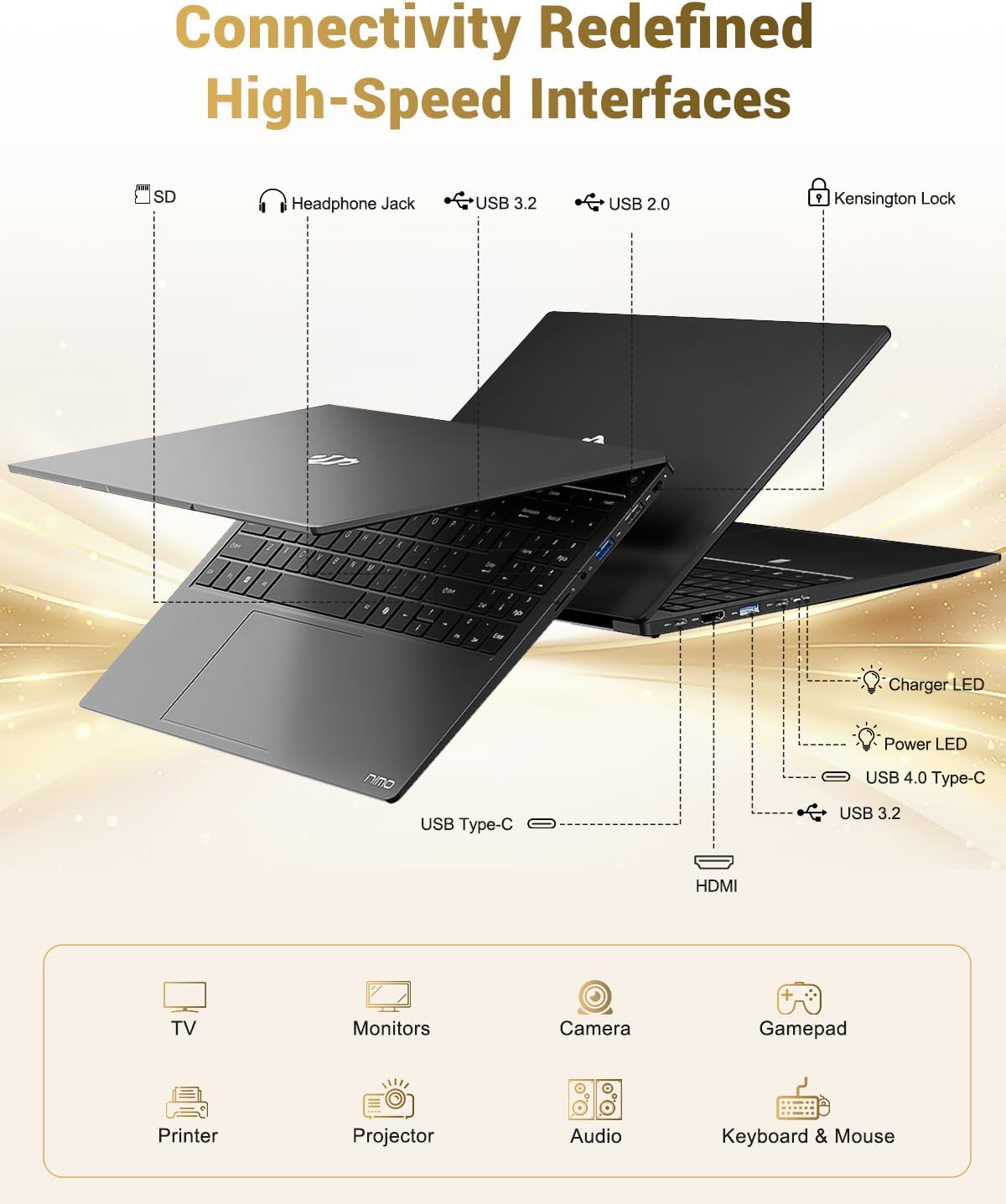
Image 3.1: Diagram illustrating the various input/output ports available on the NIMO laptop, including USB, HDMI, and audio jacks.
3.3 WebИспользование камеры
Встроенный 2-мегапиксельный webcam is suitable for video calls and online meetings. For privacy, the laptop includes a physical privacy switch to disable the webкамеру, когда она не используется.

Image 3.2: A visual representation of the laptop's webcam with an open and closed privacy switch, emphasizing user control over privacy.
4. Техническое обслуживание и уход
4.1 Уход за аккумулятором
The laptop is equipped with a 75Wh Smart Battery, providing an average battery life of 15.5 hours. To prolong battery lifespan:
- Избегайте экстремальных температур.
- Не допускайте частой полной разрядки аккумулятора.
- If storing the laptop for extended periods, charge it to approximately 50-60%.
4.2 Upgradable Components
The NIMO laptop features an upgradable design, allowing for expansion of memory (DDR5 RAM) and storage (PCIe 4.0 SSD) to meet future needs. Consult a qualified technician for upgrades to avoid damaging components.

Image 4.1: Visual representation of the laptop's multitasking capabilities and ample storage, highlighting 1TB PCIe 4.0 SSD and 16GB DDR5 RAM.
4.3 Чистка ноутбука
Для очистки экрана и внешних поверхностей используйте мягкую безворсовую ткань. Для удаления стойких загрязнений...ampСлегка смочите ткань водой или средством для чистки экранов. Избегайте агрессивных химикатов и абразивных материалов.
5. Поиск Неисправностей
This section addresses common issues you might encounter with your NIMO laptop.
5.1 Проблемы с питанием
- Ноутбук не включается: Ensure the charger is securely connected and the power outlet is functional. If the battery is completely drained, it may take a few minutes of charging before the laptop can power on.
- Аккумулятор не заряжается: Verify the Type-C charger and cable are undamaged. Try a different power outlet.
5.2 Проблемы с отображением
- Экран пустой: Check if the laptop is powered on. Try connecting an external monitor via HDMI to determine if the issue is with the laptop's display or the graphics output.
- Мерцающее или искаженное изображение: Обновите драйверы видеокарты. Если используете внешний монитор, проверьте подключение кабеля.
5.3 Проблемы с подключением
- Wi-Fi не подключается: Убедитесь, что Wi-Fi включен в настройках Windows. Перезагрузите маршрутизатор и ноутбук. Проверьте наличие обновленных драйверов Wi-Fi.
- USB-устройства не распознаны: Попробуйте подключить устройство к другому USB-порту. Убедитесь, что драйверы устройства установлены.
Если у вас возникнут проблемы, не описанные здесь, обратитесь за помощью в раздел поддержки.
6. Технические характеристики
Detailed technical specifications for the NIMO 15.6" FHD Laptop (Model N158).
| Особенность | Спецификация |
|---|---|
| Бренд | NIMO |
| Название модели | NIMO N158L |
| Номер модели товара | NIMO N158 |
| Размер экрана | 15.6 дюйма |
| Разрешение экрана | 1920 x 1080 пикселей (FHD IPS) |
| Процессор | AMD Ryzen 7 8745HS (8 ядер, 16 потоков, до 4.9 ГГц) |
| БАРАН | 16 ГБ DDR5 (4800 МГц) |
| Жесткий диск | SSD-накопитель объемом 1024 ГБ (PCIe 4.0) |
| Графический сопроцессор | AMD Radeon 780M (интегрированная) |
| Операционная система | Windows 11 Домашняя |
| Тип беспроводной связи | 802.11a/b/g/n/ac |
| USB-порты | 1 портов USB 2.0, 3 порта USB 3.0, 1 порт USB 4.0 Type-C |
| Средний срок службы батареи | 15.5 часов (75 Вт·ч) |
| Вес товара | 3.8 фунта |
| Размеры продукта | 14.07 x 8.98 x 0.76 дюйма |
| Цвет | Черный |
| Задний WebРазрешение камеры | 2 МП |
| Особые возможности | Backlit Keyboard, Fingerprint Reader, HD Audio, Numeric Keypad |

Image 6.1: The NIMO laptop's 15.6-inch FHD IPS display, emphasizing clear visuals and screen size.

Image 6.2: Close-up of the AMD Ryzen 7 8745HS processor, detailing its 8 cores, 16 threads, and 4.9GHz boost clock.
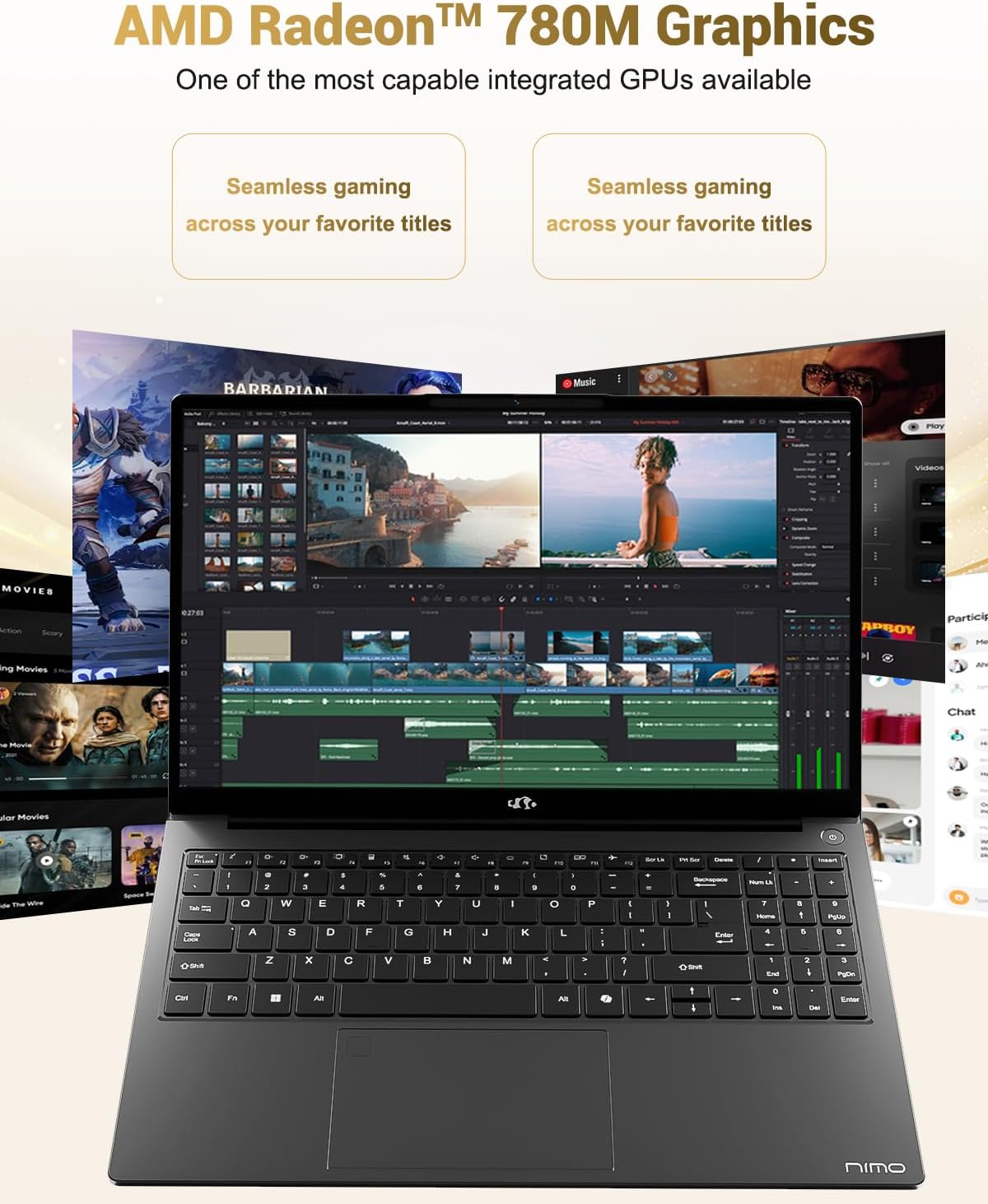
Image 6.3: The AMD Radeon 780M Graphics, highlighting its capability for seamless gaming and creative tasks.
7. Информация о гарантии
Your NIMO laptop comes with a Гарантия 2 год from the date of purchase. This warranty covers manufacturing defects and hardware malfunctions under normal use. Additionally, NIMO offers a 90-дневная политика беспроблемного возврата товара. для вашего удобства.
For warranty claims or return inquiries, please contact our customer support team using the information provided in the Support section.

Image 7.1: Icon representing 2-year support for NIMO products.

Image 7.2: Icon representing the 90-day return policy for NIMO products.
8. Поддержка клиентов
NIMO is committed to providing excellent customer service. Our dedicated support team is available to assist you with any questions or issues you may have.
Контактная информация
- Электронная почта: service@nimopc.com
- Часы работы: 24-hour service available
For quick solutions and a worry-free experience, please reach out to us. We are ready to provide professional assistance.

Image 8.1: Illustration of professional customer assistance, indicating support availability.
Ask a question about this manual
Ask about setup, troubleshooting, compatibility, parts, safety, or missing instructions. Manuals+ will review the question and use this page’s manual context to help answer it.