
Введение
Thank you for choosing the SuperRC M23 Mini RC Drone. This manual provides essential information for the safe operation, setup, maintenance, and troubleshooting of your drone. Please read this manual thoroughly before operating the drone to ensure proper function and to avoid damage or injury. This drone is designed for adult beginners and features a lightweight, portable design with an HD camera and intelligent flight functions.
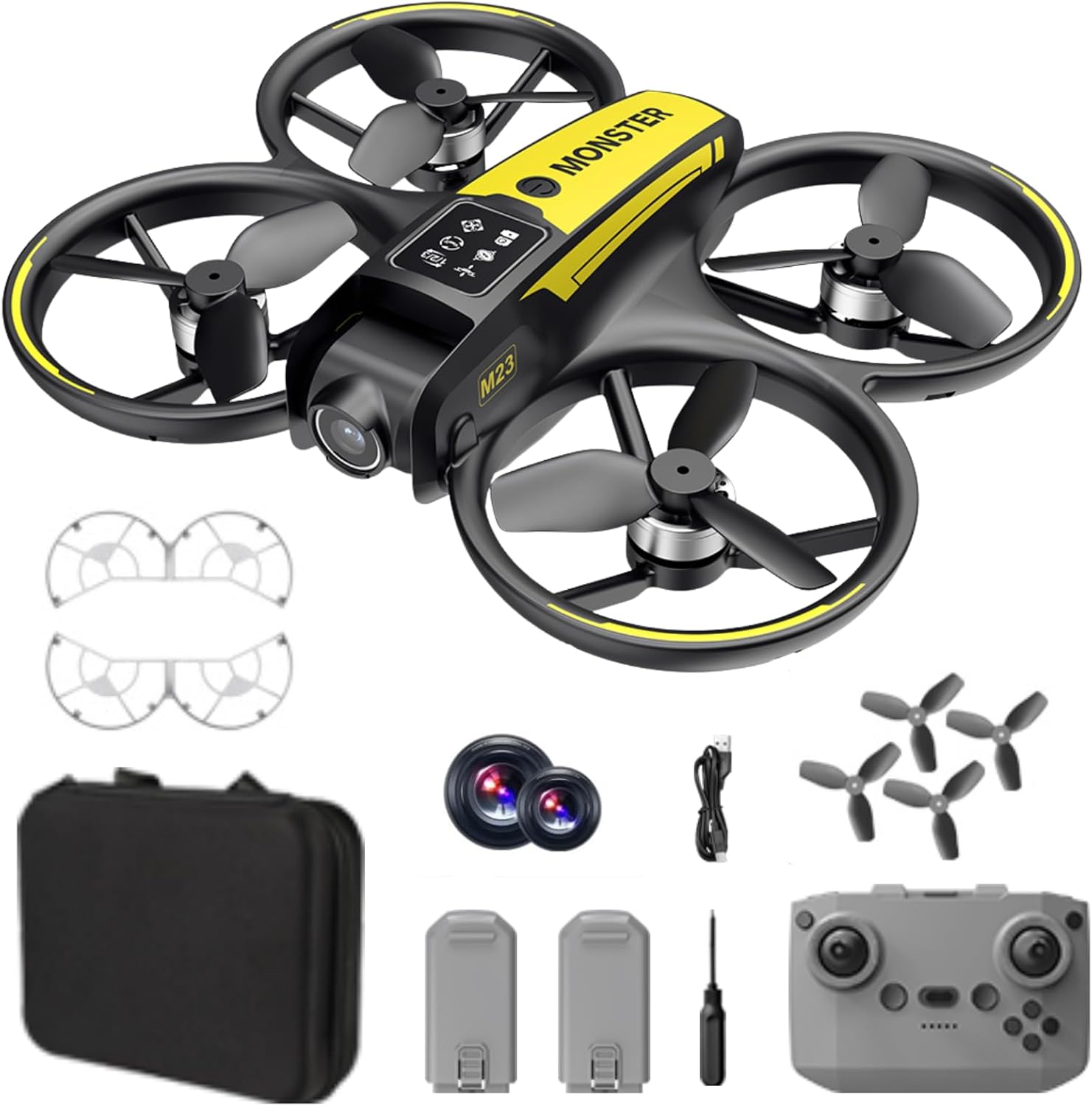
Что в коробке?
The SuperRC M23 drone package includes the following components:
- M23 Дрон
- Пульт дистанционного управления
- 2 перезаряжаемые батареи 3.7 В 1050 мАч
- 4 запасных пропеллера
- 2 x Пропеллерная защита
- Карта памяти
- Кардридер
- Отвертка
- USB-кабель для зарядки
- Сумка для хранения
- Руководство пользователя (этот документ)

Продукт болееview
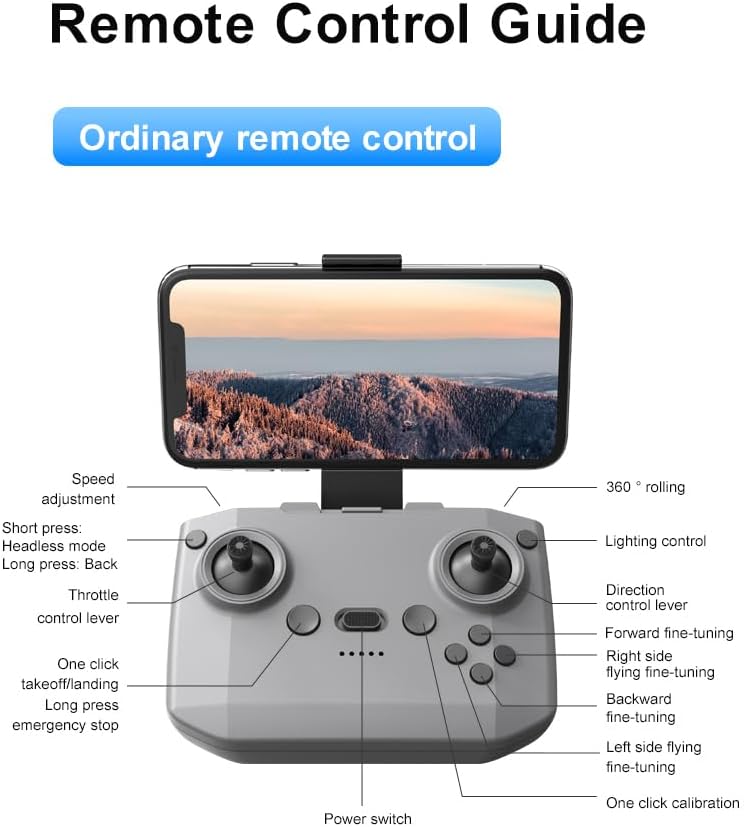
Схема пульта дистанционного управления
Familiarize yourself with the remote control buttons and their functions before flight.
Настраивать
1. Установка аккумулятора
- Ensure the drone and remote control are powered off.
- Найдите аккумуляторный отсек на дроне.
- Insert a charged 3.7V 1050mAh battery into the compartment until it clicks securely into place.
- For the remote control, open the battery cover and insert the required batteries (not specified in product data, assume standard AA/AAA, user should refer to physical manual for exact type).
2. Установка пропеллера
Дрон поставляется с предустановленными пропеллерами. В случае необходимости замены:
- Найдите маркировку «A» и «B» на пропеллерах и соответствующих рычагах двигателей.
- Attach 'A' propellers to 'A' motor shafts and 'B' propellers to 'B' motor shafts. Ensure they are firmly secured.
3. Установка защиты винта
For added safety, attach the propeller guards:
- Align each propeller guard with the designated slots on the drone's motor arms.
- Gently push until they snap into place.
4. Зарядка
Charge the drone batteries using the provided USB charging cable.
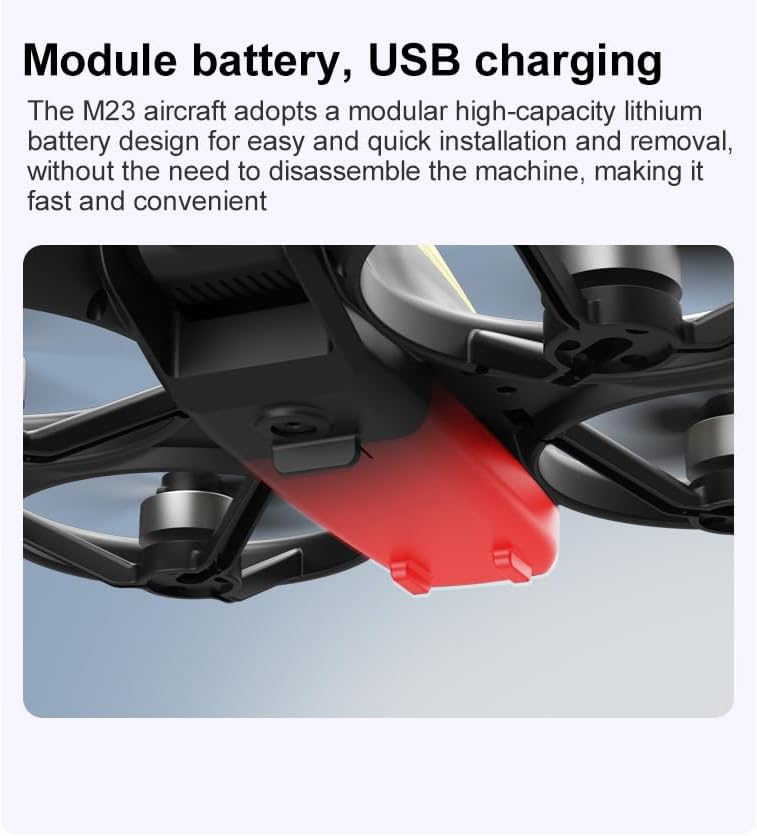
- Подключите USB-кабель для зарядки к аккумулятору дрона.
- Plug the other end into a USB power source (e.g., computer, USB wall adapter).
- The indicator light on the cable will show charging status (refer to physical manual for specific light indications).
- Время полной зарядки составляет приблизительно 60–90 минут.
Инструкция по эксплуатации
Предполетный контрольный список
- Убедитесь, что аккумуляторы дрона и пульта дистанционного управления полностью заряжены.
- Гребные винты установлены правильно и надежно закреплены.
- Propeller guards are attached (recommended for beginners).
- Выберите открытую, свободную от препятствий, людей и животных площадку.
- Перед запуском дронов ознакомьтесь с местными правилами их использования.
Основные полетные операции
The following video demonstrates key flight features including one-key takeoff, optical flow positioning, 360-degree roll, and speed switching.
Взлет и посадка одной кнопкой
- Снимать: Place the drone on a flat surface. Press the One-Key Takeoff button on the remote control. The drone will automatically ascend and hover at a stable altitude.
- Посадка: Press the One-Key Landing button. The drone will slowly descend and land automatically.
Flight Modes and Features
- Режим Headless: Press the Headless Mode button. In this mode, the drone's orientation is relative to the pilot, making it easier to control without worrying about the drone's front direction.
- Регулировка скорости: Use the speed adjustment button (or switch) on the remote control to cycle through low, medium, and high speeds. This allows for adaptable flight control based on skill level and environment.
- Поворот 360°: Press the 360° Roll button and then move the right joystick in any direction to perform an aerial flip. Ensure sufficient altitude before attempting.
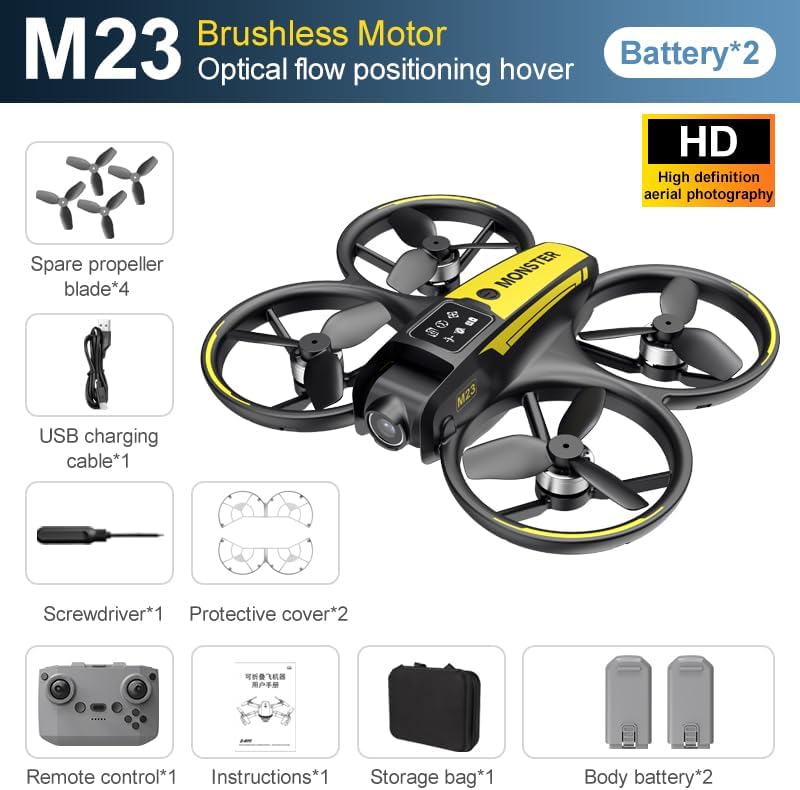
- Позиционирование оптического потока: The drone utilizes a bottom camera for optical flow positioning, which helps maintain stable hovering, especially indoors or in areas with good ground texture. This feature assists in precise altitude hold.
- Траектория полета: Through the mobile application, you can draw a desired flight path on your screen. The drone will then follow this trajectory automatically.

Эксплуатация камеры
The M23 drone is equipped with an HD camera with a 90-degree adjustable lens for capturing photos and videos.

- Фото/Видеосъемка: Use the dedicated buttons on the remote control or the mobile app to start/stop video recording or take photos.
- Передача изображения в реальном времени: Подключите свой смартфон к сети Wi-Fi дрона, чтобы view фу в реальном времениtage from the drone's camera on your device.
Обслуживание
Уборка
- Regularly clean the drone body with a soft, dry cloth.
- Ensure propellers are free from dust, dirt, or debris.
- Clean the camera lens gently with a microfiber cloth to maintain image quality.
Хранилище
- Store the drone and its components in the provided storage bag to protect them from dust and physical damage.
- Keep the drone in a cool, dry place, away from direct sunlight and extreme temperatures.
Уход за аккумулятором
- Не допускайте перезарядки или чрезмерной разрядки аккумуляторов.
- При длительном хранении заряжайте батареи примерно до 50-60% емкости.
- Avoid exposing batteries to high temperatures or direct sunlight.
Поиск неисправностей
If you encounter issues with your SuperRC M23 drone, refer to the following common problems and solutions:
| Проблема | Возможная причина | Решение |
|---|---|---|
| Дрон не реагирует на дистанционное управление | Низкий заряд батареи дрона или пульта дистанционного управления; Неправильное сопряжение; Помехи | Charge batteries; Re-pair drone and remote (refer to physical manual for pairing steps); Move to an area with less interference |
| Дрон дрейфует во время полета | Not calibrated; Wind interference; Damaged propeller | Perform calibration (refer to physical manual); Fly in calm conditions; Replace damaged propellers |
| Низкое качество изображения с камеры | Dirty lens; Low light conditions; Wi-Fi interference | Clean camera lens; Fly in well-lit areas; Ensure strong Wi-Fi connection |
| Короткое время полета | Аккумулятор заряжен не полностью; Старый аккумулятор; Агрессивное пилотирование | Ensure battery is fully charged; Consider replacing old batteries; Practice smoother flight maneuvers |
Технические характеристики
Key technical specifications for the SuperRC M23 Mini RC Drone:
| Особенность | Деталь |
|---|---|
| Название модели | M23-Drone |
| Бренд | СуперRC |
| Вес товара | 0.2 Kilograms (Under 250g) |
| Размеры изделия (Д x Ш x В) | 7 дюймов (Д) x 6 дюйма (Ш) x 2 дюйма (В) (прибл. 18 x 15 x 5 см) |
| Материал | Пластик |
| Уровень мастерства | Начинающий |
| Возрастной диапазон (Описание) | Взрослый |
| Камера | HD Camera with 90° Adjustable Lens |
| Разрешение видеозахвата | 720p |
| Разрешение видеовыхода | 720 XNUMX XNUMX пикселей |
| Формат захвата видео | МП4 |
| Поддерживаемый формат изображения | JPEG |
| Технология оптических датчиков | КМОП |
| Технология связи | Wi-Fi, RF |
| Тип управления | Дистанционное управление |
| Емкость аккумулятора | 1050 мАч (на одну батарею) |
| Состав аккумуляторной батареи | Литий-ионный |
| Особые возможности | Adjustable, One Button Return, One Key Rotation, Rechargeable, Speed Adjustment, Headless Mode, Optical Flow Positioning |
Гарантия и поддержка
SuperRC provides a standard warranty for the M23 Mini RC Drone against manufacturing defects. Please retain your proof of purchase for warranty claims.
Информация о гарантии
- The warranty period typically covers defects in materials and workmanship under normal use.
- Damage resulting from misuse, accidents, unauthorized modifications, or improper maintenance is not covered.
- For specific warranty terms and conditions, please refer to the warranty card included in your product packaging or contact SuperRC customer service.
Поддержка клиентов
If you require further assistance, have questions, or need to report an issue, please contact SuperRC customer support through the following channels:
- Онлайн поддержка: Visit the official SuperRC webсайт с ответами на часто задаваемые вопросы, ресурсами поддержки и контактными формами.
- Поддержка по электронной почте: Refer to your product packaging or the SuperRC webсайт для адреса электронной почты службы поддержки клиентов.
- Поддержка розничных продавцов: If purchased from a retailer, you may also contact their customer service for assistance.
При обращении в службу поддержки, пожалуйста, укажите модель вашего продукта (M23) и подробное описание проблемы.