
1. Введение
This manual provides essential instructions for the safe and efficient use of your AGM M10 Basic Flip Phone. Please read this manual thoroughly before operating the device and retain it for future reference.
The AGM M10 is a rugged 4G LTE flip phone designed for durability and essential communication. It features IP68/IP69K water and dust resistance, MIL-STD-810G drop protection, large buttons, and a loud speaker.
2. Содержимое упаковки
Проверьте наличие всех предметов в посылке:
- 1 x AGM M10 Phone
- 1 х Зарядное устройство
- 2 х аккумуляторов
- 1 х шнурок
- 1 x Руководство пользователя (этот документ)
Video: Unboxing the AGM M10 Basic Flip Phone and its accessories. This video demonstrates the contents of the package and provides a first look at the device.
3. Устройство перешлоview
Familiarize yourself with the physical components of your AGM M10 phone.

Изображение: спереди, сбоку и сзади views of the AGM M10 Basic Flip Phone. This image shows the phone in its closed and open states, highlighting its robust design.
Основные характеристики:
- Large Buttons & Font: Designed for ease of use, especially for users who prefer larger interfaces.
- Динамик 98 дБ: Ensures clear audio even in noisy environments.
- Внешний дисплей: Shows incoming calls, messages, and battery status without opening the phone.
- Кнопка SOS: Контактная информация для экстренных случаев.
- Фонарик: Интегрировано для удобства.
4. Настройка
4.1 Установка аккумулятора
The AGM M10 comes with two replaceable batteries. Before first use, ensure the battery is properly installed and any protective stickers are removed from the battery contacts.
- Снимите заднюю крышку телефона.
- Найдите батарейный отсек.
- If present, peel off the yellow protective sticker from the battery's metal contacts.
- Insert the battery into the compartment, aligning the contacts.
- Установите заднюю крышку на место, убедившись, что она надежно защелкнулась, обеспечивая защиту от воды и пыли.

Image: The AGM M10 phone with its back cover removed, revealing the battery compartment and slots for SIM and SD cards. This illustrates where to insert the battery and cards.
4.2 Установка SIM-карты и SD-карты
The AGM M10 supports dual Nano SIM cards and expandable memory via an SD card (up to 128GB, sold separately).
- With the back cover and battery removed, locate the SIM card slots. The phone supports two Nano SIM cards.
- Insert your Nano SIM card(s) into the designated slot(s) with the gold contacts facing down.
- If using an SD card for additional storage, insert it into the dedicated SD card slot.
- Установите на место аккумулятор и заднюю крышку.

Image: A close-up of the AGM M10's internal components, specifically highlighting the dual Nano SIM card slots. This image helps users identify where to insert their SIM cards.
4.3 Зарядка телефона
Charge your phone using the provided USB Type-C charger or a compatible charging dock (available separately).
- Подключите кабель USB Type-C к зарядному порту телефона.
- Подсоедините другой конец кабеля к адаптеру питания, затем вставьте адаптер в розетку.
- Alternatively, place the phone into a compatible charging dock.
- The phone will indicate charging status on its display.

Image: The AGM M10 Basic Flip Phone placed in its charging dock. This image demonstrates how to charge the phone using the optional dock.
5. Инструкция по эксплуатации
5.1 Включение/выключение питания
- Для включения: нажмите и удерживайте кнопку питания/завершения вызова, пока не загорится экран.
- Чтобы выключить устройство: нажмите и удерживайте кнопку питания/завершения вызова, затем выберите «Выключить» в списке доступных опций.
5.2 Совершение и прием звонков
- Чтобы позвонить: Введите номер телефона с помощью клавиатуры и нажмите зеленую кнопку вызова.
- Чтобы принять звонок: Когда зазвонит телефон, нажмите зеленую кнопку вызова, чтобы ответить.
- Чтобы завершить звонок: Нажмите красную кнопку завершения вызова.

Image: The AGM M10 Basic Flip Phone open, showcasing its large, easy-to-read buttons and clear display. This highlights the user-friendly interface for dialing and texting.
5.3 Sending and Receiving Text Messages
- Перейдите в меню «Сообщения».
- Выберите «Новое сообщение» или «Создать сообщение».
- Введите номер получателя и наберите сообщение с помощью клавиатуры.
- Нажмите кнопку «Отправить».
5.4 Кнопка экстренного вызова SOS
The dedicated SOS button can be configured to dial emergency contacts in critical situations.
- Access the phone's settings to set up emergency contacts for the SOS function.
- In an emergency, press and hold the SOS button (typically located on the back or side of the phone) to activate.
- The phone will automatically dial the pre-set emergency numbers.
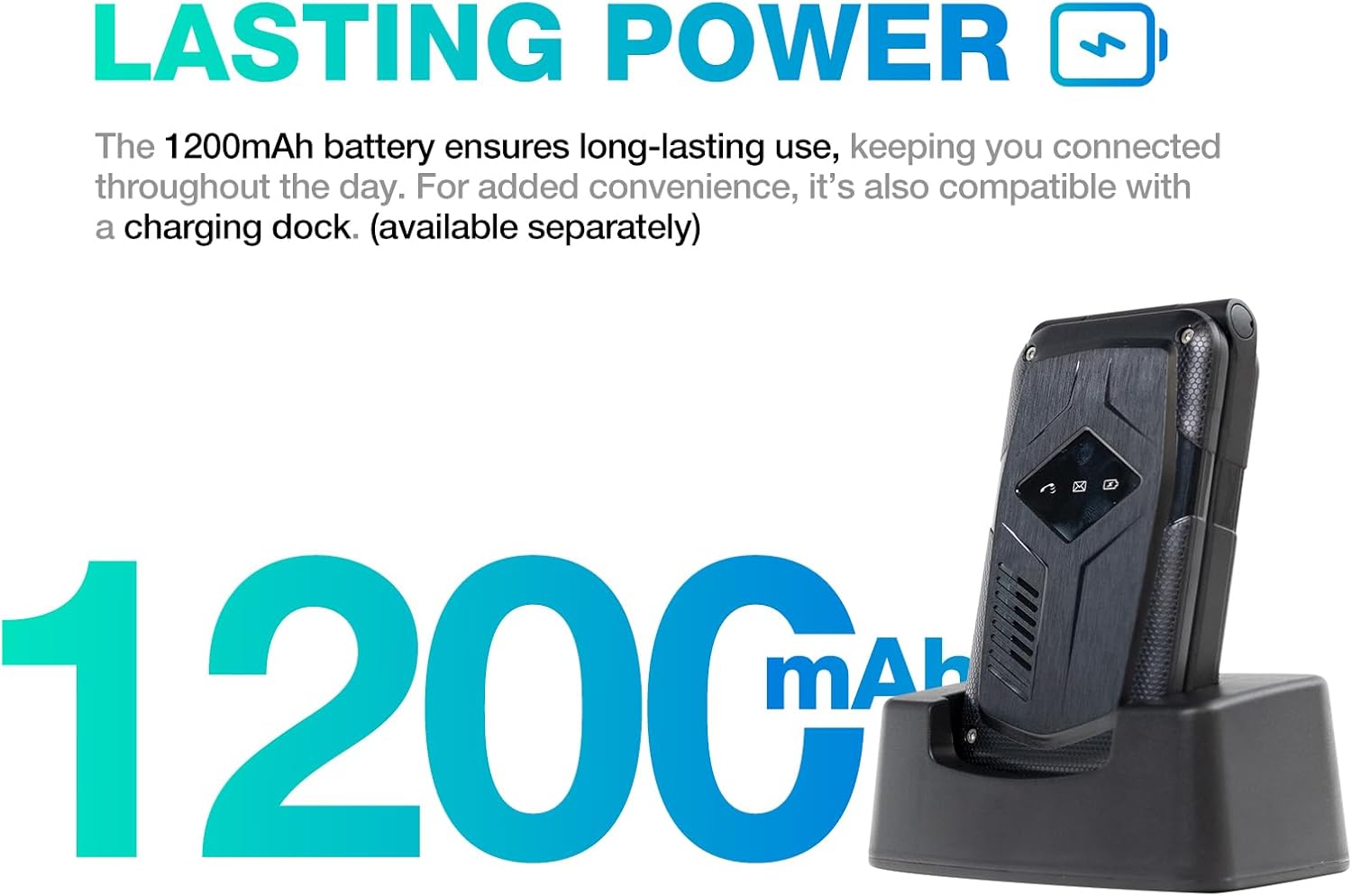
Image: A close-up of the AGM M10's keypad, with visual indicators pointing to the SOS button, FM radio function, and flashlight. This helps users locate these essential features.
5.5 Фонарик
To activate the built-in flashlight, locate the dedicated flashlight button or access it through the phone's menu, as indicated in the device overview.
5.6 FM-радио
The AGM M10 includes an FM radio function. Access it through the main menu. Headphones may be required to act as an antenna for optimal reception (if the phone has a 3.5mm jack, otherwise it might use internal antenna).
5.7. Bluetooth-подключение
The phone supports Bluetooth 5.0 for connecting to compatible wireless accessories such as headsets or car kits.
- Перейдите в «Настройки», а затем «Bluetooth».
- Включите Bluetooth.
- Искать Выберите из списка доступных устройств то, с которым хотите выполнить сопряжение.
- Следуйте инструкциям на экране для завершения сопряжения.
6. Техническое обслуживание и уход
6.1 Характеристики долговечности
The AGM M10 is engineered for rugged use with IP68/IP69K water and dust resistance and MIL-STD-810G drop protection. This means it can withstand:
- Погружение в воду: До 1.5 метров в течение 30 минут.
- Dust Ingress: Fully protected against dust.
- Капли: Resistant to drops from a certain height onto hard surfaces.
To maintain these protections, ensure all port covers are securely closed and the back cover is properly sealed after battery or SIM card installation.

Image: The AGM M10 Basic Flip Phone partially submerged in water, demonstrating its waterproof capability.
6.2 Общий уход
- Протрите телефон мягкой тряпкой.amp ткань. Избегайте агрессивных химикатов.
- Do not expose the phone to extreme temperatures for prolonged periods.
- Avoid disassembling the phone, as this may void the warranty and compromise its rugged features.
7. Поиск Неисправностей
7.1 Проблемы с сетевым подключением
The AGM M10 is designed to be T-Mobile compatible in the US. However, some users may experience limited network access, reduced coverage, or slower data speeds depending on specific network configurations or regional variations.
- Убедитесь, что ваша SIM-карта правильно вставлена и активирована.
- Check your network settings to confirm the correct network is selected.
- If issues persist, contact your network provider for assistance.
7.2 Телефон не включается
- Убедитесь, что аккумулятор правильно установлен и полностью заряжен.
- Verify that the protective sticker has been removed from the battery contacts.
- Attempt to charge the phone for at least 30 minutes before trying to power it on again.
7.3 Другие вопросы
For other operational difficulties, refer to the detailed user manual included in your package or contact AGM customer support.
8. Технические характеристики
| Особенность | Деталь |
|---|---|
| Бренд | Годовое общее собрание акционеров |
| Название модели | М10А |
| Операционная система | ОСРВ |
| Установленный размер оперативной памяти | 48 МБ |
| Емкость памяти | 0.12 ГБ (расширяемая память до 128 ГБ с помощью SD-карты) |
| Размер экрана | 4.33 дюйма |
| Беспроводной оператор | T-Mobile (US), Global (outside US) |
| Сотовые технологии | 4G LTE |
| Цвет | Черный |
| Количество слотов для SIM-карт | Dual SIM (Nano) |
| Тип разъема | USB-тип C |
| Форм-фактор | Складной чехол (для телефона-раскладушки) |
| Уровень водонепроницаемости | Waterproof (IP68/IP69K) |
| Разъем для наушников | Нет разъема для наушников |
| Дополнительные возможности | Basic Phone, Dual SIM, Expandable Memory, Rugged Body, SOS Button, Flashlight, FM Radio, Bluetooth 5.0 |
| Мощность аккумулятора | 1200 миллиamp Часы |
| Тип дисплея | ЖК-дисплей |
| Размеры | 4.33 × 2.22 × 0.98 дюймов |
| Масса | 4.9 унции |
9. Гарантия и поддержка
9.1 Информация о гарантии
The AGM M10 Basic Flip Phone comes with a Гарантия 2 год с даты покупки. Данная гарантия распространяется на производственные дефекты при условии нормального использования. Сохраните чек для предъявления гарантийных претензий.
Note: Some third-party retailers may state a 1-year warranty; however, the manufacturer's stated warranty is 2 years.
9.2 Поддержка клиентов
For technical assistance, troubleshooting, or warranty claims, please contact AGM customer support. AGM is committed to providing dedicated after-sales support and a straightforward replacement process for quality issues.
Посетите официальное ежегодное общее собрание акционеров. webДля получения подробной информации о поддержке обратитесь на сайт или к контактным данным, указанным на упаковке вашего продукта.