
1. Введение
The HAMCUBE Mini CW Trainer is a portable device designed for learning and practicing Morse code (CW). It features a compact design, a built-in speaker for standalone practice, and various interfaces for external connections. This manual provides essential information for setting up, operating, and maintaining your CW trainer.

Image 1.1: The HAMCUBE Mini CW Trainer, a portable Morse code training device.
2. Содержимое упаковки
Пожалуйста, проверьте комплектность после распаковки, чтобы убедиться в наличии всех предметов:
- 1 x HAMCUBE Mini CW Trainer Unit
- 1 x USB-кабель (для зарядки и передачи данных)
3. Продукт закончилсяview
Familiarize yourself with the various ports and controls of the HAMCUBE Mini CW Trainer.

Изображение 3.1: Верх view of the HAMCUBE Mini CW Trainer with labeled ports.
- Charging / Data Interface: USB-C port for charging the internal battery and connecting to a computer for data transfer.
- Key / Keyboard Interface: Connect an external CW key or keyboard for input.
- Earphone / External Speaker Port: Connect headphones or an external speaker for audio output.
- FUNC Interface: A multi-function interface for advanced features or external device control.
- Multifunction Selector Switch: Located on the side, used for power on/off and navigation.
- Кнопка сброса: A small recessed button for resetting the device.
4. Настройка
4.1 Зарядка устройства
Before first use, fully charge the HAMCUBE Mini CW Trainer. Connect the provided USB cable to the Charging / Data Interface on the device and to a standard USB power adapter (not included) or a computer USB port. The charging indicator will show the charging status.
4.2 Включение/выключение питания
To power on the device, locate the multifunction selector switch on the side. Press down and hold the switch for 3-5 seconds. A short press will not turn on the unit. To power off, repeat the same action.
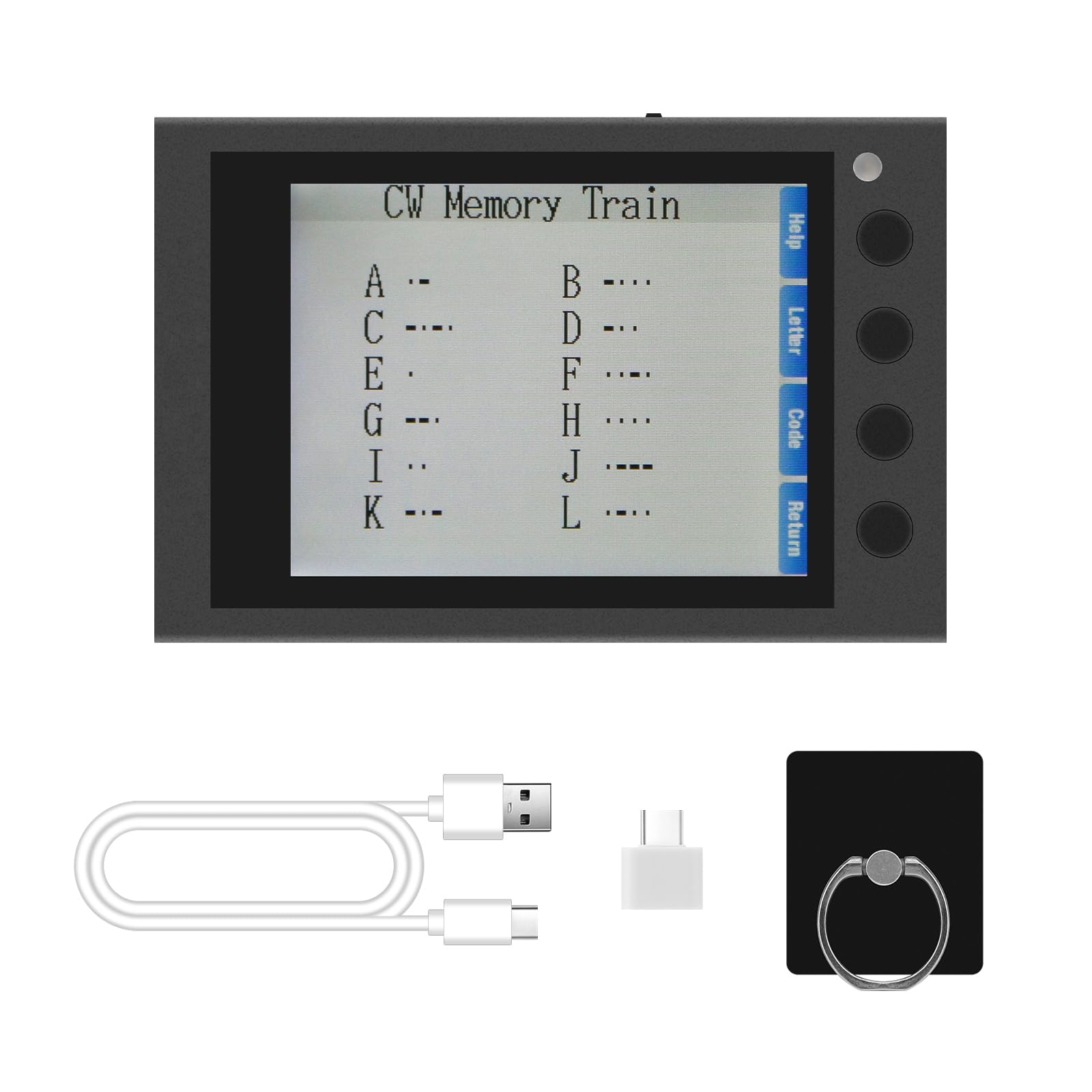
Image 4.1: Instructions for powering on the device.
4.3 Подключение аксессуаров
- CW-ключ: Connect your external CW key to the 'KEY' interface.
- Headphones/Speaker: For private practice or louder audio, connect headphones or an external speaker to the 'PHONE' interface.
5. Инструкция по эксплуатации
5.1 Навигация и меню
The device features a clear screen and side buttons for navigation. Use the buttons adjacent to the screen to select options such as 'Help', 'Letter', 'Code', and 'Return' as displayed on the interface.

Image 5.1: Device screen showing the main menu and Morse code characters.
5.2 CW Training Modes
The HAMCUBE Mini CW Trainer offers various modes to assist in learning and practicing Morse code:
- Character Learning Mode: Displays Morse code for individual letters and numbers.
- Speed Training Mode: Practice receiving Morse code at different speeds (adjustable from 10 to 50 WPM).
- Sending Practice Mode: Connect an external key to practice sending Morse code.
- Listening Recognition Mode: Improves your ability to recognize Morse code by ear.
5.3 Custom Character Storage and One-Key Transmitting
The device includes 8 groups of custom character storage units. Each unit can store up to 60 English characters. This feature allows for one-key transmitting of frequently used phrases or call signs. Refer to the on-screen 'Help' or specific menu options for instructions on programming and recalling these stored messages.
5.4 PC & Mobile Connection
The USB-C port can be used to connect the trainer to a computer or mobile device. This enables potential data transfer, firmware updates, or integration with external software for enhanced training experiences. Specific software or drivers may be required, which can typically be found on the manufacturer's support webсайт.

Image 5.2: The trainer can connect to PCs and mobile devices.
6. Техническое обслуживание
- Уборка: Для чистки устройства используйте мягкую сухую ткань. Избегайте использования жидких чистящих средств и абразивных материалов.
- Хранилище: Store the trainer in a cool, dry place away from direct sunlight and extreme temperatures.
- Уход батареи: Чтобы продлить срок службы аккумулятора, избегайте частой полной разрядки устройства. Регулярно заряжайте его, даже если вы не используете устройство в течение длительного времени.
- Водостойкость: The device is not water-resistant. Avoid exposure to moisture or liquids.
7. Поиск Неисправностей
- Устройство не включается:
- Ensure the device is sufficiently charged. Connect it to a power source using the provided USB cable.
- Confirm you are pressing and holding the multifunction selector switch for 3-5 seconds. A short press will not activate the unit.
- If the issue persists, try performing a reset by gently pressing the recessed reset button with a thin object (e.g., a paperclip).
- Нет аудиовыхода:
- Check if headphones or an external speaker are properly connected to the 'PHONE' port.
- Adjust the volume settings on the device.
- Трудности с пониманием инструкций:
- The device interface is primarily in English. If you encounter difficulties, refer to the 'Help' section on the device screen or consult online resources.
8. Технические характеристики
| Особенность | Деталь |
|---|---|
| Бренд | hamgeek |
| Модель | Mini CW Trainer |
| Цвет | Черный |
| Особые возможности | CW Full-Process Assisted Learning, Custom Character Storage, One-Key Transmitting |
| Протокол подключения | Азбука Морзе |
| Аккумулятор | Встроенная аккумуляторная батарея емкостью 2500 мАч |
| Включенные компоненты | 1 х USB-кабель |
| Размеры (приблизительные) | 8.8 см (Д) x 5.8 см (Ш) x 1.7 см (В) / 3.46 дюйма (Д) x 2.28 дюйма (Ш) x 0.66 дюймов (В) |
| Уровень водонепроницаемости | Не водостойкий |

Image 8.1: Approximate dimensions of the device.
9. Гарантия и поддержка
For warranty information and technical support, please refer to the official hamgeek webна сайте или обратитесь к продавцу. Сохраните чек в качестве подтверждения покупки на случай предъявления гарантийных претензий.