
Введение
Thank you for choosing the SGIN S15 N5100 15.6-inch Laptop. This manual provides essential information for setting up, operating, maintaining, and troubleshooting your new device. Please read it carefully to ensure optimal performance and longevity of your laptop.
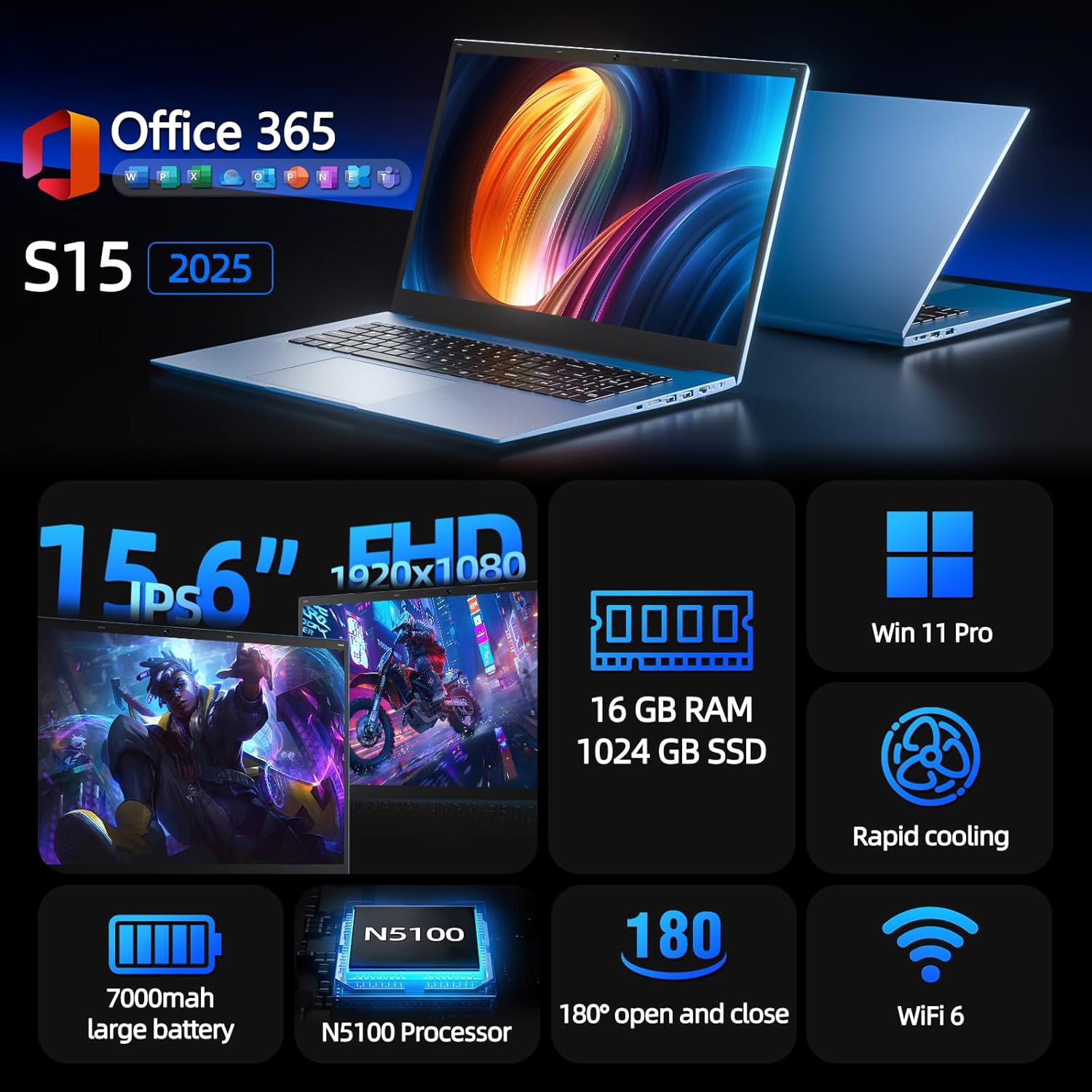
Figure 1: SGIN S15 N5100 Laptop Overview
1. Настройка
1.1 Распаковка и первоначальный осмотр
Carefully remove all components from the packaging. Verify that all items listed in the "What's in the Box" section are present and undamaged. If any items are missing or damaged, contact customer support immediately.
- SGIN S15 N5100 Laptop
- Адаптер питания/зарядное устройство
- Руководство пользователя (этот документ)
Видео 1: Распаковка и инициалыview of the SGIN S15 Laptop.
1.2 Подключение адаптера питания
Connect the power adapter to the DC-in port on the side of the laptop. Plug the other end into a power outlet. The battery indicator light will illuminate, indicating that the laptop is charging.

Figure 2: Laptop ports, including the DC-in port for charging.
1.3 Первое включение питания и настройка Windows
Press the power button to turn on the laptop. Follow the on-screen instructions to complete the Windows 11 Pro setup. This includes selecting your region, language, connecting to a Wi-Fi network, and creating a user account. The laptop comes pre-installed with a 1-year Office 365 subscription, which can be activated during or after the initial setup.
2. Инструкция по эксплуатации
2.1 Функции дисплея
The SGIN S15 features a 15.6-inch Full HD IPS (1920x1080) Anti-Glare Display. The 180° viewing angle allows for flexible screen positioning, ideal for sharing content or adjusting to your preferred working posture.

Figure 3: High-resolution IPS display with 180° hinge.
2.2 Хранение и производительность
Equipped with 16GB DDR4 RAM and a 1024GB SSD, the laptop offers fast boot-up times and smooth multitasking. The Intel Celeron N5100 processor (4 cores, 4 threads, up to 2.8GHz) provides efficient performance for daily tasks, business applications, and student work.

Figure 4: Internal storage and memory configuration.

Figure 5: Celeron N5100 processor details.
2.3 Связь
The laptop supports WiFi 6 for strong wireless signals and fast connections, and Bluetooth 5.2 for connecting peripherals. It includes various ports for external devices:
- HDMI-порт
- Порт типа C
- 3.5mm TRRS audio jack
- Memory card slot (TF card up to 1TB)
- USB 3.2 ports (2 ports)

Figure 6: WiFi 6 connectivity for enhanced network performance.
3. Техническое обслуживание
3.1 Уход за аккумулятором
The laptop is equipped with a 7000mAh battery, providing up to 8 hours of continuous use. To prolong battery life:
- Избегайте частой полной разрядки аккумулятора.
- Не подвергайте ноутбук воздействию экстремальных температур.
- Если вы не используете ноутбук в течение длительного времени, храните его частично заряженным (около 50%).

Figure 7: Laptop battery for extended use.
3.2 Чистка ноутбука
Для очистки экрана и корпуса используйте мягкую безворсовую ткань. Для удаления стойких пятен слегка протрите поверхность.ampПротрите салфетку водой или специальным средством для чистки экранов. Избегайте использования агрессивных химикатов или абразивных материалов. Перед чисткой убедитесь, что ноутбук выключен и отсоединен от сети.
3.3 Система охлаждения
The laptop features dual cooling fans for efficient heat dissipation. Ensure that the vents are not obstructed to maintain optimal airflow and prevent overheating. Avoid using the laptop on soft surfaces like beds or couches that can block the vents.
4. Поиск Неисправностей
4.1 Проблемы с питанием
- Ноутбук не включается: Ensure the power adapter is securely connected and the outlet is functional. Check if the battery has sufficient charge.
- Аккумулятор не заряжается: Verify the power adapter is correctly plugged into both the laptop and the wall outlet. Try a different outlet if available.
4.2 Проблемы с отображением
- Экран пустой: Connect an external monitor via HDMI to check if the issue is with the laptop's display or graphics output. Ensure the laptop is powered on and not in sleep mode.
- Мерцающий экран: Update your display drivers. Adjust the screen refresh rate in Windows display settings.
4.3 Проблемы с подключением
- Wi-Fi не подключается: Убедитесь, что Wi-Fi включен в настройках Windows. Перезагрузите маршрутизатор и ноутбук. Проверьте наличие обновленных драйверов Wi-Fi.
- Устройство Bluetooth не подключается: Ensure Bluetooth is enabled on both the laptop and the device. Place devices close to each other during pairing.
4.4 Проблемы с производительностью
- Ноутбук работает медленно: Закройте ненужные приложения. Проверьте диспетчер задач на наличие высокой загрузки процессора и оперативной памяти. Убедитесь, что на SSD достаточно свободного места. Выполните очистку диска.
- Перегрев: Ensure cooling vents are clear. Use the laptop on a hard, flat surface. Consider reducing heavy workload if persistent.
5. Технические характеристики
| Особенность | Деталь |
|---|---|
| Название модели | С15 |
| Номер модели товара | Н5100 |
| Размер дисплея | 15.6 дюйма |
| Разрешение экрана | 1920 x 1080 pixels (FHD IPS Anti-Glare) |
| Процессор | Intel Celeron N5100 (4 ядра, 4 потока, до 2.8 ГГц) |
| БАРАН | 16 ГБ DDR4 |
| Хранилище | 1024 GB SSD (Expandable with TF card up to 1TB) |
| Операционная система | Windows 11 Профессиональная |
| Аккумулятор | 7000 мАч (до 8 часов) |
| Беспроводное подключение | Wi-Fi 6, Bluetooth 5.2 |
| Порты | HDMI, Type-C, 3.5mm TRRS Jack, Memory Card Slot, 2x USB 3.2 |
| Размеры (ДxШxВ) | 14.56 x 9.4 x 0.86 дюйма |
| Вес товара | 4.4 фунта |
6. Гарантия и поддержка
6.1 Гарантия на продукт
Your SGIN S15 N5100 laptop comes with a 1-year repair service warranty from the date of purchase. This warranty covers manufacturing defects and hardware malfunctions under normal use. Please retain your proof of purchase for warranty claims.
6.2 Политика возврата
A 30-дневная политика возврата is offered for this product. Please refer to your retailer's specific return guidelines for detailed information.
6.3 Поддержка клиентов
For any technical assistance, troubleshooting, or warranty inquiries, please contact SGIN customer support. We offer 24/7 customer instant help для оперативного решения ваших проблем.
Контактная информация (например, webКак правило, здесь указываются адрес сайта, электронная почта и номер телефона, предоставленные производителем.