
1. Продукт закончилсяview
The SONOFF MINI Duo-L is a compact, dual-channel Zigbee smart switch designed for easy integration into existing electrical systems, particularly those without a neutral wire. It enables smart control of two independent loads, offering remote operation, automation, and compatibility with various smart home platforms.
Основные характеристики:
- No Neutral Wire Smart Switch: Ideal for older homes with single-wire systems, simplifying installation without requiring rewiring.
- Dual Channel Zigbee Switch: Allows independent control of two devices with a total load of up to 12A and 8A per channel.
- «Умное обновление»: Converts traditional switches into smart switches, enabling remote control and automation.
- Совместимость с ZigBee 3.0: Seamlessly integrates with smart home systems like Home Assistant, enhancing device compatibility and automation possibilities.
- Компактный дизайн: Fits easily into standard switch boxes, even in confined spaces, for discreet modernization.
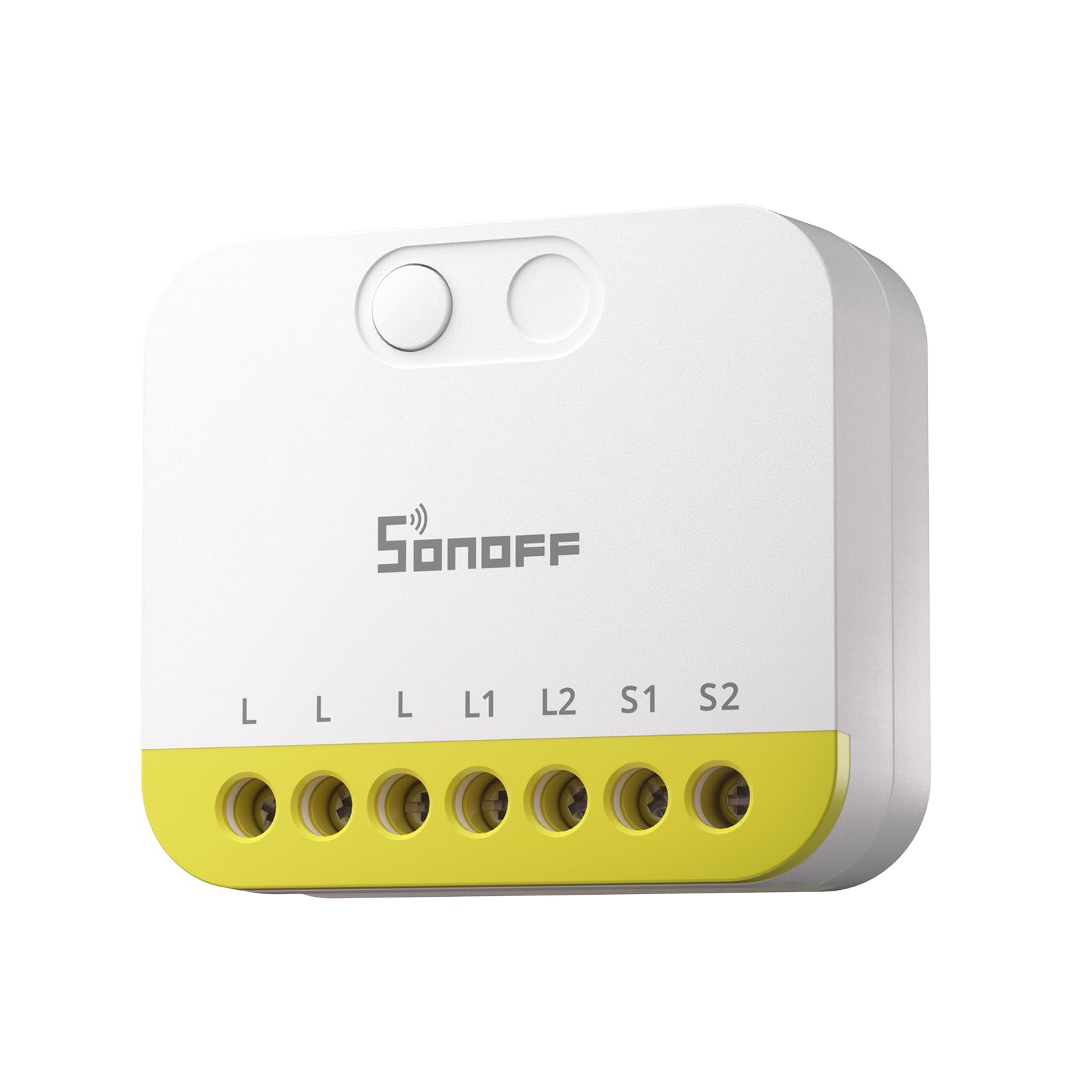
The device supports various control methods including manual buttons, the eWeLink app, and voice commands via compatible smart assistants. It can be powered by either DC 9-23V or AC 100-240V, making it versatile for different electrical setups.

2. Что включено
The SONOFF MINI Duo-L package typically includes the following items:
- MINI-ZB2GS-L Smart Switch
- Руководство пользователя
- Монтажные зажимы
- Small Screwdriver (for terminal connections)
3. Технические характеристики
| Спецификация | Ценить |
|---|---|
| Модель | MINI-ZB2GS-L |
| Режим работы | ВКЛ ВЫКЛ |
| Текущий рейтинг | 1 Amps |
| Рабочий объемtage | 240 Вольт |
| Тип контакта | Нормально закрытый |
| Тип разъема | Обжим |
| Тип переключателя | ножной переключатель |
| Терминал | Винт |
| Материал | Пластик |
| Размеры товара Д x Ш x В | 1.61 x 1.61 x 0.59 дюйма |
| Тип цепи | 1-х полосный |
| Тип крепления | Крепление через отверстие |
| Количество позиций | 1 |
| Верхний температурный рейтинг | 40 градусов по Цельсию |
| Метод контроля | Удаленное, голосовое управление |
| Протокол подключения | Зигби 3.0 |
| Ватtage | 2880 Вт |
| Международный рейтинг защиты | IP00 |
| Спецификация соответствует | CE |

4. Информация по технике безопасности
Warning: Please install and maintain this device by a professional electrician. To avoid electric shock hazards, do not operate any connection or contact the terminal connector while the device is powered on!
- Always turn off the main power supply at the circuit breaker before performing any installation, wiring, or maintenance.
- Ensure all wiring is done according to local electrical codes and regulations.
- Do not exceed the maximum load ratings of the device (12A total, 8A per channel).
- This device is rated IP00 and is not waterproof. It must be installed in a dry, protected environment or within a waterproof enclosure if used outdoors.
- Держите устройство в недоступном для детей месте.
5. Руководство по установке
5.1 Подготовка
- Ensure the power to the circuit you will be working on is completely off at the main circuit breaker.
- Gather necessary tools: screwdriver (included), wire strippers, electrical tape.
- Identify the wires in your wall box: Live wire (L), Load wires (L1, L2 for two channels), and potentially a Neutral wire (N) if your setup includes one. The MINI Duo-L supports no-neutral wiring.
5.2 Физическая установка
The compact design of the SONOFF MINI Duo-L allows it to fit inside most standard wall switch boxes, converting your existing switches into smart ones.

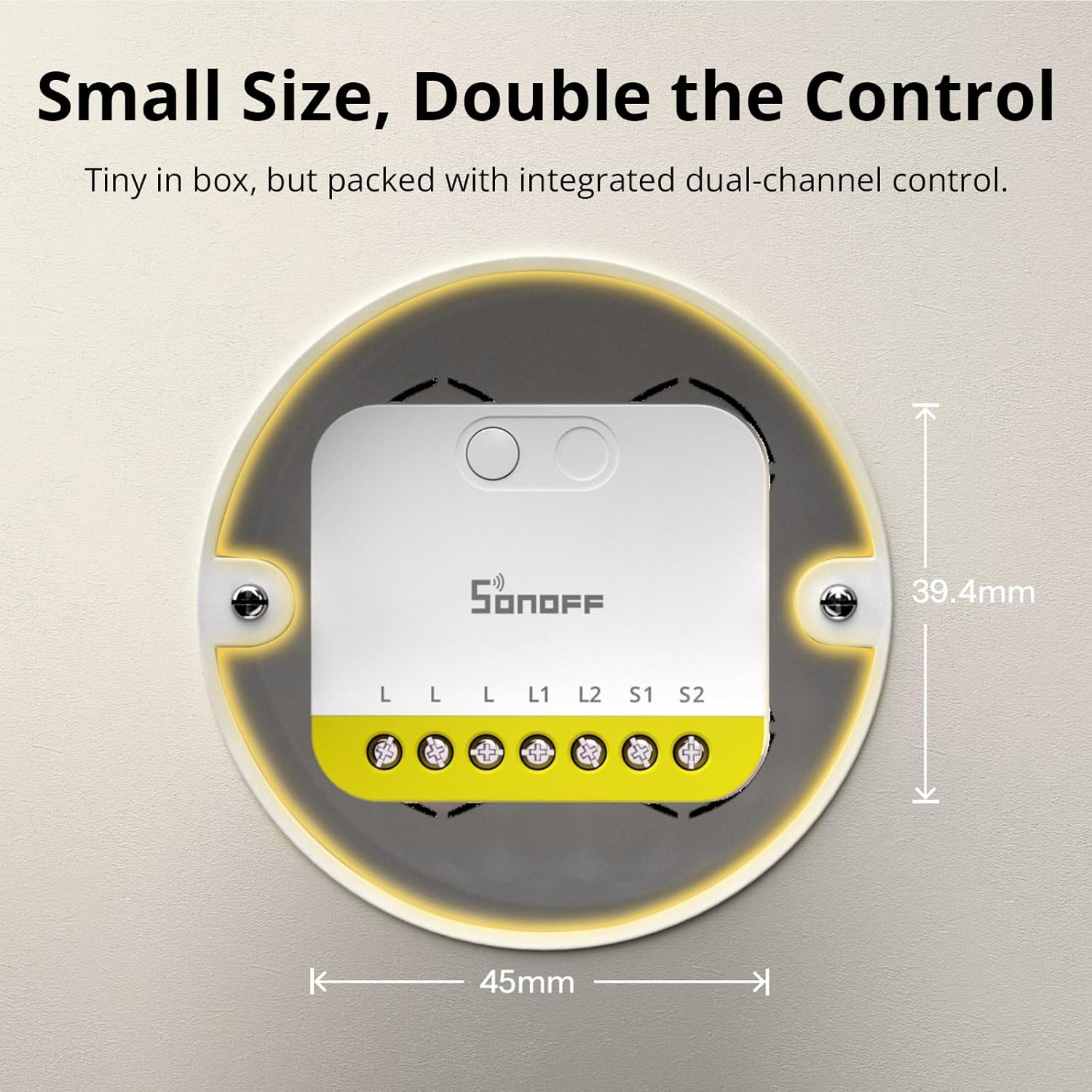
The device is designed to work without an anti-flicker module for loads as low as 3W, simplifying the setup process.

The MINI Duo-L is compatible with various external switch types, including rocker, momentary, and SPDT switches.

The detach relay feature allows your physical switch button to act as smart triggers for lighting scenes, which is an ideal solution for smart bulbs.

6. Инструкции по подключению
Carefully follow the wiring diagrams provided in the user manual and the video below. Ensure all connections are tight and secure to prevent electrical hazards.
- Живой провод (L): Connect the incoming live wire to the 'L' terminal on the device.
- Нагрузочные провода (L1, L2): Connect the load wires for your lights/appliances to the 'L1' and 'L2' terminals respectively.
- Switch Wires (S1, S2): Connect the wires from your physical wall switches to the 'S1' and 'S2' terminals for manual control.
- Нейтральный провод (N): If your installation has a neutral wire, connect it to the 'N' terminal. If not, the device is designed to operate without it.
7. Сопряжение устройств
After successful wiring, you need to pair your SONOFF MINI Duo-L with your Zigbee gateway using the eWeLink app.
- Снова включите основное питание с помощью автоматического выключателя.
- Загрузите и откройте eWeLink app на вашем смартфоне.
- Ensure your Zigbee gateway is already added and connected within the eWeLink app.
- В приложении eWeLink нажмите значок «+», чтобы добавить устройство.
- Select 'Scan' and scan the QR code located on the back of the SONOFF MINI Duo-L device.
- Alternatively, long-press the button on the device for approximately 5 seconds until the LED indicator flashes slowly. This indicates the device is in pairing mode.
- Follow the on-screen instructions in the eWeLink app to complete the pairing process.
The SONOFF MINI Duo-L is compatible with multiple Zigbee hubs, including SONOFF Zigbee Bridge Pro, Zigbee Bridge Ultra, iHost, NSPanel Pro, and various Dongle Plus models.

8. Operating Your Smart Switch
8.1 Ручное управление
You can continue to use your existing physical wall switches to control the connected lights or appliances. The smart switch will respond to these manual actions.
8.2 Управление приложениями
Once paired, open the eWeLink app to remotely control the two channels of your SONOFF MINI Duo-L. You can turn each channel on or off independently from anywhere with an internet connection.
8.3 Голосовое управление
If integrated with a compatible Zigbee hub and voice assistant (e.g., Amazon Alexa, Google Home), you can control your lights and appliances using voice commands. For example, "Alexa, turn on living room light 1."
8.4 Интеллектуальные сценарии и автоматизация
Utilize the eWeLink app or your smart home system to create personalized smart scenes and schedules. This allows for automated control based on time, events, or other smart devices in your home.
9. Техническое обслуживание
- Регулярные проверки: Periodically inspect all wiring connections to ensure they remain tight and free from corrosion or damage.
- Уборка: Держите устройство в чистоте и не допускайте попадания пыли. Для чистки используйте сухую мягкую ткань. Не используйте жидкие чистящие средства.
- Среда: Ensure the device is not exposed to moisture, direct sunlight, or extreme temperatures outside its operating range (0°C to 40°C).
- Обновления прошивки: Check the eWeLink app regularly for available firmware updates to ensure optimal performance and security.
10. Поиск Неисправностей
10.1 Устройство не отвечает
- Источник питания: Verify that the main power supply to the device is on and the circuit breaker has not tripped.
- Сеть ZigBee: Ensure your Zigbee gateway is online and functioning correctly. Check the signal strength between the switch and the gateway.
- Повторное сопряжение: If the issue persists, try re-pairing the device with your Zigbee gateway as described in Section 7.
10.2 Lights Flickering (No Neutral Wire Setup)
- The SONOFF MINI Duo-L is designed to work without a neutral wire and typically does not require a bypass for loads above 3W.
- If flickering occurs with very low wattage LED bulbs (below 3W), consider installing a bypass capacitor (not included) in parallel with the load to stabilize the circuit.
10.3 Проблемы сопряжения
- Близость: Ensure the device is within close range of your Zigbee gateway during the pairing process.
- Тип сети: Confirm that your Wi-Fi network is 2.4GHz, as the device may not support 5GHz networks for initial setup.
- Сброс: Perform a factory reset on the device by long-pressing the button for 5 seconds until the LED flashes slowly, then attempt pairing again.
11. Гарантия и поддержка
Гарантия:
This SONOFF product comes with a two-year warranty from the date of purchase.
Служба поддержки клиентов:
For technical assistance, troubleshooting, or any product-related inquiries, please contact SONOFF customer support at support@itead.cc.