
Fazoxo BF11
Fazoxo Smart Bird Feeder Camera
Model: BF11 User Manual
Введение
This manual provides comprehensive instructions for the setup, operation, and maintenance of your Fazoxo Smart Bird Feeder Camera. Designed for outdoor use, this device combines a bird feeder with a high-definition camera, AI bird recognition, and solar power for an enhanced birdwatching experience.
Компоненты продукта
Перед началом установки убедитесь, что все компоненты присутствуют:
- Bird Feeder Unit with Integrated Camera
- Солнечная панель
- Монтажный кронштейн
- Монтажное оборудование (винты, анкеры)
- USB-кабель для зарядки
- Антенна
- Руководство пользователя
Изображение: Оверview of the Fazoxo Smart Bird Feeder Camera and its main components.
Настраивать
1. Первоначальная зарядка
Before first use, fully charge the built-in 5200mAh battery using the provided USB charging cable. The charging port is located on the back of the camera unit, protected by a rubber cover. A full charge ensures optimal performance.
2. Крепление антенны
Screw the antenna securely into the designated port on the back of the camera unit. Ensure it is finger-tight to maintain a stable Wi-Fi connection.
3. Сборка подающего устройства
Attach the feeding tray to the main feeder body. Ensure it clicks into place securely. The feeder is designed to hold approximately 1.8 liters of birdseed.
4. Варианты монтажа
The Fazoxo Smart Bird Feeder Camera offers versatile mounting options:
- Крепление на дереве: Use the provided strap to secure the feeder to a tree trunk.
- Полюс Крепление: Attach the mounting bracket to a pole using the screws.
- Настенное крепление: Secure the mounting bracket to a wall using the appropriate screws and anchors.
Choose a location with good Wi-Fi signal strength and direct sunlight exposure for the solar panel.

Image: Illustration of the various mounting methods for the bird feeder camera.
5. Установка приложения и подключение к Wi-Fi
Download the dedicated mobile application from your device's app store. Follow the in-app instructions to connect the camera to your 2.4GHz Wi-Fi network. (Note: 5GHz Wi-Fi is not supported).
Инструкция по эксплуатации
1. Идентификация птиц с помощью искусственного интеллекта
The camera features AI bird recognition capable of identifying over 11,000 bird species. When a bird is detected, the system can identify its species and record the event. Advanced recognition features may require a cloud subscription.

Image: The AI bird recognition feature in action, identifying a Northern Cardinal.
2. Instant Notifications & Cloud Storage
Receive instant notifications on your smartphone when birds visit the feeder. Motion-detected videos are automatically saved to secure cloud storage. MicroSD cards are not supported. Cloud storage plans are available for 6 months ($28.99) or 1 year ($29.99).

Image: A smartphone displaying a real-time notification of a bird detection.
3. 1080P FHD Image Quality & Night Vision
The camera provides crystal clear 1080p HD video recordings. It is equipped with dual night vision modes (infrared and full color) to capture vivid recordings even in low-light conditions, ensuring you don't miss any activity.

Image: Visual representation of the camera's high-resolution day and night vision capabilities.
4. Sharing Feature
Share access to your bird feeder camera with family and friends through the app's sharing feature, allowing multiple users to enjoy the birdwatching experience.
Обслуживание
1. Очистка кормушки
Regularly clean the bird feeder to prevent the spread of disease among birds. Disassemble the feeding tray and main body, wash with warm soapy water, rinse thoroughly, and dry completely before refilling.
2. Refilling Seed and Water
To refill the birdseed, open the top lid of the feeder and pour in fresh seed. The feeder has a capacity of 1.8 liters. The small trays can be used for water or other bird treats like fruit or jelly.
3. Уход за аккумуляторами и солнечными панелями
The built-in 5200mAh battery is continuously charged by the solar panel. Ensure the solar panel is clean and free from obstructions (leaves, dirt) to maximize charging efficiency. In periods of prolonged low sunlight, you may need to manually charge the battery using the USB cable.

Image: The solar panel providing power to the bird feeder camera.
Поиск неисправностей
- Нет подключения к Wi-Fi: Ensure the feeder is within range of a 2.4GHz Wi-Fi network. Check router settings and reposition the feeder if necessary.
- Плохое качество изображения: Clean the camera lens. Ensure adequate lighting; check night vision settings if issues occur at night.
- Аккумулятор не заряжается: Verify the solar panel is clean and receiving direct sunlight. Check the USB charging cable connection if charging manually.
- Нет уведомлений: Check app notification settings on your smartphone and within the feeder's app. Ensure the camera is connected to Wi-Fi.
- AI Recognition Issues: Ensure your cloud subscription is active for advanced recognition features.
For further assistance, refer to the detailed troubleshooting section in the full user manual or contact Fazoxo customer support.
Технические характеристики
- Бренд: Fazoxo
- Модель: БФ11
- Размеры: 9.9"Д x 8"Ш x 6.1"В
- Масса: 3.94 фунта (1.79 килограмма)
- Материал: Пластик
- Источник питания: Solar-powered, Built-in 5200mAh Lithium Ion battery (included)
- Связь: Wi-Fi 2.4 ГГц (5 ГГц не поддерживается)
- Разрешение камеры: 1080P FHD
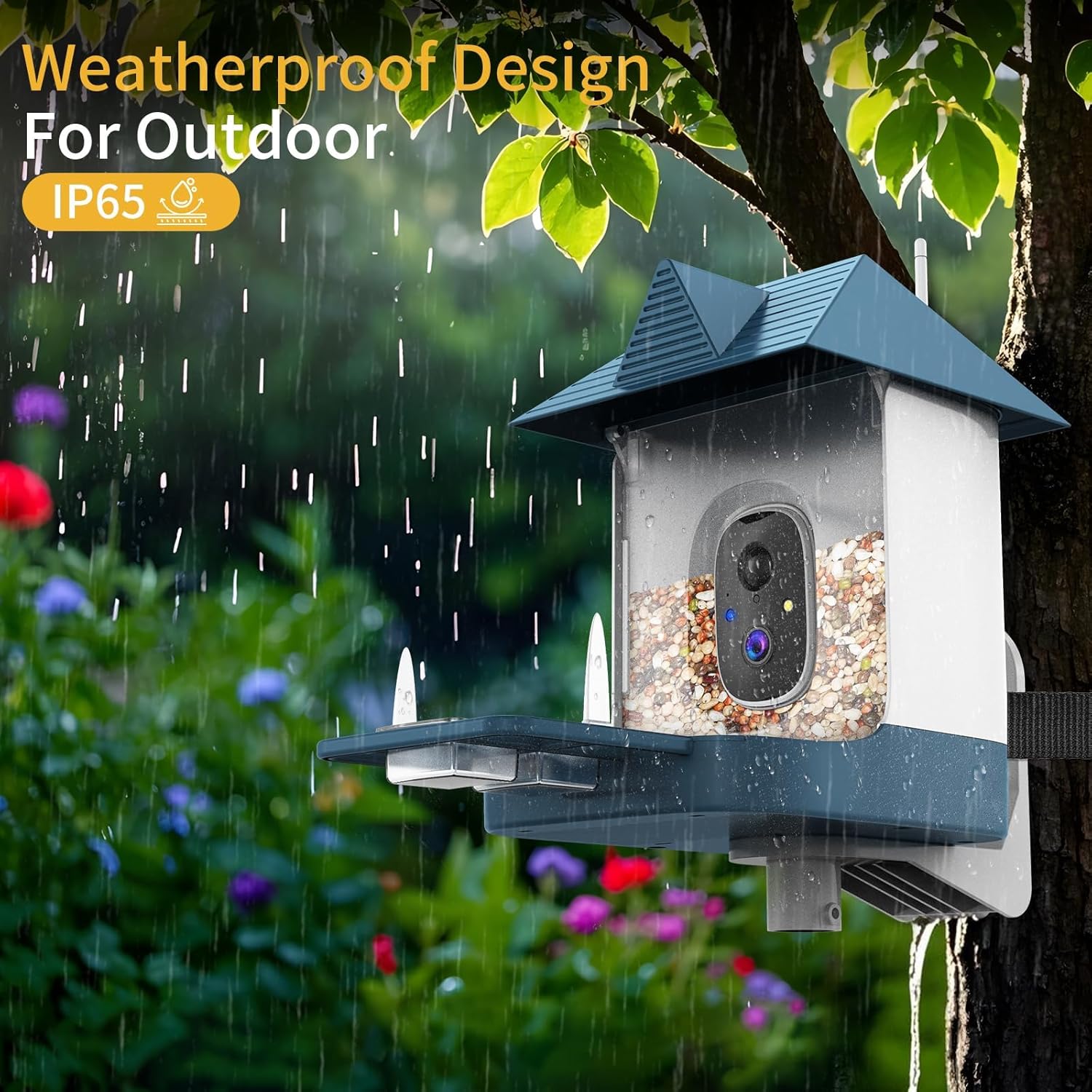
- Особые характеристики: Built-In Camera, AI Bird Recognition, Night Vision (Infrared & Full Color), Weatherproof (IP65)
- Емкость: 1.8 Liters (seed)
- Тип крепления: Hanging Mount (Pole, Wall, Tree)
Гарантия и поддержка
For warranty information and customer support, please refer to the official Fazoxo webили контактные данные, указанные на упаковке товара. Сохраните чек для предъявления гарантийных претензий.
Ask a question about this manual
Ask about setup, troubleshooting, compatibility, parts, safety, or missing instructions. Manuals+ will review the question and use this page’s manual context to help answer it.