
Veise VE012W
Veise VE012W Wi-Fi Fingerprint Smart Lock User Manual
Model: VE012W | Brand: Veise
Введение
This manual provides detailed instructions for the installation, operation, and maintenance of your Veise VE012W Built-in WiFi Fingerprint Smart Lock. This smart lock offers multiple keyless entry options, remote control via a mobile app, and compatibility with voice assistants for enhanced security and convenience.
Основные характеристики
- Бесключевой доступ 6-в-1: Unlock using the app, fingerprint (stores 20), unlimited one-time codes, 100 custom PINs, 2 physical keys, or voice commands. All methods are remotely programmable via the app.
- Встроенный WiFi: Control your lock remotely from anywhere using the app. No additional hub is required. Remotely lock/unlock, check status, and manage access.
- Fast, Secure AI Fingerprint: AI self-learning chip recognizes fingerprints in 0.2 seconds with 99.99% accuracy, improving over time.
- Seamless Voice Control: Совместимость с Amazon Alexa и Google Assistant для управления без помощи рук.
- Multiple Password Types & Anti-Peeping: Manage permanent, recurring, time-limited, or one-time codes. Anti-peeping feature allows random numbers before/after the correct password to prevent leakage.
- Автоматическая блокировка и блокировка одним нажатием: Enable auto-lock (10-180 seconds) via the app or use one-touch lock on the keypad. Features a vacation away mode.
- Real-Time Alerts and Monitoring: Receive instant app notifications for lock/unlock events and view detailed access logs.
- Security & Durability: BHMA/ANSI Grade 3 certified, solid zinc alloy, IP55 waterproof. 8-battery design for stronger signal stability and longer battery life. AES-128 encryption for local data storage.
- Простая установка своими руками: All hardware included, requires only a screwdriver. Fits most standard U.S. doors (1-3/8" to 2" thick) and works for both left- and right-handed doors.

Figure 1: Versatile Access Options for the Veise VE012W Smart Lock.
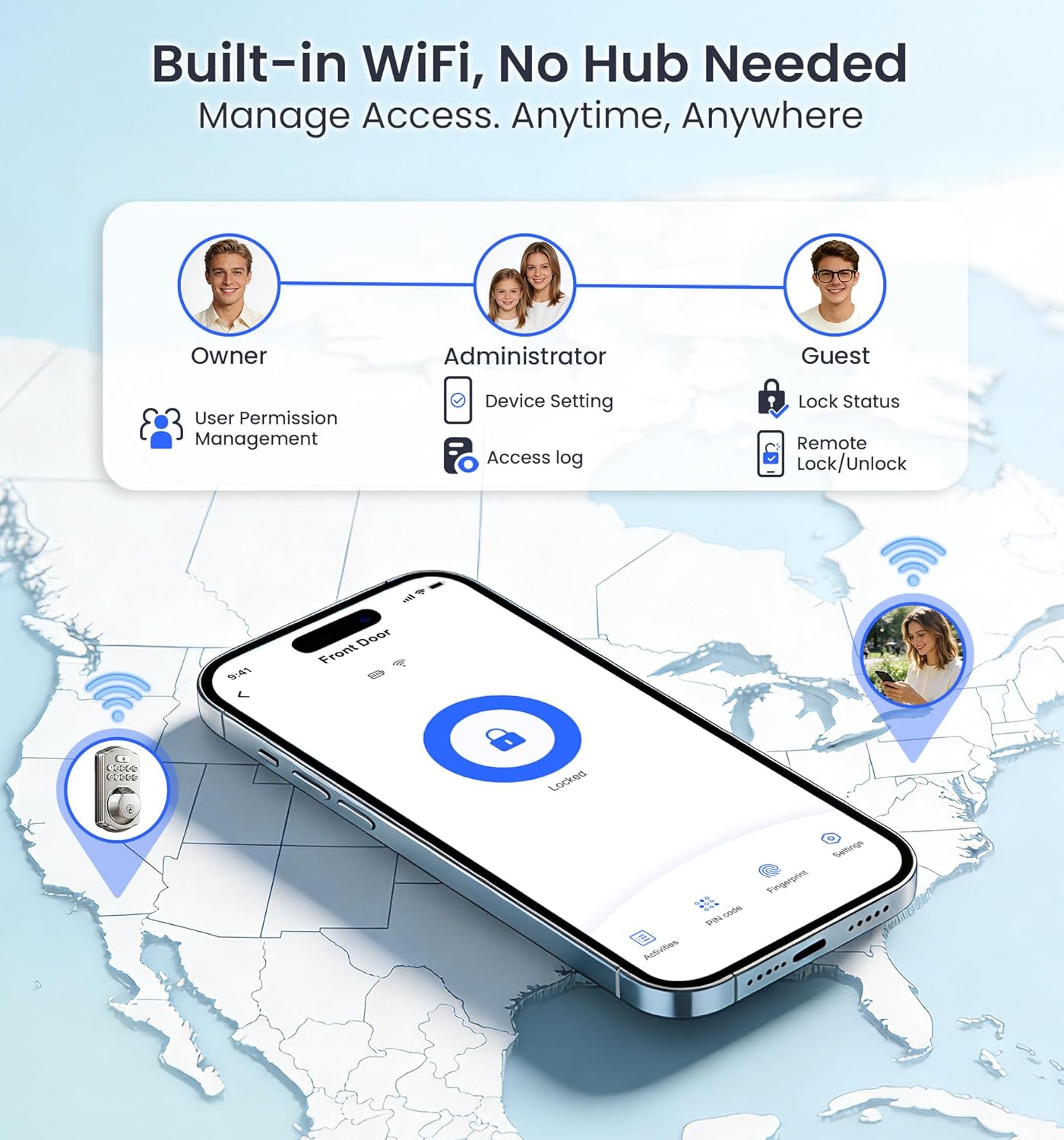
Figure 2: Built-in WiFi for remote access and management.
Руководство по установке
The Veise VE012W Smart Lock is designed for easy DIY installation, requiring only a screwdriver. Please follow these steps carefully. For a visual guide, refer to the installation video below.
Проверки перед установкой
- Ensure your door thickness is between 1-3/8" to 2" (35mm to 50mm).
- Verify the hole diameter is 1-1/2" to 2-1/8" (38mm to 54mm).
- Проверьте заднее расстояние: 2-3/8" или 2-3/4" (60 мм или 70 мм).
- Confirm the bore diameter is 1" (25mm).
- Ensure the door frame is properly aligned and free of obstructions. The hole in the door frame should be a minimum depth of 1" (25mm).

Figure 3: Door Measurement Requirements.

Figure 4: Included Hardware Components.
Пошаговая установка
- Установите защелку и защелку: Insert the latch into the door edge. Ensure the "up" marking is facing upwards. Adjust the backset if necessary (60mm or 70mm). Secure the strike plate on the door frame. Test the latch bolt for smooth extension and retraction. Keep the latch bolt fully retracted (unlocked position) during installation.
- Установите внешний узел: Route the cable below the latch and insert the torque blade through the latch slot. If the hole diameter is 1-1/2" (38mm), remove the spacer from the exterior assembly.
- Установите монтажную пластину: Attach the mounting plate to the door, ensuring the torque blade passes through the center hole. Secure it with the provided mounting plate screws.
- Установите внутреннюю сборку: Ensure the latch is retracted. Remove the battery cover. Connect the cable connectors, ensuring correct orientation. Keep the thumb turn vertical and the torque blade horizontal. Attach the interior assembly to the mounting plate and tighten the three screws. Use the correct screws to avoid short-circuiting.
- Install Batteries and Distinguish Door Direction: First, seat the ribbon in the groove, then place the battery over it. Insert 8 AA alkaline batteries (non-rechargeable). Attach the battery cover. The lock will automatically identify the door direction. If the lock was powered on before installation, reset it manually after installation.
Видео по установке
Video 1: Detailed installation guide for the Veise VE012W Smart Lock.
Инструкция по эксплуатации
Your Veise VE012W Smart Lock offers multiple convenient ways to secure and access your home.
Методы разблокировки и блокировки
- отпечатков пальцев: Place your registered finger on the fingerprint sensor. The lock will unlock in 0.2 seconds.
- ПИН-код: Enter your custom PIN code on the digital keypad. Use the anti-peeping feature by entering random numbers before and after your actual code.
- Мобильное приложение: Use the dedicated mobile app (KK Home App or similar) to remotely lock or unlock your door from anywhere with a Wi-Fi connection.
- Физический ключ: Use one of the two provided mechanical keys for traditional unlocking.
- Голосовые команды: Integrate with Amazon Alexa or Google Assistant to lock or unlock your door using voice commands.
- Автоматическая блокировка: Enable the auto-lock feature in the app to automatically lock the door after a set period (10-180 seconds) once closed.
- Блокировка одним нажатием: Press the lock button on the keypad to instantly lock the door when leaving.

Figure 5: Fast Fingerprint Recognition.

Рисунок 6: Голосовое управление с помощью Alexa и Google Assistant.
Управление приложениями
- Управление пользователями: Add or remove users, assign different access permissions (owner, administrator, guest).
- Журналы доступа: View detailed records of who entered/exited, their method (fingerprint/code/key), and the exact time.
- Уведомления в реальном времени: Receive instant alerts on your smartphone when the door is locked or unlocked, or if there are improper unlock attempts.
- Password Customization: Create permanent, recurring, time-limited, or one-time codes for various users (family, cleaners, guests, deliveries).
- Vacation Away Mode: Activate this mode for enhanced security when you are away for extended periods.

Figure 7: Personalized Codes and App Management.
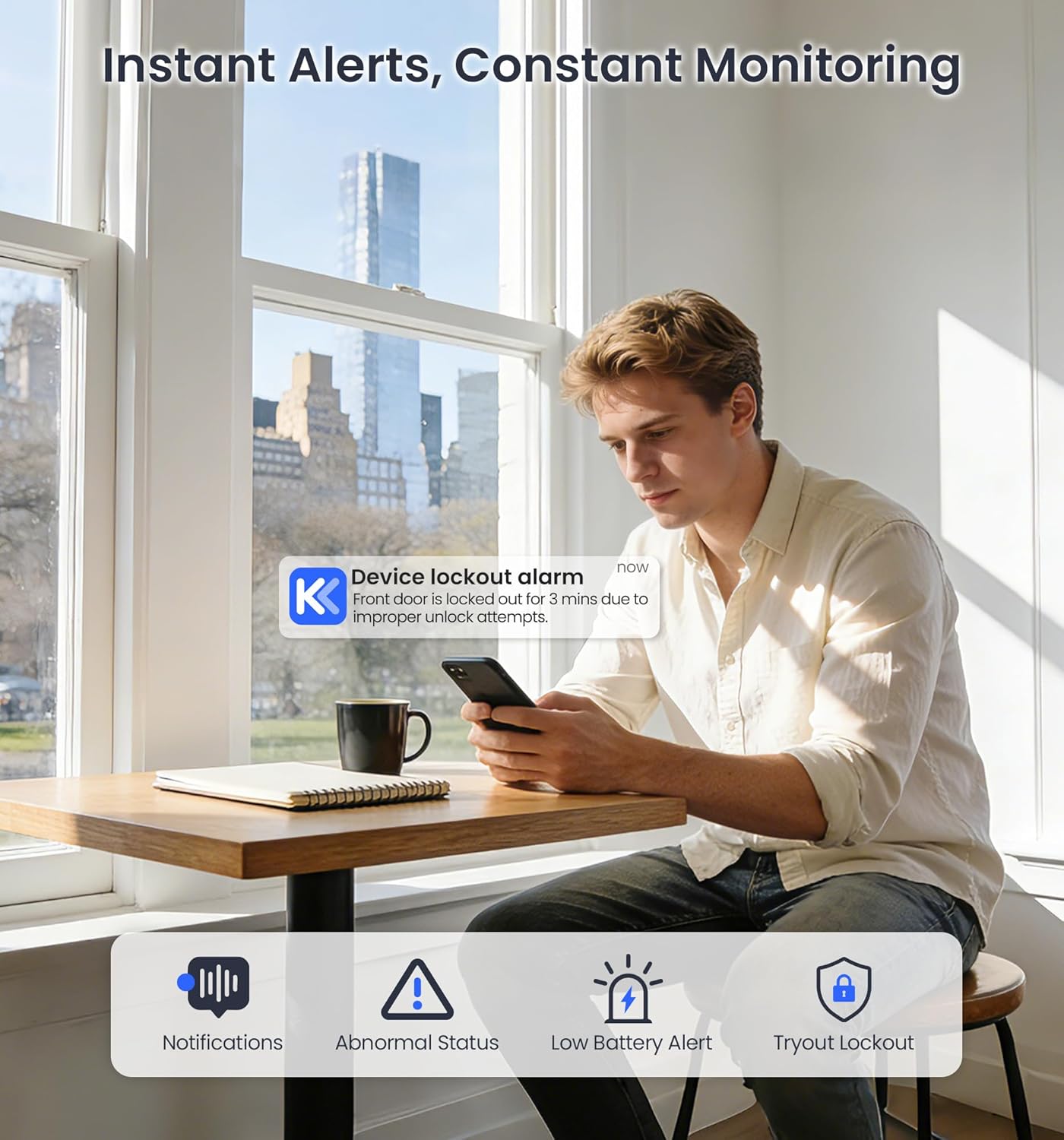
Figure 8: Instant Alerts and Monitoring.
Обслуживание
Надлежащий уход обеспечивает долговечность и оптимальную работу вашего умного замка.
Замена батареи
- The lock uses 8 AA alkaline batteries (not included). Please use only new, non-rechargeable alkaline batteries.
- You will receive low-battery alerts via the app and the keypad backlight. Replace batteries promptly when alerted.
- To replace, remove the battery cover on the interior assembly, replace all 8 batteries, ensuring correct polarity, and then reattach the cover.

Figure 9: Battery Compartment and Battery Life.

Figure 10: Low Battery Alarm Notification.
Долговечность и уход
- The lock is built with solid zinc alloy and is IP55 waterproof, ensuring reliable performance in humid conditions and various weather.
- It operates effectively in temperatures from -4°F to 129°F.
- Regularly check for any loose screws or components and tighten them as needed.
- Clean the keypad and fingerprint sensor with a soft, dry cloth. Avoid abrasive cleaners.

Figure 11: Security and Durability Features.

Рисунок 12: Устойчивость к атмосферным воздействиям.
Поиск неисправностей
If you encounter issues with your Veise VE012W Smart Lock, refer to the common solutions below or watch the troubleshooting video.
Распространенные проблемы и решения
- Lock cannot be locked or unlocked:
- Confirm correct installation: Ensure the thumb turn is vertical and the torque blade is horizontal. The latch should be fully retracted.
- Reset the lock: Use the reset tool to press and hold the Reset Button for 5 seconds. Continue holding until you hear a long beep and the latch bolt automatically extends.
- Низкий заряд батареи: Replace all 8 AA alkaline batteries immediately upon receiving a low battery alert.
- Отпечаток пальца не распознан: Убедитесь, что ваш палец чистый и сухой. Попробуйте повторно зарегистрировать отпечаток пальца в приложении.
- ПИН-код не работает: Double-check the PIN code. Ensure the anti-peeping feature is used correctly if enabled.
- Проблемы с подключением приложения: Ensure your Wi-Fi network is stable and the lock is within range. Restart your router and the lock if necessary.
Поиск и устранение неисправностей Видео
Video 2: Troubleshooting guide for common issues with the Veise VE012W Smart Lock.
Технические характеристики
| Особенность | Деталь |
|---|---|
| Бренд | Вейзе |
| Название модели | VE012W |
| Тип замка | Deadbolt, Keypad, Biometric |
| Связность | Bluetooth, Wi-Fi |
| Метод контроля | Приложение, кнопка, пульт дистанционного управления, голосовое управление |
| Совместимость с умным домом | Amazon Alexa, Google Assistant, iOS, Android |
| Материал | Aluminum, Metal, Zinc |
| Размеры изделия (Д x Ш x В) | 3 x 1.3 x 5.1 дюйма |
| Вес товара | 1.68 фунта |
| Источник питания | 8 батареек AA (не входят в комплект) |
| Особые возможности | Auto-Lock, Fingerprint, One-Touch Lock, Alarm, Anti-Peeping Password, Back-Lit Keypad, Battery Indicator, Passcode Unlock, Weather Resistant |
| Рейтинг водонепроницаемости | IP55 |
| Рабочая температура | -4°F - 129°F |
| Сертификаты | BHMA/ANSI Grade 3 |
Гарантия и поддержка клиентов
Компания Veise стремится предоставлять превосходное обслуживание клиентов и надежность своей продукции.
- Гарантия: Comes with a 2-year full-unit warranty and lifetime maintenance for mechanical components.
- Поддержка по телефону: Reliable lifetime U.S.-based phone support available Monday–Friday, 9 AM–5 PM PST. Call +1 (855) 400-3853.
- Электронная почта: 24/7 email service from the Veise professional team at support@iveise.com.

Figure 13: Veise Customer Support Information.
Ask a question about this manual
Ask about setup, troubleshooting, compatibility, parts, safety, or missing instructions. Manuals+ will review the question and use this page’s manual context to help answer it.