
Введение
This manual provides detailed instructions for the setup, operation, and maintenance of your AJAZZ AF98Plus Tri-Mode Office Keyboard. Please read this manual thoroughly before using the product to ensure optimal performance and longevity.
Продукт болееview
The AJAZZ AF98Plus is a versatile 98-key office keyboard designed for efficiency and comfort. It features tri-mode connectivity, a high-capacity 4000mAh battery, ergonomic design, customizable RGB lighting, and dedicated multimedia function keys.
Основные характеристики
- Раскладка 98-клавишная: Compact yet functional, designed to improve posture and reduce wrist strain.
- Трехрежимное соединение: Supports wired (USB-C), 2.4GHz wireless, and Bluetooth connectivity.
- Аккумулятор емкостью 4000 мАч: High-capacity battery for extended use with low power consumption.
- Ручка регулировки громкости: Convenient control for audio levels.
- Регулируемая подставка для ног: Dual-position feet for ergonomic typing angles.
- Подсветка RGB: 8 distinct RGB lighting effects with adjustable brightness and speed.
- Клавиши мультимедийных функций: 15 FN key combinations for quick access to common functions.
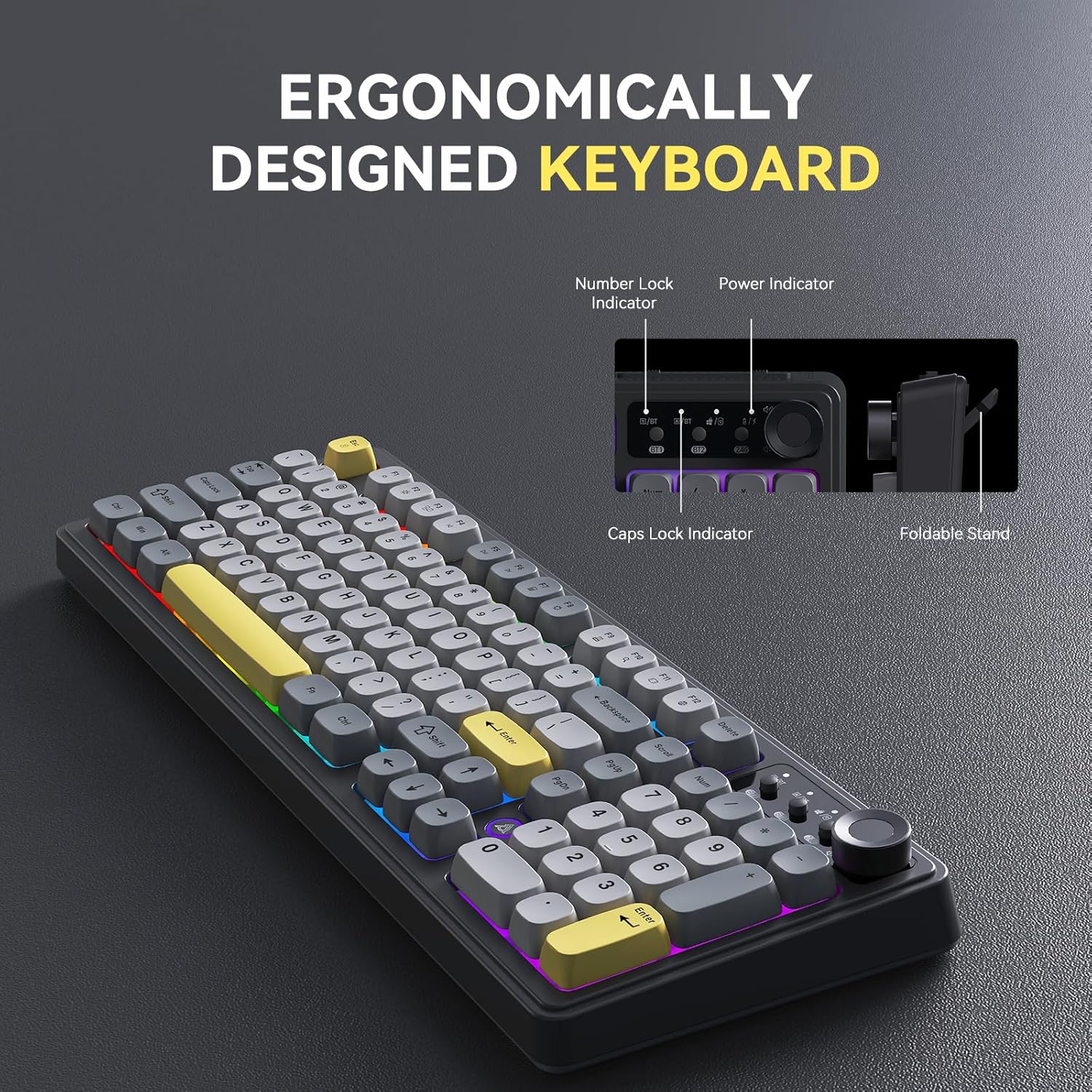
Image: The AJAZZ AF98Plus keyboard highlighting its ergonomic design, including indicators for Number Lock, Power, and Caps Lock, and a foldable stand for adjustable height.

Image: The AJAZZ AF98Plus keyboard positioned on a desk alongside a laptop and notebook, showcasing its full-size ergonomic design for a comfortable typing experience.
Настраивать
Содержимое упаковки
- AJAZZ AF98Plus Keyboard
- Кабель USB-C
- Руководство пользователя
Первоначальное подключение
To begin using your keyboard, connect it to your device using one of the available tri-modes: wired, 2.4GHz wireless, or Bluetooth.
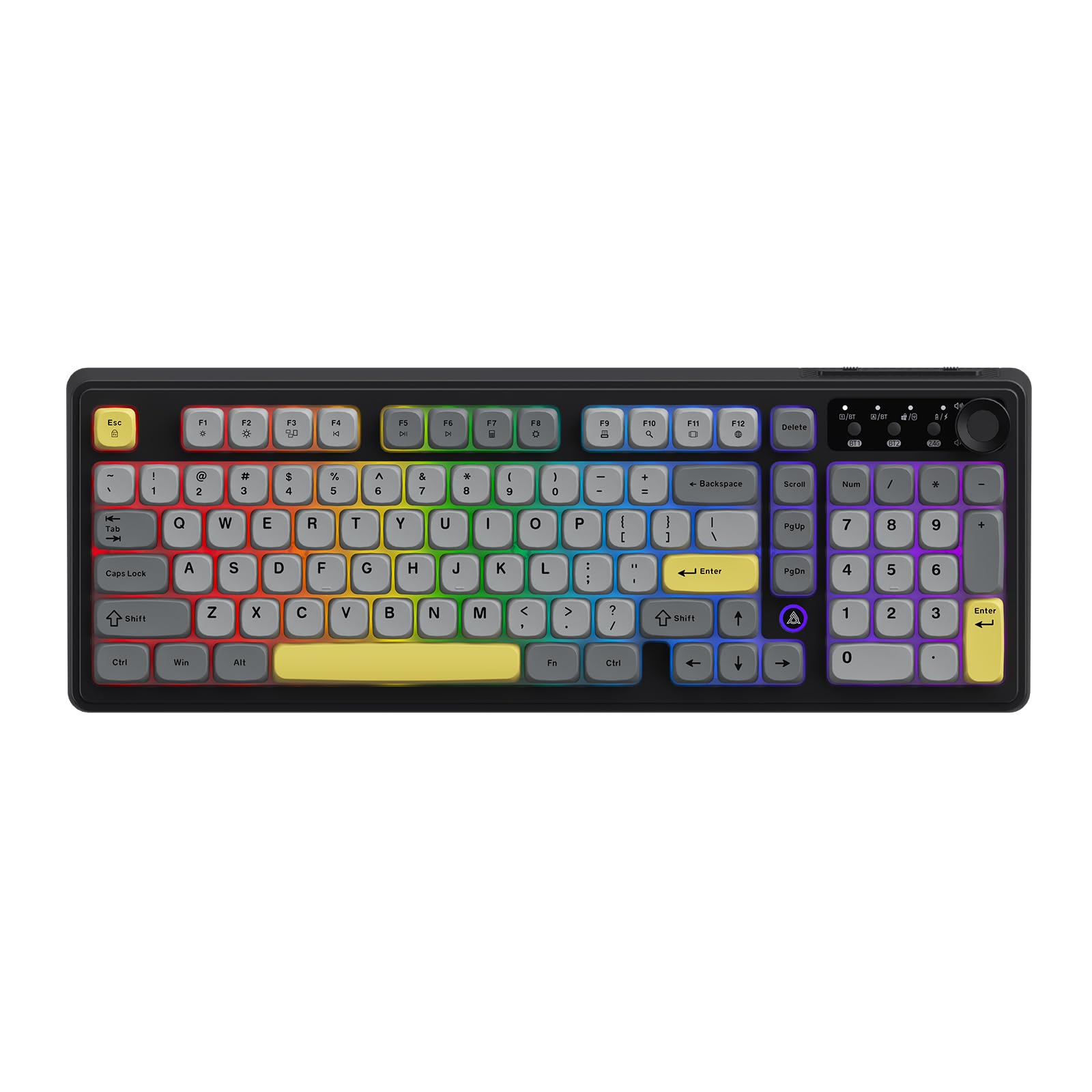
Image: The AJAZZ AF98Plus keyboard in its Black Gray Yellow color scheme, displaying the complete key layout.
Инструкция по эксплуатации
Режимы подключения
The AF98Plus keyboard supports three connection modes:
- Проводной режим: Подключите клавиатуру к вашему устройству с помощью прилагаемого кабеля USB-C. Клавиатура автоматически переключится в проводной режим.
- Беспроводной режим 2.4 ГГц: Insert the 2.4GHz USB receiver into your device. Switch the keyboard to 2.4G mode using the mode switch located near the volume knob.
- Режим Bluetooth: The keyboard supports two Bluetooth connections (BT1 and BT2). Switch the keyboard to BT1 or BT2 mode using the mode switch. On your device, search for "AF98Plus" in Bluetooth settings and pair.

Изображение: Подробный view of the keyboard's upper right area, featuring the mode switching keys for BT1, BT2, and 2.4G, along with four indicator lights and the volume adjustment knob.
Ручка регулировки громкости
The dedicated knob on the top right of the keyboard allows for quick and easy volume control. Turn the knob clockwise to increase volume, counter-clockwise to decrease volume. Press the knob to mute/unmute.
Регулируемая опора для ног
The keyboard features dual-position adjustable feet on the underside. Extend these feet to raise the keyboard to a more angled position for improved typing comfort.

Image: A close-up of the keyboard's underside, showing the foldable kickstand that allows for adjusting the typing angle for enhanced comfort.
RGB Illumination Effects
The AF98Plus keyboard features 8 types of RGB illumination effects. Use the following FN key combinations to control the lighting:
- ФН + ↑: Увеличьте яркость света
- ФН + ↓: Уменьшить яркость света
- ФН + →: Increase light speed
- ФН + ←: Decrease light speed
- ФН + 0: Переключить цвет подсветки
- ФН + П: Выключить/включить свет
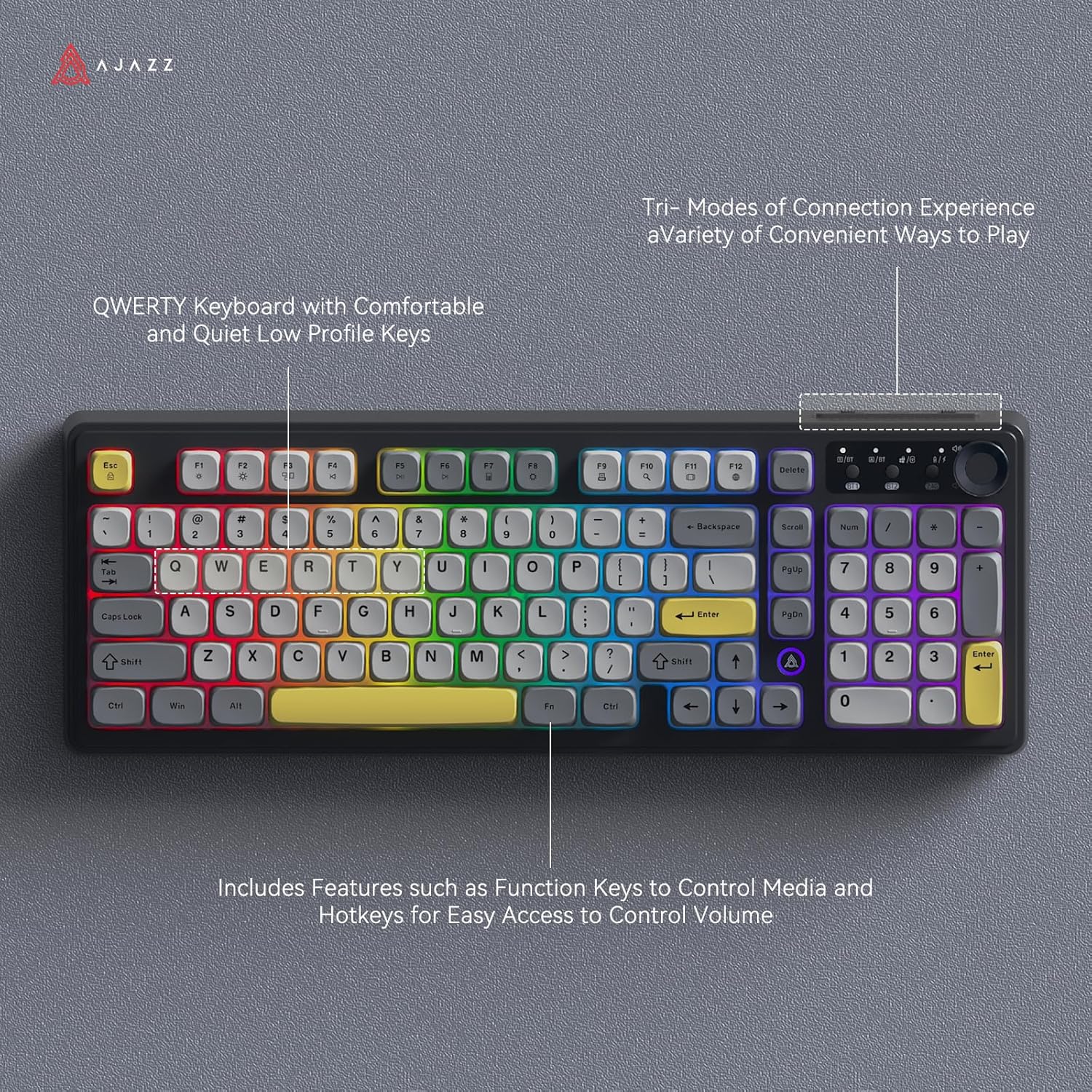
Image: The AJAZZ AF98Plus keyboard illuminated with colorful RGB lighting, showcasing its QWERTY layout and various function keys.

Image: The AJAZZ AF98Plus keyboard showcasing its dynamic RGB lighting effects with keys illuminated in a spectrum of colors.
Мультимедийные функциональные клавиши
The keyboard includes 15 multimedia function key combinations for enhanced productivity:
- ФН+Ф1: Brightness- / Volume-
- ФН+Ф2: Brightness+ / Volume+
- ФН+Ф3: Многоэкранный дисплей
- ФН+Ф4: Предыдущая песня
- ФН+Ф5: Воспроизведение/Пауза
- ФН+Ф6: Следующая песня
- ФН+Ф7: Калькулятор
- ФН+Ф8: Настройки
- ФН+Ф9: Печать
- ФН+Ф10: Идет поиск
- ФН+Ф11: Переключение приложений
- ФН+Ф12: Переключение языка
- ФН+ДЕЛ: ДОМ
- FN+Scrl: ИНС
- ФН+С: Toggle WASD and Arrow Keys

Image: A table detailing the FN key combinations for various multimedia functions, displayed alongside the AJAZZ AF98Plus keyboard.
Информация о батарее
The AJAZZ AF98Plus keyboard is equipped with a 4000mAh high-capacity battery, providing extended usage time. It features a low power consumption chip and an energy-saving design to maximize battery life.

Image: The AJAZZ AF98Plus keyboard, emphasizing its 4000mAh battery, large capacity, low power consumption chip, and energy-saving design.

Image: The underside of the AJAZZ AF98Plus keyboard, with a large "4000mAh" graphic, signifying its battery capacity.
Обслуживание
Уборка
To clean your keyboard, disconnect it from your device. Use a soft, dry cloth to wipe the keycaps and chassis. For deeper cleaning, you may use a can of compressed air to remove dust and debris from between the keys. Avoid using liquid cleaners directly on the keyboard.
Хранилище
Храните клавиатуру в прохладном, сухом месте, вдали от прямых солнечных лучей и экстремальных температур.
Поиск неисправностей
Клавиатура не отвечает
- Проводное подключение: Убедитесь, что кабель USB-C надёжно подключён к клавиатуре и устройству. Попробуйте использовать другой USB-порт или кабель.
- Беспроводная связь 2.4 ГГц: Ensure the USB receiver is properly inserted and the keyboard is switched to 2.4G mode. Check battery level.
- Bluetooth: Ensure Bluetooth is enabled on your device and the keyboard is in BT1 or BT2 mode. Re-pair the keyboard if necessary. Check battery level.
RGB Lights Turn Off
The RGB lighting is designed to turn off after a period of inactivity to conserve battery. It will automatically reactivate when you resume typing.
Клавиши не работают правильно
If specific keys are not working, try cleaning around the keycap. If the issue persists, ensure the keyboard's firmware is up to date (check the manufacturer's webсайт для обновлений).
Технические характеристики
| Особенность | Деталь |
|---|---|
| Бренд | AJAZZ |
| Номер модели | АФ98 |
| Технология связи | Bluetooth, USB-C, беспроводная связь 2.4 ГГц |
| Описание клавиатуры | Мембрана |
| Количество ключей | 98 |
| Раскладка клавиатуры | QWERTY |
| Подсветка клавиатуры | РГБ |
| Источник питания | Питание от аккумулятора (4000 мАч) |
| Размеры продукта | 18"Д x 6"Ш x 1.37"В |
| Совместимые устройства | Gaming Console, Laptop, PC, Tablet (Windows Vista/XP/7/8/10/11, Mac, Android) |
Гарантия и поддержка
The product comes with a 1-year warranty. For warranty claims or technical support, please contact the retailer or manufacturer directly. Refer to your purchase documentation for specific contact details.
Return Policy: This product is eligible for a refund/replacement within 30 days of purchase, subject to the retailer's return policy.