
NIMO Nimo N155
NIMO 15.6-inch FHD Laptop Nimo N155 User Manual
Model: Nimo N155
1. Введение
This manual provides essential information for setting up, operating, and maintaining your NIMO 15.6-inch FHD Laptop Nimo N155. Please read this manual thoroughly before using your device to ensure proper function and longevity.

Figure 1: NIMO 15.6-inch FHD Laptop Nimo N155 Overview
The NIMO N155 laptop is equipped with an AMD Ryzen 7 6800H processor, 32GB DDR5 RAM, and a 1TB PCIe 4.0 SSD, designed for efficient performance in various computing tasks. It features a 15.6-inch Full HD IPS anti-glare display, a backlit keyboard, and an integrated fingerprint sensor for enhanced security and user experience.
2. Что в коробке
Проверьте наличие всех предметов в упаковке:
- 1 x Nimo N155 Laptop
- 1 x Type-C 100W PD Fast Charger
- 1 x Руководство пользователя (этот документ)
- Windows 11 Home Operating System (pre-installed)
3. Начальная настройка
3.1. Зарядка ноутбука
Before first use, connect the laptop to the power adapter and charge it fully. The Type-C 100W PD Fast Charger provides rapid charging capabilities.
- Connect the Type-C charger to a power outlet.
- Plug the Type-C connector into one of the Type-C ports on your laptop.
- The charge LED indicator will illuminate, indicating that the laptop is charging.

Figure 2: Connecting the Type-C 100W PD Fast Charger
3.2. Включение
Press the power button located on the keyboard to turn on the laptop. Follow the on-screen instructions to complete the initial Windows 11 setup, including language selection, network connection, and user account creation.
4. Компоненты и порты ноутбука
Familiarize yourself with the various components and ports of your NIMO N155 laptop.

Рисунок 3: Порты и разъемы ноутбука
4.1. Порты с левой стороны
- Порт USB 2.0: Для подключения старых USB-устройств.
- Порт USB 3.0: Для подключения высокоскоростных USB-устройств.
- Слот для карты Micro SD: For reading and writing to Micro SD cards.
- Порт для наушников: Для подключения наушников или внешних динамиков.
- Слот для замка Кенсингтона: Для защиты вашего ноутбука с помощью совместимого замка.
4.2. Порты с правой стороны
- Светодиод зарядки: Указывает состояние зарядки.
- Type-C (PD/Charging) Port: Primarily for power delivery and charging.
- Type-C (Multifunction) Port: Поддерживает передачу данных и вывод на экран.
- Порты USB 3.0 (x2): Для подключения высокоскоростных USB-устройств.
- Порт HDMI: Для подключения к внешним дисплеям или проекторам.
4.3 Внутренние компоненты
- Процессор: AMD Ryzen 7 6800H (8 Cores, 16 Threads, up to 4.7 GHz).
- Графика: Встроенный графический процессор AMD Radeon 680M.
- БАРАН: 32GB DDR5 (upgradeable).
- Хранилище: 1TB PCIe 4.0 SSD (upgradeable).
- Отображать: 15.6-inch FHD (1920x1080) IPS Anti-Glare Display.
- Webкамера: 2.0 MP with privacy shield.
- Беспроводная связь: 802.11a/b/g/n/ac (Wi-Fi 5) and Bluetooth 5.2.

Figure 4: AMD Ryzen 7 6800H Processor Details

Figure 5: High-Speed RAM and PCIe SSD
5. Работа с ноутбуком
5.1. Дисплей
The 15.6-inch Full HD IPS display offers a resolution of 1920x1080 pixels. Adjust brightness and display settings through Windows settings (Right-click on desktop > Display settings).
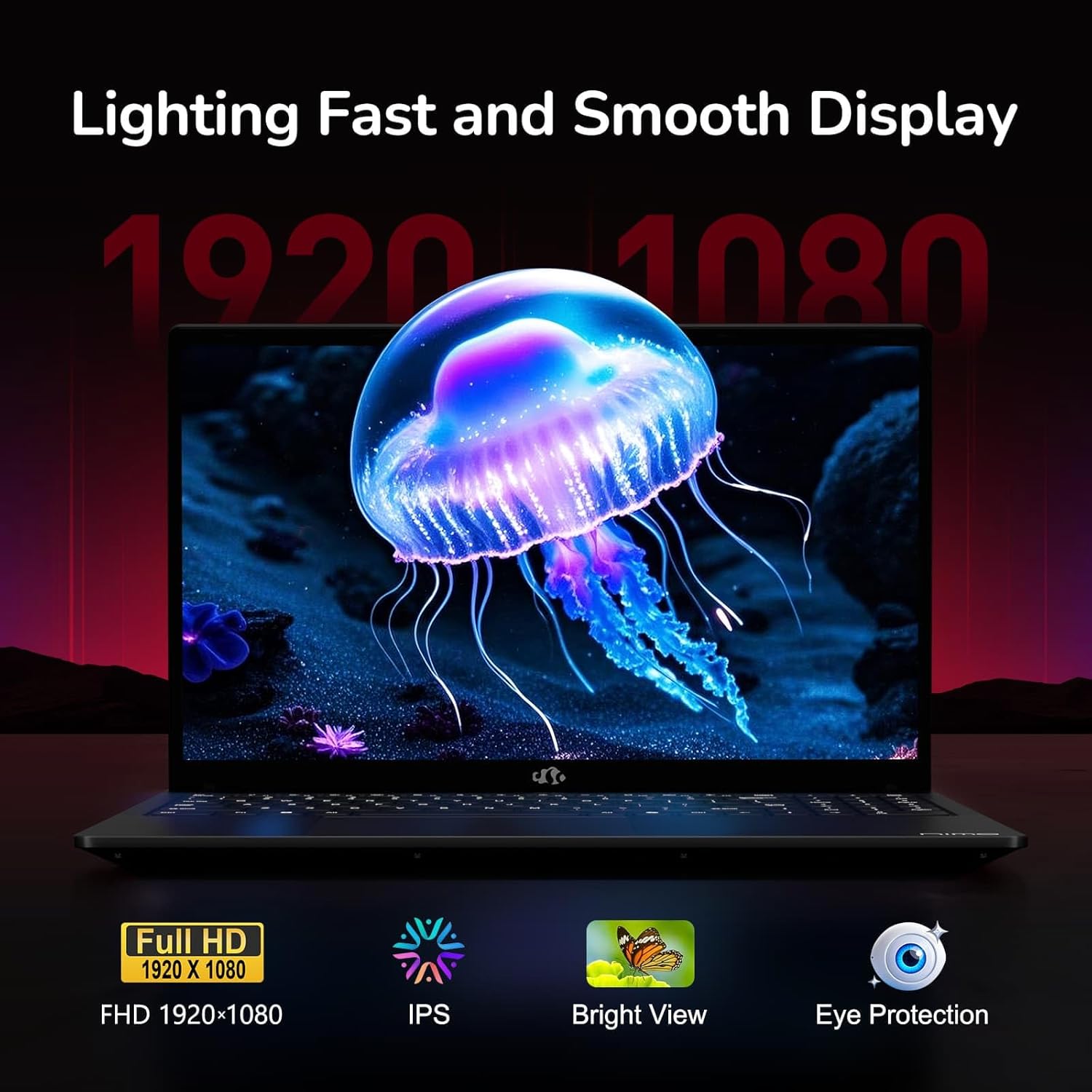
Figure 6: Laptop Display Features
5.2. Клавиатура и сенсорная панель
The laptop features a backlit keyboard and a responsive touchpad with multi-touch gesture support. The integrated fingerprint sensor is located on the touchpad for secure login.
- Подсветка клавиатуры: Нажимать Фн + Фх (where Fx is the backlight key, typically F3 or F4) to adjust keyboard backlight brightness.
- Датчик отпечатков пальцев: Enroll your fingerprints via Windows Settings > Accounts > Sign-in options for quick and secure access.
- WebЩит конфиденциальности камеры: Slide the physical cover over the webcam for privacy when not in use.

Figure 7: Keyboard and Input Features

Figure 8: Seamless Security Integration (Fingerprint and Webcam Shield)
5.3. Управление энергопотреблением
The laptop is equipped with a 4700mAh (53.58Wh) Lithium Polymer battery. Battery life can vary based on usage. To optimize battery life, adjust power settings in Windows and close unnecessary applications.

Рисунок 9: Технические характеристики батареи
6. Техническое обслуживание и уход
6.1. Уборка
- Для очистки экрана и внешней поверхности используйте мягкую ткань без ворса.
- Для стойких отметин, dampСмочите ткань водой или очистителем для экранов. Избегайте использования агрессивных химикатов.
- Перед чисткой убедитесь, что ноутбук выключен и отсоединен от сети.
6.2. Хранение и обращение
- Храните ноутбук в прохладном, сухом месте, вдали от прямых солнечных лучей и экстремальных температур.
- Не кладите на ноутбук тяжелые предметы.
- Не допускайте попадания жидкостей на ноутбук.
6.3. Обновления
The NIMO N155 laptop supports detachable RAM and SSD, allowing for user upgrades. Refer to the official NIMO support website or contact customer service for detailed upgrade instructions to avoid voiding your warranty.
7. Поиск Неисправностей
This section addresses common issues you might encounter with your NIMO N155 laptop.
| Проблема | Возможное решение |
|---|---|
| Ноутбук не включается. | Ensure the charger is properly connected and the battery has sufficient charge. Try a different power outlet. |
| Экран пустой. | Check if the laptop is powered on. Adjust screen brightness. Connect to an external monitor to check if the issue is with the laptop's display. |
| Проблемы с подключением к Wi-Fi. | Убедитесь, что Wi-Fi включен в настройках Windows. Перезагрузите маршрутизатор и ноутбук. Обновите драйверы Wi-Fi. |
| Подсветка клавиатуры не работает. | Press the Fn key combined with the appropriate function key (e.g., F3 or F4) to toggle or adjust the backlight. |
| Датчик отпечатков пальцев не реагирует. | Ensure your finger is clean and dry. Re-enroll your fingerprints in Windows settings. Update fingerprint sensor drivers. |
If you encounter issues not listed here or require further assistance, please contact NIMO customer support.
8. Технические характеристики
| Особенность | Спецификация |
|---|---|
| Название модели | Nimo N155 |
| Отображать | 15.6-inch FHD (1920x1080) IPS Anti-Glare |
| Процессор | AMD Ryzen 7 6800H (8 ядер, 16 потоков, до 4.7 ГГц) |
| Графика | Интегрированная видеокарта AMD Radeon 680M |
| БАРАН | 32GB DDR5 4800 MHz (Dual-channel, upgradeable) |
| Хранилище | 1TB PCIe 4.0 SSD (upgradeable) |
| Операционная система | Windows 11 Домашняя |
| Беспроводное подключение | Wi-Fi 5 (802.11a/b/g/n/ac), Bluetooth 5.2 |
| Порты | 1x USB 2.0, 3x USB 3.0, 2x Type-C (1x PD, 1x Multifunction), 1x HDMI, 1x Micro SD, 1x Headphone Jack, 1x Kensington Lock |
| Webкулачок | 2.0 MP (with privacy shield) |
| Аккумулятор | 4700mAh / 53.58Wh Lithium Polymer |
| Адаптер питания | Type-C 100W PD Fast Charger |
| Размеры (ДxШxВ) | 14.07 x 8.98 x 0.76 дюйма (357.4 x 228 x 19.2 мм) |
| Масса | 3.8 фунта (1.7 кг) |
| Особые возможности | Backlit Keyboard, Fingerprint Reader, HD Audio, Numeric Keypad |
9. Гарантия и поддержка
9.1 Гарантия производителя
Your NIMO N155 laptop comes with a 2-летняя гарантия производителяДанная гарантия распространяется на дефекты материалов и изготовления при условии нормального использования. Сохраните чек о покупке для предъявления гарантийных претензий.
9.2 Политика возврата
NIMO offers a 90-дневная политика беспроблемного возврата товара. from the date of purchase. For details on eligibility and the return process, please refer to your purchase documentation or contact customer support.
9.3. Поддержка клиентов
For technical assistance, warranty claims, or any other inquiries, please visit the official NIMO support website or contact their customer service team. Contact information can typically be found on the NIMO brand store page or included documentation.
NIMO Brand Store: Visit NIMO Store on Amazon
Ask a question about this manual
Ask about setup, troubleshooting, compatibility, parts, safety, or missing instructions. Manuals+ will review the question and use this page’s manual context to help answer it.