
1. Введение
This manual provides essential information for the safe operation and maintenance of your SuperRC V666 Drone with Camera. Please read it thoroughly before first use to ensure proper setup and to maximize your flying experience. The V666 drone features a brushless motor, optical flow positioning, and an HD 180° adjustable camera, designed for both beginner and adult users.
2. Меры предосторожности
- Условия полета: Летайте на открытых пространствах, вдали от людей, животных, зданий и линий электропередач. Избегайте полетов при сильном ветре или неблагоприятных погодных условиях.
- Безопасность аккумулятора: Используйте только прилагаемые аккумуляторы и зарядный кабель. Не допускайте чрезмерной зарядки и не прокалывайте аккумуляторы. Прекратите использование, если аккумуляторы имеют признаки повреждения или вздутия.
- Безопасность пропеллера: Держите руки, лицо и свободную одежду подальше от вращающихся винтов. Перед полётом убедитесь, что винты надёжно закреплены.
- Поле зрения: Во время полета всегда поддерживайте визуальную связь с дроном.
- Рекомендация по возрасту: Данный продукт подходит для пользователей в возрасте 14 лет и старше.
- Вмешательство: Avoid flying near strong electromagnetic interference sources.
- Multiple Drones: When operating multiple drones simultaneously, power on and pair each drone and its remote control separately to prevent frequency conflicts.
3. Содержимое упаковки
Убедитесь, что все перечисленные ниже предметы включены в ваш пакет:
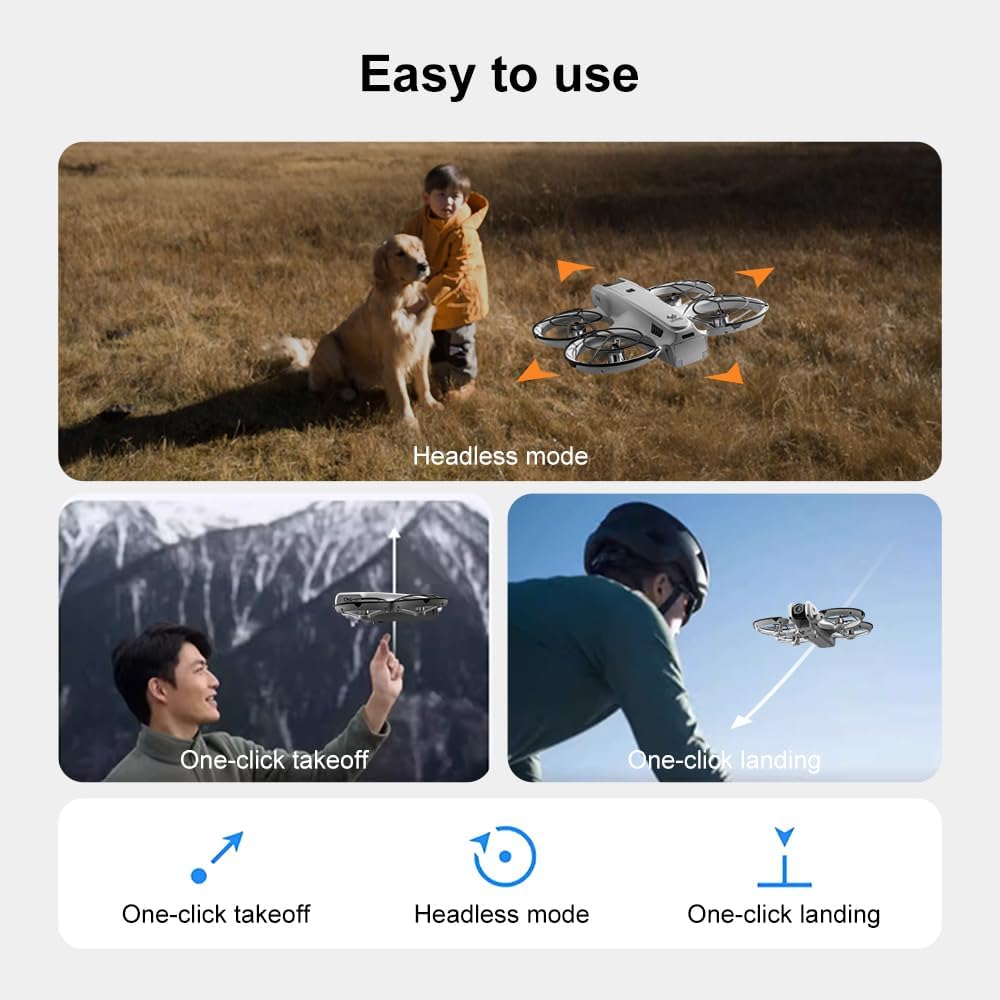
Изображение: Оверview of the SuperRC V666 Drone package contents, showing the drone, remote control with screen, two batteries, spare propellers, screwdriver, USB charging cable, card reader, and memory card.
- SuperRC V666 Drone
- Пульт дистанционного управления со встроенным экраном
- 2 x Lithium Ion Batteries (1000mAh each)
- Запасные винты
- Защита пропеллера
- Сумочка
- Кабель Micro-USB
- Отвертка
- Кардридер
- Карта памяти
4. Идентификация компонентов
4.1 Над головой дронаview
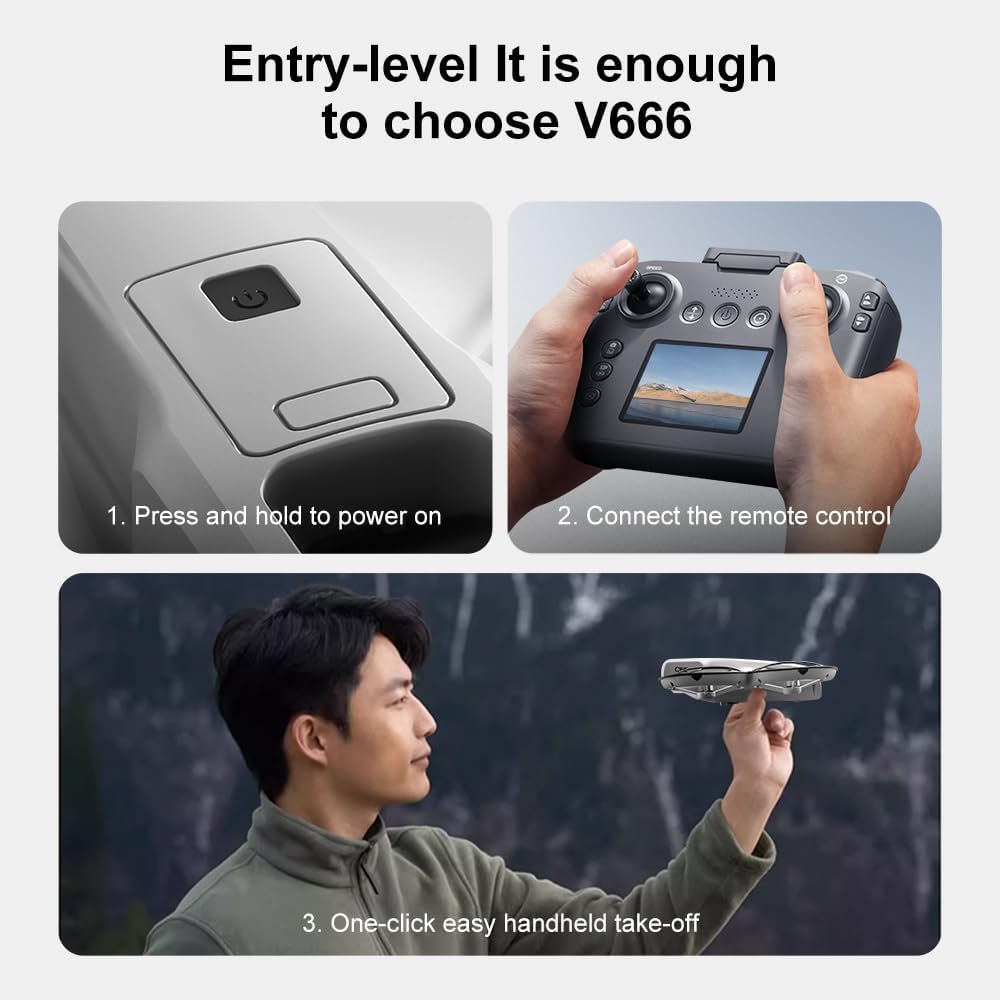
Изображение: подробное view of the SuperRC V666 Drone, showing the main body, camera, and protected propellers.
Familiarize yourself with the drone's key components:
- Камера: Front-mounted, 180° manually adjustable HD camera.
- Винты: Four propellers with protective guards.
- Бесщеточные двигатели: Provide stable and powerful flight.
- Отсек для батареи: Расположен на корпусе дрона.
- Кнопка питания: For turning the drone on/off.
- Body Light: Integrated lighting for visibility.
4.2 Дистанционное управлениеview
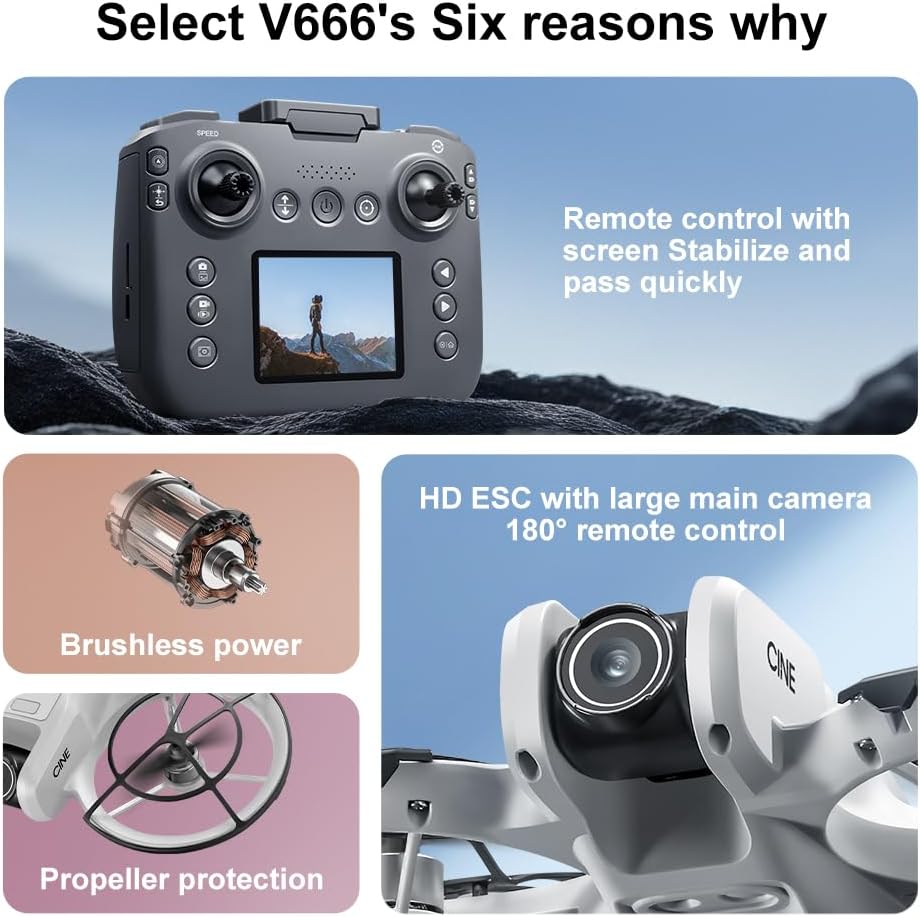
Image: The remote control for the SuperRC V666 Drone, featuring a central display screen, dual joysticks, and multiple control buttons.
Возможности пульта дистанционного управления:
- Джойстики: Left for throttle/yaw, right for pitch/roll.
- Встроенный экран: Displays flight information and live camera feed.
- Кнопка питания: Для включения/выключения пульта дистанционного управления.
- Кнопка взлета/посадки одной кнопкой: Запускает автоматический взлет или посадку.
- Кнопка регулировки скорости: Переключение между различными скоростями полета.
- Кнопки для фото/видео: For capturing images and recording video.
- Кнопки обрезки: For fine-tuning drone stability.
5. Настройка
5.1 Установка и зарядка аккумулятора
- Insert the fully charged Lithium Ion battery into the drone's battery compartment. Ensure it clicks into place securely.
- To charge the battery, connect it to the Micro-USB cable and then to a USB power source (e.g., computer, USB wall adapter). The charging indicator will show the charging status.
- Charge the remote control battery using its dedicated charging port and cable.
5.2 Установка пропеллера
The drone comes with propeller guards pre-installed. If you need to replace propellers:
- Identify the correct propeller type (A or B) for each motor. Propellers are typically marked.
- Совместите пропеллер с валом двигателя и плотно прижмите, пока он не закрепится.
- Убедитесь, что все пропеллеры свободно вращаются без препятствий.
5.3 Сопряжение дрона и пульта дистанционного управления

Image: Visual guide demonstrating the steps for powering on the drone, connecting the remote control, and initiating a one-click handheld take-off.
- Установите дрон на ровную ровную поверхность.
- Press and hold the power button on the drone until its indicator lights turn on.
- Включите пульт дистанционного управления.
- The drone and remote control will automatically attempt to pair. Once paired, the drone's indicator lights will become solid.
- Примечание: If operating multiple drones, power on and pair each drone and its remote control individually to avoid signal interference.
6. Инструкция по эксплуатации
6.1 Основные элементы управления полетом
- Левый джойстик (газ/рыскание):
- Push up/down: Increase/decrease altitude (Throttle).
- Push left/right: Rotate drone left/right (Yaw).
- Правый джойстик (тангаж/крен):
- Push up/down: Move drone forward/backward (Pitch).
- Push left/right: Move drone left/right (Roll).
- Регулировка скорости: Press the speed button on the remote to cycle through different flight speeds (e.g., low, medium, high).
6.2 One-Key Functions
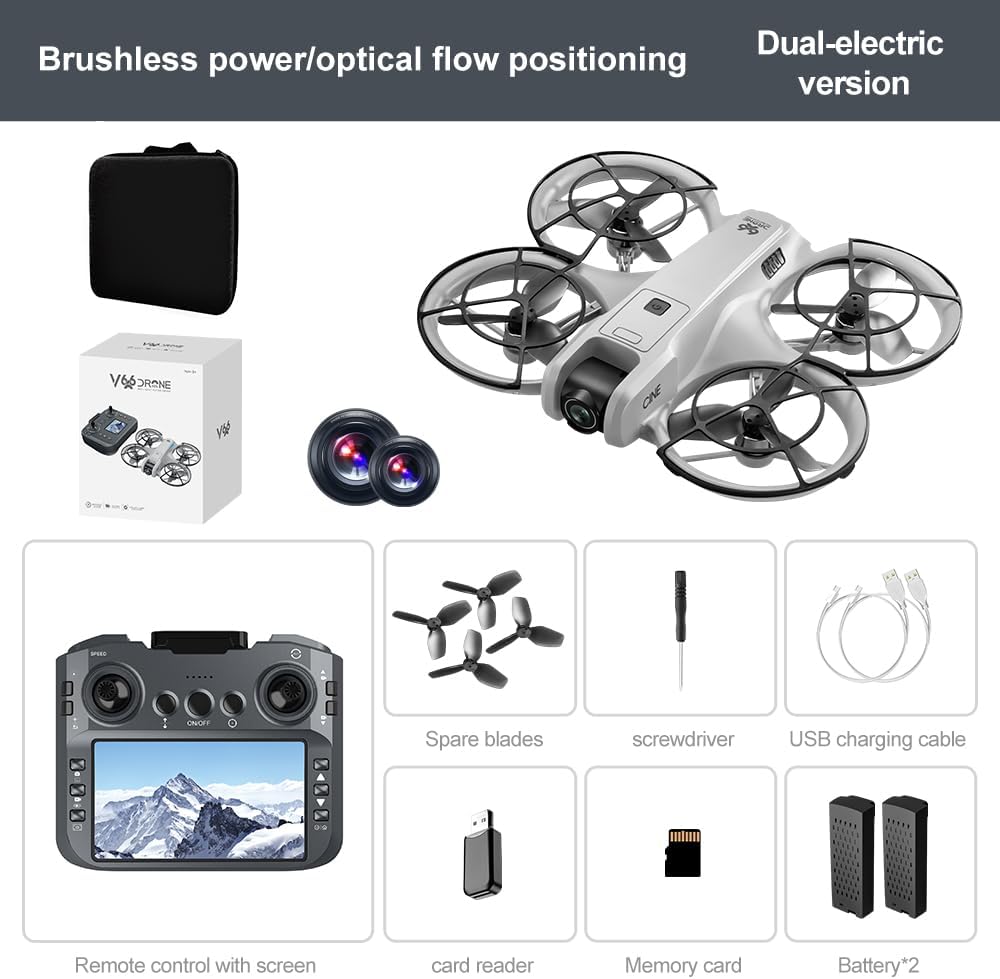
Image: Visual representation of the drone's Headless Mode, One-Click Take-off, and One-Click Landing functionalities.
- Взлет одним нажатием: Press the designated button once, and the drone will automatically ascend to a stable hovering height.
- Посадка одним нажатием: Press the designated button once, and the drone will automatically descend and land gently.
- Возврат одним нажатием: Activates the drone's return-to-home function. The drone will attempt to return to its take-off point.
6.3 Безголовый режим
In Headless Mode, the drone's orientation is relative to the pilot, regardless of which way the drone's front is facing. This simplifies control for beginners.
6.4 Управление жестами
The drone supports gesture-based photo and video capture. Perform specific hand gestures in front of the camera to trigger these functions during flight.
6.5 Работа камеры
- Регулировка угла наклона камеры: The camera lens can be manually adjusted 180° before flight to achieve the desired viewугол наклона.
- Фото/Видеосъемка: Используйте специальные кнопки на пульте дистанционного управления для съемки фотографий или начала/остановки записи видео.
- Прямой эфир: The integrated screen on the remote control provides a real-time view from the drone's camera via Wi-Fi connectivity.
- Хранилище: Captured photos and videos are saved to the inserted memory card.
7. Техническое обслуживание
- Уборка: Для очистки дрона и пульта дистанционного управления используйте мягкую сухую ткань. Избегайте использования растворителей или агрессивных химикатов.
- Замена пропеллера: If propellers are damaged, replace them with spare parts using the provided screwdriver. Ensure correct propeller type (A or B) is used for each motor.
- Хранилище: Store the drone and its components in a cool, dry place, away from direct sunlight and extreme temperatures. Remove batteries if storing for extended periods.
8. Поиск Неисправностей
| Проблема | Возможная причина | Решение |
|---|---|---|
| Дрон не включается | Аккумулятор не заряжен или установлен неправильно. | Убедитесь, что аккумулятор полностью заряжен и правильно вставлен. |
| Drone fails to pair with remote control | Remote control not powered on, or pairing sequence incorrect. | Ensure both devices are powered on. Follow pairing steps (Section 5.3). Avoid multiple drones pairing simultaneously. |
| Дрон дрейфует во время полета | Not calibrated on a flat surface, or environmental factors. | Ensure drone is placed on a flat surface before take-off. Perform calibration if available (refer to remote control instructions). Avoid strong winds. |
| Poor camera image quality or no live feed | Weak Wi-Fi signal, camera lens dirty, or memory card issue. | Ensure drone is within Wi-Fi range. Clean camera lens. Check memory card for proper insertion and sufficient space. |
| Короткое время полета | Battery not fully charged, or battery degradation. | Fully charge batteries before each flight. Consider replacing old batteries if performance significantly degrades. |
9. Технические характеристики
| Особенность | Деталь |
|---|---|
| Бренд | СуперRC |
| Название модели | В666 |
| Цвет | Серый |
| Вес товара | 0.2 килограмма (приблизительно 7 унции) |
| Размеры продукта | 7"Д x 6"Ш x 2"В |
| Уровень мастерства | Начинающий |
| Тип двигателя | Бесщеточный двигатель |
| Камера | HD 180° Manually Adjustable |
| Разрешение видеозахвата | 720p |
| Формат захвата видео | МП4 |
| Технология связи | Wi-Fi, Radio Frequency |
| Технология оптических датчиков | Оптический поток, КМОП |
| Тип батареи | Литий-ионный |
| Емкость аккумулятора | 1000 мАч |
| Тип управления | Дистанционное управление |
| Особые возможности | Adjustable Camera, One Button Return, One Key Rotation, Rechargeable, Speed Adjustment, Optical Flow Positioning |
10. Гарантия и поддержка
For warranty information or technical support, please refer to the documentation included with your purchase or contact SuperRC customer service directly. Keep your proof of purchase for any warranty claims.
Для получения дополнительной помощи вы можете посетить SuperRC Store on Amazon.