
Введение
This manual provides essential information for setting up, operating, maintaining, and troubleshooting your NIMO 15.6" IPS FHD Business Laptop. Please read this manual thoroughly before using your device to ensure optimal performance and longevity.
Что в коробке?
- 1 x Nimo N154 Laptop
- 1 x Type-C 65W PD Fast Charger
- 1 x Руководство пользователя (этот документ)
- Windows 11 Домашняя (предустановленная)
- Warranty Information (2 Years Warranty, 90 Days Return)
Продукт болееview
Familiarize yourself with the key components and features of your NIMO laptop.

Рисунок 1: NIMO 15.6" Laptop Front View с ключевыми функциями
This image displays the NIMO 15.6-inch laptop from the front, showcasing its full HD IPS display. Icons on the screen highlight key features including the Intel Core i3-1215U 6-core processor, 8GB RAM, 256GB SSD, fingerprint reader, Type-C PD charger, and backlit keyboard. An eagle graphic is prominently featured on the screen.
Порты и разъемы

Рисунок 2: Laptop Ports and Connectors
This image illustrates the various ports available on the NIMO laptop. On the left side, from left to right, are the Micro SD card slot, USB 2.0 port, USB 3.0 port, headphone combo jack, and Kensington lock slot. On the right side, from left to right, are a Type-C (charge only) port, USB 3.0 port, HDMI port, Type-C (multifunction) port, and a Charge LED indicator.
- Левая сторона: Micro SD Card Slot, USB 2.0, USB 3.0, Headphone Combo Jack, Kensington Lock
- Правая сторона: Type-C (Charge Only), USB 3.0, HDMI, Type-C (Multifunction), Charge LED
Руководство по настройке
1. Первоначальная зарядка
Before first use, fully charge your laptop. Connect the provided 65W Type-C PD fast charger to the Type-C (Charge only) port on the right side of the laptop and to a power outlet. The Charge LED will indicate charging status.

Рисунок 3: 65W Type-C PD Fast Charger
This image shows the compact NIMO 65W Type-C PD fast charger with its accompanying Type-C cable. It highlights the charger's versatility, indicating it can be used for laptops, tablets, and iPhones. Below, a comparison graphic contrasts the single, organized Type-C charger with a cluttered power strip filled with multiple, tangled chargers, emphasizing the convenience of the NIMO charger.
2. Включение
Open the laptop lid. Press the power button, typically located on the top right of the keyboard, to turn on the device. The laptop will boot into Windows 11 Home.
3. Первоначальная настройка Windows
Follow the on-screen prompts to complete the Windows 11 Home setup. This includes selecting your region, language, connecting to a Wi-Fi network, creating a user account, and setting up security features like the fingerprint reader.
4. Настройка считывателя отпечатков пальцев
During Windows setup or later via Windows Settings, configure the integrated fingerprint reader for secure and quick login. This feature is located on the touchpad area.

Рисунок 4: Fingerprint Reader and Webcam Privacy Shield
This image highlights two security features of the NIMO laptop. The upper left section shows a close-up of the touchpad with a glowing fingerprint icon, indicating the integrated fingerprint scanner for seamless security integration. The lower right section displays the laptop's webcam with a physical privacy shield, emphasizing privacy-focused camera convenience.
Инструкция по эксплуатации
Клавиатура и тачпад
Your NIMO laptop features a full-size keyboard with a numeric keypad and a backlit function for use in low-light conditions. The large trackpad supports multi-touch gestures.

Рисунок 5: Возможности клавиатуры
This image displays the NIMO laptop's keyboard, highlighting its features for effortless typing in any environment. Icons above the keyboard represent the backlit keyboard, webcam shield, fingerprint reader, and numeric keypad. Insets show the backlit keyboard in use in a dimly lit setting.
Отображать
The 15.6" Full HD (1920x1080) IPS display offers vibrant colors and wide viewуглы поворота. Настройте яркость и параметры дисплея через настройки Windows.

Рисунок 6: Яркий дисплей Full HD
This image showcases the NIMO laptop's vivid Full HD display, featuring a vibrant image of a jellyfish on the screen. Icons above the display highlight its key attributes: FHD 1920x1080 resolution, IPS technology, Bright View, and Eye Protection. The screen-to-body ratio is indicated as 85%.
Связность
- Wi-Fi 6: Connect to high-speed wireless networks.
- Bluetooth: Подключается к устройствам с поддержкой Bluetooth, таким как наушники или мыши.
- USB-порты: Используйте порты USB 2.0 и USB 3.0 для подключения внешних устройств.
- HDMI: Подключитесь к внешним мониторам или проекторам.
Обслуживание
Чистка ноутбука
- Используйте мягкую, безворсовую ткань, слегкаampДля очистки дисплея смочите его водой или очистителем для экранов.
- Для чистки клавиатуры и корпуса используйте мягкую ткань. Избегайте использования агрессивных химикатов.
- Для обеспечения надлежащего охлаждения периодически используйте сжатый воздух для удаления пыли из вентиляционных отверстий.
Уход за аккумулятором
- Избегайте частой полной разрядки аккумулятора.
- Если вы не используете ноутбук в течение длительного времени, храните его в прохладном, сухом месте.
- Use only the provided NIMO 65W Type-C PD charger.
Storage and Upgrades
The laptop comes with 8GB DDR4 RAM and a 256GB SSD. Both RAM and SSD are upgradeable, offering flexibility for future performance enhancements.

Рисунок 7: RAM and SSD Configuration
This image shows the NIMO laptop screen displaying various applications, illustrating its multitasking capabilities. Below the laptop, three boxes highlight its memory and storage specifications: 8GB DDR4 RAM, 256GB PCIe 4.0 SSD, and the presence of Dual RAM Channels, indicating support for upgrades and expansion.
Поиск неисправностей
This section addresses common issues you might encounter with your NIMO laptop.
Ноутбук не включается
- Убедитесь, что зарядное устройство надежно подключено как к ноутбуку, так и к исправной розетке.
- Check if the Charge LED illuminates when connected to power.
- Попробуйте удерживать кнопку питания в течение 10–15 секунд, чтобы выполнить полный сброс настроек.
Батарея быстро разряжается
- Установите более низкую яркость экрана.
- Закройте ненужные приложения, работающие в фоновом режиме.
- Ensure Windows is updated, as updates often include power management improvements.
- Check power settings in Windows to optimize battery usage.
Applications Freeze or Laptop is Slow
- Close any applications that are not in use.
- Перезагрузите ноутбук.
- Проверьте диспетчер задач (Ctrl+Shift+Esc), чтобы узнать о процессах, потребляющих много ресурсов ЦП или ОЗУ.
- Убедитесь, что ваша операционная система и драйверы обновлены.
- Consider upgrading RAM or SSD if performance issues persist, as the laptop supports upgrades.
Проблемы с подключением Wi-Fi
- Перезагрузите Wi-Fi-роутер и модем.
- Отключите и снова включите Wi-Fi на своем ноутбуке.
- Ensure Wi-Fi drivers are up to date.
- Забудьте о сети и подключитесь заново.
Технические характеристики
Detailed technical specifications for your NIMO N154 laptop.
| Особенность | Спецификация |
|---|---|
| Бренд | NIMO |
| Название модели | Nimo N154 |
| Размер экрана | 15.6 дюйма |
| Разрешение экрана | 1920 x 1080 пикселей (Full HD IPS) |
| Процессор | Intel Core i3-1215U (6 ядер, до 4.4 ГГц) |
| БАРАН | 8 GB DDR4 (Upgradeable) |
| Скорость памяти | 3200 МГц |
| Жесткий диск | 256 GB SSD (Upgradeable) |
| Графический сопроцессор | Интегрированный Intel Graphics |
| Операционная система | Windows 11 Домашняя |
| Тип беспроводной связи | Wi-Fi 6 (802.11a/b/g/n/ac), Bluetooth 5.2 |
| USB-порты | 1x USB 2.0, 3x USB 3.0, 2x Type-C (1x Charge Only, 1x Multifunction) |
| Другие порты | HDMI, Headphone Combo Jack, Micro SD Card Slot, Kensington Lock |
| Особые возможности | Fingerprint Reader, HD Audio, Memory Card Slot, Numeric Keypad, Backlit Keyboard, Webcam Shield |
| Вес товара | 3.8 фунта |
| Размеры продукта | 14.07 x 8.98 x 0.76 дюйма |
| Средний срок службы батареи | 5 Hours (54Wh Smart Battery) |
| Источник питания | Battery Powered, 65W Type-C PD Charger |
Гарантия и поддержка
NIMO is committed to providing reliable products and excellent customer service.
- Гарантия: Your NIMO laptop is covered by a 2-year warranty.
- Возврат: Вы можете вернуть товар в течение 90 дней с момента покупки.
- Служба поддержки клиентов: Our 24/7 support team is available to provide assistance.
- Контакт: For support inquiries, please visit the official NIMO webсайт или контакт service@nimopc.com.

Рисунок 8: Professional Customer Assistance
This image depicts a customer service representative wearing a headset, symbolizing the availability of professional customer assistance via phone and live chat.
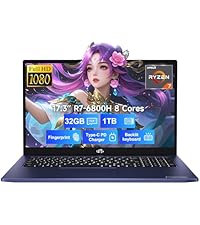
Рисунок 9: 2-летняя поддержка
This image shows a technician working on a laptop's internal components with tools, representing the 2-year support coverage for Nimo products.

Рисунок 10: 90-дневная политика возврата
This image illustrates a delivery person handing a package to a customer, signifying the 90-day return policy for Nimo products.